
DDBESSIC Under Desk Walking Pad
DDBESSIC Under Desk Walking Pad User Manual
Model: Under Desk Walking Pad
1. Product Overview
The DDBESSIC Under Desk Walking Pad is a portable and slim fitness machine designed for home and office use. It allows users to walk or jog while working or relaxing, promoting an active lifestyle. Its compact design and integrated wheels make it easy to move and store.

Figure 1: Overview of the DDBESSIC Under Desk Walking Pad, demonstrating its use for both walking and light jogging.
2. Safety Information
Please read all instructions carefully before using this walking pad. Keep this manual for future reference.
- Ensure the walking pad is placed on a flat, stable surface.
- Maintain a clear area of at least 2 meters (6.5 feet) behind the walking pad and 0.6 meters (2 feet) on each side.
- Do not allow children or pets near the walking pad while it is in operation.
- The maximum user weight capacity is 100 kg (220 lbs). Do not exceed this limit.
- Always use the emergency brake button if you feel unwell or need to stop the machine immediately.
- Unplug the walking pad from the power outlet when not in use or before cleaning.
- Do not operate the walking pad if it has a damaged cord or plug, or if it is not working properly.
- Wear appropriate athletic footwear during use.
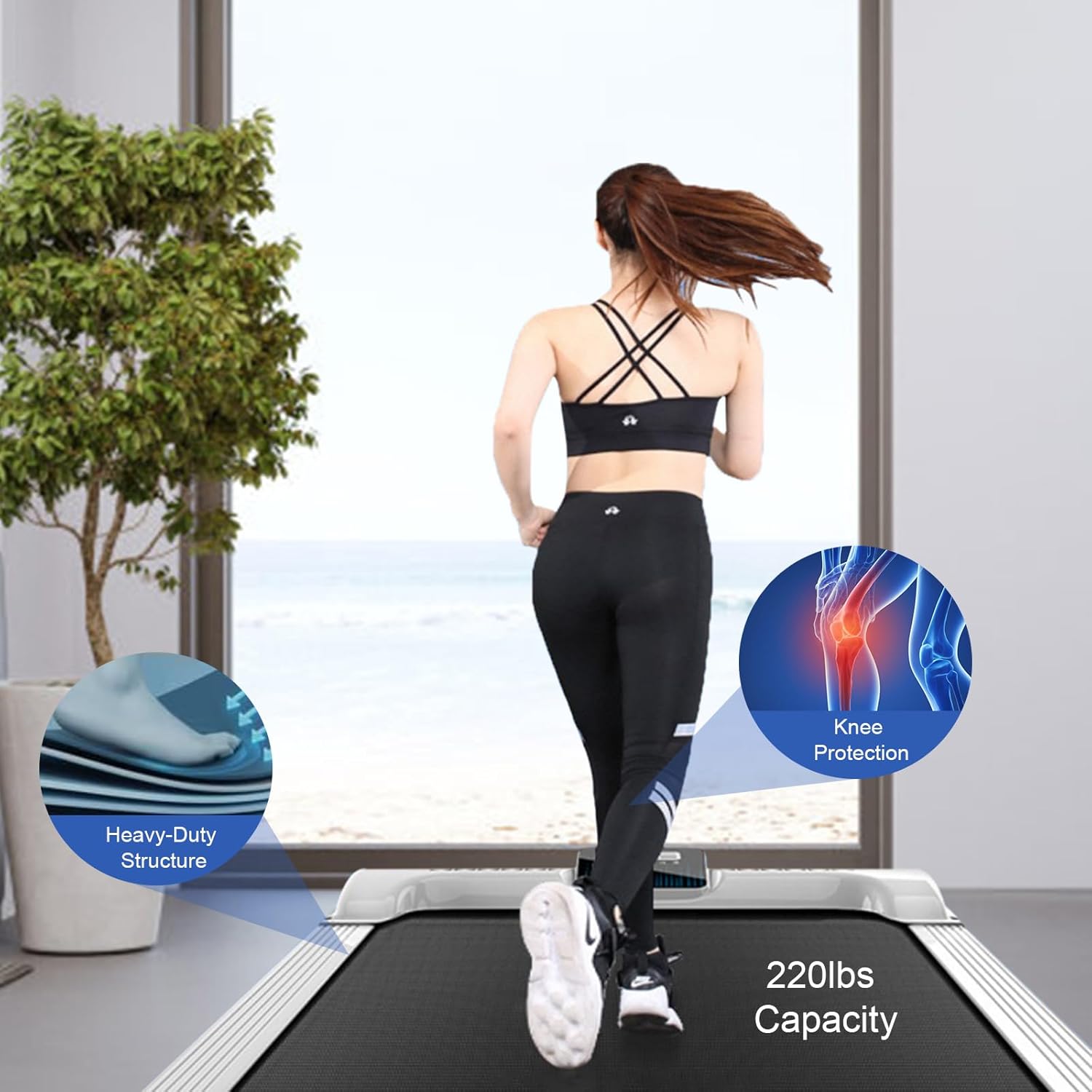
Figure 2: The walking pad features a heavy-duty structure and provides knee protection, supporting users up to 220 lbs.
3. Package Contents
Upon opening the package, please verify that all components are present and undamaged:
- 1 x DDBESSIC Under-desk Walking Pad
- 1 x Remote Control
Note: 2*AA batteries for the remote control are not included and must be purchased separately.
4. Setup and Placement
The DDBESSIC Under Desk Walking Pad requires minimal setup. Follow these steps to prepare your device for use:
- Unpacking: Carefully remove the walking pad and remote control from the packaging.
- Placement: Place the walking pad on a firm, level surface. Ensure there is adequate space around the unit for safe operation. The compact design allows it to fit under most standing desks or in open areas.
- Power Connection: Plug the power cord into a standard AC110V, 60Hz electrical outlet.
- Remote Control Batteries: Insert 2 AA batteries (not included) into the remote control, observing polarity.
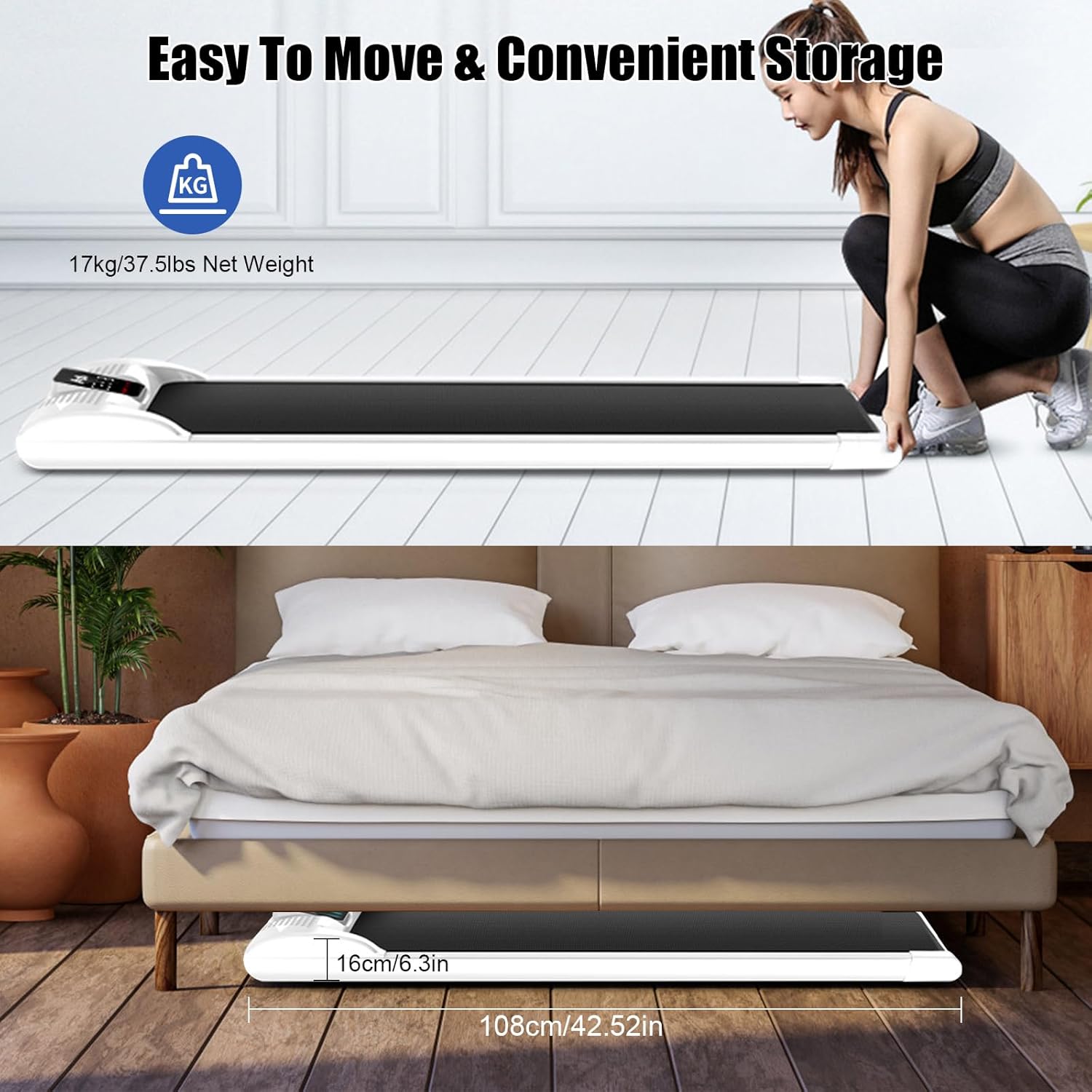
Figure 3: The walking pad is designed for easy movement and convenient storage, fitting under furniture like a bed.
5. Operating Instructions
The walking pad features an intuitive LED display and can be controlled via touch buttons or the included remote control.
5.1 LED Display
The high-definition LED display on the top of the walking pad provides real-time exercise data:
- Time: Duration of your workout.
- Speed: Current walking/jogging speed (KM/Hour).
- Distance: Total distance covered.
- Calories: Estimated calories burned.

Figure 4: The LED display provides essential workout metrics, and the unit includes movable wheels and an emergency brake button.
5.2 Speed Control
The walking pad offers a speed range of 1-6 KM/Hour. You can adjust the speed using:
- Touch Buttons: Directly on the operation screen of the walking pad.
- Remote Control: Use the speed adjustment buttons on the remote control for convenient operation.

Figure 5: The walking pad supports various exercise intensities, from slow walking to light jogging, suitable for different activities like working at a standing desk.
5.3 Starting and Stopping
- To Start: Press the "Start" button on the remote control or the corresponding touch button on the display. The walking pad will typically start at a low speed.
- To Adjust Speed: Use the "+" and "-" buttons on the remote control or display to increase or decrease speed.
- To Stop: Press the "Stop" button on the remote control or the corresponding touch button. The belt will gradually slow down and stop.
- Emergency Stop: In case of an emergency, press the dedicated emergency brake button on the walking pad.
6. Maintenance
Regular maintenance ensures the longevity and optimal performance of your DDBESSIC Under Desk Walking Pad.
- Cleaning: Wipe down the walking pad with a damp cloth after each use to remove sweat and dust. Do not use abrasive cleaners or solvents.
- Storage: When not in use, store the walking pad in a dry, cool place. Its slim design allows for storage under beds or sofas.
- Lubrication: While not explicitly mentioned for this model, most treadmills require periodic lubrication of the running belt. Refer to the manufacturer's website or contact support if you notice increased friction or noise.
- Noise Reduction: The walking pad is designed for low noise operation (<80db). If you notice unusual noises, ensure the unit is on a flat surface and check for any obstructions.

Figure 6: The quiet operation of the treadmill ensures it does not disturb others, even in quiet environments.
7. Troubleshooting
If you encounter any issues with your DDBESSIC Under Desk Walking Pad, please refer to the following common problems and solutions:
| Problem | Possible Cause | Solution |
|---|---|---|
| Walking pad does not power on. | Not plugged in; power outlet issue; power switch off. | Ensure power cord is securely plugged into a working outlet. Check if the main power switch (if any) is on. |
| Belt does not move. | Emergency brake engaged; remote control batteries low; motor issue. | Disengage emergency brake. Replace remote control batteries. If problem persists, contact customer support. |
| Unusual noise during operation. | Unit not on a level surface; foreign object under belt; belt misalignment. | Ensure the walking pad is on a flat, stable surface. Check for any objects under the belt. Contact support if noise continues. |
| Remote control not responding. | Low or dead batteries; remote not paired. | Replace AA batteries in the remote control. Refer to pairing instructions (if applicable, not provided in input). |
For issues not listed above, please contact DDBESSIC customer support.
8. Specifications
| Feature | Detail |
|---|---|
| Material | Steel, Plastic, Electronic Components, Wooden Board |
| Color | White |
| Functions | Distance, Speed, Time, Calorie, Wireless Remote-Control |
| Display Data | Speed, Time, Distance, Calories |
| Control Mode | Wireless Control / Touch |
| Noise Level | <80db |
| Voltage | AC110V, 60Hz |
| Max Load-bearing Capacity | 100kg / 220lbs |
| Speed Range | 1-6 KM/Hour |
| Motor Peak Value | 0.5hp |
| Running Area | 380 x 950mm / 15 x 37.4in |
| Machine Size (L x W x H) | 1080 x 500 x 160mm / 42.52 x 19.69 x 6.3in |
| Net Weight | 17kg / 37.48lbs |
| Gross Weight | 19kg / 41.89lbs |
9. Warranty and Support
For warranty information, technical support, or service inquiries, please contact DDBESSIC customer service. Keep your purchase receipt as proof of purchase.
Manufacturer: DDBESSIC
For the most up-to-date support information, please visit the official DDBESSIC website or refer to the contact details provided with your product packaging.
Ask a question about this manual
Ask about setup, troubleshooting, compatibility, parts, safety, or missing instructions. Manuals+ will review the question and use this page’s manual context to help answer it.