1. Introduction
This manual provides essential information for the proper installation, operation, and maintenance of the Generic X-ES30-4TBS 4TB SAS Enterprise Drive. This drive is specifically designed and formatted for use within Data Domain ES30-15 bay enclosures. Please read this manual thoroughly before proceeding with installation or operation.
2. Safety Information
Observe the following safety precautions to prevent damage to the drive, the enclosure, and to ensure personal safety:
- Always handle the drive by its edges or tray to avoid touching the circuit board or connectors.
- Ensure the Data Domain enclosure is powered off and disconnected from the power source before installing or removing any drives.
- Wear an anti-static wrist strap when handling the drive to prevent electrostatic discharge (ESD) damage.
- Do not expose the drive to moisture, extreme temperatures, or strong magnetic fields.
- Keep the drive in its anti-static packaging until ready for installation.
3. What's in the Box
The package should contain the following item:
- One (1) Enterprise Disk Drive in Tray
4. Specifications
| Feature | Detail |
|---|---|
| Model Number | X-ES30-4TBS |
| Digital Storage Capacity | 4 TB |
| Hard Drive Interface | Serial Attached SCSI (SAS) |
| Rotational Speed | 7200 RPM |
| Form Factor | 3.5 Inches |
| Compatible Devices | Data Domain (EMC) ES30, -15 bay enclosures only (Data Domain Firmware) |
| Installation Type | Internal Hard Drive |
| Weight | Approximately 2 pounds |
| Special Feature | Professionally Tested and Certified - Backed by 1 Year Replacement Warranty |
5. Setup and Installation
This drive is designed for hot-swappable installation in compatible Data Domain ES30-15 bay enclosures. Follow the manufacturer's guidelines for your specific Data Domain system when installing or replacing drives.
- Prepare the Enclosure: Ensure the Data Domain ES30-15 bay enclosure is in a state ready for drive installation or replacement. Consult your Data Domain system's documentation for specific procedures, which may include placing the system into a maintenance mode or ensuring proper power-down if not hot-swappable.
- Unpack the Drive: Carefully remove the X-ES30-4TBS drive from its anti-static packaging. Handle it by the drive tray.
- Identify Bay: Locate an empty drive bay or the bay designated for replacement in your Data Domain ES30-15 enclosure.
- Insert Drive: Slide the drive, mounted in its tray, into the empty bay until it is fully seated. Ensure the tray latch clicks into place, securing the drive. Do not force the drive; if it does not slide in smoothly, recheck alignment.
- Verify Installation: After installation, power on the enclosure (if it was powered down) and monitor the system's status indicators. The Data Domain system should detect the new drive. Refer to your Data Domain system's management interface to confirm the drive is recognized and operating correctly. The drive is pre-formatted with Data Domain firmware.
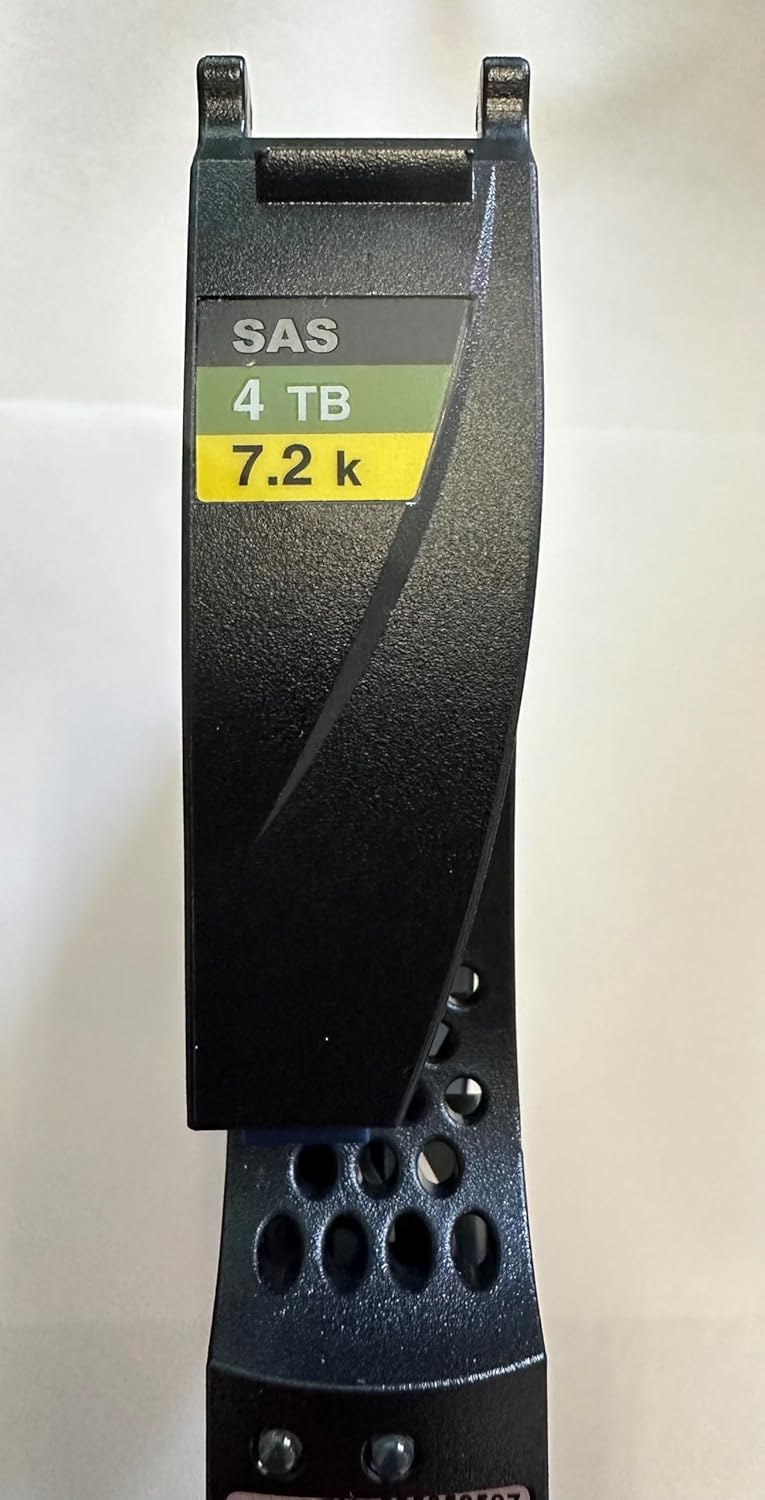
Figure 1: Front view of the X-ES30-4TBS drive in its tray, indicating SAS interface, 4TB capacity, and 7200 RPM speed.
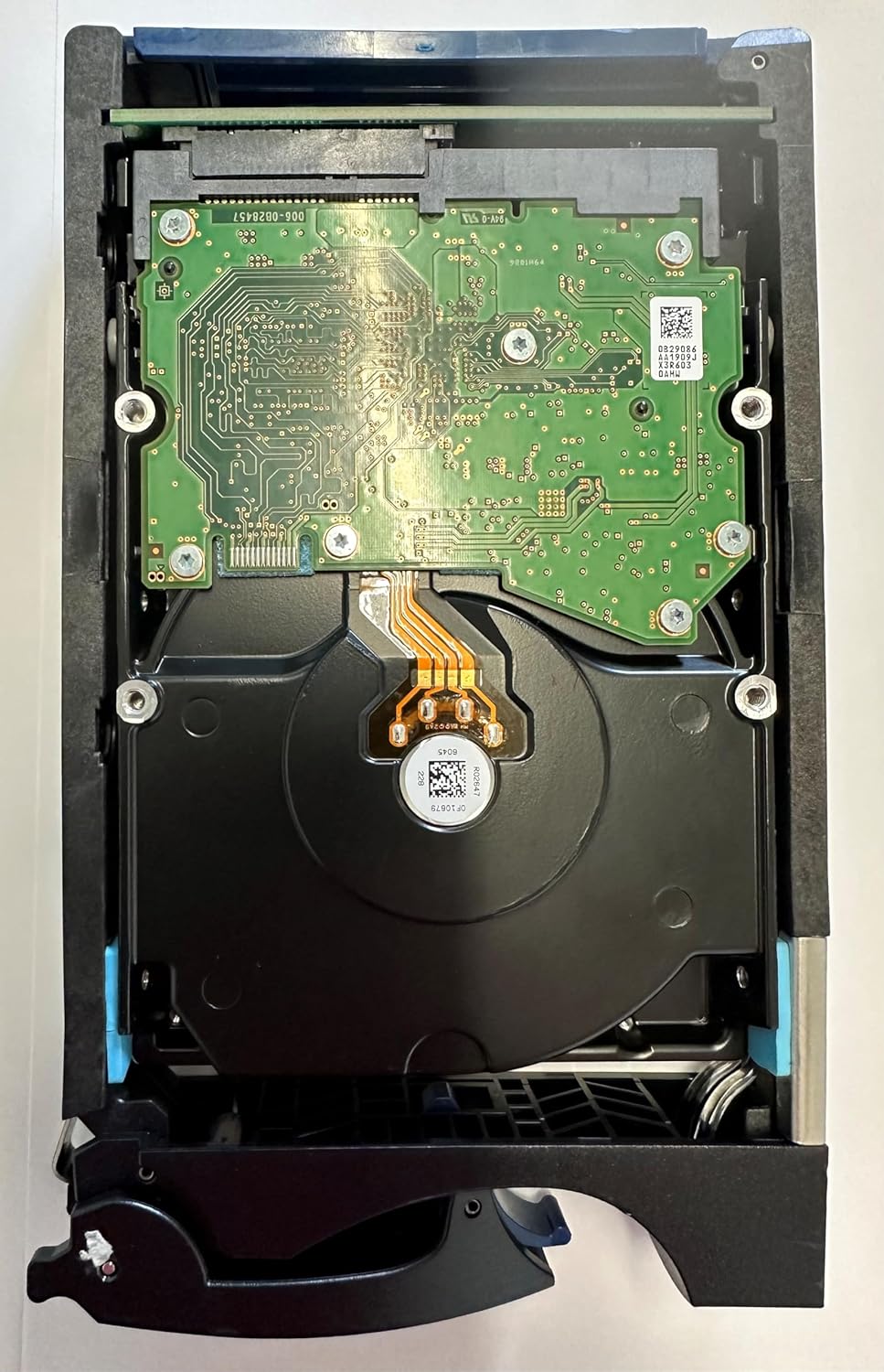
Figure 2: Rear view of the X-ES30-4TBS drive, displaying the circuit board and SAS data/power connector.
6. Operating
Once installed and recognized by the Data Domain ES30-15 bay enclosure, the X-ES30-4TBS drive operates as an integral part of the storage system. The drive is pre-configured with Data Domain firmware, ensuring compatibility and optimal performance within the Data Domain environment.
- System Integration: The Data Domain operating system will manage the drive automatically for data storage, deduplication, and replication tasks.
- Monitoring: Monitor the drive's status and performance through the Data Domain system's management interface. This interface provides information on drive health, capacity usage, and any potential issues.
- Firmware: The drive comes with Data Domain specific firmware. Do not attempt to flash the drive with non-Data Domain firmware, as this may render the drive incompatible or inoperable within the enclosure.
7. Maintenance
Hard drives are sealed units and generally do not require user maintenance. However, proper environmental conditions and handling are crucial for longevity.
- Environmental Control: Ensure the Data Domain enclosure operates within its specified temperature and humidity ranges to prevent drive overheating or condensation.
- Cleanliness: Keep the enclosure and surrounding area free from dust and debris, which can impede airflow and lead to overheating.
- Physical Handling: Avoid dropping or subjecting the drive to physical shocks, as this can cause permanent damage.
8. Troubleshooting
If you encounter issues with the X-ES30-4TBS drive, consider the following troubleshooting steps:
- Drive Not Recognized:
- Ensure the drive is fully seated in its bay.
- Verify the enclosure is powered on and functioning correctly.
- Check the Data Domain system's management interface for drive status and error messages.
- If replacing a drive, ensure the old drive was properly removed and the bay is clean.
- Performance Issues:
- Check the Data Domain system's resource utilization. High system load can affect drive performance.
- Ensure the enclosure's cooling system is operating effectively to prevent thermal throttling.
- Error Indicators: If the Data Domain enclosure or the drive itself displays error lights, consult your Data Domain system's documentation for the meaning of these indicators.
If troubleshooting steps do not resolve the issue, contact technical support as outlined in the Warranty and Support section.
9. Warranty and Support
This X-ES30-4TBS Enterprise Drive is backed by a One Year Replacement Warranty. This warranty covers defects in materials and workmanship under normal use.
For warranty claims, technical assistance, or further inquiries, please contact the seller directly. Ensure you have your purchase details and the product model number (X-ES30-4TBS) available when contacting support.
All drives are professionally tested and certified by in-house technicians prior to shipment to ensure functionality and reliability.


