
1. Introduction
Thank you for choosing the GoGonova Cordless Glue Gun. This device is designed for various crafting, DIY, and repair projects, offering convenience and portability with its cordless design and fast preheating capabilities. Please read this manual thoroughly before use to ensure safe and efficient operation.
2. Safety Instructions
WARNING: Hot glue guns operate at high temperatures. Always exercise caution to prevent burns and other injuries.
- Always keep the glue gun away from children and pets.
- Do not touch the nozzle or molten glue directly. Use heat-resistant gloves if necessary.
- Ensure the work area is clean, dry, and well-ventilated.
- Never leave the hot glue gun unattended when it is powered on.
- Do not use the glue gun near flammable materials or liquids.
- Only use glue sticks of the specified size (7mm mini glue sticks).
- Do not attempt to remove a partially used glue stick from the rear of the gun while it is hot.
- The glue gun cannot be used while charging.
- The device features a 5-minute auto power-off protection for safety and energy saving.
- Store the glue gun in a cool, dry place when not in use.
3. Package Contents
Verify that all items are present in your package:
- 1 x GoGonova Cordless Glue Gun
- 1 x USB-C Charging Cable
- 1 x User Manual (this document)
- 25 x Mini Clear Glue Sticks (0.28'' x 5.51'')
4. Product Overview
Familiarize yourself with the main components of your GoGonova Cordless Glue Gun.

Figure 4.1: The GoGonova Cordless Glue Gun kit, including the gun, USB-C cable, and 25 mini glue sticks.

Figure 4.2: Ergonomic design for comfortable and user-friendly operation, featuring anti-slip granular cushion and comfortable grip rubber.

Figure 4.3: The upright standing design ensures the glue gun remains stable and ready for use, featuring a perfectly balanced base and built-in stand.

Figure 4.4: The upgraded anti-drip design with a self-locking type suppression system ensures glue only flows when needed, minimizing mess.
5. Setup
- Initial Charge: Before first use, fully charge the glue gun. Refer to Section 6 for charging instructions.
- Insert Glue Stick: Insert a 7mm mini glue stick into the circular opening at the rear of the glue gun until it stops.
- Placement: Place the glue gun on a stable, heat-resistant surface using its integrated stand.
6. Charging the Device
The GoGonova Cordless Glue Gun is equipped with a USB-C charging port for convenient recharging.
- Connect the supplied USB-C charging cable to the glue gun's USB-C port.
- Connect the other end of the cable to a 5V 2A USB power adapter (not included) or a compatible USB-C port on a laptop/PC.
- Indicator Lights:
- Red Light On: Indicates the device is currently charging.
- Green Light On: Indicates the device is fully charged or in use.
- Red Light Flashing: Indicates low power and requires charging.
- A full charge typically takes approximately 1 hour.
- The glue gun cannot be operated while charging.
- For optimal battery life, recharge the device every 3-6 months if not in regular use.

Figure 6.1: The glue gun features a USB-C port for convenient charging from various sources.

Figure 6.2: Indicator lights show charging status (Red On: Charging, Green On: Fully Charged/In Use, Red Flashing: Low Power).
7. Operating Instructions
- Power On: Press and hold the power button (located at the front, near the indicator light) for a few seconds until the indicator light turns red.
- Preheating: The glue gun will begin to heat up. It reaches operating temperature in approximately 20 seconds, indicated by the light turning green.
- Apply Glue: Once the light is green, gently squeeze the trigger to dispense molten glue. The anti-drip design ensures smooth and precise application.
- Continuous Use: As you use the glue gun, the glue stick will shorten. Insert a new glue stick into the rear opening to push the remaining stick forward.
- Power Off: To turn off the glue gun, press the power button briefly. The device will also automatically power off after 5 minutes of inactivity to conserve energy and enhance safety.
The GoGonova Cordless Glue Gun is versatile and can be used on various materials such as plastic, fabric, wood, glass, and metal for packaging, craft projects, DIY repairs, and decorations.
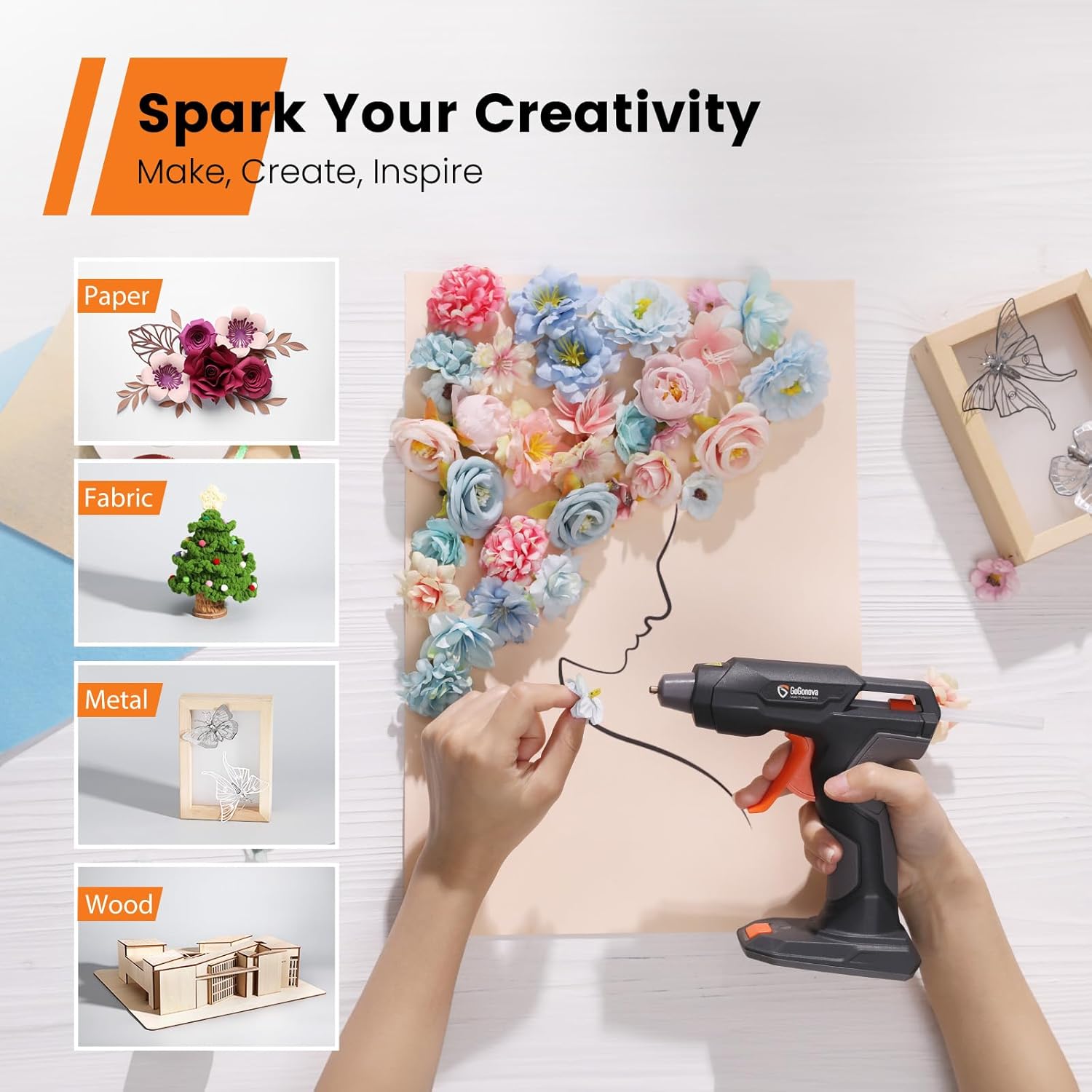
Figure 7.1: Examples of creative projects that can be accomplished with the glue gun, including paper crafts, fabric work, and bonding metal or wood.
7.1. Instructional Videos
Video 7.1: This video provides instructions on using the GoGonova Cordless Glue Gun and addresses potential accident cases, demonstrating proper handling and safety measures.
Video 7.2: An overview of the GoGonova 4V Anti-drip Cordless Glue Gun, highlighting its fast preheating feature and anti-drip functionality for efficient crafting.
8. Maintenance
- Cleaning: Ensure the glue gun is completely cool before cleaning. Gently wipe the exterior with a soft, damp cloth. Do not use abrasive cleaners or solvents.
- Nozzle Care: Do not attempt to clean the nozzle while the gun is hot. Any hardened glue on the nozzle can be carefully removed once the gun has cooled down.
- Storage: Store the glue gun in its original packaging or a protective case in a dry, safe place, away from direct sunlight and extreme temperatures.
9. Troubleshooting
| Problem | Possible Cause | Solution |
|---|---|---|
| Glue gun does not turn on. | Battery is depleted; Power button not held long enough. | Fully charge the glue gun. Press and hold the power button for a few seconds until the indicator light illuminates. |
| Glue does not dispense or trigger is stuck. | Glue stick not fully inserted; Gun not hot enough; Internal mechanism issue. | Ensure glue stick is fully inserted. Wait for the green indicator light. If the issue persists, ensure the gun is off and cooled, then check for any obstructions. If the trigger mechanism is broken, contact support. |
| Glue gun drips excessively. | Initial heating phase; Incorrect glue stick size; Defective unit. | A small amount of dripping can occur during initial heating. Ensure you are using 7mm mini glue sticks. If dripping is continuous and excessive, contact support. |
| Battery life is short. | Battery not fully charged; Continuous heavy use; Battery degradation over time. | Ensure the glue gun is fully charged before use. Note that continuous use will drain the battery faster. Recharge regularly as per Section 6. |
10. Specifications
| Feature | Detail |
|---|---|
| Brand | GoGonova |
| Model Number | GT01002 |
| Color | Gray |
| Power Source | Battery Powered (USB-C Rechargeable) |
| Voltage | 4 Volts |
| Wattage | 7.2 Watt-hours |
| Preheating Time | Approx. 20 seconds |
| Auto Power-Off | 5 minutes of inactivity |
| Compatible Glue Stick Size | 7mm (Mini) |
| Product Dimensions | 7.4"L x 2.5"W x 7.3"H |
| Item Weight | 1.1 Pounds |
| Material | Plastics, Rubber |
11. Warranty and Support
Specific warranty details and direct support contact information are not provided in this manual. For warranty claims, technical assistance, or any product-related inquiries, please refer to the product packaging or contact the GoGonova customer service directly through their official website or the platform where the product was purchased.
Please retain your proof of purchase for any warranty-related requests.