
NIUTA NIUTA
NIUTA Bluetooth Speaker with Lights User Manual
Model: NIUTA
Introduction
Welcome to the user manual for your new NIUTA Bluetooth Speaker with Lights. This manual provides essential information on setting up, operating, maintaining, and troubleshooting your speaker. Please read this manual thoroughly before using the product to ensure optimal performance and longevity.
Product Overview
The NIUTA Bluetooth Speaker is a portable wireless speaker featuring vibrant color-changing lights, 20W stereo sound, IPX5 waterproofing, and up to 24 hours of battery life. It supports TWS pairing for true stereo sound and includes a TF card slot for versatile music playback.
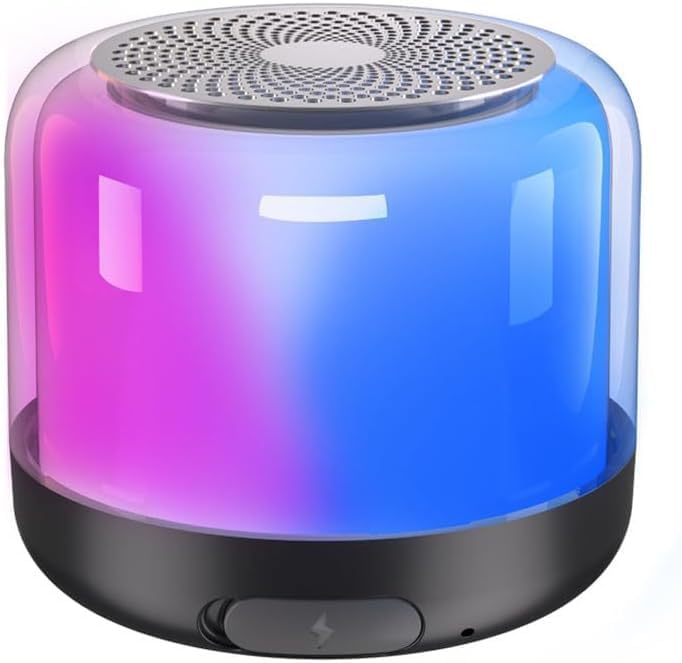
Front view of the NIUTA Bluetooth Speaker, showcasing its compact design and vibrant color-changing light display.

The speaker in a social setting, illustrating its 360-degree light atmosphere feature. A dedicated button for light control is visible.

An exploded view showing the internal components of the speaker, highlighting its small size and powerful sound capabilities.
Package Contents
Please check the package for the following items:
- NIUTA Bluetooth Speaker with Lights
- Charging Cable (USB-C)
- User Manual
- Wireless Earbuds
Note: The product specifications mention "Wireless Earbuds" as included components. Please verify your package contents upon receipt.
Safety Instructions
- Do not expose the speaker to extreme temperatures or direct sunlight for prolonged periods.
- Keep the speaker away from water and liquids, despite its IPX5 rating, to prevent damage.
- Do not disassemble, repair, or modify the speaker yourself. Contact qualified service personnel.
- Use only the specified charging cable.
- Avoid dropping or subjecting the speaker to strong impacts.
Setup
Charging the Speaker
Before first use, fully charge the speaker.
- Connect the USB-C charging cable to the charging port on the speaker.
- Connect the other end of the cable to a USB power adapter (not included) or a computer's USB port.
- The charging indicator light will illuminate. It will turn off or change color once fully charged.
Powering On/Off
Press and hold the Power button for approximately 3 seconds to turn the speaker on or off.
Operating Instructions
Bluetooth Pairing
The speaker will automatically enter Bluetooth pairing mode when powered on for the first time or if no device is connected.
- Ensure the speaker is powered on and within 33 feet (10 meters) of your device.
- Enable Bluetooth on your smartphone, tablet, laptop, or other compatible device.
- Search for "NIUTA Speaker" (or similar name) in the list of available Bluetooth devices.
- Select the speaker to connect. A confirmation sound will indicate successful pairing.
 The NIUTA Bluetooth Speaker is compatible with various devices, including smartphones, tablets, and laptops, ensuring broad connectivity.
TWS (True Wireless Stereo) Pairing
To achieve true stereo sound, you can pair two NIUTA Bluetooth Speakers together.
- Ensure both speakers are powered on and not connected to any other Bluetooth device.
- On one speaker (this will be the primary speaker), double-press the Power button (or designated TWS button if available).
- The speakers will automatically search for and connect to each other. A confirmation sound will indicate successful TWS pairing.
- Once paired, connect your device to the primary speaker via Bluetooth as described above.
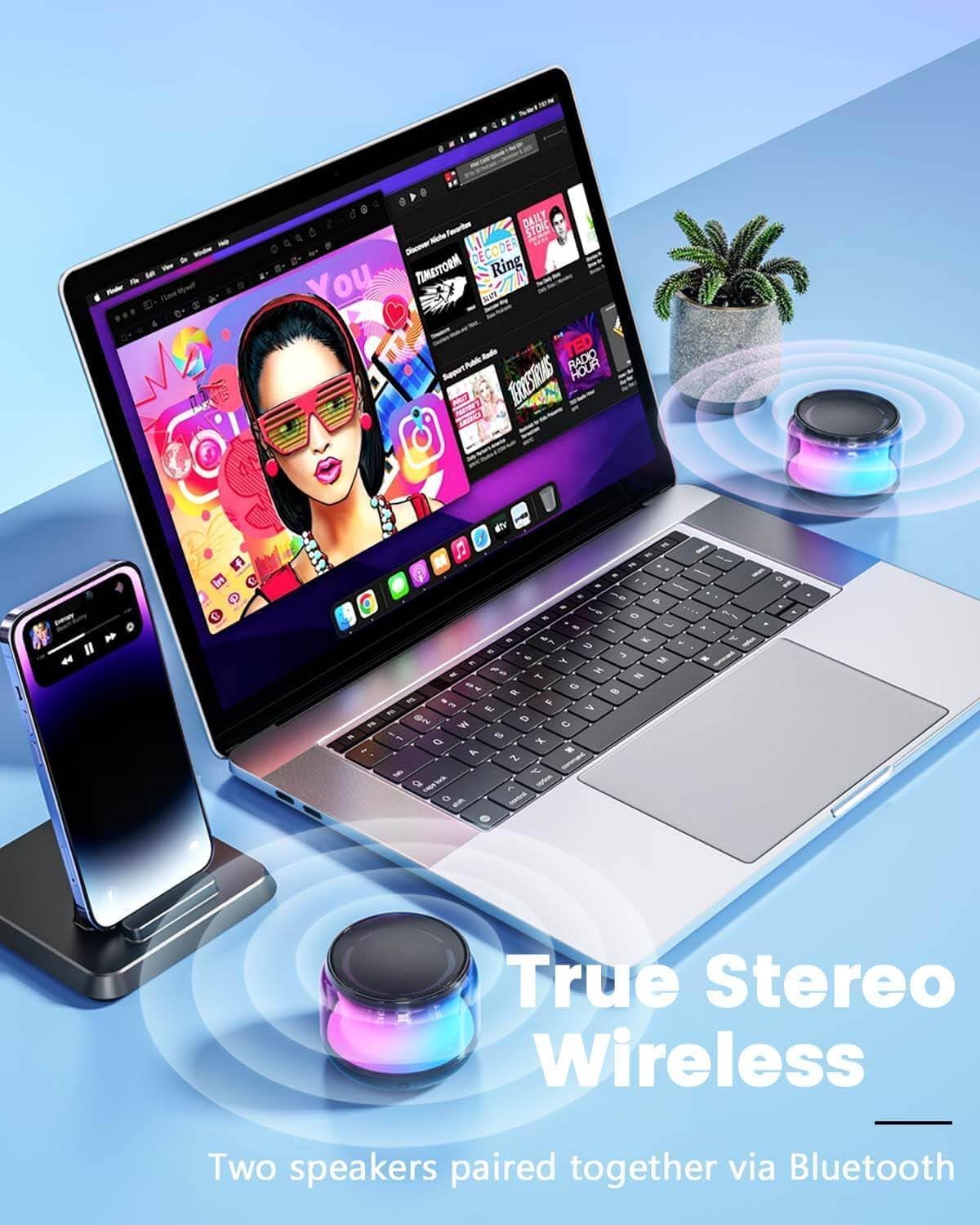 Two NIUTA speakers wirelessly connected to provide an immersive true stereo sound experience, ideal for larger spaces or enhanced audio.
Music Playback
- Bluetooth Mode: Play music directly from your connected Bluetooth device. Use your device's controls for playback (play/pause, skip tracks, volume).
- TF Card Mode: Insert a TF (microSD) card with audio files into the TF card slot. The speaker will automatically switch to TF card mode and begin playback.
Light Modes
The speaker features multiple color-changing light modes.
- Press the dedicated Light Switch button to cycle through different light modes.
- Press and hold the Light Switch button to turn the lights off or on.
 The speaker displaying its dynamic color-changing lights, enhancing the listening experience with visual effects.
Maintenance
- Clean the speaker with a soft, dry cloth. Do not use abrasive cleaners or solvents.
- Store the speaker in a cool, dry place when not in use.
- Avoid exposing the speaker to extreme temperatures or humidity.
- If the speaker will not be used for an extended period, charge it at least once every three months to preserve battery life.
Troubleshooting
| Problem | Solution |
|---|---|
| Speaker does not turn on. | Ensure the speaker is fully charged. Press and hold the Power button for 3-5 seconds. |
| Cannot pair with Bluetooth device. |
|
| No sound or low volume. |
|
| Lights are not working. | Press the Light Switch button to cycle through modes or turn them on. Ensure the speaker has sufficient battery. |
Specifications
| Feature | Detail |
|---|---|
| Brand | NIUTA |
| Model Number | NIUTA |
| Connectivity Technology | Bluetooth 5.2 |
| Wireless Communication Technology | Bluetooth |
| Speaker Type | Outdoor / Portable |
| Audio Output Mode | Stereo |
| Speaker Maximum Output Power | 20 Watts |
| Battery Life | 24 Hours |
| Waterproof Rating | IPX5 |
| Bluetooth Range | 33 Feet (10 meters) |
| Material | Plastic |
| Color | Black |
| Item Weight | 3.52 ounces (0.1 Kilograms) |
| Product Dimensions | 0.39 x 0.39 x 0.39 inches |
| Control Method | Touch |
| Special Features | Color Changing Lights, TWS Pairing, TF Card Slot |
Warranty Information
The NIUTA Bluetooth Speaker comes with a Limited Warranty. Please refer to the warranty card included in your package for specific terms and conditions, including coverage period and claim procedures. Keep your purchase receipt as proof of purchase.
Customer Support
For technical support, warranty claims, or any questions regarding your NIUTA Bluetooth Speaker, please contact our customer service team.
Website: Visit the NIUTA Store on Amazon
Email: Please refer to product packaging
Phone: Please refer to product packaging
When contacting support, please have your product model number (NIUTA) and purchase information ready.