
eSenlite EE102WLS
eSenlite Invisible Motion Retrofit Smart Sockets User Manual
Model: EE102WLS
1. Product Overview
The eSenlite Invisible Motion Retrofit Smart Socket is an innovative add-on device designed to transform standard light fixtures into smart, energy-saving, motion-activated lighting systems. Featuring a radar motion sensor and a built-in night light function, this compact socket enhances convenience and efficiency for both indoor and outdoor applications.

Image 1.1: Two eSenlite compact smart sockets, illustrating their design and radar sensing capability.
2. Safety Information
- Ensure power is turned off at the circuit breaker before installation or servicing.
- Do not exceed the maximum wattage rating of your light fixture or the eSenlite socket.
- This device is designed for use with E26 or E27 light bulbs.
- Avoid installing in locations with excessive vibration or extreme temperatures.
- Consult a qualified electrician if you are unsure about any part of the installation process.
3. Package Contents
Your package should contain the following items:
- 2 x eSenlite Invisible Motion Retrofit Smart Sockets (Model: EE102WLS)
- 1 x User Manual (this document)
4. Product Features
The eSenlite Smart Socket offers a range of features designed to enhance your lighting experience:
- Radar Motion Sensor: Detects motion through most physical barriers (glass, wood, plastics, and even metal screen), providing 360-degree invisible sensing.
- Two Selectable Lighting Profiles: Allows customization of light behavior based on your needs.
- Built-in Night Light Function: Provides a soft ambient light in darkness.
- Energy Saving: Automatically turns lights on when motion is detected and off after a set period of inactivity, reducing electricity consumption.
- Wide Compatibility: Works with most existing E26 or E27 light bulbs.
- Compact Add-on Design: Easily integrates into existing light fixtures without requiring complex wiring.
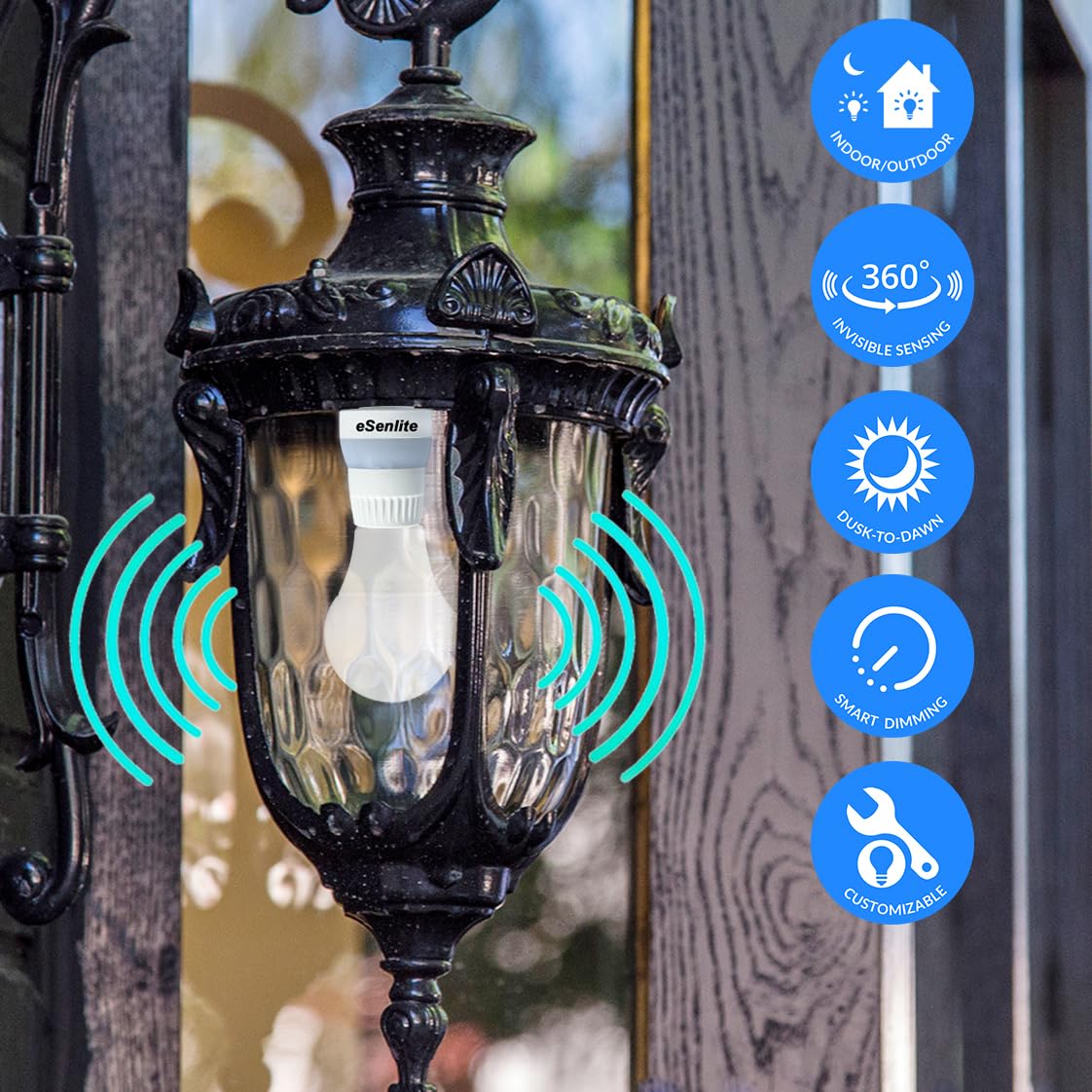
Image 4.1: The eSenlite smart socket integrated into an outdoor lantern, highlighting its indoor/outdoor use, 360-degree invisible sensing, dusk-to-dawn capability, smart dimming, and customizable features.
5. Setup and Installation
Follow these steps to install your eSenlite Smart Socket:
- Turn off Power: Before beginning, ensure the power to the light fixture is completely off at the circuit breaker to prevent electrical shock.
- Remove Existing Bulb: Carefully unscrew the existing light bulb from the fixture.
- Screw in Smart Socket: Screw the eSenlite Smart Socket into the empty light fixture socket. Ensure it is securely tightened.
- Install Light Bulb: Screw your desired E26 or E27 light bulb into the eSenlite Smart Socket.
- Restore Power: Turn the power back on at the circuit breaker. The smart socket is now ready for operation.

Image 5.1: Installation diagram illustrating the eSenlite smart socket being screwed into a fixture, followed by a light bulb being screwed into the smart socket.
Placement Considerations: The radar motion sensor can detect motion through various materials. Consider this when choosing installation locations to avoid unintended activations. For optimal performance, ensure the sensor is not obstructed by dense metal objects or thick walls that could significantly impede radar signals.
6. Operating Instructions
The eSenlite Smart Socket operates automatically based on its radar motion sensor and selected lighting profile. Specific settings are typically controlled via dip switches located on the device itself (refer to the physical product for exact switch locations and functions).
6.1. Radar Motion Sensing
The integrated radar motion sensor continuously monitors the area for movement. Upon detection, the connected light bulb will illuminate according to the configured settings. The sensor's ability to penetrate materials allows for discreet installation within enclosed fixtures.

Image 6.1: An eSenlite smart socket installed on a patio, demonstrating its radar motion sensing capabilities with blue wave indicators.
6.2. Night Light Function
The smart socket includes a built-in night light function. This feature provides a low-level illumination during periods of darkness, offering subtle guidance without activating the main light bulb unless significant motion is detected.

Image 6.2: A collage depicting various indoor environments (bathroom, staircase, bedroom, living room) where the eSenlite smart socket's night light function can provide subtle illumination.
6.3. Lighting Profiles and Customization
The device offers two selectable lighting profiles. These profiles, along with other customizable settings such as detection range and illumination duration, are typically adjusted using small dip switches on the side of the socket. Refer to the markings on your specific device for detailed configuration options.
7. Maintenance
The eSenlite Smart Socket requires minimal maintenance:
- Cleaning: Ensure power is off before cleaning. Wipe the exterior of the socket with a dry, soft cloth. Do not use liquid cleaners or abrasive materials.
- Bulb Replacement: When replacing the light bulb, always turn off the power to the fixture first.
- Inspection: Periodically check the socket and connections for any signs of damage or wear.
8. Troubleshooting
| Problem | Possible Cause | Solution |
|---|---|---|
| Light does not turn on with motion. |
|
|
| Light stays on continuously. |
|
|
| Light turns on unexpectedly. |
|
|
| Night light function not working. |
|
|
9. Specifications
| Model Number | EE102WLS |
| Brand | eSenlite |
| Operation Mode | Automatic |
| Contact Type | Normally Open |
| Connector Type | Screw Terminals |
| Terminal | Screw |
| Circuit Type | 1-way |
| Mounting Type | Wall Mount (for fixture) |
| Contact Material | Copper, Brass |
| Number of Positions | 1 |
| Controller Type | Push Button (internal settings) |
| Package Dimensions | 5.39 x 4.02 x 3.03 inches |
| Item Weight | 5.61 ounces |
10. Warranty and Support
For warranty information and technical support, please refer to the manufacturer's official website or contact their customer service department. Keep your purchase receipt as proof of purchase.
Manufacturer: EE Systems Group Inc
Contact: Please visit the eSenlite store on Amazon or the manufacturer's website for contact details.
Related documentsEE102WLS


Ask a question about this manual
Ask about setup, troubleshooting, compatibility, parts, safety, or missing instructions. Manuals+ will review the question and use this page’s manual context to help answer it.