
Supersonic IQ-3530RGB
User Manual for IQ Sound IQ-3530RGB Portable Bluetooth Speaker
Model: IQ-3530RGB
Introduction
Thank you for purchasing the IQ Sound IQ-3530RGB Portable Bluetooth Speaker. This manual provides essential information for setting up, operating, and maintaining your speaker to ensure optimal performance and longevity. Please read this manual thoroughly before using the product.

Figure 1: Front view of the IQ Sound IQ-3530RGB Portable Bluetooth Speaker, showcasing its dual speakers with active RGB lighting.
Package Contents
Please check the package contents to ensure all items are present:
- IQ Sound IQ-3530RGB Portable Bluetooth Speaker
- USB Charging Cable
- AUX Cable
- Shoulder Strap
- User Manual (this document)
Setup
1. Initial Charging
Before first use, fully charge the speaker. Connect the supplied USB charging cable to the speaker's charging port and the other end to a compatible USB power adapter (not included) or a computer's USB port. The charging indicator will illuminate. A full charge takes approximately 3 hours for the 3000mAh built-in rechargeable battery.
2. Powering On/Off
Locate the power button on the speaker. Press and hold the power button for a few seconds to turn the speaker on or off. A sound prompt will indicate the power status.
3. Connecting the Shoulder Strap
Attach the included shoulder strap to the designated loops on either side of the speaker for convenient portability.
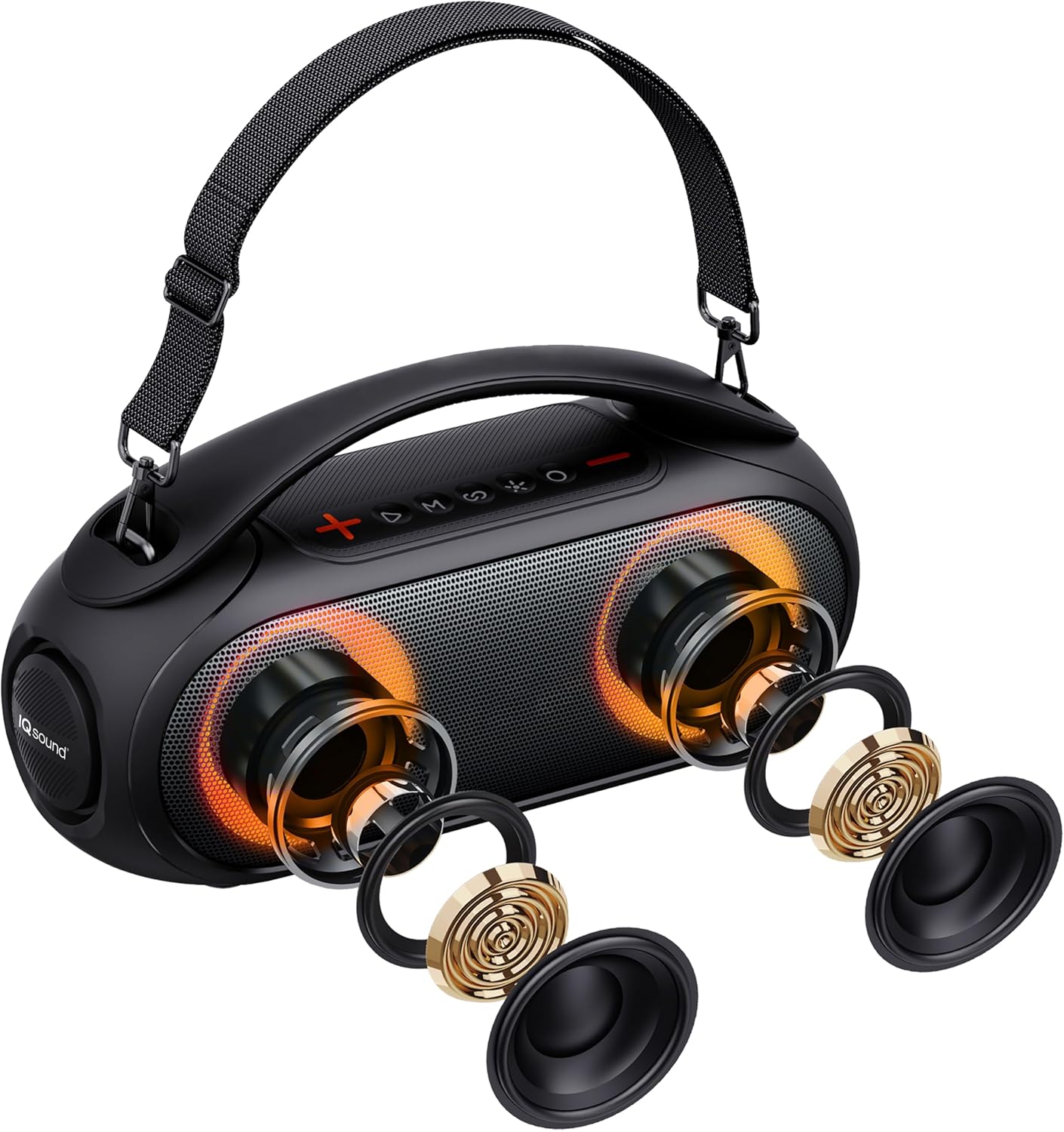
Figure 2: The speaker with the shoulder strap attached, illustrating its portability and internal speaker components.
Operating Instructions
1. Bluetooth Pairing
- Turn on the speaker. It will automatically enter Bluetooth pairing mode, indicated by a flashing LED light.
- Enable Bluetooth on your device (smartphone, tablet, laptop).
- Search for "IQ-3530RGB" in your device's Bluetooth settings and select it to connect.
- Once connected, the LED light will stop flashing, and a confirmation sound will play.
The speaker supports Bluetooth V4.2+BR and can maintain a connection up to 10 meters (32.8 feet) away in an open environment.
2. True Wireless Stereo (TWS) Function
The TWS function allows you to connect two IQ-3530RGB speakers together for a true stereo sound experience.
- Ensure both speakers are powered on and not connected to any Bluetooth device.
- On one speaker, press and hold the TWS button (often indicated by a chain link or TWS icon) until you hear a prompt. This speaker will be the primary unit.
- The two speakers will automatically pair with each other. A confirmation sound will indicate successful TWS connection.
- Now, connect your Bluetooth device to the primary speaker as described in the "Bluetooth Pairing" section. Audio will play through both speakers in stereo.
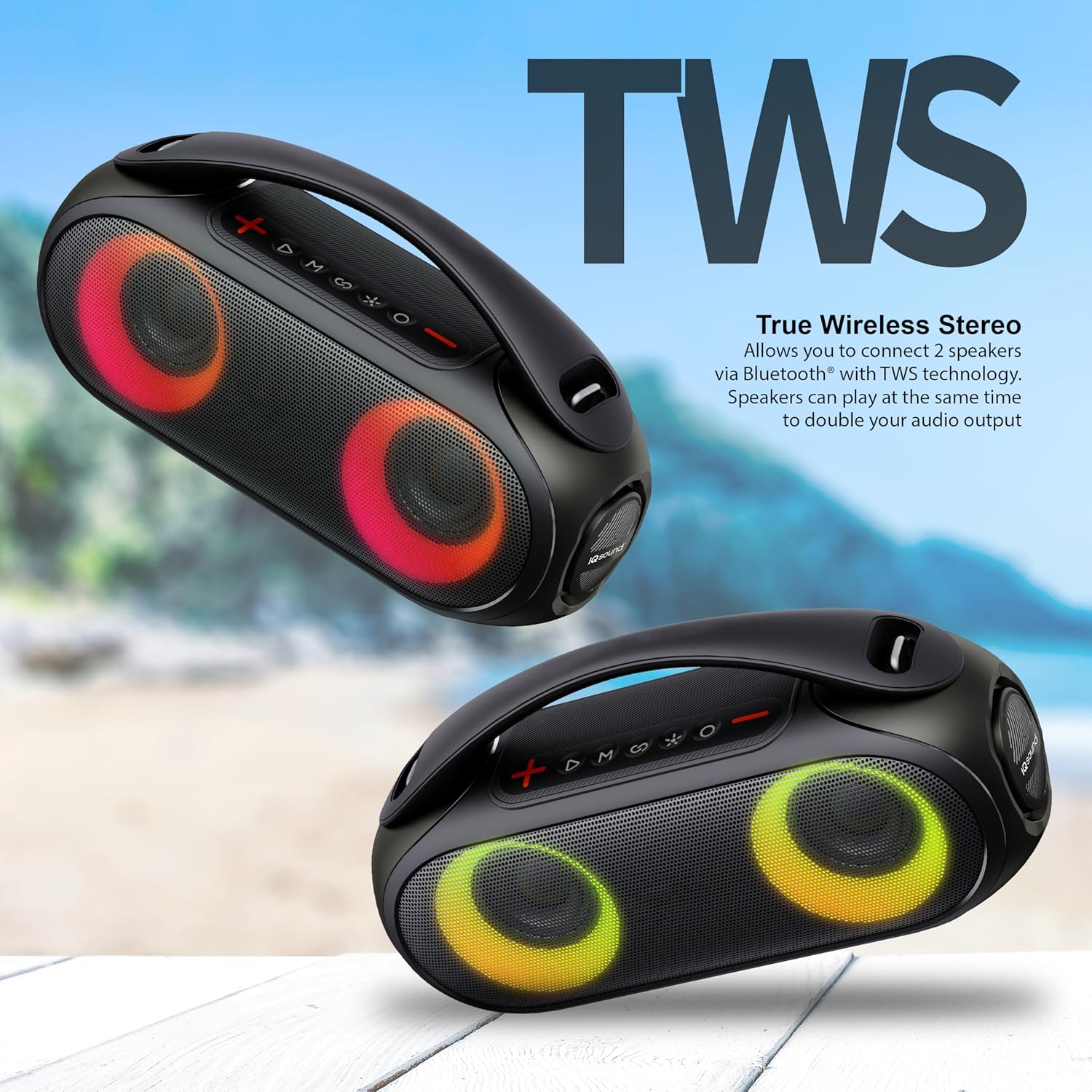
Figure 3: Two speakers connected via True Wireless Stereo (TWS) technology, providing a wider soundstage.
3. RGB Lighting Modes
The speaker features vibrant RGB lights with multiple modes. Press the dedicated light mode button (often indicated by a light bulb icon) to cycle through the 3 different RGB lighting modes or to turn the lights off.

Figure 4: The speaker showcasing its dynamic RGB lighting feature, enhancing the visual experience.
4. FM Radio Operation
To use the FM radio function:
- Press the 'M' (Mode) button to switch to FM Radio mode.
- Press and hold the Play/Pause button to automatically scan and save available FM stations.
- Use the Previous/Next track buttons to navigate between saved stations.
5. USB and AUX Input
The speaker supports audio playback via USB drive and AUX cable.
- USB Input: Insert a USB flash drive containing MP3 audio files into the USB port. The speaker will automatically switch to USB mode and begin playback.
- AUX Input: Connect one end of the supplied AUX cable to the speaker's AUX port and the other end to the audio output of your device. Press the 'M' (Mode) button to switch to AUX mode.

Figure 5: Rear view of the speaker, highlighting the various input ports including MIC, USB, AUX, and TF card slot.
6. Microphone Input and Voice Control
The speaker includes a microphone input for karaoke or public address use. It also supports voice control features.
- Microphone: Connect a wired microphone (not included) to the MIC input port.
- Voice Control: When connected via Bluetooth, press the voice assistant button (often indicated by a microphone icon) to activate your device's voice assistant (e.g., Google Assistant, Siri).
7. Button Functions
The top panel of the speaker features several control buttons:
- Power Button: Press and hold to turn on/off.
- Volume Up (+): Increase volume.
- Volume Down (-): Decrease volume.
- Play/Pause: Play or pause audio. In FM mode, press and hold to auto-scan.
- Mode (M): Switch between Bluetooth, FM Radio, USB, and AUX modes.
- Previous Track/Station: Short press for previous track; long press for previous FM station.
- Next Track/Station: Short press for next track; long press for next FM station.
- Light Mode Button: Cycle through RGB lighting modes or turn lights off.
- TWS Button: Press and hold to initiate TWS pairing.
- Voice Assistant Button: Activate connected device's voice assistant.
Maintenance
1. Cleaning
Wipe the speaker with a soft, dry cloth. Do not use abrasive cleaners or solvents. For stubborn dirt, a slightly damp cloth can be used, ensuring no water enters the ports.
2. Water Resistance (IPX6)
The IQ-3530RGB speaker is IPX6 water-resistant, meaning it can withstand powerful water jets. It is suitable for outdoor activities and can resist splashes and rain. However, it is not designed to be submerged in water. Ensure all port covers are securely closed before exposing the speaker to water.
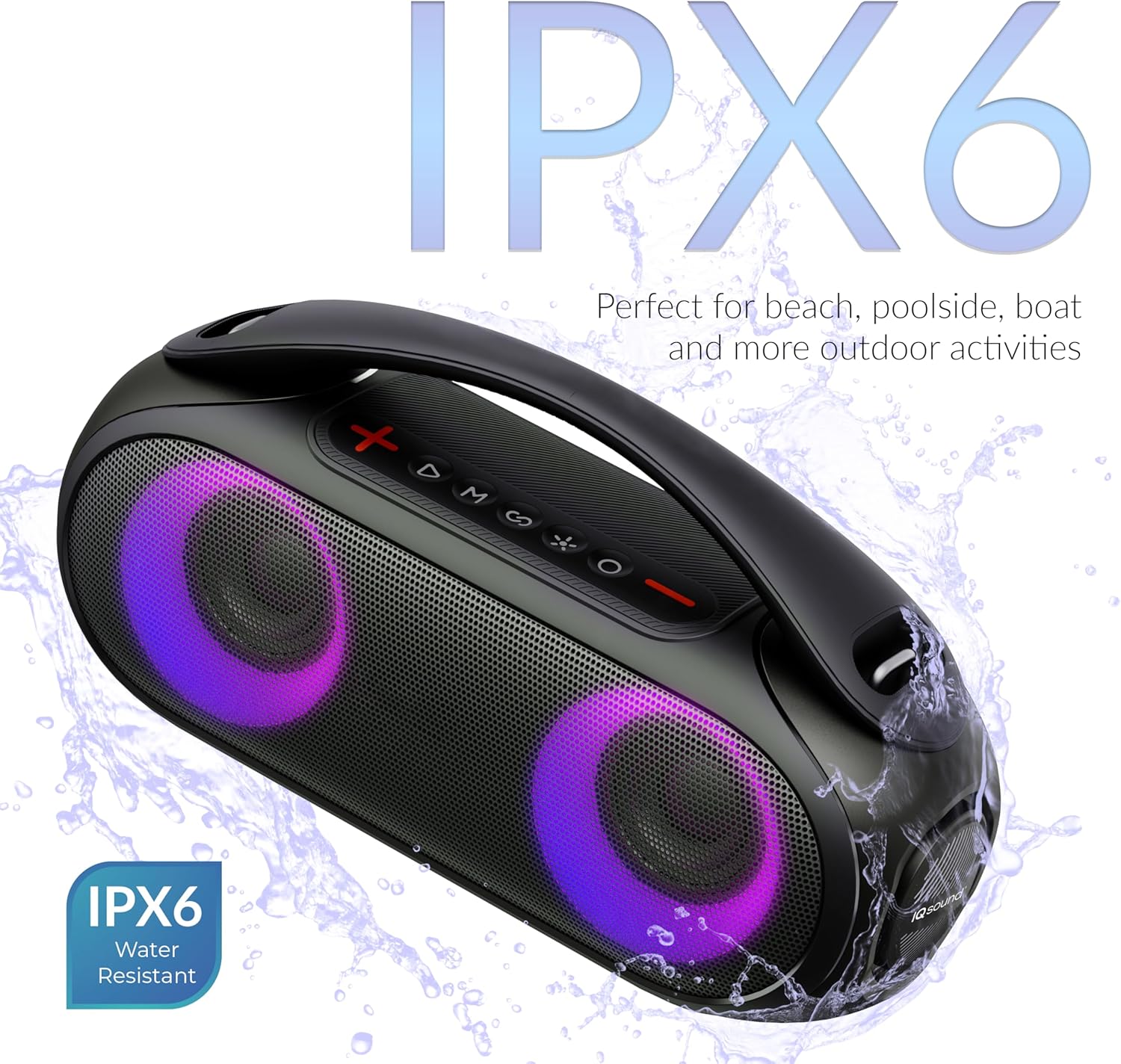
Figure 6: The speaker demonstrating its IPX6 water resistance, suitable for outdoor environments.
3. Battery Care
To prolong battery life, avoid fully discharging the battery frequently. Recharge the speaker when the battery low indicator appears. If storing the speaker for an extended period, charge it to about 50% every few months.
Troubleshooting
| Problem | Possible Cause | Solution |
|---|---|---|
| Speaker does not turn on. | Battery is depleted. | Charge the speaker for at least 3 hours. |
| No sound. | Volume is too low; incorrect mode selected; device not connected. | Increase speaker and device volume; press 'M' button to select correct input mode; ensure Bluetooth device is paired. |
| Bluetooth connection unstable or fails. | Device is out of range; interference; speaker not in pairing mode. | Move device closer to speaker (within 10m); avoid obstacles; ensure speaker is in Bluetooth pairing mode. Try unpairing and re-pairing. |
| TWS pairing fails. | Speakers are too far apart; one speaker already connected to a device. | Ensure speakers are close to each other; disconnect any Bluetooth devices from both speakers before initiating TWS pairing. |
| FM radio reception is poor. | Weak signal; environmental interference. | Relocate the speaker to an area with better reception. |
Specifications
| Feature | Detail |
|---|---|
| Model Name | IQ-3530RGB |
| Speaker Type | Outdoor |
| Special Features | FM radio, USB support, TWS function, RGB Panel, Voice Control, Mic Input, IPX6 Water Resistant |
| Connectivity Technology | Bluetooth, USB |
| Wireless Communication Technology | Bluetooth |
| Bluetooth Range | 10 Meters (32.8 Feet) |
| Water Resistance Rating | IPX6 |
| Battery Capacity | 3000mAh |
| Charging Time | 3 Hours |
| Playtime | Up to 6 hours |
| Speaker Maximum Output Power | 10 Watts |
| Audio Output Mode | Stereo |
| Product Dimensions (D x W x H) | 14.53"D x 5.35"W x 7.4"H |
| Item Weight | 7 pounds |
| Included Components | User Manual, USB Charging Cable, AUX Cable, Shoulder Strap |
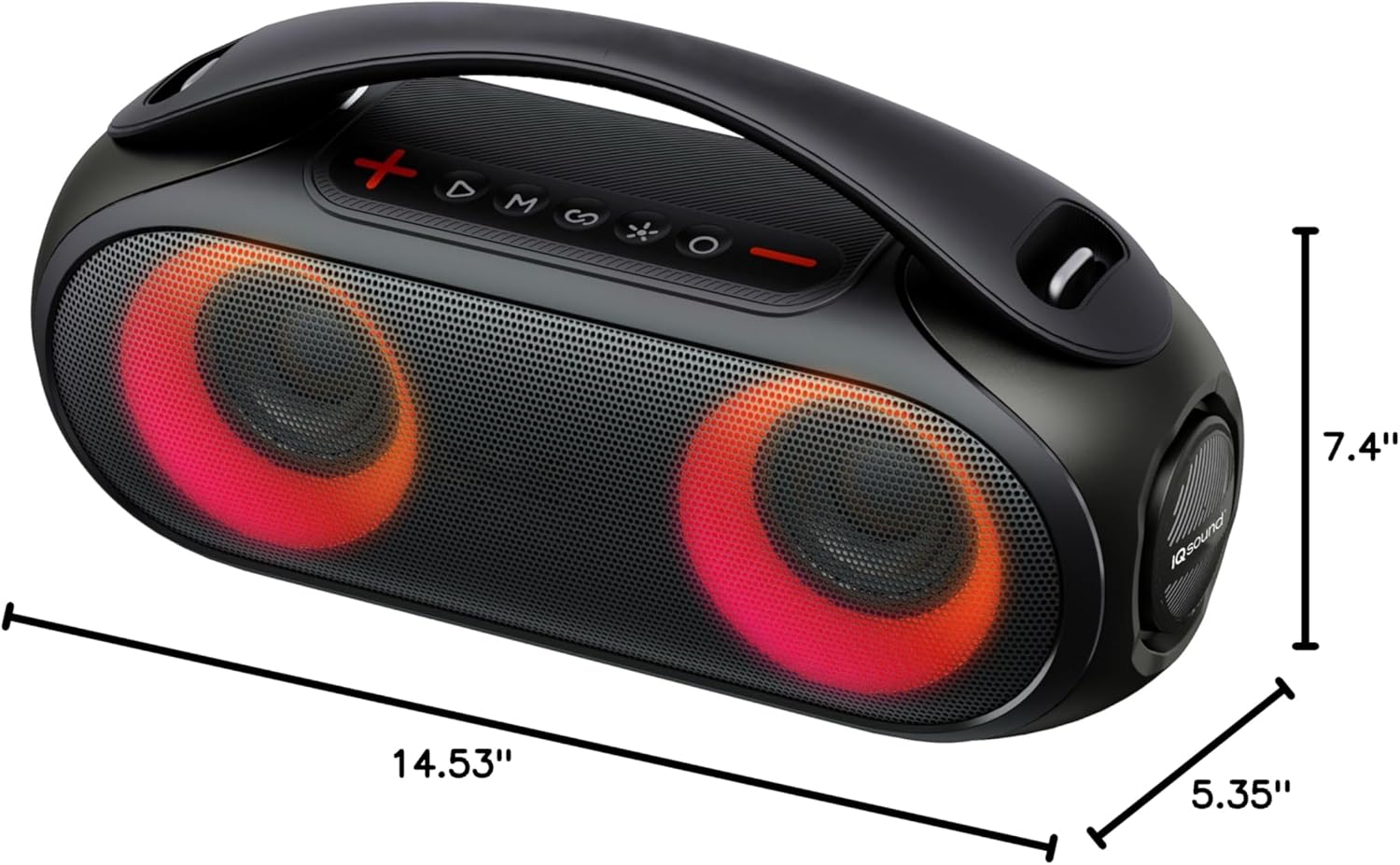
Figure 7: Dimensional overview of the IQ Sound IQ-3530RGB speaker.
Warranty and Support
For warranty information and technical support, please refer to the warranty card included with your product or visit the official Supersonic website. You can also visit the Supersonic Store on Amazon for more information and contact options:
Ask a question about this manual
Ask about setup, troubleshooting, compatibility, parts, safety, or missing instructions. Manuals+ will review the question and use this page’s manual context to help answer it.