
Introduction
This manual provides instructions for the setup, operation, and basic maintenance of your new Generic replacement infrared remote control. This remote is designed to be compatible with various Innova ELEC DC Inverter Air Conditioner models, specifically those with 8 HP, 9 HP, 10 HP, and 12 HP ratings.
Please note that as a replacement unit, some advanced functions present on your original remote may not be fully replicated. This remote is intended to provide core functionality for your air conditioner.
Compatibility Check
Before proceeding, ensure that this remote control is compatible with your specific Innova air conditioner model. This remote is designed for Innova ELEC DC Inverter Air Conditioners within the 8 HP to 12 HP range. If your air conditioner model number is not explicitly listed or you are unsure, please consult the seller for verification.
Setup
Battery Installation
- Locate the battery compartment on the back of the remote control.
- Using a coin or a flat-head screwdriver, gently twist the battery cover counter-clockwise to unlock and remove it.
- Insert one new CR2430 coin cell battery, ensuring the positive (+) side faces upwards, as indicated inside the compartment.
- Replace the battery cover and twist it clockwise to secure it.

Image: Back of the remote control with the battery compartment open, revealing the CR2430 battery slot.
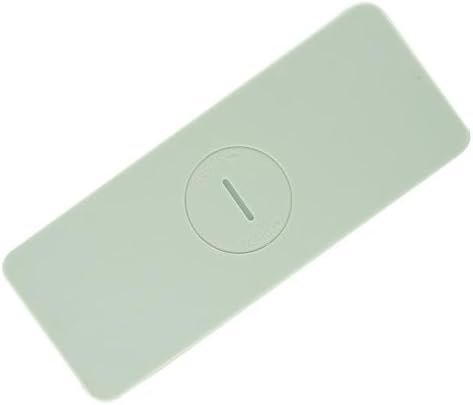
Image: Back of the remote control with the battery cover closed.
Note: The remote requires one CR2430 battery. Batteries are not included with the remote control.
Operating Instructions
Point the remote control directly at the infrared receiver on your air conditioner unit. Ensure there are no obstructions between the remote and the unit.

Image: Front view of the remote control, displaying all functional buttons.
Button Functions
- Power Button (⏻): Turns the air conditioner unit ON or OFF.
- Mode Selection (Snowflake / Sun / Fan / Drop icons): Cycles through operating modes such as Cool, Heat, Fan Only, Dry (Dehumidify), and Auto.
- Temperature Adjustment (Up/Down Arrows): Increases or decreases the set temperature.
- Fan Speed (Bars icon): Adjusts the fan speed (e.g., Low, Medium, High, Auto).
- Swing/Louvre Control (Arrows icon): Controls the direction of the air flow or activates the swing function.
- Timer (Clock icon): Sets a timer for the unit to turn ON or OFF. Refer to your air conditioner's main manual for specific timer programming.
- Sleep Mode (Moon icon): Activates or deactivates sleep mode, which typically adjusts temperature and fan speed for comfortable sleep.
- Auto Mode (A button): Allows the air conditioner to automatically select the operating mode and fan speed based on the room temperature.
- Display/Light (Sun icon): Controls the display light on the air conditioner unit.
Maintenance
Battery Replacement
Replace the CR2430 battery when the remote's range decreases or if the air conditioner does not respond to commands. Follow the battery installation steps outlined in the 'Setup' section.
Cleaning
Wipe the remote control with a soft, dry cloth. Do not use liquid cleaners or abrasive materials, as these can damage the remote's surface or internal components.
Storage
If the remote control will not be used for an extended period, it is recommended to remove the battery to prevent leakage and potential damage.
Troubleshooting
- Remote not responding:
- Check if the battery is correctly installed and has sufficient power. Replace if necessary.
- Ensure there is a clear line of sight between the remote's infrared emitter and the air conditioner's receiver.
- Verify that the remote is compatible with your specific air conditioner model.
- Limited functionality:
- As a replacement remote, some advanced or unique functions of your original air conditioner remote may not be supported. This is normal for universal or replacement units.
Specifications
- Product Type: Infrared Replacement Remote Control
- Compatibility: Innova ELEC DC Inverter Air Conditioners (8 HP, 9 HP, 10 HP, 12 HP)
- Power Source: 1 x CR2430 Coin Cell Battery (not included)
- Max Number of Supported Devices: 1
- Color: Light Grey / White (as pictured)
- ASIN: B0CP292H5G
Support
If you encounter any issues or have questions regarding the operation or compatibility of this replacement remote control, please contact the seller directly for assistance.