
1. Introduction
This manual provides detailed instructions for the assembly, operation, and maintenance of your KAIMENG Electric Standing Desk. This desk is designed to offer a versatile workspace, promoting a healthier work routine by allowing seamless transitions between sitting and standing positions. Please read this manual thoroughly before assembly and use to ensure proper function and safety.

Image 1.1: The KAIMENG Electric Standing Desk, showcasing its spacious desktop and integrated features.
2. Safety Information
- Ensure all connections are secure before operating the desk.
- Keep children and pets away from the desk during operation to prevent injury.
- Do not overload the desk. The maximum weight capacity is 80 kg (176 lbs).
- Avoid placing liquids directly on the control panel or motor components.
- Do not attempt to disassemble or repair the motor or control system yourself. Contact qualified personnel for service.
- Ensure there are no obstructions in the desk's path during height adjustment to prevent damage or injury. The anti-collision feature helps prevent this, but manual vigilance is also important.
3. Package Contents
Verify that all components listed below are present and undamaged before beginning assembly. If any parts are missing or damaged, please contact customer support.
- 180x80x2.5cm Desktop
- Standing Desk Frame (including legs and crossbars)
- Built-in USB Port (integrated into control panel)
- Cable Management Tray
- Headphone Hook (2 units)
- Multi-functional Control Handle
- Assembly Hardware and Tools
- 4 Lockable Castors (optional installation)

Image 3.1: Overview of included components and accessories for assembly.
4. Setup and Assembly
Assembly of the KAIMENG Electric Standing Desk is designed to be straightforward. It is recommended to have a clear, open space for assembly. While one person can assemble it, two people may find it easier due to the size and weight of some components.
- Unpack Components: Carefully remove all parts from the packaging and lay them out on a soft, clean surface to prevent scratches. Verify against the package contents list.
- Assemble Desk Frame: Follow the step-by-step instructions provided in the separate assembly guide. Ensure all screws are tightened securely. The steel frame (80 mm x 50 mm) provides a solid foundation.
- Attach Desktop: Align the pre-drilled holes on the desktop with the frame. Secure the desktop using the provided hardware. The 180 x 80 cm desktop is made from eco-friendly, FCS-certified engineered wood.
- Install Control Panel and Accessories:
- Mount the multi-functional control handle to the underside of the desktop in the designated area.
- Attach the cable management tray to organize power cords and cables.
- Install the headphone hooks on either side of the desk as desired.
- Connect Power: Plug the power cable into the control unit and then into a standard electrical outlet.
- Optional Castor Installation: If desired, replace the standard feet with the four lockable castors for easier mobility.
Note: Refer to the detailed graphical assembly instructions included in your product packaging for visual guidance.
5. Operating Instructions
5.1. Height Adjustment
The desk features an electric lifting mechanism for smooth height transitions. The adjustable height range is from 72 cm to 118 cm.
- To Raise: Press and hold the Up Arrow button on the control panel.
- To Lower: Press and hold the Down Arrow button on the control panel.
- Release the button at your desired height. The motor operates quietly, typically under 50 dB.

Image 5.1: Illustration of the desk's height adjustment range.
5.2. Memory Functions (Presets)
The control panel allows you to save up to three preferred height settings for quick adjustments.
- Adjust the desk to your desired height using the Up/Down arrow buttons.
- Press the "M" button (Memory button). The display will flash "S-".
- Immediately press one of the numbered preset buttons (1, 2, or 3). The display will show "S-1", "S-2", or "S-3" to confirm the height has been saved.
- To recall a saved height, simply press the corresponding numbered button (1, 2, or 3). The desk will automatically move to the stored position.
5.3. Sit-Stand Reminder
The desk includes a sedentary reminder function to encourage healthier work habits.
- To activate/deactivate the reminder, press the Alarm Clock icon button.
- When active, the desk will periodically remind you to change your working posture.
5.4. USB Charging Port
A built-in USB charging port is integrated into the control panel for convenient charging of your devices.
- Simply connect your USB charging cable to the port on the control panel.

Image 5.2: The multi-function control panel with USB charging port.
5.5. Anti-Collision Function
The desk is equipped with an anti-collision system to prevent damage or injury if it encounters an obstruction during height adjustment.
- If the desk encounters an obstacle while moving, it will automatically stop and reverse slightly.
- The sensitivity of the anti-collision feature may be adjustable (refer to specific instructions in the full assembly guide if available).
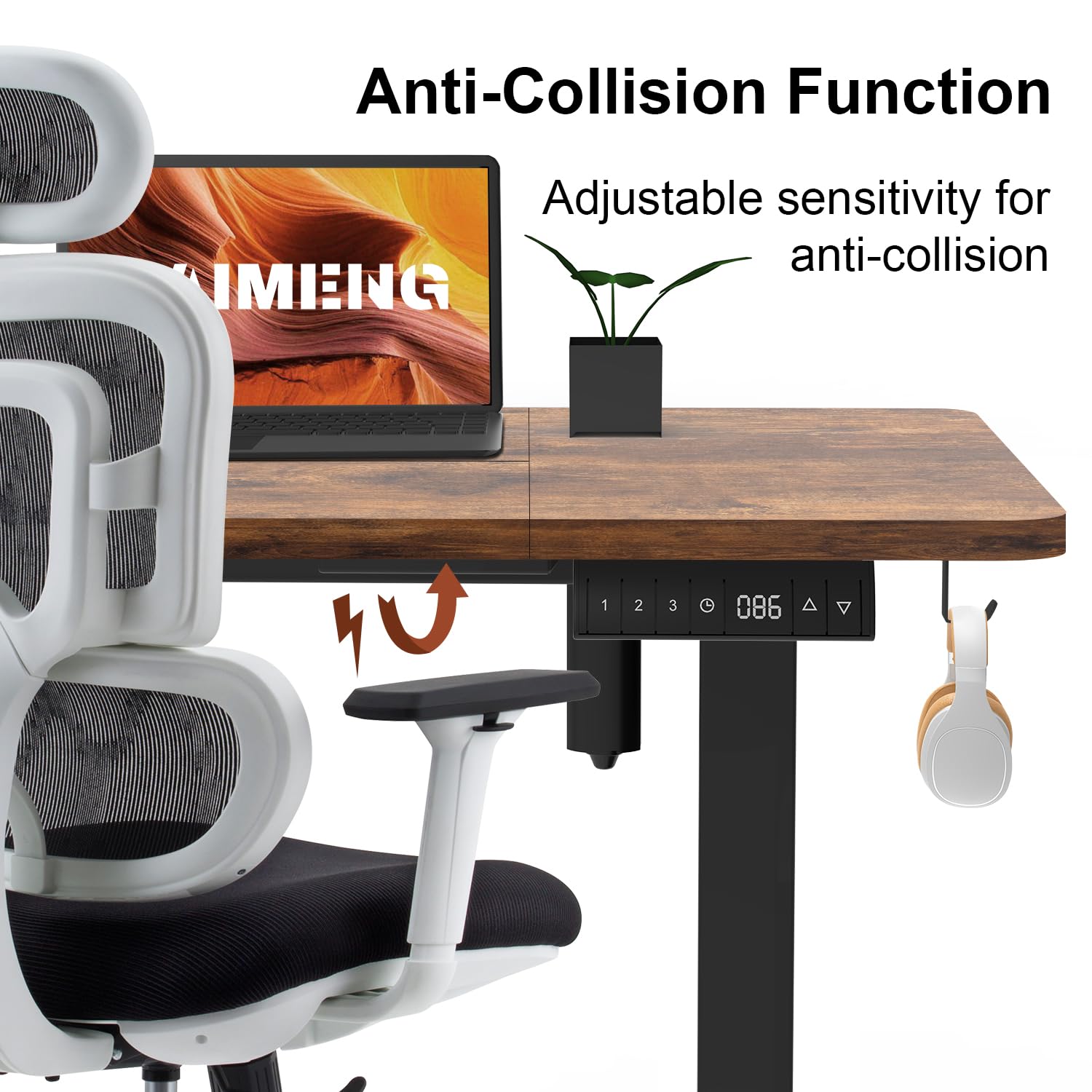
Image 5.3: The anti-collision feature in action, preventing contact with an obstruction.
6. Maintenance
- Cleaning: Wipe the desktop and frame with a soft, damp cloth. Avoid abrasive cleaners or harsh chemicals.
- Cable Management: Periodically check and organize cables in the cable management tray to prevent tangles and damage.
- Fasteners: Occasionally check all screws and bolts to ensure they remain tight. Retighten if necessary.
- Motor Care: The electric motor is designed for long-term use and requires minimal maintenance. Keep the motor area free from dust and debris.
7. Troubleshooting
If you encounter any issues with your KAIMENG Electric Standing Desk, please refer to the following common troubleshooting steps:
| Problem | Possible Cause | Solution |
|---|---|---|
| Desk does not move or respond to controls. | Power cable disconnected; power outage; control panel malfunction. |
|
| Desk moves only in one direction (e.g., only up). | Calibration issue; obstruction; sensor malfunction. |
|
| Desk stops unexpectedly during adjustment. | Anti-collision activated; overload; loose connection. |
|
| USB charging port not working. | Device compatibility; cable issue; power issue. |
|
If these steps do not resolve the issue, please contact KAIMENG customer support for further assistance.
8. Specifications
| Feature | Detail |
|---|---|
| Brand | KAIMENG |
| Model Number | 1800 |
| Desktop Dimensions | 180 cm (W) x 80 cm (D) x 2.5 cm (Thickness) |
| Height Adjustment Range | 72 cm - 118 cm |
| Maximum Weight Capacity | 80 kg (176 lbs) |
| Lifting Mechanism | Electric |
| Motor Noise Level | Under 50 dB |
| Memory Presets | 3 |
| Special Features | USB Charging Port, Sit-Stand Reminder, Anti-Collision Function, Cable Management Tray, Headphone Hooks |
| Desktop Material | Engineered Wood (FCS-certified, E0 environmental standard) |
| Frame Material | Metal (Steel, 80 mm x 50 mm) |
| Color | Rustic Brown (Desktop), Black (Frame) |
| Item Weight | 45 kg |
| Assembly Required | Yes |
9. Warranty and Support
For information regarding warranty coverage, please refer to the warranty card included with your product or contact the seller directly. KAIMENG is committed to providing quality products and customer satisfaction.
If you have any questions, require technical assistance, or need to report missing/damaged parts, please contact KAIMENG customer support through the retailer where you purchased the product or visit the official KAIMENG website for contact details.