Introduction
About the SVBONY SC311 WiFi Telescope Camera Eyepiece
The SVBONY SC311 is a high-performance WiFi telescope camera eyepiece designed for astronomical observation and photography, particularly excelling in capturing images of the Moon. It features an IMX662 color CMOS sensor for high sensitivity and low noise, and offers 1080P resolution. The camera supports wireless connection to up to four devices simultaneously via 2.4G WiFi, allowing for remote operation and easy sharing of observations. It includes a built-in 2400mAh lithium battery and a 32GB TF card for continuous operation and storage.

An overhead view of the SVBONY SC311 WiFi Telescope Camera Eyepiece with its antenna attached, showcasing its compact design.
Package Contents
What's Included in Your SC311 Package
Please verify that all items listed below are present in your package:
- 1 * SC311 Camera
- 1 * TF Card (32G)
- 1 * 1.25" Extension tube
- 1 * 1.25" Dust cover
- 1 * User's manual
- 1 * WIFI Antenna
- 1 * USB Cable
- 1 * CS-C Adapter
- 1 * Cleaning Cloth

A flat lay image showing all components included in the SVBONY SC311 package: the camera, WiFi antenna, USB cable, 32GB TF card, 1.25" extension tube, 1.25" dust cover, CS-C adapter, and cleaning cloth.
Setup Guide
Initial Preparation
Before connecting the camera, ensure it is fully charged and the antenna is correctly installed for optimal performance and connection.
Charging the Camera
The SC311 features a built-in 2400mAh lithium battery. Connect the camera to a power source using the provided USB cable to charge. A full charge allows for approximately 4 hours of continuous operation.

An image illustrating the SVBONY SC311 camera connected via WiFi to a mobile device, with an indicator showing a 4-hour standby time. This highlights the camera's wireless capability and battery life.
Antenna Installation
Carefully screw the WiFi antenna into the designated port on the camera. Ensure it is securely fastened but do not overtighten.
Installing the TF Card
The camera comes with a 32GB TF card for storing photos and videos. Locate the TF card slot on the camera body and gently insert the card until it clicks into place.
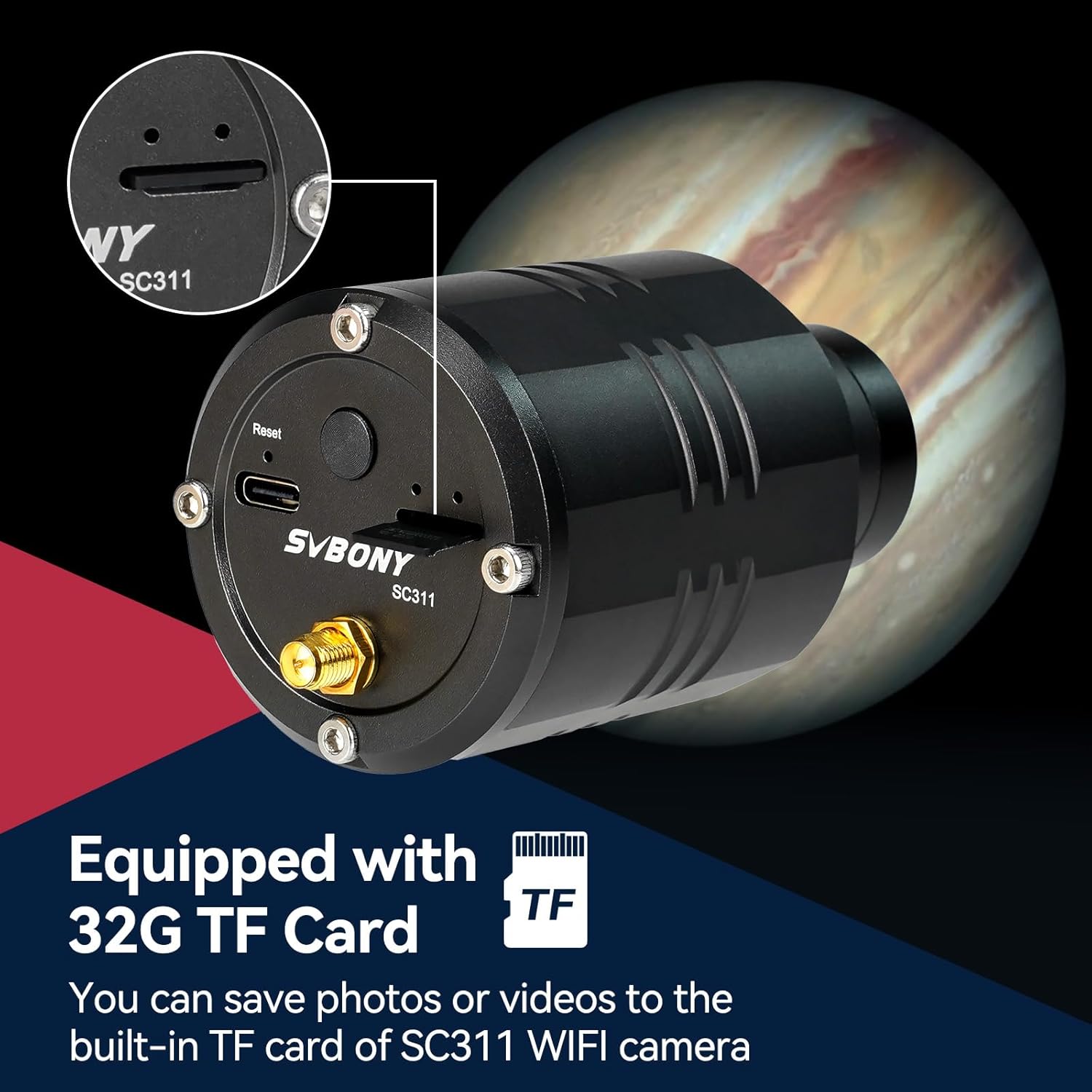
A close-up view of the SVBONY SC311 camera showing the slot for the 32GB TF card, with a small TF card being inserted. This illustrates the camera's internal storage capability.
Attaching to a Telescope
The SC311 is designed to be paired with a telescope for astrophotography. It includes a 1.25" extension tube and CS-C adapter to meet various collocation needs. Insert the camera into your telescope's eyepiece holder and secure it.

An exploded view showing the SVBONY SC311 camera, a 1.25" adapter, a CS adapter, and a CS-C adapter, illustrating how these components fit together to connect the camera to a telescope.
App Download and Connection
Download the SvbonyAstro software application to your mobile phone or tablet. This app allows you to control the camera, view observations, and save them directly to the camera's built-in TF card. The camera connects to your device via 2.4G WiFi, supporting up to 4 simultaneous connections.

A mobile phone screen displaying the SvbonyAstro app interface, with the SVBONY SC311 camera in the background, indicating the app's role in controlling the camera.
An official product video demonstrating the key features of the SVBONY SC311 WiFi Telescope Camera, including its IMX662 sensor, WiFi connectivity, and remote operation capabilities.
Operating Instructions
Connecting to Your Device
Once the camera is powered on, enable WiFi on your mobile device or PC and connect to the SC311's network. Open the SvbonyAstro app to establish a connection and begin observation.

An illustration showing the SVBONY SC311 camera emitting WiFi signals, connecting to four different mobile devices simultaneously, demonstrating its multi-device connectivity feature.
Capturing Images and Videos
Use the SvbonyAstro app to control the camera's settings, including exposure and gain. The camera is particularly effective for capturing images of the Moon. While it can be used for other celestial objects, achieving ideal results may require specific settings and conditions. The camera cannot be used independently; it must be paired with a telescope for successful astrophotography.
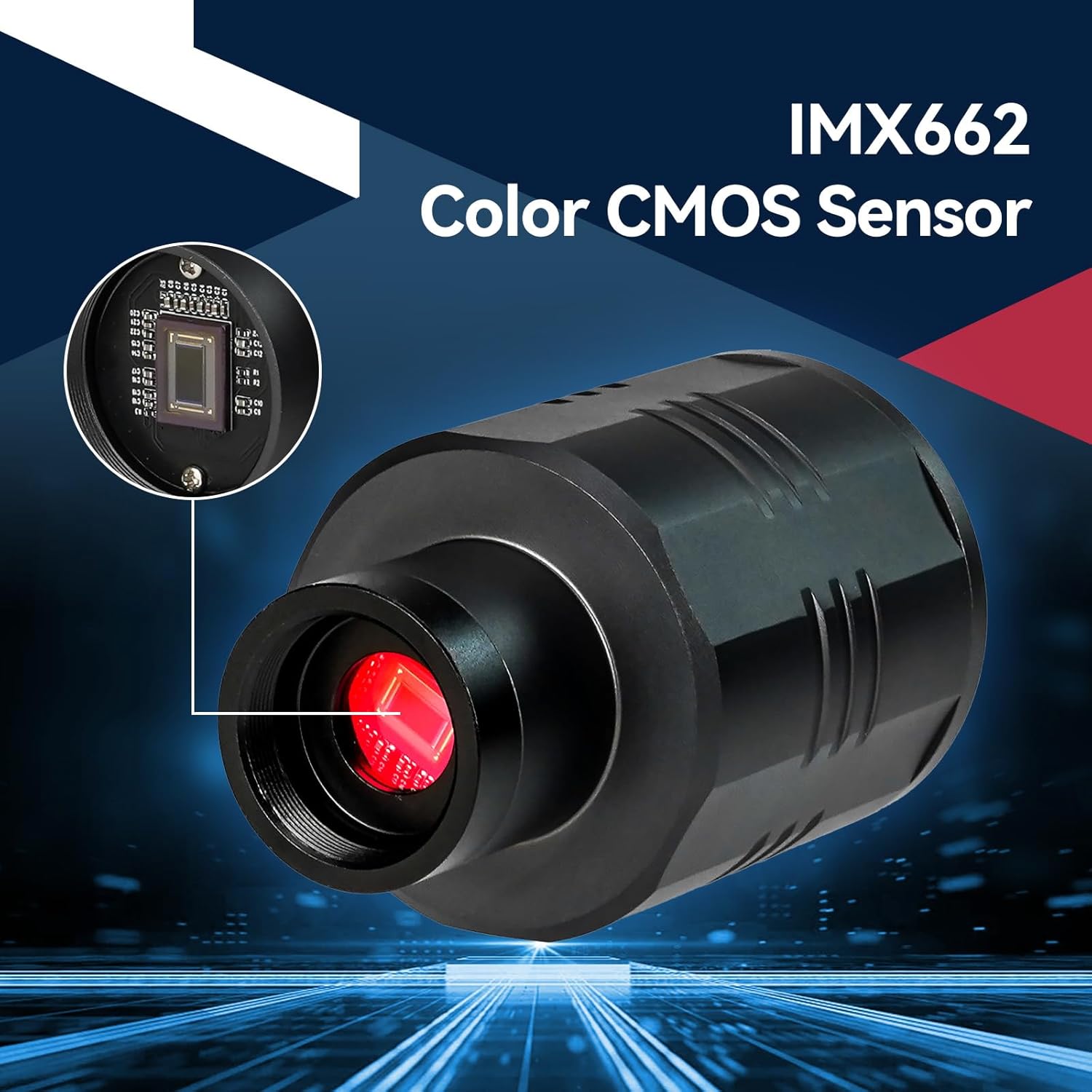
A detailed view of the SVBONY SC311 camera highlighting its IMX662 Color CMOS Sensor, emphasizing its core imaging component.
Saving and Sharing Observations
Observations can be saved directly to the camera's built-in 32GB TF card via the SvbonyAstro app. From the app, you can easily share your captured images and videos to social media platforms.
Maintenance and Care
Cleaning the Camera and Sensor
The SC311 features a removable UV/IR CUT filter, which also serves as protective glass for the sensor. When removing this protective glass for cleaning or to use other filters, be aware that the sensor can easily get dirty. Use the provided cleaning cloth or a specialized optical cleaning kit to gently clean the protective glass and the sensor if necessary. Avoid touching the sensor directly with your fingers.

An image showing the SVBONY SC311 camera with its removable UV/IR CUT filter detached, revealing the sensor. A notice warns that the sensor can easily get dirty when the protective glass is moved.
Storage
When not in use, store the camera in a dry, dust-free environment. Ensure the dust cover is placed over the eyepiece end to protect the sensor.
Troubleshooting
Common Issues and Solutions
- No Power/Camera Not Turning On: Ensure the camera is fully charged. Check the USB cable connection if charging.
- Cannot Connect via WiFi: Verify the antenna is correctly installed. Ensure the camera is powered on and within range of your device. Restart both the camera and your device.
- Poor Image Quality: Ensure the camera is properly focused with your telescope. Adjust exposure and gain settings in the SvbonyAstro app. For deep-sky objects, note that this camera is primarily designed for lunar and planetary imaging.
- TF Card Not Recognized: Ensure the TF card is inserted correctly. Try reinserting the card. If the issue persists, try a different compatible TF card.
- App Issues: Ensure your SvbonyAstro app is updated to the latest version. Restart the app or your device.
Specifications
Technical Details of the SVBONY SC311
| Feature | Detail |
|---|---|
| Product Dimensions | 2.95 x 3.54 x 5.9 inches |
| Item Weight | 12.6 ounces |
| ASIN | B0CP1PNG99 |
| Item model number | FF9384A |
| Manufacturer | SVBONY |
| Shooting Modes | [Limited] |
| Exposure Control Type | Manual |
| Color | Black |
| Video Capture Resolution | 1080p |
| Media Type | TF Card Media |
| Sensor | IMX662 Color CMOS Sensor |
| Connectivity | 2.4G WiFi (up to 4 devices) |
| Battery | Built-in 2400mAh lithium battery |
| Storage | 32GB TF card (supports up to 256GB) |
Warranty Information
For detailed warranty information regarding your SVBONY SC311 WiFi Telescope Camera Eyepiece, please refer to the warranty card included in your product packaging or visit the official SVBONY website. Keep your proof of purchase for warranty claims.
Customer Support
If you encounter any issues or have questions about your SVBONY SC311 WiFi Telescope Camera Eyepiece that are not covered in this manual, please contact SVBONY customer support. You can find contact information on the official SVBONY website or through the retailer where you purchased the product.
For additional resources, you may also refer to the official SVBONY store on Amazon: SVBONY Amazon Store