
1. Introduction
Thank you for purchasing the USonline911 28.8V AC Adapter Charger. This manual provides essential information for the safe and effective use of your new charger. Please read these instructions carefully before use and retain them for future reference.
2. Safety Information
To prevent injury or damage, always observe the following safety precautions:
- Use the charger only with compatible Shark ION cordless vacuum models and batteries as specified in this manual.
- Do not expose the charger to water, moisture, or extreme temperatures.
- Avoid dropping or subjecting the charger to strong impacts.
- Do not attempt to disassemble, modify, or repair the charger. Refer all servicing to qualified personnel.
- Ensure the power outlet voltage matches the charger's input specifications (100-240V).
- Unplug the charger from the power outlet when not in use or during electrical storms.
- Keep the charger out of reach of children and pets.
- Inspect the charger and cable for any damage before each use. Do not use if damaged.

Image: The charger features multiple safety protections, including overcharge, overcurrent, overvoltage, overload, short circuit, and temperature protection, ensuring safe operation.
3. Compatibility
This 28.8V AC Adapter Charger (Model: YLS0243A-T288080) is specifically designed as a replacement for Shark ION series adaptors and is compatible with the following Shark ION cordless vacuum models and battery part numbers:
Compatible Shark ION Vacuum Models:
- Shark ION Rocket Cordless Ultra-Light Vacuum: IR100, IR141, IR-100, IR-141, IR101, IR-101, IR70, IR-70
- Shark ION F30 F80 Cordless MultiFLEX Stick Vacuum: IF200, IF-200, IF281, IF-281, IF282, IF-282
- Shark ION X30 X40 Cordless Ultra-Light Stick Vacuum: IR100, IR-100, IR141, IR-141, IR142, IR-142
- Shark IONFlex 2X DuoClean: IF200W, IF-200W, IF203Q, IF-203Q, IF251, IF-251, IF251C, IF-251C, IF252, IF-252, IF285, IF-285, UF280, UF-280
- Shark IONFlex DuoClean: IC205, IC-205, IC205CCO, IF200, IF-200, IF200C, IF-200C, IF201, IF-201, IF202, IF-202, IF205, IF-205
Compatible Battery Part Numbers:
- XBAT200
- XBA-T200

Image: The charger is shown alongside various Shark vacuum models, indicating its compatibility as a replacement for the YLS0243A-T288080 charger.
4. Specifications
| Model | YLS0243A-T288080 |
| AC Input | 100-240V, 50-60Hz |
| DC Output | 28.8V, 0.8A (800mA) |
| Power Connector Type | 2 Pin |
| Color | Black |
5. Package Contents
The package includes:
- 1 x USonline911 28.8V AC Adapter Charger
6. Setup
Follow these steps to set up your charger:
- Unpack: Carefully remove the charger from its packaging.
- Inspect: Check the charger and its cable for any visible damage. Do not proceed if damage is found.
- Connect to Vacuum: Locate the charging port on your Shark ION cordless vacuum. Insert the charger's DC output plug firmly into the vacuum's charging port. Ensure a secure connection.
- Connect to Power: Plug the AC input prongs of the charger into a standard wall power outlet (100-240V).
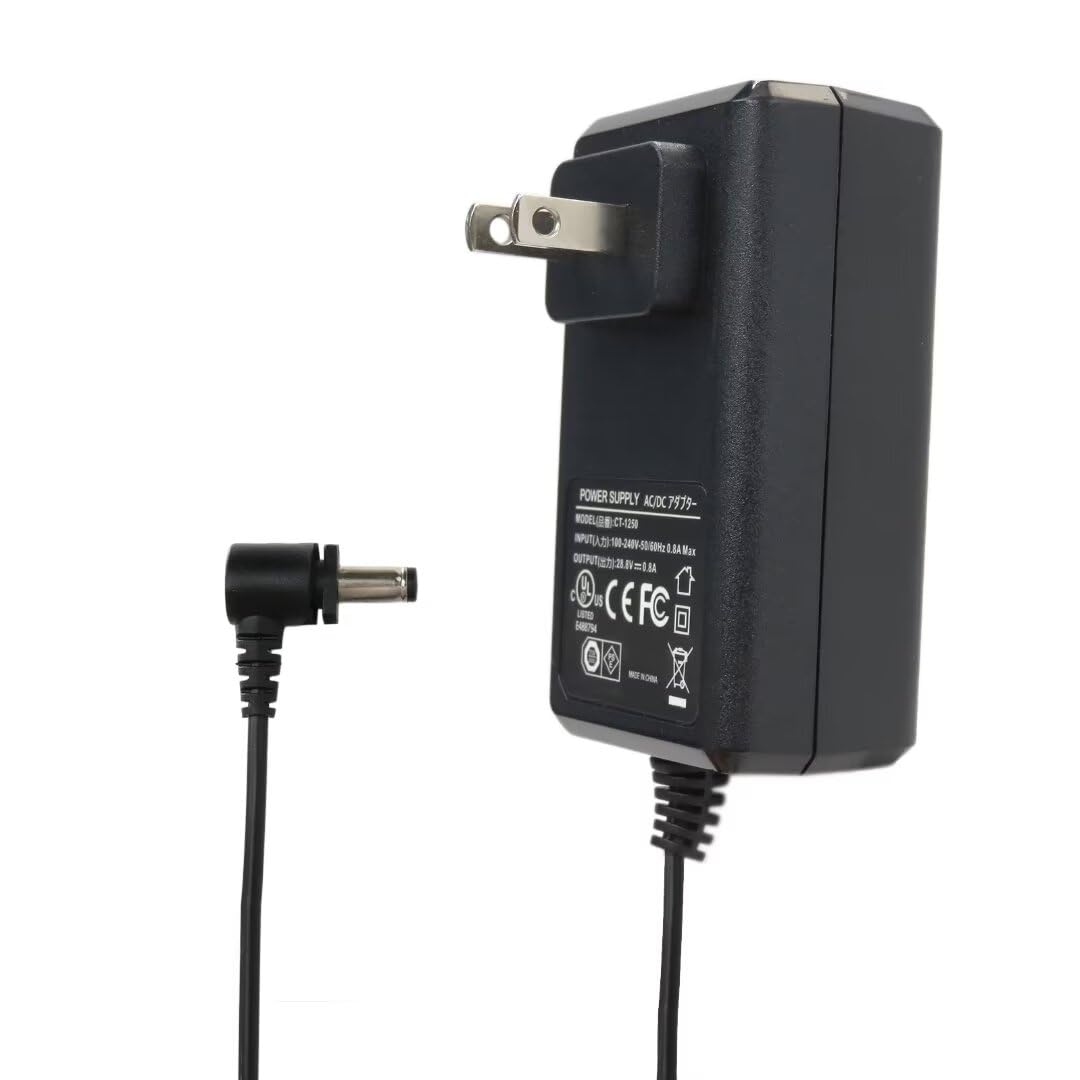
Image: A detailed view of the charger, showing the AC input plug and the DC output connector, ready for connection.
7. Operating Instructions (Charging Your Vacuum)
Once the charger is properly set up, your Shark ION cordless vacuum will begin charging.
- Initiate Charging: After connecting the charger to both the vacuum and the wall outlet, the vacuum's charging indicator light (if present) should illuminate, indicating that charging has begun. Refer to your vacuum's specific user manual for details on its charging indicator.
- Charging Time: Charging times may vary depending on the vacuum model and the battery's current charge level.
- Full Charge: Once the battery is fully charged, the charging indicator light on your vacuum will typically change color or turn off.
- Disconnect: When charging is complete, first unplug the charger from the wall outlet, then disconnect the DC output plug from the vacuum.

Image: The charger is shown plugged into a wall outlet and connected to a Shark cordless vacuum, demonstrating the charging process in a home environment.

Image: A person is shown with a Shark cordless vacuum connected to the charger, illustrating the ease of charging the device.
8. Maintenance
Proper care will extend the life of your charger:
- Cleaning: Disconnect the charger from all power sources before cleaning. Wipe the exterior with a soft, dry cloth. Do not use liquid cleaners or solvents.
- Storage: Store the charger in a cool, dry place away from direct sunlight and moisture. Avoid wrapping the cable too tightly around the charger to prevent damage.
- Cable Care: Do not pull on the cable to disconnect the charger. Always grasp the plug itself. Avoid bending or crimping the cable excessively.

Image: The charger is displayed with its cable coiled, demonstrating proper storage to prevent cable damage.
9. Troubleshooting
If you encounter issues with your charger, refer to the following common problems and solutions:
| Problem | Possible Cause | Solution |
|---|---|---|
| Vacuum not charging |
|
|
| Charger feels hot | Normal operation or excessive load. | A slight warmth is normal during charging. If the charger becomes excessively hot to touch or emits a burning smell, unplug it immediately and discontinue use. |
| Charging indicator not working | Vacuum specific issue or charger connection. | Ensure charger is fully connected. Refer to your Shark vacuum's user manual for specific indicator light behavior. |
10. Warranty and Support
This product is covered by a standard manufacturer's warranty against defects in materials and workmanship. For warranty claims or technical support, please contact USonline911 customer service through the retailer where the product was purchased. Please have your purchase receipt and product model information available.

