
XFALIGHTS MHL-90-2
XFALIGHTS 90W LED Moving Head Light User Manual
Model: MHL-90-2
Introduction
This manual provides comprehensive instructions for the safe and efficient operation of your XFALIGHTS 90W LED Moving Head Light. Please read this manual thoroughly before installation and use, and retain it for future reference. This product is designed for professional stage lighting applications, offering versatile lighting effects for various events.
The XFALIGHTS 90W LED Moving Head Light features a powerful 90W LED light source with RGBW 4-in-1 color mixing, providing vibrant and dynamic lighting. It supports multiple operational modes including Auto, Sound-Activated, DMX512, and Master/Slave, allowing for flexible control and synchronization. Its robust design includes a silent cooling system and a durable plastic housing, ensuring reliable performance.
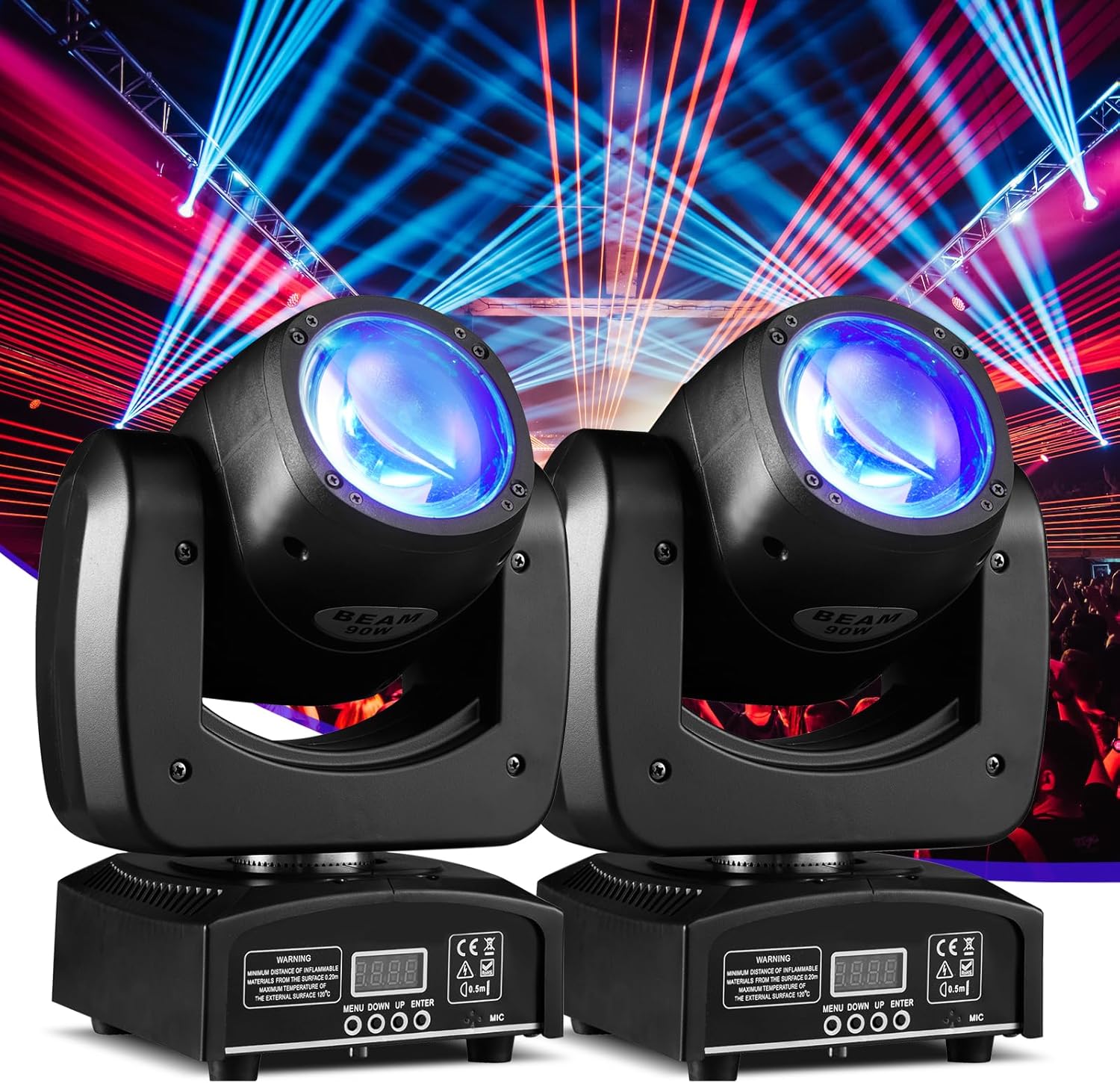
Figure 1: XFALIGHTS 90W LED Moving Head Lights (2 Pack)
This image displays two XFALIGHTS 90W LED Moving Head Lights, showcasing their compact design and the vibrant blue light beams they produce in a simulated stage environment. The lights are black with a clear lens, and the base features a small digital display and control buttons.
Safety Information
- Always connect the unit to a grounded power outlet.
- Ensure proper ventilation; do not block cooling vents.
- Do not operate the unit in wet or damp conditions.
- Avoid direct eye exposure to the light source.
- Disconnect power before cleaning or servicing.
- Only qualified personnel should perform repairs.
- Maintain a minimum distance of 0.5 meters from flammable materials.
Package Contents
Upon opening the package, verify that all components are present and undamaged. For a 2-pack, you should receive:
- 2 x Moving Head Light units
- 2 x Mounting brackets
- 2 x Power cords
- 4 x Screws (2 per unit for bracket attachment)
- 1 x User manual
Setup and Installation
The XFALIGHTS Moving Head Light can be installed in various orientations, including hanging from a truss or placed on a flat surface. Ensure the mounting surface or structure can safely support the weight of the fixture.
Physical Dimensions and Components

Figure 2: Product Dimensions
This diagram illustrates the physical dimensions of a single moving head light unit, indicating a width of 7.48 inches, a height of 11.02 inches, and a depth of 8.66 inches. Key features like strobe speeds, smooth dimming, 15/13 DMX channels, and 120W power consumption are also highlighted.

Figure 3: Control Panel and Connections
This image provides a detailed view of the light's base, highlighting the DMX In and DMX Out ports, the Power In connection, and the 4-button menu display (Menu, Down, Up, Enter) for configuration. A microphone for sound activation is also visible.
Mounting
Use the included mounting bracket and screws to secure the fixture. Ensure all connections are tight and secure. When hanging, use appropriate clamps and safety cables (not included) to prevent accidental falls.
Power Connection
Connect the provided power cord to the "POWER IN" port on the back of the unit and then to a standard 120V AC grounded power outlet.
DMX Connection (Optional)
For DMX control, connect a 3-pin DMX cable from your DMX controller to the "DMX IN" port of the first fixture. To daisy-chain multiple fixtures, connect a DMX cable from the "DMX OUT" port of the first fixture to the "DMX IN" port of the next fixture. Ensure the last fixture in the chain has a DMX terminator (not included) for stable signal transmission.
Operating Instructions
The XFALIGHTS Moving Head Light offers several operational modes, accessible via the 4-button menu display on the base of the unit.
Control Panel Navigation
- MENU: Cycles through the main menu options.
- UP: Increases the value or moves up in menu options.
- DOWN: Decreases the value or moves down in menu options.
- ENTER: Confirms the selected option or value.
Operational Modes
- Auto Mode: The light will run through pre-programmed sequences automatically. Use the menu to select different auto programs or adjust speed.
- Sound-Activated Mode: The light will react to ambient sound via its built-in microphone. Sensitivity can be adjusted through the menu.
- DMX Mode: For professional control, connect the light to a DMX512 controller. The light supports 13 or 15 DMX channels. Refer to the DMX Channel Chart section for detailed channel functions.

Figure 4: Pan and Tilt Movement
This image illustrates the extensive movement capabilities of the moving head light, showing a 540-degree pan rotation and a 180-degree tilt movement, allowing for dynamic beam positioning.
- Master/Slave Mode: Connect multiple lights via DMX cables. Set one unit as "Master" and the others as "Slave." Slave units will mirror the Master's operation, ideal for synchronized effects without a DMX controller.
Light Features
- RGBW 4-in-1 Color Mixing: Produces a wide spectrum of colors by mixing Red, Green, Blue, and White LEDs.
- Strobe: Adjustable strobe speed up to 10 flashes per second.
- Dimming: 0-100% linear electronic dimmer for smooth intensity control.
- Beam Angle: A narrow 2-degree beam angle for sharp, defined light effects.

Figure 5: 2-Degree Beam Angle
This diagram visually represents the tight 2-degree beam angle of the light, demonstrating how the light projects a focused beam over various distances (5m, 7m, 10m, 15m).
Maintenance
Regular maintenance ensures the longevity and optimal performance of your XFALIGHTS Moving Head Light.
- Cleaning: Periodically clean the lens and exterior housing with a soft, lint-free cloth. Do not use abrasive cleaners or solvents.
- Cooling System: Ensure the cooling vents are free from dust and debris. The silent cooling system relies on unobstructed airflow.
- Inspection: Regularly check power cables, DMX cables, and mounting hardware for any signs of wear or damage. Replace any damaged components immediately.
- Storage: When not in use for extended periods, store the light in a dry, dust-free environment, preferably in its original packaging or a protective case.
Troubleshooting
| Problem | Possible Cause | Solution |
|---|---|---|
| Light does not power on. | No power supply; faulty cable; internal fuse. | Check power connection and outlet. Test with another power cord. If fuse is accessible, check and replace if blown (consult qualified technician). |
| No light output. | Dimmer at 0%; light source issue; DMX signal problem. | Check dimmer setting. If in DMX mode, verify DMX signal and address. Try Auto or Sound mode. |
| Light not responding to DMX. | Incorrect DMX address; faulty DMX cable; no DMX terminator; DMX controller issue. | Verify DMX address matches controller. Check DMX cable connections. Use a DMX terminator on the last fixture. Test with a different DMX controller. |
| Movement is erratic or limited. | Mechanical obstruction; DMX signal interference; internal motor issue. | Ensure no physical obstructions. Check DMX signal quality. Power cycle the unit. If problem persists, contact support. |
| Overheating. | Blocked ventilation; operating in high ambient temperature. | Ensure vents are clear. Operate in a well-ventilated area. Allow unit to cool down. |
Specifications
| Feature | Detail |
|---|---|
| Model Number | MHL-90-2 |
| Light Source | 90W LED (RGBW 4-in-1) |
| Beam Angle | 2 Degrees |
| Pan Movement | 540 Degrees |
| Tilt Movement | 180 Degrees |
| Operational Modes | Auto, Sound-Activated, DMX512, Master/Slave |
| DMX Channels | 13 / 15 Channels |
| Dimmer | 0-100% Linear Electronic |
| Strobe Rate | Up to 10 flashes per second |
| Power Source | Corded Electric |
| Voltage | 120V AC |
| Material | Plastic |
| Product Dimensions (L x W x H) | 12.09" x 9.56" x 8.39" (per unit) |
| Item Weight | 15.76 lbs (for 2-pack) |
| Cooling | Silent Cooling System |
Warranty and Support
XFALIGHTS products are manufactured to high quality standards. For warranty information and technical support, please refer to the contact details provided with your purchase documentation or visit the official XFALIGHTS website. Please have your model number (MHL-90-2) and purchase date ready when contacting support.
For further assistance, you may also refer to the XFALIGHTS Store on Amazon.
Ask a question about this manual
Ask about setup, troubleshooting, compatibility, parts, safety, or missing instructions. Manuals+ will review the question and use this page’s manual context to help answer it.