
Introduction
This manual provides essential instructions for the safe and efficient operation, maintenance, and care of your Kenmore Digital Steam Iron, Model KKSI310D. Please read all instructions carefully before using the appliance and retain this manual for future reference.
Important Safety Instructions
When using electrical appliances, basic safety precautions should always be followed to reduce the risk of fire, electric shock, and injury to persons, including the following:
- Read all instructions before using the iron.
- Use the iron only for its intended use.
- To avoid the risk of electric shock, do not immerse the iron in water or other liquids.
- Always turn the iron OFF before plugging or unplugging from the outlet. Never pull on the cord to disconnect from the outlet; instead, grasp the plug and pull to disconnect.
- Do not allow the cord to touch hot surfaces. Let the iron cool completely before putting away. Loop cord loosely around the iron when storing.
- Always disconnect the iron from the electrical outlet when filling with water or emptying, and when not in use.
- Do not operate the iron with a damaged cord or if the iron has been dropped or damaged. To avoid the risk of electric shock, do not disassemble the iron; take it to a qualified serviceman for examination and repair. Incorrect reassembly can cause a risk of electric shock when the iron is used.
- Close supervision is necessary for any appliance being used by or near children. Do not leave the iron unattended while connected or on an ironing board.
- Burns can occur from touching hot metal parts, hot water, or steam. Use caution when you turn a steam iron upside down – there may be hot water in the reservoir.
- The iron must be used and rested on a stable surface.
Product Overview
The Kenmore Digital Steam Iron is designed for efficient garment care, featuring a stainless steel soleplate, digital controls, and multiple steam functions.

Image: Front-side view of the Kenmore Digital Steam Iron, showcasing its blue and white design with the Kenmore logo.
Key Components:
- Stainless Steel Soleplate: Durable and glides smoothly, with over 300 steam holes for even steam distribution.
- Water Tank: Easy-fill design for steam generation.
- Digital Control Panel: Features a multicolor LED display for fabric selection and heating status.
- Spray Mist Button: For targeted moisture application.
- Steam Burst Button: For an extra surge of steam.
- Temperature Control: Digital presets for various fabric types.
- 360° Swiveling Cord Protector: Enhances maneuverability and cord longevity.
Setup
- Unpacking: Carefully remove the iron from its packaging. Retain all packaging materials for potential future transport or storage.
- Initial Cleaning: Wipe the soleplate with a soft, damp cloth to remove any manufacturing residues.
- Filling the Water Tank:
- Ensure the iron is unplugged from the electrical outlet.
- Open the water tank cover.
- Fill the water tank with tap water up to the 'MAX' fill line. Distilled water is recommended to prevent mineral buildup, especially in hard water areas.
- Close the water tank cover securely.
- Power Connection: Plug the iron into a standard 120V AC electrical outlet.
Operating Instructions
1. Selecting Fabric Settings
The iron features one-touch digital control with 9 fabric presets. Use the digital control panel to select the appropriate setting for your garment. The multicolor LED display will indicate the selected mode and heating status.

Image: Close-up of the iron's digital display showing various fabric settings like Cotton, Linen, Polyester, Silk, Wool, Nylon, Acrylic, Blend, and Denim.
- Available Presets: Acrylic, Nylon, Silk, Polyester, Poly Blends, Wool, Cotton, Denim, Linen.
- The iron heats up quickly, reaching maximum temperature in approximately 90 seconds.
2. Dry Ironing
For dry ironing, ensure the steam control is set to the 'OFF' position. Select the desired fabric setting and wait for the iron to reach the set temperature. Iron the garment as needed.
3. Steam Ironing
For steam ironing, ensure the water tank is filled. Select the desired fabric setting that supports steam (typically higher temperature settings). Once the iron reaches temperature, adjust the steam control to the desired steam level. The numerous steam vents on the soleplate will provide even steam distribution.
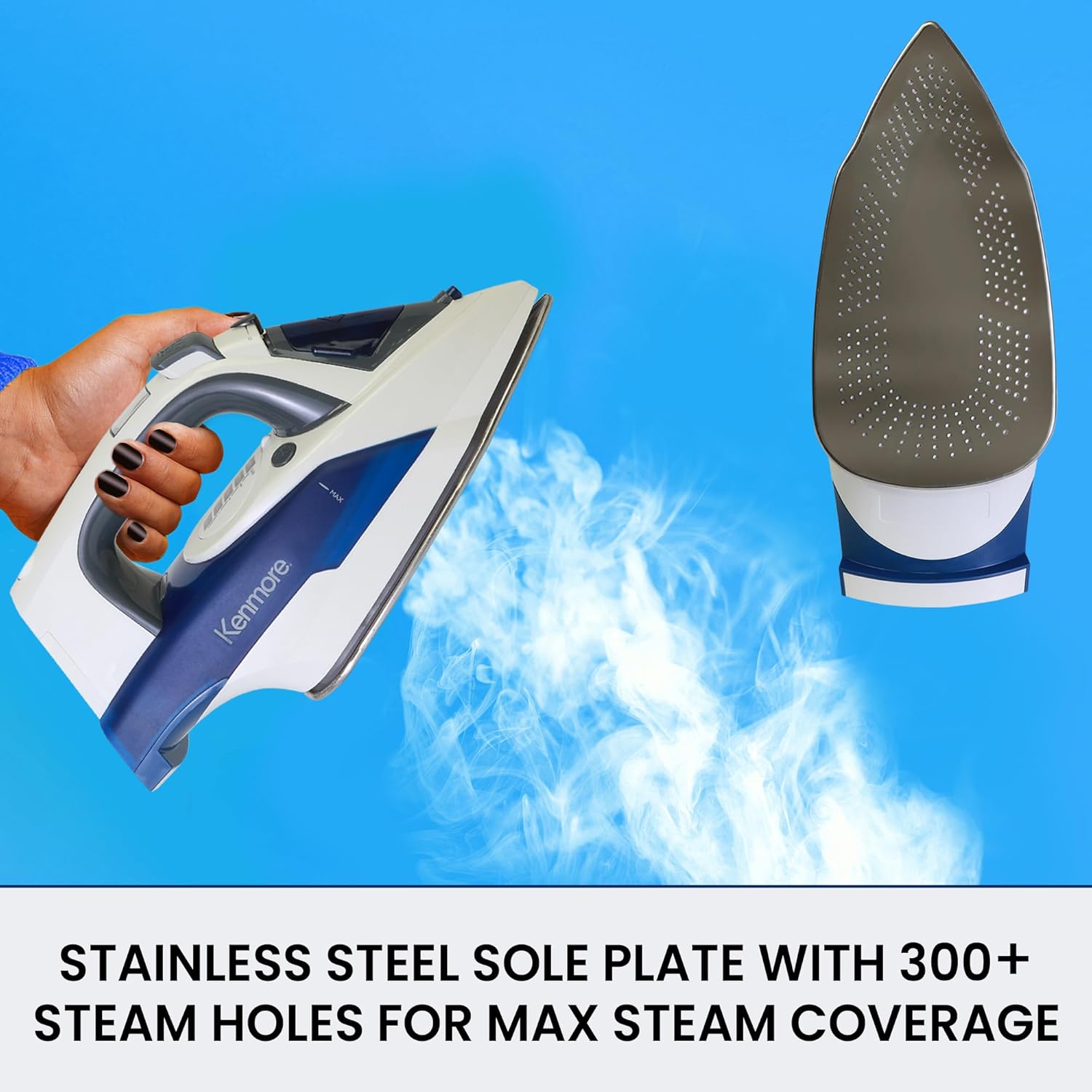
Image: The underside of the iron, showing the stainless steel soleplate with steam emanating from its many holes, indicating active steam function.
The anti-drip system prevents water from spitting when the iron is hot, ensuring a clean ironing experience.
4. Vertical Steaming
The iron supports vertical steaming for removing wrinkles from hanging garments, drapes, and upholstery. Hold the iron vertically, ensuring the soleplate does not touch the fabric. Press the steam burst button as needed to release steam.

Image: A hand holding the iron vertically, directing steam towards a hanging blue shirt to remove wrinkles.
5. Spray Mist and Steam Burst Functions
- Spray Mist: Press the spray mist button to lightly dampen fabric, which can help in smoothing stubborn wrinkles.
- Steam Burst: Press the steam burst button for an extra powerful shot of steam, useful for deep creases or vertical steaming.
6. Automatic Safety Shut-Off
For safety, the iron features a motion-sensing 3-way automatic shut-off:
- If left horizontally, the iron will shut off after approximately 30 seconds of inactivity.
- If left vertically, the iron will shut off after approximately 8 minutes of inactivity.

Image: The iron positioned on a shirt, highlighting its angled tip for precision. Text overlays explain the automatic shut-off times for horizontal (30 seconds) and vertical (8 minutes) positions.
Maintenance
1. Self-Cleaning Function
The iron is equipped with a self-clean function to remove mineral deposits and maintain optimal steam performance. Perform this function regularly, especially if using tap water.
- Fill the water tank to the 'MAX' line.
- Plug in the iron and set the temperature to the highest setting.
- Once the iron reaches temperature, unplug it.
- Hold the iron horizontally over a sink.
- Press and hold the self-clean button (refer to diagram in product packaging for exact location). Hot water and steam will flush out mineral deposits from the soleplate.
- Gently rock the iron back and forth until the water tank is empty.
- Plug the iron back in and heat it to dry the soleplate.
2. Draining Water and Storage
- After each use, unplug the iron and allow it to cool completely.
- Empty any remaining water from the tank to prevent mineral buildup and leakage.
- Store the iron upright on its heel rest to protect the soleplate.
3. Cleaning the Exterior
Wipe the exterior of the iron with a soft, damp cloth. Do not use abrasive cleaners or solvents.
Troubleshooting
| Problem | Possible Cause | Solution |
|---|---|---|
| Iron does not heat up. | Not plugged in; power outlet malfunction; automatic shut-off activated. | Ensure iron is securely plugged in. Check power outlet. Move the iron to reactivate. |
| No steam or insufficient steam. | Water tank empty; temperature too low for steam; steam control set to 'OFF'; mineral buildup. | Fill water tank. Select a higher temperature setting. Adjust steam control. Perform self-clean function. |
| Water leaks from soleplate. | Temperature too low for steam; water tank overfilled; anti-drip system not fully engaged. | Ensure iron is at proper steam temperature. Do not overfill water tank. Allow iron to heat fully before using steam. |
| Iron leaves marks on fabric. | Soleplate dirty; incorrect temperature setting for fabric. | Clean the soleplate. Select the correct fabric setting. |
Specifications
- Model: KKSI310D
- Power: 1725 Watts
- Voltage: 120 Volts
- Soleplate Material: Stainless Steel
- Special Features: Anti-Drip, Auto Shutoff, Digital Display, Self-Cleaning, Temperature Control
- Product Dimensions: 5.1"L x 12.4"W (approximate, based on provided data)
- Item Weight: 2.6 pounds
- UPC: 059586652288

Image: The Kenmore Digital Steam Iron shown with its approximate dimensions: 12.25 inches in height, 6 inches in length, and 5 inches in width.
Warranty and Support
Your Kenmore Digital Steam Iron comes with a Two-Year Warranty. This warranty covers defects in materials and workmanship under normal use.
For warranty claims, technical support, or service inquiries, please contact Koolatron customer service. Refer to the product packaging or the Koolatron website for the most current contact information.
Manufacturer: Koolatron