Introduction
This document provides essential instructions for the safe and effective use of your Generic 12V 2A Charger, specifically designed to be compatible with the Luxor Digital TV Recorder model LUX-PVR250-690. This charger features short-circuit protection and is built with durable, high-quality materials to ensure reliable and long-lasting performance. Please read this manual thoroughly before using the product.
Setup Instructions
Follow these steps to set up your charger:
- Unpack the Charger: Carefully remove the charger from its packaging. Inspect it for any visible damage.
- Verify Compatibility: Ensure that your device, the Luxor Digital TV Recorder LUX-PVR250-690, requires a 12V 2A power input. This charger is specifically designed for this specification.
- Connect to Device: Insert the charger's output connector firmly into the power input port of your Luxor Digital TV Recorder.
- Connect to Power Outlet: Plug the charger's power cable into a standard, functional electrical wall outlet.
- Power On: Once connected, your device should begin to receive power or charge, depending on its design.
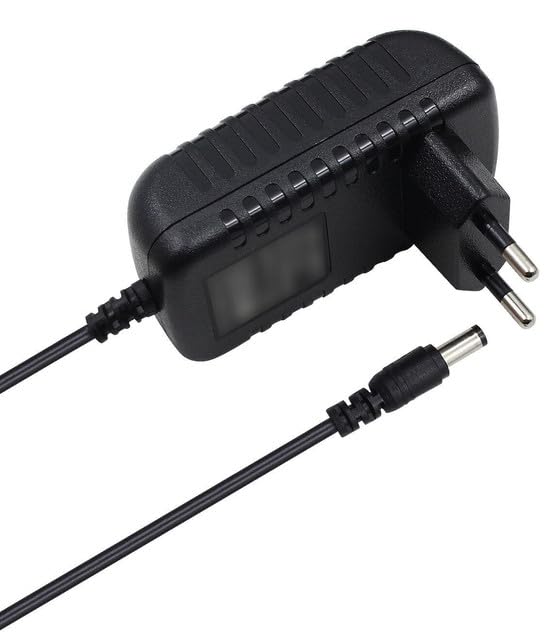
This image displays the charger. The actual product received may vary in appearance but guarantees compatibility with the specified model.
Operating Instructions
Using your charger is straightforward:
- Charging: Once properly connected, the charger will supply power to your Luxor Digital TV Recorder. Monitor your device's power indicator to confirm it is receiving power.
- Safety Features: This charger includes built-in short-circuit protection. In the event of an electrical anomaly, the charger is designed to protect both itself and your connected device.
- Disconnection: To disconnect, first unplug the charger from the wall outlet, then disconnect it from your device.
Important Safety Notes:
- Do not expose the charger to water or excessive moisture.
- Avoid using the charger in extremely hot or cold environments.
- Do not attempt to open or modify the charger.
- Keep out of reach of children.
Maintenance
Proper care will extend the life of your charger:
- Cleaning: Disconnect the charger from all power sources before cleaning. Use a soft, dry cloth to wipe the exterior. Do not use liquid cleaners or solvents.
- Storage: When not in use, store the charger in a cool, dry place, away from direct sunlight and extreme temperatures.
- Cable Care: Avoid bending or crimping the cable excessively. Do not wrap the cable too tightly around the charger.
Troubleshooting
If you encounter issues with your charger, refer to the following common problems and solutions:
| Problem | Possible Cause | Solution |
|---|---|---|
| Device not powering on/charging. |
|
|
| Charger feels unusually hot. |
|
|
If the problem persists after trying these solutions, please contact the seller for further assistance.
Product Specifications
| Brand | Generic |
| Manufacturer | BATERIASYPORTATILES-NET |
| Model Number | 5vv |
| Input Voltage | 12 Volts |
| Rated Current | 2 Amperes |
| Power Source | Electric Cable |
| Special Feature | Heavy Duty Protection |
| Color | Black |
| Country/Region of Origin | China |
Warranty Information
Specific warranty details for this product are not provided in the available information. Please refer to the seller's return policy or contact the seller directly for warranty terms and conditions.
Customer Support
For technical assistance, troubleshooting beyond this guide, or inquiries regarding your product, please contact the seller directly through the platform where the purchase was made. The manufacturer is BATERIASYPORTATILES-NET.