
Introduction
This manual provides comprehensive instructions for the setup, operation, and maintenance of your Brookstone Wireless Silent Disco Headphones. Designed for a vibrant and immersive audio experience, these headphones feature multicolor LED lights, Bluetooth 5.0 connectivity, and up to 10 hours of playtime. Please read this manual thoroughly to ensure optimal performance and longevity of your device.
Product Features
- 4 Pack of Wireless Bluetooth Headphones: Each pack includes 4 headphones, allowing you to enjoy a private listening experience with friends.
- Up to 100-Meter Range: With a wireless range of up to 100 meters, you can move freely without worrying about signal loss.
- Rainbow LED Lights: The headphones feature vibrant rainbow LED lights that sync to the music, creating a fun and immersive party atmosphere.
- Bluetooth Connectivity: Easily connect your smartphone or other Bluetooth-enabled devices to the headphones for wireless streaming.
- Up to 10 Hours of Playtime: Enjoy uninterrupted music playback for up to 10 hours on a single charge.
Product Overview
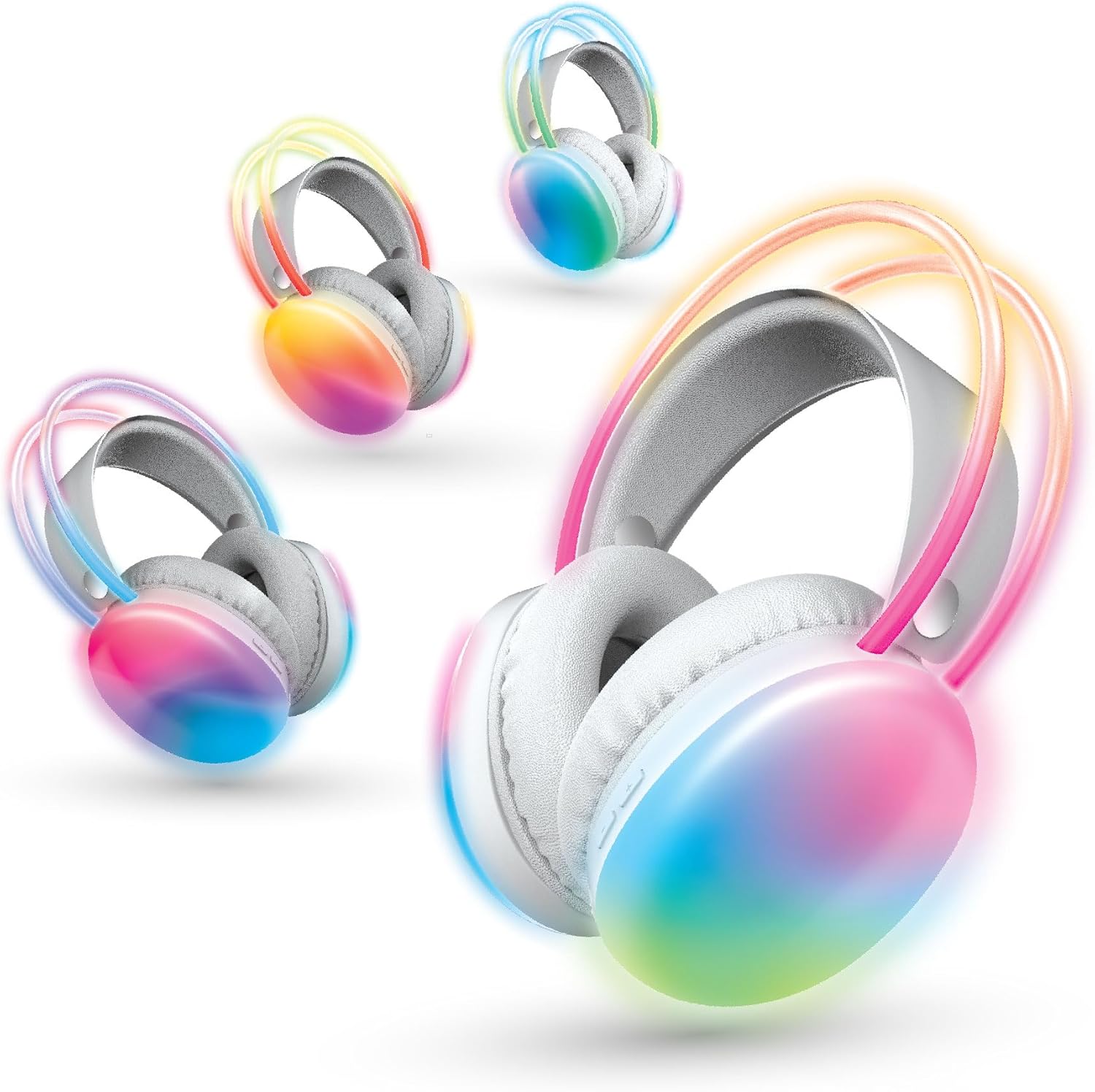
Figure 1: Overview of the Brookstone Wireless Silent Disco Headphones, showcasing their vibrant LED lights.

Figure 2: Illustration of multi-device connectivity, where one master headset can broadcast audio to other headsets.

Figure 3: A family enjoying a shared audio experience with the headphones, highlighting the "Create a Shared Audio Experience" feature.

Figure 4: Detailed view of the headphone's multicolored LED lights, illustrating the "Multicolored Ambience" feature.

Figure 5: Children using the headphones together, demonstrating the "Listen Simultaneously with Friends" capability.

Figure 6: Adults engaged in synchronized listening with the headphones, highlighting the shared experience.
Setup Guide
1. Charging the Headphones
Before first use, fully charge your headphones. Connect the included USB charging cable to the charging port on the headphone and plug the other end into a USB power source (e.g., computer, wall adapter). The LED indicator will show charging status and turn off when fully charged.
2. Powering On/Off
To power on, press and hold the Power button until the LED lights illuminate. To power off, press and hold the Power button again until the lights turn off.
3. Bluetooth Pairing
- Ensure the headphones are powered off.
- Press and hold the Power button for approximately 5-7 seconds until the LED indicator flashes rapidly, indicating pairing mode.
- On your Bluetooth-enabled device (smartphone, tablet, etc.), go to the Bluetooth settings and turn Bluetooth on.
- Search for "Brookstone Headphones" (or similar name) in the list of available devices and select it to connect.
- Once successfully paired, the LED indicator will stop flashing and remain solid or change to a different pattern.
4. Multi-Headphone Setup (Silent Disco Mode)
These headphones support multi-channel audio for silent disco events. One headphone acts as the master, broadcasting audio to other paired headphones. Refer to the specific instructions provided with your silent disco transmitter (sold separately) for detailed setup of multiple headphones on different channels.
Operating Instructions
1. Audio Playback
- Play/Pause: Press the Play/Pause button once.
- Next Track: Press and hold the Volume Up button.
- Previous Track: Press and hold the Volume Down button.
2. Volume Control
- Increase Volume: Press the Volume Up button.
- Decrease Volume: Press the Volume Down button.
3. LED Light Control
The headphones feature vibrant LED lights. Consult the specific button on your headphone (often labeled "Light" or a dedicated button) to cycle through different light modes or turn them off/on.
4. Making/Receiving Calls
With the built-in microphone, you can manage calls when connected to your smartphone.
- Answer/End Call: Press the Multi-function button (often the Play/Pause button) once.
- Reject Call: Press and hold the Multi-function button.
- Redial Last Number: Double-press the Multi-function button.
Video 1: Official product video demonstrating the Brookstone Silent Disco Wireless Headphones and their features.
Maintenance and Care
- Keep the headphones dry. Do not expose them to moisture or extreme temperatures.
- Clean the earcups and headband with a soft, dry cloth. Avoid using harsh chemicals or abrasive materials.
- Store the headphones in a cool, dry place when not in use.
- Avoid dropping or subjecting the headphones to strong impacts.
- Do not attempt to disassemble or modify the headphones, as this will void the warranty.
Troubleshooting
| Problem | Possible Cause | Solution |
|---|---|---|
| Headphones won't turn on. | Low battery. | Charge the headphones fully. |
| Cannot pair with device. | Bluetooth is off on device; headphones not in pairing mode; too far from device. | Ensure Bluetooth is on; put headphones in pairing mode; move closer to device (within 100m). |
| No sound or low volume. | Volume too low on headphones or device; not properly paired. | Increase volume on both headphones and device; re-pair the headphones. |
| LED lights not working. | Lights turned off; low battery. | Press the LED light control button; charge the headphones. |
Specifications
| Feature | Detail |
|---|---|
| Model Name | BSBTH22 |
| Connectivity Technology | Wireless |
| Wireless Communication Technology | Bluetooth |
| Age Range (Description) | Adult |
| Material | Plastic |
| Compatible Devices | Smartphones |
| Control Type | Volume Control |
| Cable Feature | Without Cable |
| Water Resistance Level | Not Water Resistant |
| Frequency Range | 20 Hz to 20,000 Hz |
| Unit Count | 4.0 Count |
| Control Method | App |
| Number of Items | 4 |
| Battery Life | 10 Hours |
| Audio Driver Type | Dynamic Driver |
| Bluetooth Range | 100 Meters |
| Bluetooth Version | 5.0 |
| Earpiece Shape | Round |
| Manufacturer | Southern Telecom Inc |
| Package Dimensions | 17.24 x 14.53 x 8.74 inches |
| Item Weight | 3.56 pounds |
| Color | Multi |
| Ear Placement | Over Ear |
| Form Factor | Over Ear |
| Noise Control | None |
Warranty and Support
For warranty information and customer support, please refer to the contact details provided on the product packaging or visit the official Brookstone website. Keep your purchase receipt as proof of purchase for any warranty claims.