1. Introduction
Thank you for choosing the GOYOJO Thermal Imaging Monocular. This device is designed to provide clear and detailed thermal imaging for various applications, including hunting, outdoor observation, security monitoring, and search and rescue. This manual will guide you through the setup, operation, and maintenance of your new thermal monocular, ensuring optimal performance and longevity.
2. What's in the Box
Please check the contents of your package to ensure all items are present:
- GOYOJO Thermal Imaging Monocular
- USB cable
- Handbag
- User Manual
- Adapter
3. Product Overview
3.1 Key Features
- Thermal Imaging Technology: Features a state-of-the-art 256x192 thermal imaging camera sensor paired with a 12µm infrared detector for high-resolution thermal imaging.
- Versatile Display Options: Offers 6 color palettes including White-Hot, Black-Hot, Red-Hot, Rainbow, Iron-Red, and Glimmer for various scenarios.
- Enhanced Zoom and Ample Image Storage: Provides 4X digital zoom capability and 16GB of internal storage for capturing and storing visuals.
- Robust and Weather-Resistant Design: Equipped with replaceable batteries for over 6 hours of continuous operation and an IP66 waterproof rating for durability in challenging conditions.
- Seamless Connectivity via WiFi: Enables real-time viewing and sharing of thermal images and videos through a dedicated app.
3.2 Components
Familiarize yourself with the main components of your thermal monocular:

Figure 1: Front and side view of the GOYOJO Thermal Imaging Monocular.
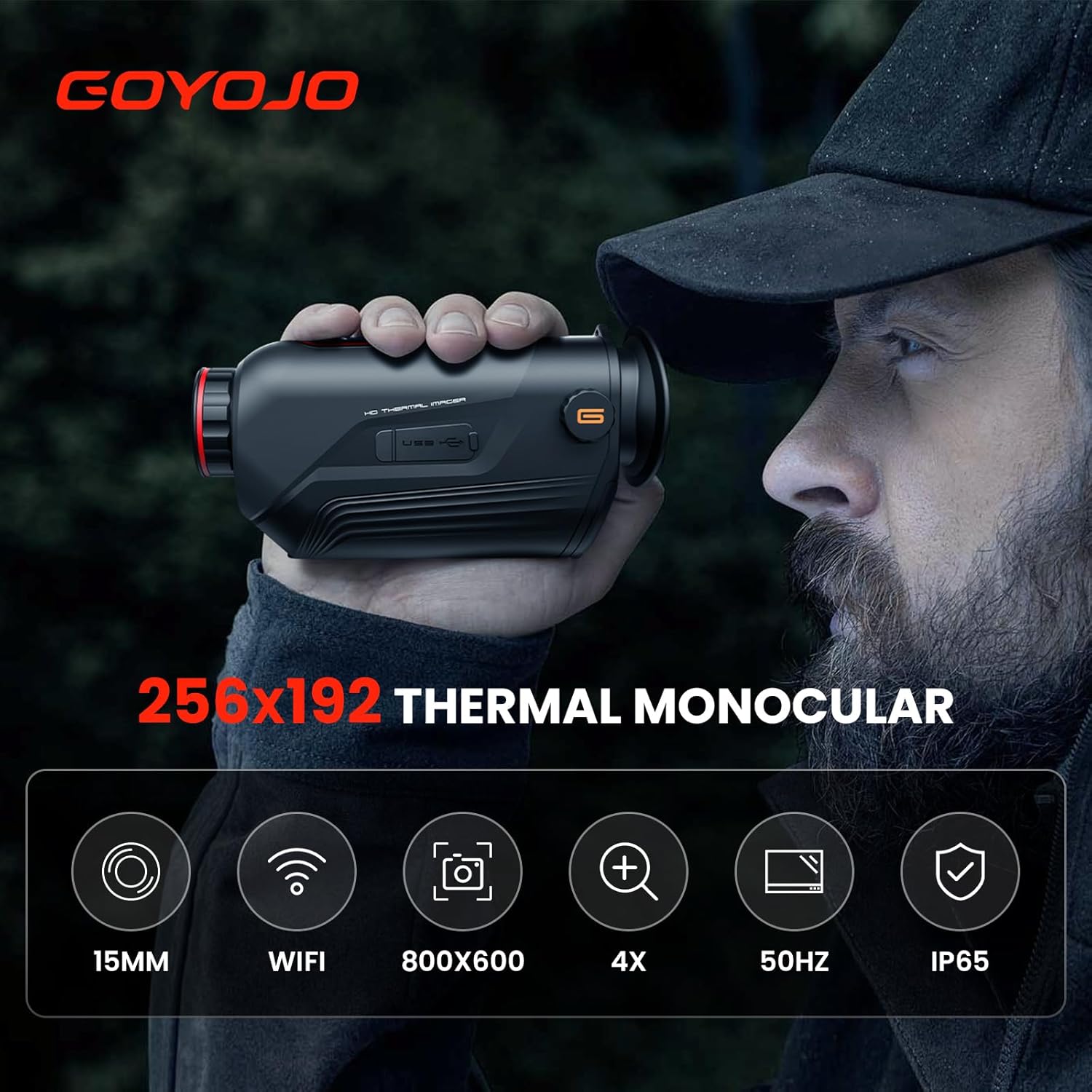
Figure 2: The monocular held in hand, illustrating its ergonomic design and portability.

Figure 3: User observing with the thermal monocular in an outdoor environment.
4. Setup
4.1 Battery Installation and Charging
- Locate the battery compartment on the device.
- Insert the included Lithium Polymer battery, ensuring correct polarity.
- Connect the USB cable to the monocular's USB port and the other end to the provided adapter or a compatible USB power source to charge the device. The charging indicator will show the charging status.
4.2 App Installation and WiFi Connection
- Download the dedicated "Thermal Imaging" app from your device's app store (Google Play for Android or App Store for iOS).
- Power on the thermal monocular.
- Enable WiFi on the monocular through its menu settings.
- On your smartphone, go to WiFi settings and connect to the monocular's WiFi network. The network name will typically be related to "Thermal Imaging" or "GOYOJO".
- Open the "Thermal Imaging" app. The app should automatically detect and connect to the monocular, displaying the real-time thermal feed.

Figure 4: Connecting the monocular to a smartphone via WiFi for real-time viewing.
5. Operating Instructions
5.1 Power On/Off
- To power on, press and hold the power button until the display illuminates.
- To power off, press and hold the power button again until the device shuts down.
- A quick tap of the power button can activate standby mode to conserve battery.
5.2 Focus Adjustment
The monocular features manual focus. Rotate the focus ring near the objective lens to achieve a clear image of your target. Adjust as needed for different distances.
5.3 Digital Zoom Control
The device supports 1X, 2X, and 4X digital zoom. Use the designated zoom buttons to cycle through magnification levels, enhancing detail for distant or small targets.

Figure 5: Digital zoom levels (1X, 2X, 4X) for enhanced target identification.
5.4 Color Palette Selection
Cycle through the 6 available color palettes (White-Hot, Black-Hot, Red-Hot, Rainbow, Iron-Red, Glimmer) using the palette button to optimize target identification based on environmental conditions and personal preference.

Figure 6: Various color palettes for different viewing preferences and target identification.
5.5 Image and Video Capture
Use the dedicated capture button to take still images or record videos. Captured media is stored in the internal 16GB memory. You can access and manage these files via the connected app or by connecting the monocular to a computer using the USB cable.
6. Maintenance
6.1 Cleaning
- Lens: Use a soft, lint-free cloth specifically designed for optics. Gently wipe the lens to remove dust or smudges. Avoid abrasive materials or harsh chemicals.
- Body: Wipe the monocular's body with a soft, damp cloth. Do not use strong detergents or solvents.
6.2 Battery Care
- Ensure the battery is fully charged before extended storage.
- If storing for long periods, charge the battery every 3-6 months to maintain its health.
- Use only the specified battery type and charger.
6.3 Storage
Store the monocular in its handbag or a protective case in a cool, dry place, away from direct sunlight and extreme temperatures. Ensure the lens cap is on to protect the objective lens.
7. Troubleshooting
| Problem | Possible Cause | Solution |
|---|---|---|
| Device does not power on. | Low or depleted battery. | Charge the battery fully. |
| Image is blurry. | Focus not adjusted correctly. | Rotate the manual focus ring until the image is clear. |
| Cannot connect to WiFi app. | WiFi not enabled on monocular; app issue; unstable connection. | Ensure WiFi is enabled on the monocular. Restart both the monocular and the app. Try reconnecting. |
| Short battery life. | Battery degradation; continuous use without standby. | Ensure battery is fully charged. Use standby mode when not actively observing. Consider replacing the battery if it's old. |
| No image capture/storage. | Memory full. | Transfer files to a computer and delete them from the device's internal storage to free up space. |
8. Specifications
| Feature | Detail |
|---|---|
| Model Number | CS-G215-JP2 |
| Thermal Sensor Resolution | 256x192 |
| Infrared Detector | 12µm |
| Objective Lens Diameter | 15 Millimeters |
| Digital Zoom | 1X, 2X, 4X |
| Color Palettes | 6 (White-Hot, Black-Hot, Red-Hot, Rainbow, Iron-Red, Glimmer) |
| Internal Storage | 16GB |
| Connectivity | WiFi, USB |
| Power Source | Battery Powered (1 Lithium Polymer battery included) |
| Battery Life | Over 6 hours (continuous operation) |
| Waterproof Rating | IP66 |
| Product Dimensions | 1.97 x 3.15 x 5.91 inches |
| Item Weight | 2.2 pounds (1 Kilogram) |
| Manufacturer | GOYOJO |
| First Available Date | November 24, 2023 |
9. Warranty and Support
GOYOJO products are manufactured to high-quality standards. For information regarding warranty coverage, technical support, or service, please refer to the warranty card included with your product or visit the official GOYOJO website. You may also contact customer support through the details provided on the product packaging or the brand's online presence.


