
Introduction
Thank you for choosing the Yisuro Porch Lights. This product is designed to provide reliable outdoor illumination with added convenience and safety features. It includes integrated GFCI (Ground Fault Circuit Interrupter) outlets, a dusk-to-dawn sensor, and multiple lighting modes to suit various needs. Please read this manual thoroughly before installation and operation to ensure proper use and longevity of your product.

Image: Two Yisuro porch lights with motion sensors and GFCI outlets.
Safety Information
- Electrical Safety: Installation must be performed by a qualified electrician or a person with adequate knowledge of electrical wiring. Always turn off power at the circuit breaker before installation or maintenance.
- Grounding: Ensure the fixture is properly grounded to prevent electrical shock.
- GFCI Outlets: The built-in GFCI outlets provide protection against electrical shock. Test the GFCI outlets monthly as per standard safety practices.
- Bulb Compatibility: Use only E26 base DIMMABLE LED or incandescent bulbs, with a maximum wattage of 100W.
- Installation Height: Install the porch light with the outlet at least 4 feet (1.2 meters) from the ground.
- Water Resistance: While weather-resistant, ensure all connections are sealed properly during installation to maintain water integrity.
Package Contents
Verify that all components are present before beginning installation:
- Yisuro Porch Light Fixture (2 units for 2-pack)
- Mounting Hardware (screws, wire nuts, mounting plate)
- Instruction Manual
Note: E26 light bulbs are NOT included and must be purchased separately.

Image: Components and dimensions of the Yisuro porch light.
Product Overview and Features
- Integrated GFCI Outlets: Two ground fault circuit interrupter outlets suitable for two-pronged and three-pronged plugs. Provides protection against power surges, short circuits, and other electrical faults. Max power 14.5AWG, Max Load 1080W. Outlets are downward-facing for rain protection.
- Dusk-to-Dawn Sensor: Automatically detects ambient light levels to control lighting operation.
- Motion Sensor: Detects movement within a 270-degree, 33-foot range to trigger full brightness in certain modes.
- 3 Lighting Modes: High Mode, Low Mode, and Manual Mode for versatile operation.
- Durable Construction: Made with reinforced tempered water glass, clear glass, and high-quality black aluminum with golden edge painting. Corrosion-resistant and designed to withstand various weather conditions (IP65 Waterproof, Snowproof, Storm Resistant, Heat Resistant).
- E26 Ceramic Socket: Heat-resistant ceramic E26 base socket for longer service life. Compatible with dimmable LED/incandescent bulbs (Max 100W).
- Easy Bulb Access: Open bottom design allows for easy bulb installation and cleaning without disassembly.
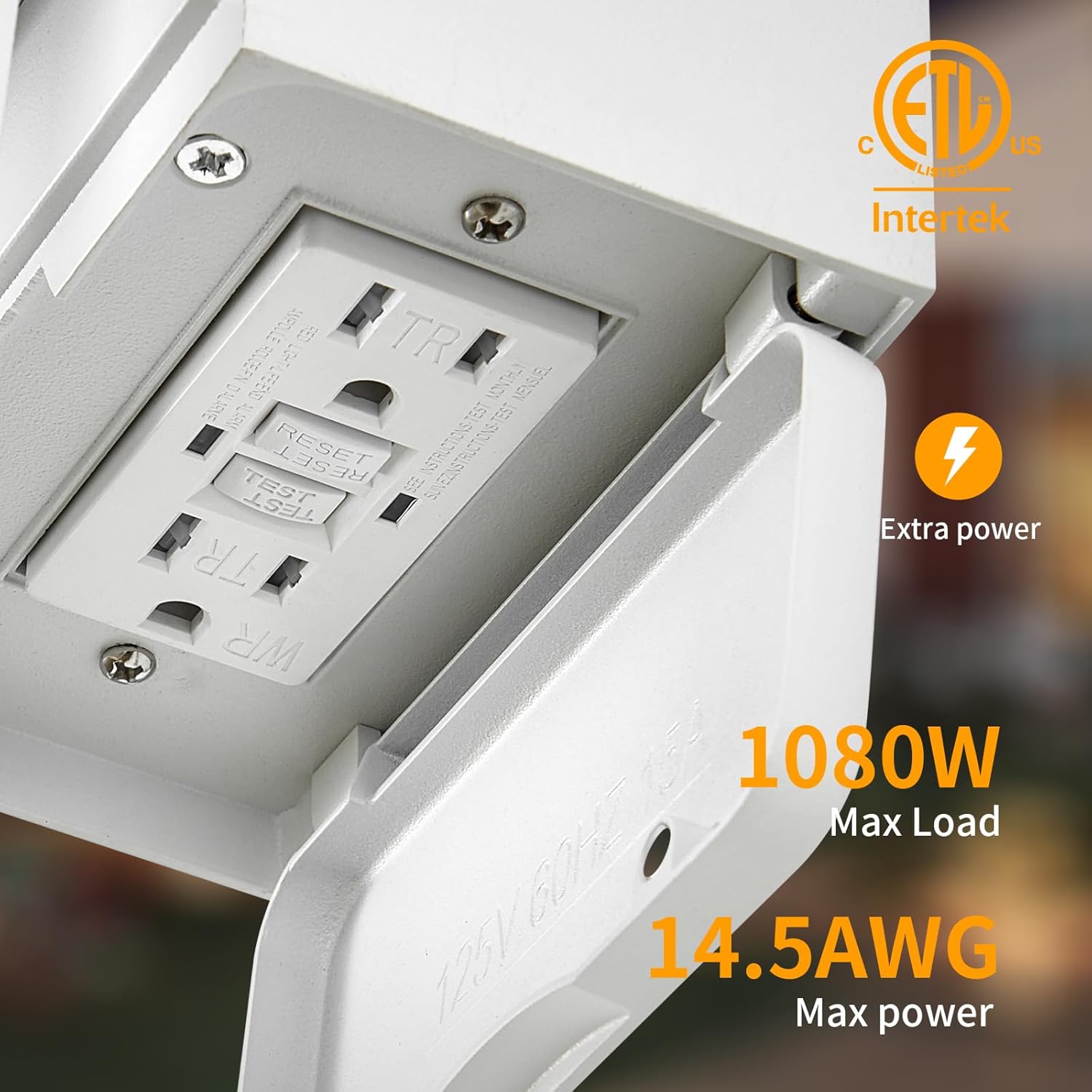
Image: Detail of the GFCI outlets with specifications.

Image: Weather resistance features of the light fixture.
Specifications
| Attribute | Specification |
|---|---|
| Brand | Yisuro |
| Model Name | T-HWBD2003 |
| Color | White |
| Material | Tempered Glass, Aluminum |
| Product Dimensions | 9"L x 4.64"W x 12"H (23cm x 11.8cm x 30.5cm) |
| Item Weight | 8.62 pounds (per unit) |
| Power Source | Corded Electric |
| Voltage | 120 Volts |
| Wattage (Max) | 100 watts (per bulb) |
| Bulb Base | E26 |
| Special Feature | Motion Sensor, Dusk to Dawn Sensor, GFCI Outlets |
| Water Resistance Level | Water Resistant (IP65) |
| Max GFCI Load | 1080W |
| Max GFCI Power Wire | 14.5AWG |
Setup and Installation
Before you begin:
- Turn off power at the circuit breaker.
- Ensure the installation surface is stable and can support the fixture's weight.
- Gather necessary tools (screwdriver, wire strippers, electrical tape, etc.).
Installation Steps:
- Prepare Wiring: Carefully remove your existing light fixture, if any. Identify the live (black), neutral (white), and ground (green or bare copper) wires from your electrical box.
- Attach Mounting Plate: Secure the provided mounting plate to your electrical box using the screws.
- Connect Wires: Connect the wires from the fixture to your house wiring using wire nuts:
- Fixture black wire to house black wire (Live).
- Fixture white wire to house white wire (Neutral).
- Fixture ground wire to house ground wire.
- Mount Fixture: Carefully align the fixture with the mounting plate and secure it with the provided screws.
- Install Bulb: Insert an E26 base dimmable LED or incandescent bulb (Max 100W) into the ceramic socket. The open bottom design allows for easy access.
- Restore Power: Turn the power back on at the circuit breaker.
- Reset GFCI: After installation, press the "RESET" button located between the GFCI outlets to activate them for use.
Important: The light fixture should be installed at least 4 feet from the ground for optimal GFCI outlet functionality and safety.
Operating Instructions
The Yisuro Porch Light features three lighting modes, adjustable via a switch located on the motion sensor unit. The factory default setting is typically 'High Mode'.

Image: Overview of the 3 lighting modes and mode selection switch.
Mode Selection
To change modes, locate the small switch on the motion sensor unit at the top of the fixture. Slide the switch to select your desired mode:
- High Mode: The light stays at 30% brightness all night. When motion is detected, it brightens to 100% for 60 seconds, then returns to 30% brightness.
- Low Mode: The light remains off at night when no movement is detected. When motion is detected, it turns on to 100% brightness for 60 seconds, then turns off.
- Manual Mode: In Auto mode (High or Low), quickly toggle the wall switch "on-off-on" within 0.5-2 seconds to enter Manual Mode. The light will turn on and stay at 100% brightness for 8 hours, or until the dusk-to-dawn sensor detects light in the morning. To exit Manual Mode, toggle the wall switch off and on again, or wait for the 8-hour cycle to complete.

Image: Explanation of High Mode operation.

Image: Explanation of Low Mode operation.

Image: Explanation of Manual Mode activation.
Maintenance
- Cleaning: To clean the fixture, ensure power is off at the circuit breaker. Use a soft, damp cloth. Avoid abrasive cleaners or solvents that could damage the finish or glass.
- Bulb Replacement: Turn off power at the circuit breaker. Unscrew the old bulb and screw in a new E26 base dimmable LED or incandescent bulb (Max 100W).
- GFCI Testing: Test the GFCI outlets monthly. Plug a small appliance (like a nightlight) into the GFCI outlet. Press the "TEST" button. The appliance should turn off. Press the "RESET" button. The appliance should turn back on. If it does not, the GFCI may be faulty and should be replaced by a qualified electrician.
- Sensor Cleaning: Keep the motion and dusk-to-dawn sensors clean and free from obstructions (e.g., spiderwebs, dirt) to ensure optimal performance.
Troubleshooting
| Problem | Possible Cause | Solution |
|---|---|---|
| Light does not turn on | No power; faulty bulb; incorrect wiring; sensor obstruction. | Check circuit breaker. Replace bulb. Verify wiring connections. Clear sensor. Ensure GFCI is reset. |
| Light stays on constantly | Manual Mode activated; sensor obstruction; faulty sensor. | Toggle wall switch off/on to exit Manual Mode. Clear sensor. Contact support if sensor is faulty. |
| Motion sensor not detecting | Sensor obstruction; incorrect mode; sensor range issues. | Clear sensor. Ensure correct mode (High/Low). Verify installation height and clear line of sight. |
| GFCI outlets not working | GFCI tripped; no power; faulty GFCI. | Press "RESET" button on GFCI. Check circuit breaker. Test GFCI; if faulty, replace. |
| Light flickers | Loose bulb; unstable power; incompatible bulb. | Tighten bulb. Consult electrician for power issues. Ensure dimmable bulb is used. |
Warranty and Support
Yisuro products are designed for quality and durability. For specific warranty details, please refer to the warranty card included with your purchase or contact Yisuro customer support directly.
If you encounter any issues or have questions regarding your Yisuro Porch Lights, please contact our customer support team. Provide your model number (T-HWBD2003) and purchase details for faster service.
Contact Information: Please refer to the contact information provided on the product packaging or the official Yisuro website.