Introduction
This manual provides detailed instructions for the setup, operation, and maintenance of your dcvbny 433MHz Cloning Remote Control Keychain. Please read these instructions carefully before use to ensure proper functionality and safety.
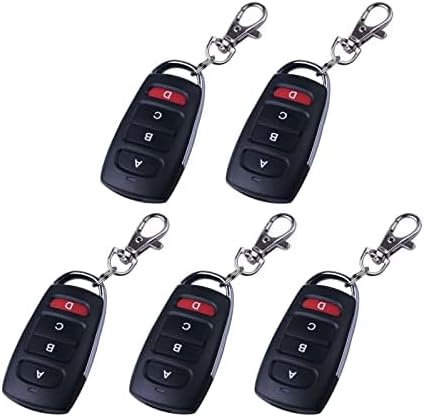
Image: Five dcvbny 433MHz Cloning Remote Control Keychains. These keychains feature four buttons (A, B, C, D) and a metal clip for attachment.
Product Compatibility
The dcvbny 433MHz Cloning Remote Control Keychain is designed to copy 99.99% of common fixed and learning code remote controls operating at 433MHz. It is compatible with a wide range of IC chips, including but not limited to:
- 2260 series: PT2260, SC2260, HS2260, LX2260, HX2260
- 2262 series: PT2262, SC2262, LX2262, HS2262, HX2262
- PT2264, PT2240 (LX2240, LX2241, SCL2240)
- CS5211, 1527 (EV1527, HS1527, HX1527, SC1527, GP1527, CP1527, AD1527, SCL1527, TL1527, ZX1527)
- SMC918, AX5026, SMC926, AX5326-3, AX5326-4
- FP527, HT600, HT680, HT6207, HT6010, HT6012, HT6013, HT6014, HT12D, HT46F49E, PIC16F630, ULN2003

Image: The remote control alongside a comprehensive list of compatible IC chip models, highlighting the product's broad compatibility.
Setup and Programming
Follow these steps to program your dcvbny cloning remote control.
Step 1: Clear the History Code (Reset)
Before copying, it is essential to clear any existing data from the cloning remote.
- Press and hold both the 'A' button and the 'B' button simultaneously.
- The LED indicator will flash three times.
- Release the 'B' button while continuing to hold the 'A' button.
- Quickly press the 'B' button three times.
- The LED will then enter a rapid flashing state, indicating that all stored data has been cleared.
- After the reset is complete, the LED will no longer light up regardless of which button is pressed.
Step 2: Copy Code from Original Transmitter (Clone Remote)
To clone a function from your original remote, ensure your original remote is fully functional and operates on the same frequency (433MHz).
- Hold the original remote in one hand and the dcvbny cloning remote in the other.
- Place both remotes as close together as possible, ideally side-by-side and touching on a flat surface.
- Press the button you wish to copy on the original remote, and simultaneously press the corresponding button on the dcvbny cloning remote.
- The LED on the dcvbny cloning remote will flash rapidly three times and then continue flashing rapidly, indicating a successful copy.
- Repeat this process for any other buttons you wish to copy.
Tips for Better Results:
- If your original remote has weak transmission power, try placing the two remotes back-to-back for improved signal transfer.
- If environmental interference (e.g., from other electronic devices) is suspected, perform the cloning process in a different location.
- If cloning fails, perform a reset (clear memory) first, then attempt the copy process again.
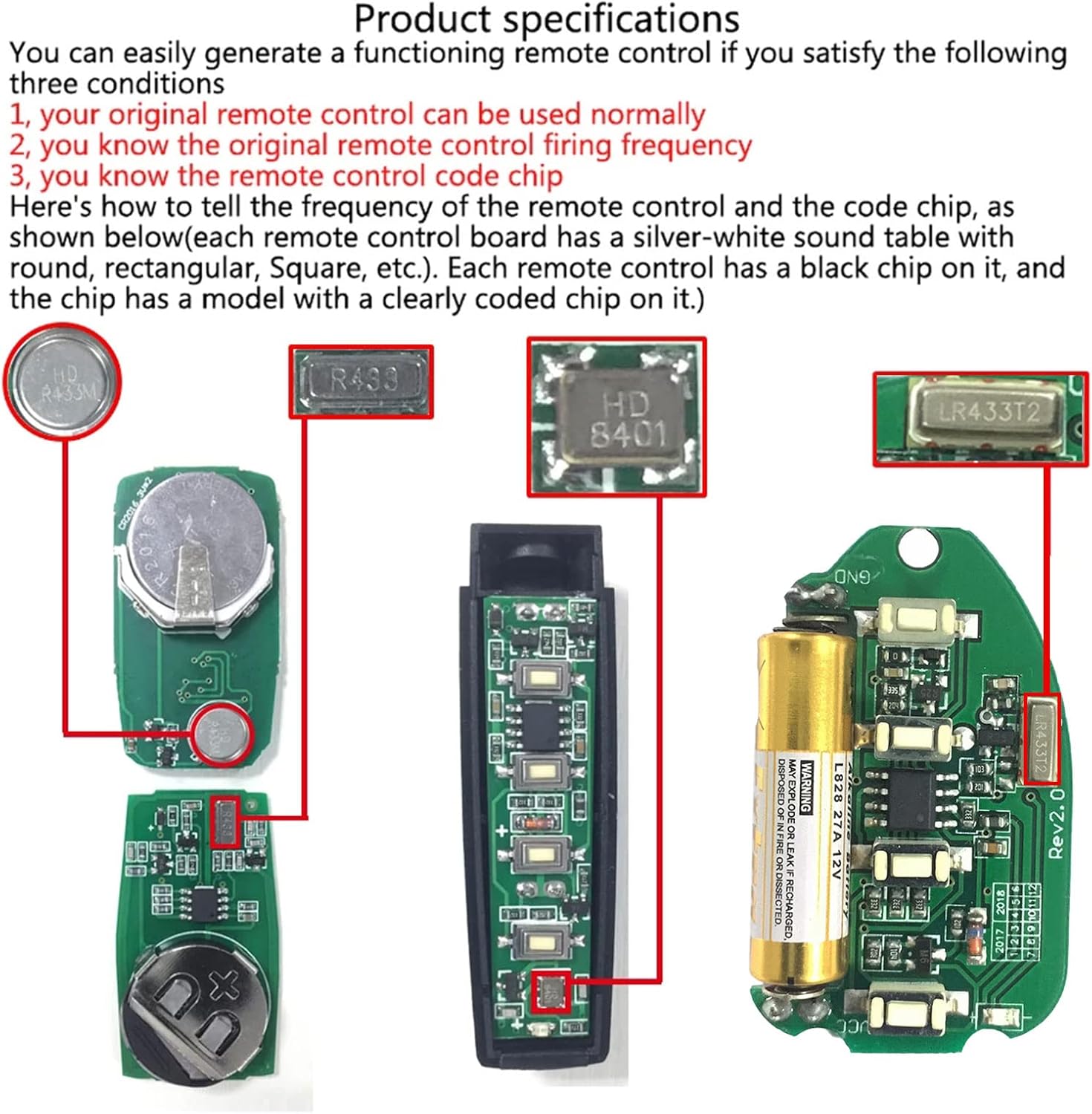
Image: A visual guide detailing the 'Clear the history code' and 'Copy code from original transmitter' steps for programming the remote.
Operating Instructions
Once programmed, your dcvbny cloning remote control can be used to operate compatible devices.
General Use
Press the corresponding button (A, B, C, or D) on the remote to activate the cloned function. The remote is applicable to a wide range of systems, including:
- Automobiles (e.g., central locking systems)
- Garage doors and electric gates
- Skylights
- Car/motorcycle alarms
- Home safety products
- Short-distance wireless remote control products
- Electrical appliances/home automation lamps
- Industrial control products
The remote operates at 433.92 MHz, making it compatible with many standard gate openers and similar systems.

Image: A hand holding the dcvbny remote control, demonstrating instant access to an automatic garage door opener with a push of a button.
Maintenance
The dcvbny 433MHz Cloning Remote Control Keychain requires minimal maintenance. Keep the device clean and dry. Avoid exposure to extreme temperatures, direct sunlight, or corrosive substances. There are no user-serviceable parts inside. If the remote stops functioning, refer to the troubleshooting section.
Troubleshooting
Recovery of Accidentally Cleared Code
If you accidentally clear a copied code from the remote control, you can attempt to restore it:
- Simultaneously press the 'A' button and the 'D' button.
- After approximately 3 seconds, the LED will flash three times.
- The LED will then begin to flash rapidly, indicating that the copied code has been restored.

Image: The remote control with an overlay indicating the 'A' and 'D' buttons for the recovery function, set against a background of digital data.
General Troubleshooting Tips
- Cloning Failure: If the cloning process is unsuccessful, ensure the original remote is fully functional and that both remotes are placed very close together. Try the reset procedure (Step 1 in Setup) before attempting to copy again.
- No Response: Check if the LED indicator lights up when a button is pressed. If not, the battery may be depleted. Although the product specifications state 'Batteries Required? No', some remotes may have internal batteries that are not user-replaceable or may require specific battery types. If the remote is unresponsive, contact customer support.
- Interference: If the remote's range or functionality is inconsistent, try operating it in a different location to rule out signal interference.
Specifications
| Brand | dcvbny |
| Model Number | TG9YUIO96rtyui |
| Item Weight | 5.8 ounces |
| Package Dimensions | 4.8 x 3.46 x 1.22 inches |
| Batteries Included? | No (Note: Product listing states 'No', but remotes typically require internal power. Please verify upon receipt.) |
| Batteries Required? | No (As per product listing. If remote is unresponsive, consider internal battery status.) |
| Frequency | 433MHz / 433.92MHz |
| Compatible IC Chips | 2260, 2262, PT2264, PT2240, CS5211, 1527, SMC918, AX5026, SMC926, AX5326-3, AX5326-4, FP527, HT600, HT680, HT6207, HT6010, HT6012, HT6013, HT6014, HT12D, HT46F49E, PIC16F630, ULN2003, etc. |

Image: Detailed view of the remote control's internal circuitry, including the battery and various chips, useful for identifying frequency and code chip types.
Warranty Information
Specific warranty details for the dcvbny 433MHz Cloning Remote Control Keychain are not provided in the product information. For warranty inquiries, please refer to the seller's return policy or contact the seller directly through the platform where the product was purchased.
Support
For further assistance, technical support, or questions regarding your dcvbny 433MHz Cloning Remote Control Keychain, please contact the seller, dcvbny, directly via the Amazon messaging system or through their official store page.
Visit the dcvbny Store: dcvbny Amazon Store