
Introduction
This manual provides detailed instructions for the LOAMLIN SMLIGHT SLZB-07 Zigbee 3.0 USB Coordinator. It covers product features, setup, operation, maintenance, troubleshooting, and technical specifications to help you integrate it seamlessly into your smart home system.
Product Overview & Features
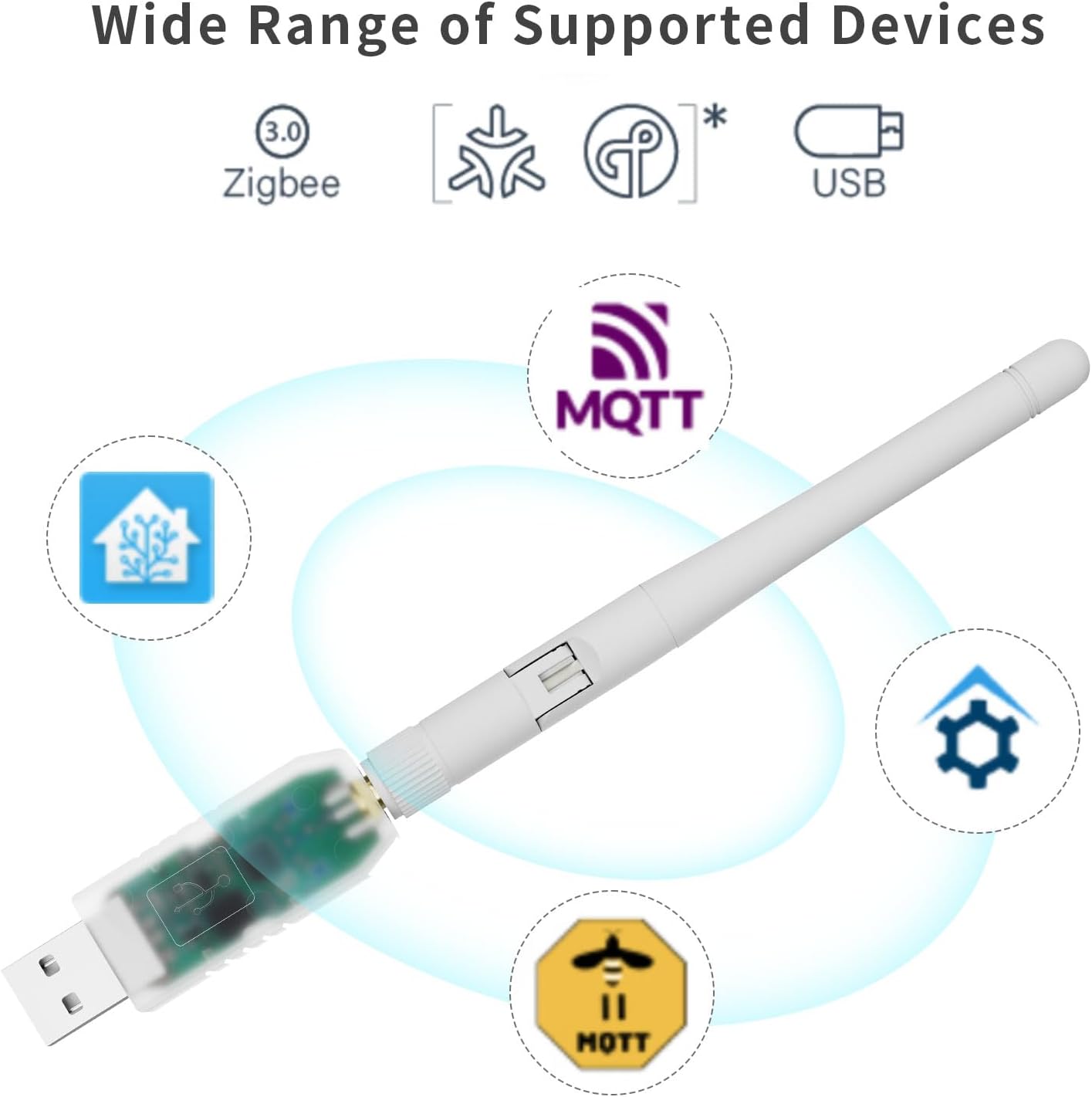
The SMLIGHT SLZB-07 is a versatile Zigbee 3.0 USB coordinator designed for smart home integration, supporting a wide range of devices and protocols.

Key features of the SLZB-07 include native Zigbee support, experimental Thread/Matter support, and a +20dB SoC amplifier with a +3dB antenna for extended range.
Key Features
- Pre-flashed and ready-to-use with ZHA Home Assistant and Zigbee2MQTT.
- Zigbee 3.0 support and Thread/Matter ready through multipan firmware.
- Based on EFR32MG21 and CP2102N with +20dB amplifier.
- +3dB antenna included.
- Flashing Zigbee firmware without physical access possible.
Package Contents

The package includes the SLZB-07 USB adapter and an antenna, along with the product packaging.
- 1 x SMLIGHT SLZB-07 USB Coordinator
- 1 x Antenna
Setup Instructions
1. Hardware Connection
Connect the included antenna to the SLZB-07 USB Coordinator. Ensure it is securely fastened. Then, insert the SLZB-07 into an available USB 2.0 Type A port on your host device (e.g., Raspberry Pi, PC running Home Assistant).

Ensure the antenna is securely attached to the USB coordinator before plugging it into your device.
2. Software Configuration (Home Assistant / Zigbee2MQTT)
The SLZB-07 comes pre-flashed for immediate use with ZHA Home Assistant and Zigbee2MQTT, simplifying the initial setup process.
- For Home Assistant ZHA: The device should be automatically discovered by Home Assistant. Follow the on-screen prompts to configure the Zigbee integration.
- For Zigbee2MQTT: Ensure Zigbee2MQTT is installed and running on your system. The device's serial port will need to be specified in the Zigbee2MQTT configuration file. Consult the Zigbee2MQTT documentation for detailed configuration steps.
This video demonstrates the general process of setting up a Zigbee USB dongle within Home Assistant, which can be applied to the SLZB-07.
Operating Instructions
Once configured, the SLZB-07 acts as the central coordinator for your Zigbee network. You can pair Zigbee devices through your chosen smart home platform (Home Assistant ZHA or Zigbee2MQTT). The device facilitates communication between your smart home hub and Zigbee-compatible devices.
Refer to the documentation of your specific smart home platform for detailed instructions on pairing devices, managing your Zigbee network, and creating automations.

The rotatable antenna allows for optimal signal reception, and the transparent housing aids in visual troubleshooting of internal components.
Maintenance
To ensure the longevity and optimal performance of your SLZB-07 USB Coordinator, follow these maintenance guidelines:
- Environment: Keep the device in a dry environment, away from moisture, dust, and extreme temperatures.
- Cleaning: Use a soft, dry cloth to clean the exterior of the device. Avoid using liquid cleaners or solvents.
- Firmware Updates: Periodically check the official SMLIGHT website or community forums for available firmware updates. Keeping the firmware current can improve performance, add new features, and enhance compatibility.
Troubleshooting
If you encounter issues with your SLZB-07, refer to the following common troubleshooting steps:
- Device Not Recognized:
- Ensure the USB coordinator is fully inserted into the USB port.
- Try a different USB port or a different host device to rule out port or host-specific issues.
- Verify that the necessary drivers (if any, typically for the CP2102N serial chip) are installed on your operating system.
- Zigbee Network Issues:
- Ensure the antenna is securely connected to the coordinator.
- Check for potential interference from other 2.4GHz devices (e.g., Wi-Fi routers, microwaves, Bluetooth devices) operating nearby.
- Consider using a USB extension cable to move the coordinator away from the host device, especially if the host device generates electromagnetic interference.
- Verify that your smart home platform's Zigbee integration is correctly configured and running.
- Firmware Updates:
- The device supports flashing Zigbee firmware without physical access. Refer to the SMLIGHT official resources for detailed instructions on updating firmware.
- In rare cases, if firmware flashing fails or the device becomes unresponsive, accessing internal flash jumpers might be required. Consult the manufacturer's advanced documentation for specific procedures, as this typically involves opening the device.
Specifications
| Feature | Detail |
|---|---|
| Brand | LOAMLIN |
| Model | SLZB-07 (EFR32MG21 SoC) |
| Hardware Interface | USB 2.0 Type A |
| Color | White |
| Compatible Devices | Smart Home Hubs, Home Assistant, Zigbee2MQTT |
| Data Link Protocol | USB, Zigbee 3.0 |
| Chipset | EFR32MG21, CP2102N |
| Output Gain | +20dB SoC amplifier, +3dB antenna |
| Compatible OS | Linux, Windows |
| Dimensions (approx.) | 18x54x10 mm (USB plug), 105.3mm (antenna length) |
| Operating Temperature | +5 to +35 °C |
Detailed dimensions of the SLZB-07 USB Coordinator and its antenna for reference.
Warranty Information
For specific warranty details regarding your LOAMLIN SMLIGHT SLZB-07 Zigbee 3.0 USB Coordinator, please refer to the product packaging or contact LOAMLIN customer support directly through their official channels.
Support
For further assistance, technical inquiries, or to access additional resources, please visit the official LOAMLIN website or their Amazon store page. You can also consult community forums dedicated to Home Assistant and Zigbee2MQTT for peer support and advanced configurations.