Introduction
This manual provides detailed instructions for the assembly, operation, and maintenance of your Mondeer L-shaped computer desk. Designed for versatility and space-saving, this desk features a 360-degree rotating shelf and adjustable storage options, making it suitable for various home and office environments.

Image: The Mondeer L-shaped computer desk, showcasing its design and functionality in a typical office setup.
Safety Warnings
Please read and follow these safety instructions carefully before assembly and use:
- Always follow the assembly instructions provided.
- Do not exceed the maximum load capacity: 40 kg (88 lbs) for the desktop and 15 kg (33 lbs) for each shelf.
- Ensure the desk is stable after assembly. If necessary, anchor it to a wall to prevent tipping, especially if heavy items are placed on higher shelves.
- Keep small parts away from children during assembly to prevent choking hazards.
- Use the desk on a flat, stable surface.
Setup and Assembly
The Mondeer L-shaped computer desk is designed for straightforward assembly. All necessary accessories are included and labeled. Please refer to the separate assembly guide for detailed step-by-step instructions and diagrams.
- Unpack Components: Carefully remove all parts from the packaging and verify against the parts list in the assembly guide.
- Identify Parts: Each part is numbered. Match the numbers to the diagrams in the assembly guide.
- Assemble Frame: Begin by assembling the metal frame components as instructed.
- Attach Desktop: Secure the main desktop surface to the assembled frame.
- Install Rotating Shelf Mechanism: Attach the 360-degree rotating mechanism to the designated area on the desktop and the rotating shelf unit.
- Assemble Storage Shelves: Construct the storage shelf units, paying attention to the adjustable shelf positions.
- Final Connections: Connect the rotating shelf unit to the main desk structure.
- Adjust Leveling Feet: Once assembled, adjust the leveling feet at the bottom of the desk to ensure stability on uneven floors.
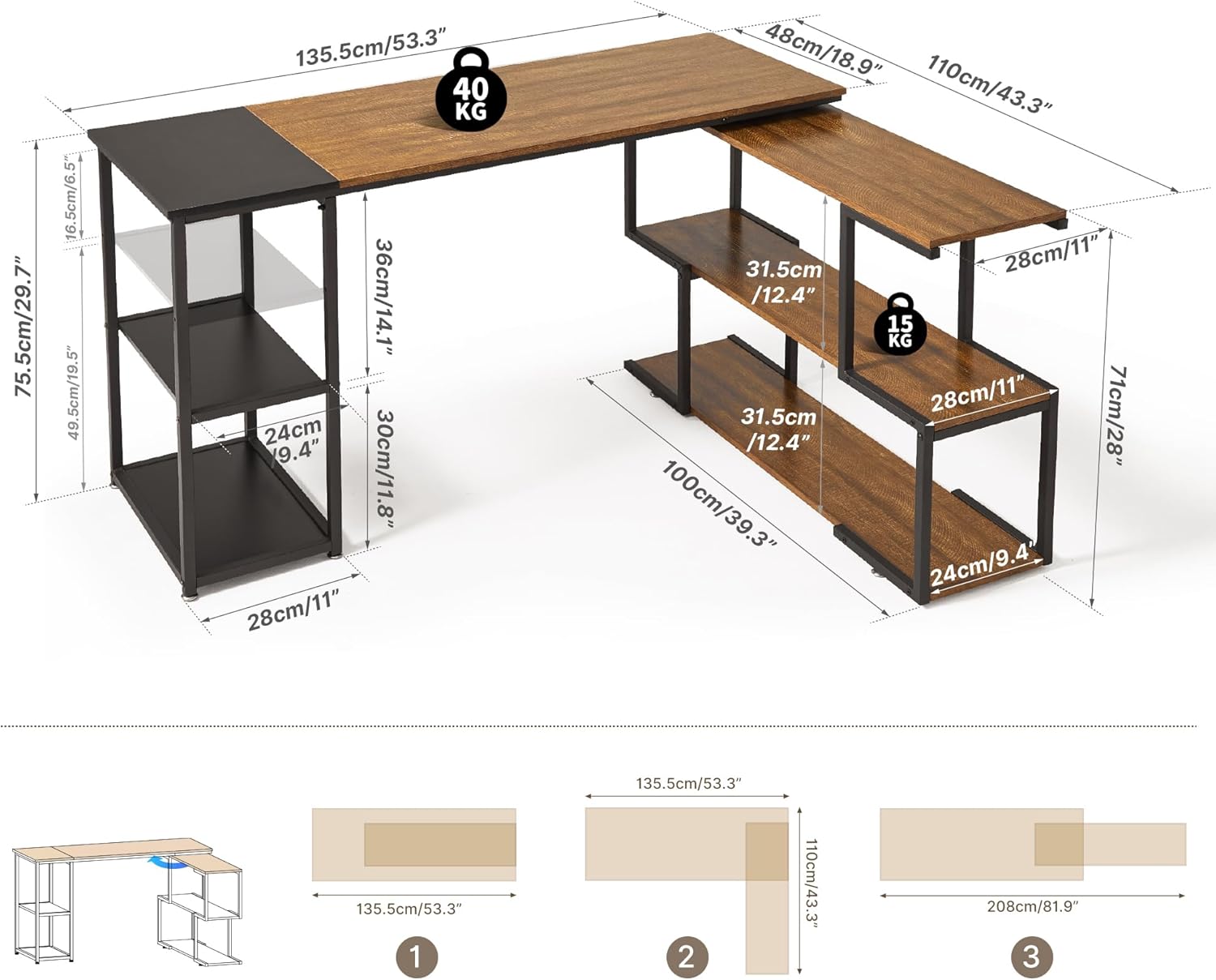
Image: Assembly configurations and overall dimensions of the Mondeer L-shaped desk, illustrating its adaptability.
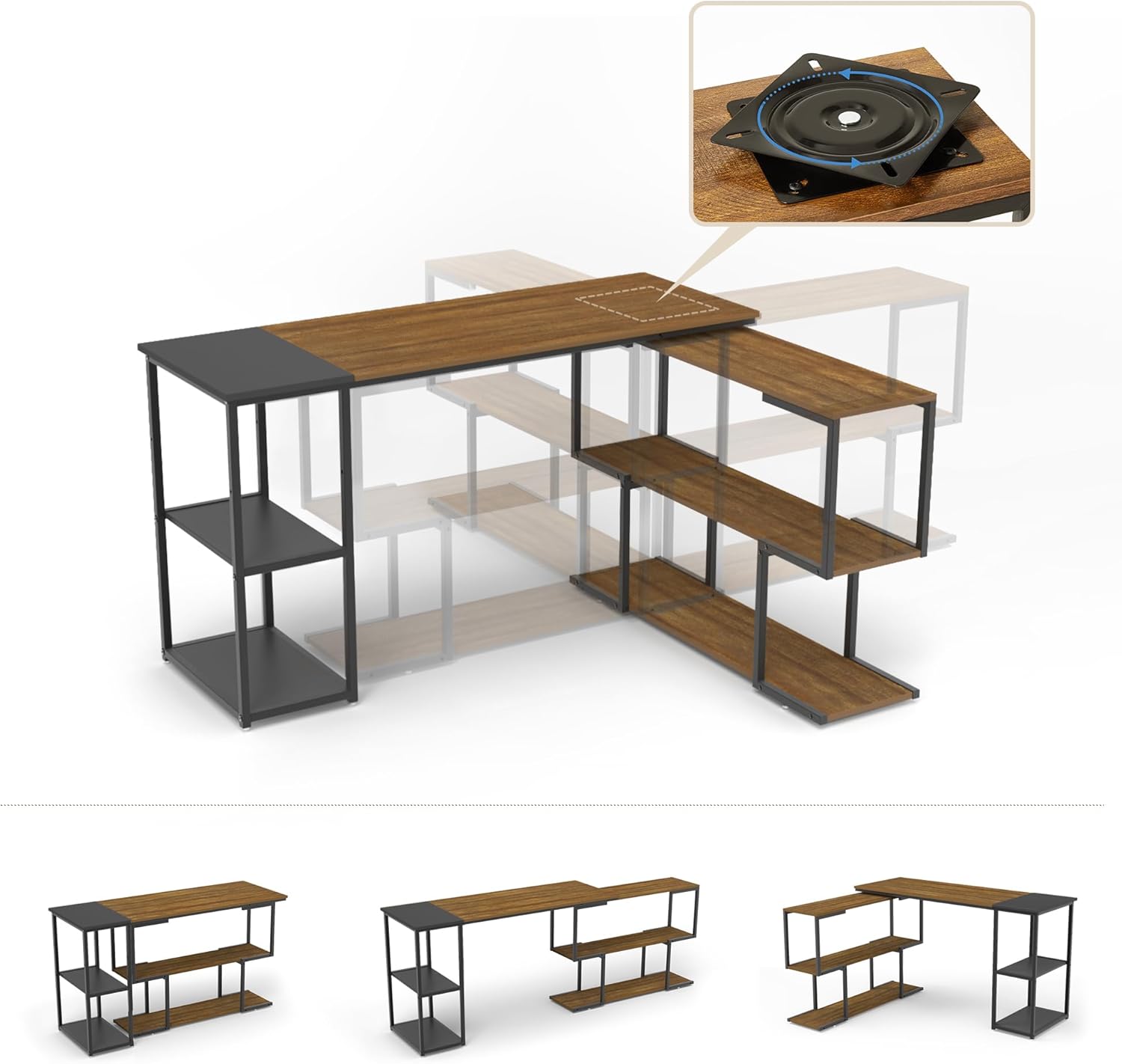
Image: Detailed view of the 360-degree rotating mechanism, showing how the shelf unit can be positioned.
Operating Instructions
The Mondeer L-shaped desk offers flexible configurations to suit your workspace needs.
360° Rotating Shelf
The secondary shelf unit is connected to the main desktop via a high-quality metal turntable, allowing it to rotate 360 degrees. This feature enables you to adjust the desk's shape to an L-shape, a long straight desk, or a compact configuration, depending on your space and preference.
- To rotate, gently push or pull the shelf unit. Ensure no items are obstructing its movement.
- Position the shelf unit at your desired angle for optimal workflow or space utilization.
Adjustable Storage Shelves
The left-side storage shelves feature adjustable height. This allows you to customize the shelf spacing to accommodate items of various sizes, such as books, binders, or computer towers.
- To adjust a shelf, remove any items from it.
- Carefully lift the shelf and reposition it into the desired slots on the frame.
- Ensure the shelf is securely seated in all four slots before placing items on it.

Image: Illustration of the adjustable shelf mechanism, demonstrating how shelf height can be customized.
Maintenance
To ensure the longevity and appearance of your Mondeer desk, follow these simple maintenance guidelines:
- Cleaning: The desk surface is smooth and easy to clean. Wipe regularly with a soft, damp cloth. Avoid abrasive cleaners or harsh chemicals that may damage the finish.
- Spills: Immediately wipe up any spills to prevent water damage or staining.
- Protection: Use coasters for drinks and placemats for hot items to protect the desktop surface.
- Hardware: Periodically check all screws and fasteners to ensure they are tight. Retighten if necessary.
- Leveling Feet: Re-adjust leveling feet if the desk becomes wobbly over time.

Image: Features highlighting the desk's durability and ease of maintenance, including its water-resistant surface and stable construction.
Troubleshooting
If you encounter any issues with your Mondeer L-shaped computer desk, please refer to the following common solutions:
- Wobbly Desk: Check that all screws are securely tightened. Adjust the leveling feet at the bottom of the desk to compensate for uneven floor surfaces.
- Difficulty Rotating Shelf: Ensure no objects are blocking the rotation path. Check the rotating mechanism for any debris. If the mechanism feels stiff, ensure it was installed correctly during assembly.
- Shelf Not Holding Weight: Verify that the adjustable shelves are correctly seated in all four support slots. Do not exceed the maximum weight capacity of 15 kg (33 lbs) per shelf.
- Missing Parts: If you find any parts missing during assembly, please contact customer support immediately with your purchase details.
Specifications
| Feature | Detail |
|---|---|
| Brand | Mondeer |
| Model Number | FSDK15RK-G1N |
| Color | Rustic Brown and Black |
| Product Dimensions (L x W x H) | 110 x 135.5 x 75.5 cm (43.3 x 53.3 x 29.7 inches) |
| Material | Engineered Wood, Metal |
| Special Features | 360° Rotating Shelf, Adjustable Shelves, Leveling Feet |
| Item Weight | 26 Kilograms (57.3 lbs) |
| Desktop Load Capacity | Max 40 kg (88 lbs) |
| Shelf Load Capacity | Max 15 kg (33 lbs) per shelf |
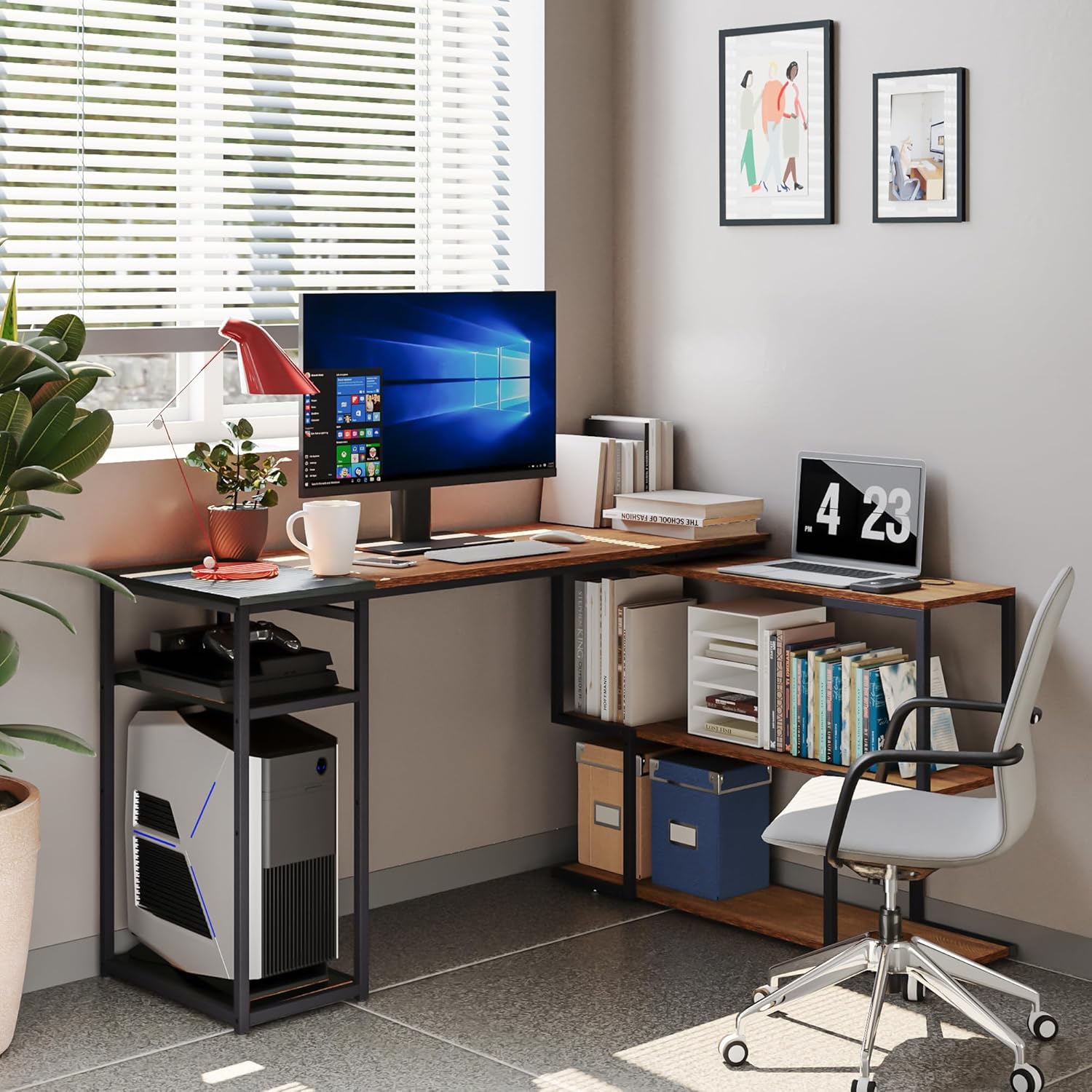
Image: Technical drawing with precise measurements and load limits for the Mondeer L-shaped desk.
Warranty and Support
Mondeer is committed to providing high-quality products. While specific warranty details are not provided in this manual, if you have any questions, require assistance with assembly, or encounter any issues with your product, please do not hesitate to contact our customer support team.
Please have your purchase information and model number (FSDK15RK-G1N) ready when contacting support for faster service.


