
Introduction
Welcome to the world of the Disney Junior Minnie Mouse Bowdazzling Yacht Playset by Just Play. This playset offers an engaging experience with Minnie Mouse and friends, featuring interactive lights, sounds, and a unique color-change function. This manual provides essential information for the proper setup, operation, and care of your playset to ensure lasting enjoyment.
Safety Information
WARNING: May contain small pieces. Not suitable for children under 3 years due to potential choking hazards. Adult supervision is recommended during play.
- Always ensure batteries are inserted correctly according to polarity (+/-).
- Do not mix old and new batteries, or different types of batteries.
- Remove exhausted batteries promptly.
- Do not dispose of batteries in fire; they may explode or leak.
- Keep the playset away from extreme temperatures and direct sunlight.
Package Contents
Verify that all items listed below are included in your package:
- 1 x Bowdazzling Yacht Playset
- 2 x Articulated Figures (Minnie Mouse, Daisy Duck)
- 1 x Snowpuff Figure
- 2 x Bonus Figures (Cream Puff, Phoebe)
- 1 x Umbrella
- 1 x Juice Bar
- 1 x Slide
- 1 x Wave Rider
- 1 x Speed Boat
- 1 x Hammock
- 2 x Lounge Chairs
- 2 x Juice Cups

Image: The complete Minnie Mouse Bowdazzling Yacht Playset, showcasing the yacht, Minnie and Daisy figures, pet figures, and all 10 accessories including the umbrella, juice bar, slide, wave rider, speedboat, hammock, lounge chairs, and juice cups.
Setup Instructions
- Unpack Components: Carefully remove all items from the packaging.
- Battery Installation:
- Locate the battery compartment on the playset.
- Using a Phillips head screwdriver (not included), open the battery compartment cover.
- Insert 3 x AAA batteries (included) ensuring correct polarity.
- Replace the battery compartment cover and secure with the screw.
- Open the Yacht: The yacht is designed to open, revealing an expanded play area. Gently pull the two halves apart to extend the play space to over 20 inches.
- Arrange Accessories: Place the figures and accessories (umbrella, juice bar, slide, wave rider, speedboat, hammock, lounge chairs, juice cups) in their desired locations within the yacht's play areas.
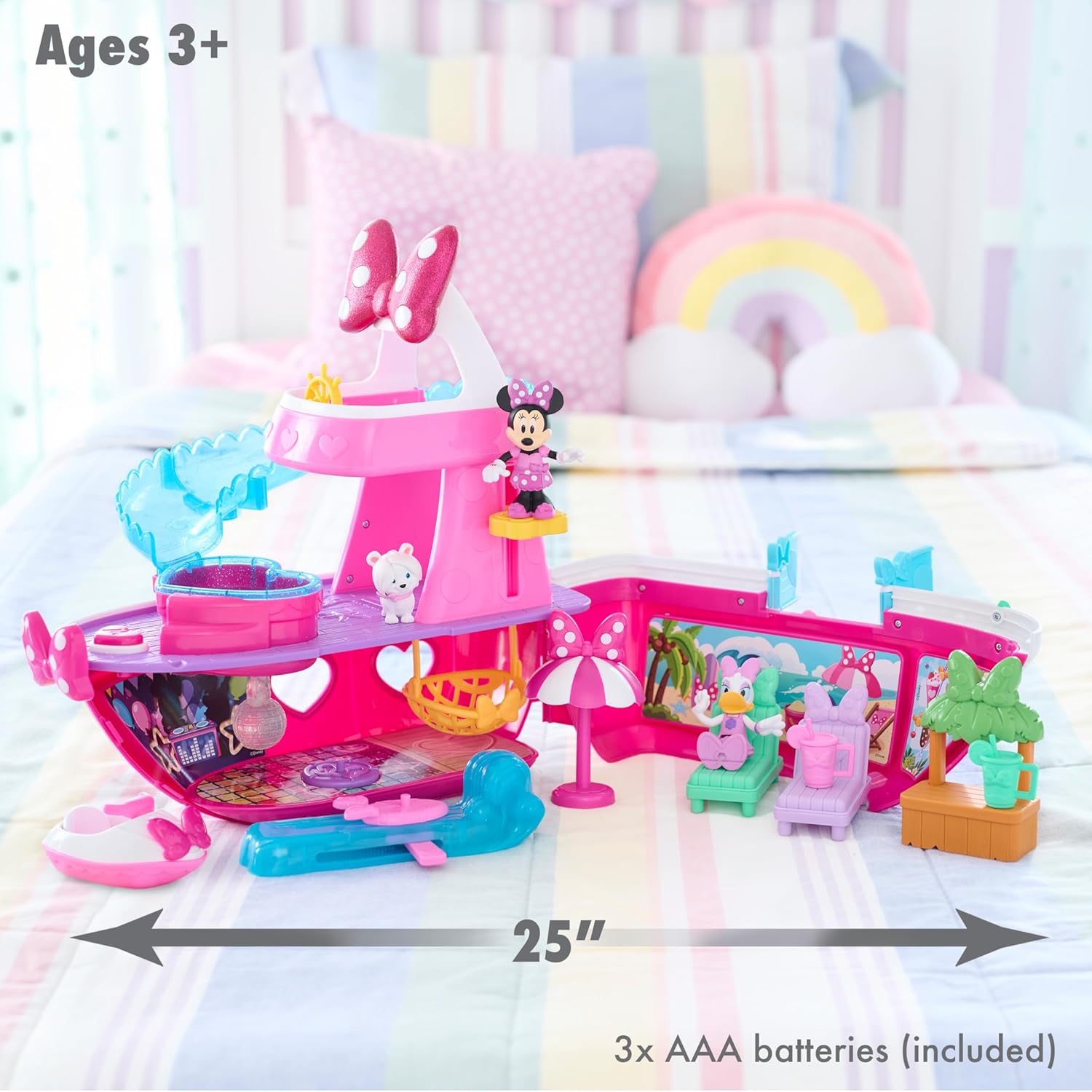
Image: The Minnie Mouse Bowdazzling Yacht Playset fully opened, demonstrating its 25-inch play width. The image also highlights the recommended age of 3+ and the requirement for 3 AAA batteries.
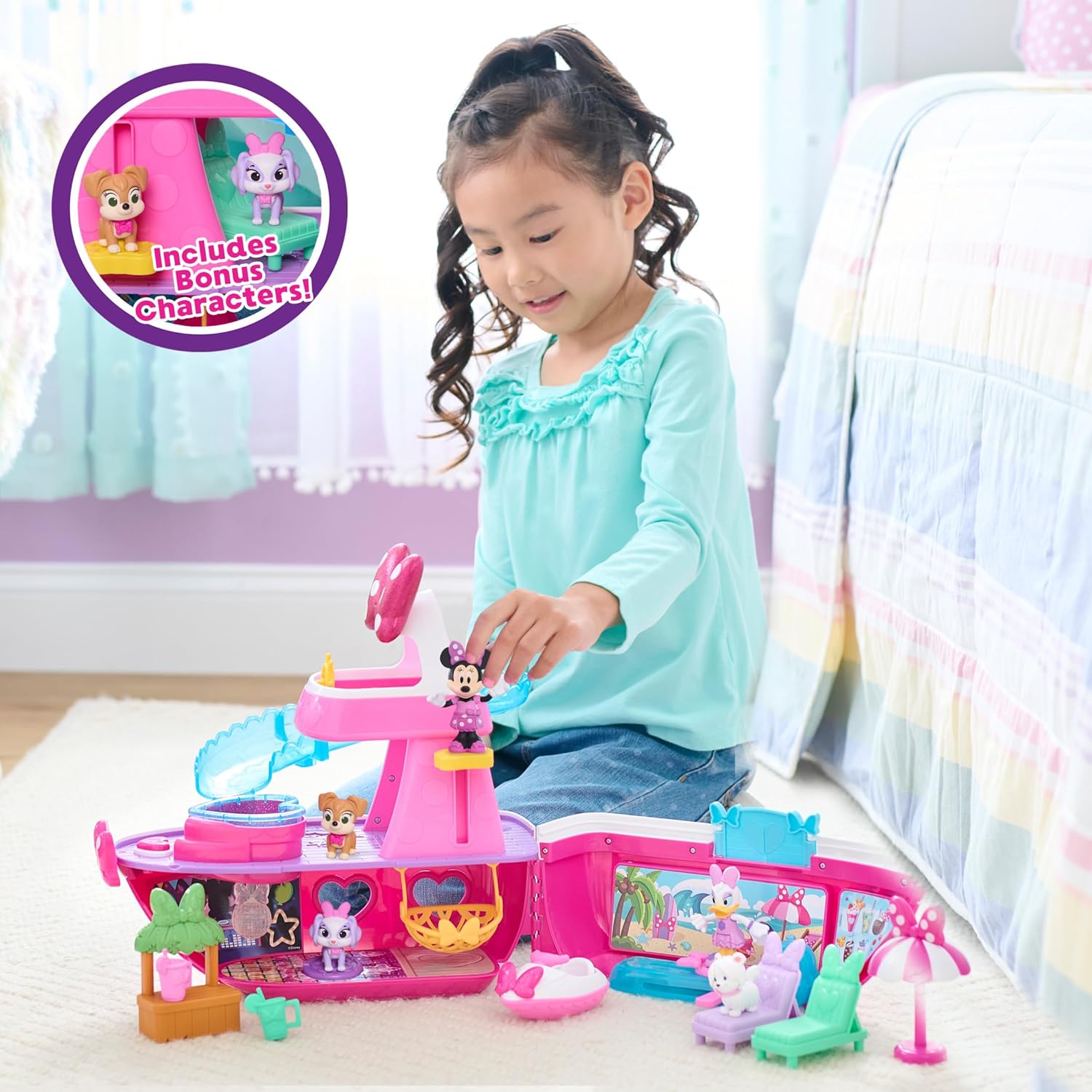
Image: A child engaging with the opened yacht playset, demonstrating the interactive play possibilities and highlighting the inclusion of bonus characters.
Operating Instructions
- Activating Lights and Sounds:
- Locate the button on the yacht's deck.
- Press the button to activate sounds, phrases, and rainbow lights in the pool area and the disco ball.
- Color Change Feature:
- Fill the small pool area on the yacht with ice cold water.
- Dip Minnie Mouse and Daisy Duck figures into the ice cold water to observe their outfits change color.
- The color change is temporary and will revert as the figures warm up.
- Interactive Play:
- Place Minnie Mouse on the wave rider for water adventure.
- Use the speedboat for exploring the imaginary waters.
- Allow figures to relax in the hammock or lounge chairs.
- Serve imaginary drinks at the tiki-style juice bar.
- Utilize the slide for figures to enter the pool area.

Image: A detailed view of the yacht's interior, showing the Minnie Mouse figure on the dance floor with the disco ball illuminated, indicating the activation of lights and sounds.

Image: A close-up of the yacht's pool area, illustrating the color change feature as the Minnie Mouse figure is submerged in ice cold water.

Image: A child interacting with the opened yacht playset, showcasing different play scenarios with figures and accessories, such as lounging, sliding, and using the speedboat.
Maintenance
- Cleaning: Wipe the playset and figures with a damp cloth. Do not submerge the electronic parts of the yacht in water. Avoid harsh chemicals or abrasive cleaners.
- Storage: When not in use, ensure all accessories are stowed inside the yacht. Close the yacht to compact its size for easy storage. Store in a cool, dry place away from direct sunlight.
- Battery Care: If the playset will not be used for an extended period, remove the batteries to prevent leakage.
Troubleshooting
| Problem | Possible Cause | Solution |
|---|---|---|
| Lights and sounds not working. | Batteries are dead or incorrectly installed. | Check battery polarity. Replace with fresh AAA batteries. |
| Color change feature not working. | Water is not cold enough. | Ensure the water used in the pool is ice cold. |
| Playset does not close properly. | Accessories are obstructing the closing mechanism. | Ensure all accessories are properly stowed within the designated storage areas before attempting to close the yacht. |
Specifications
| Model Number | 88274 |
| Product Dimensions (Closed) | 16 x 6.25 x 14 inches |
| Product Dimensions (Opened) | Approximately 25 inches wide |
| Item Weight | 3.65 pounds |
| Recommended Age | 36 months - 8 years |
| Batteries Required | 3 x AAA (included) |
| Manufacturer | Just Play |
Warranty and Support
This product is manufactured by Just Play. For any questions regarding product operation, missing parts, or warranty claims, please contact Just Play customer support directly. Please retain your proof of purchase for warranty purposes.
For further assistance, please visit the official Just Play website or contact their customer service department.