
ZealSound A68 Pro
ZealSound USB Condenser Microphone A68 Pro and K66w User Manual
Introduction
This manual provides comprehensive instructions for the setup, operation, and maintenance of your ZealSound USB Condenser Microphones, models A68 Pro and K66w. Please read this manual thoroughly before using the product to ensure optimal performance and longevity.
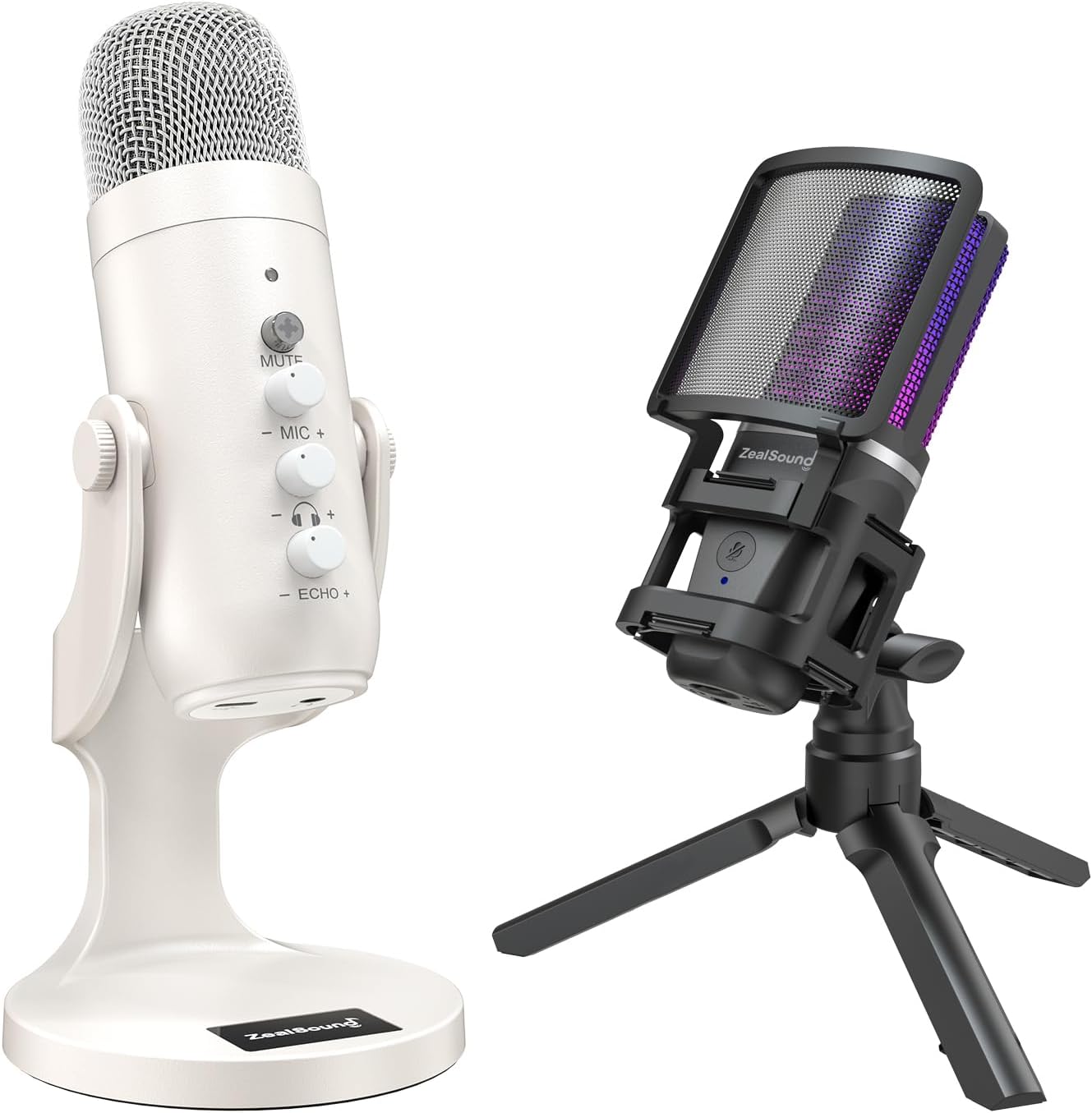
Image: The ZealSound A68 Pro (white) and K66w (black) USB Condenser Microphones displayed together.
What's in the Box
The following components are typically included with your ZealSound USB Condenser Microphone:
- Microphone
- USB Cable
K66w Model Components:

Image: A visual representation of the ZealSound K66w microphone and its included accessories: microphone unit, pop filter, shock mount, tripod mount, USB cable, and Type-C adapter, alongside the user manual and packaging.
A68 Pro Model Components:
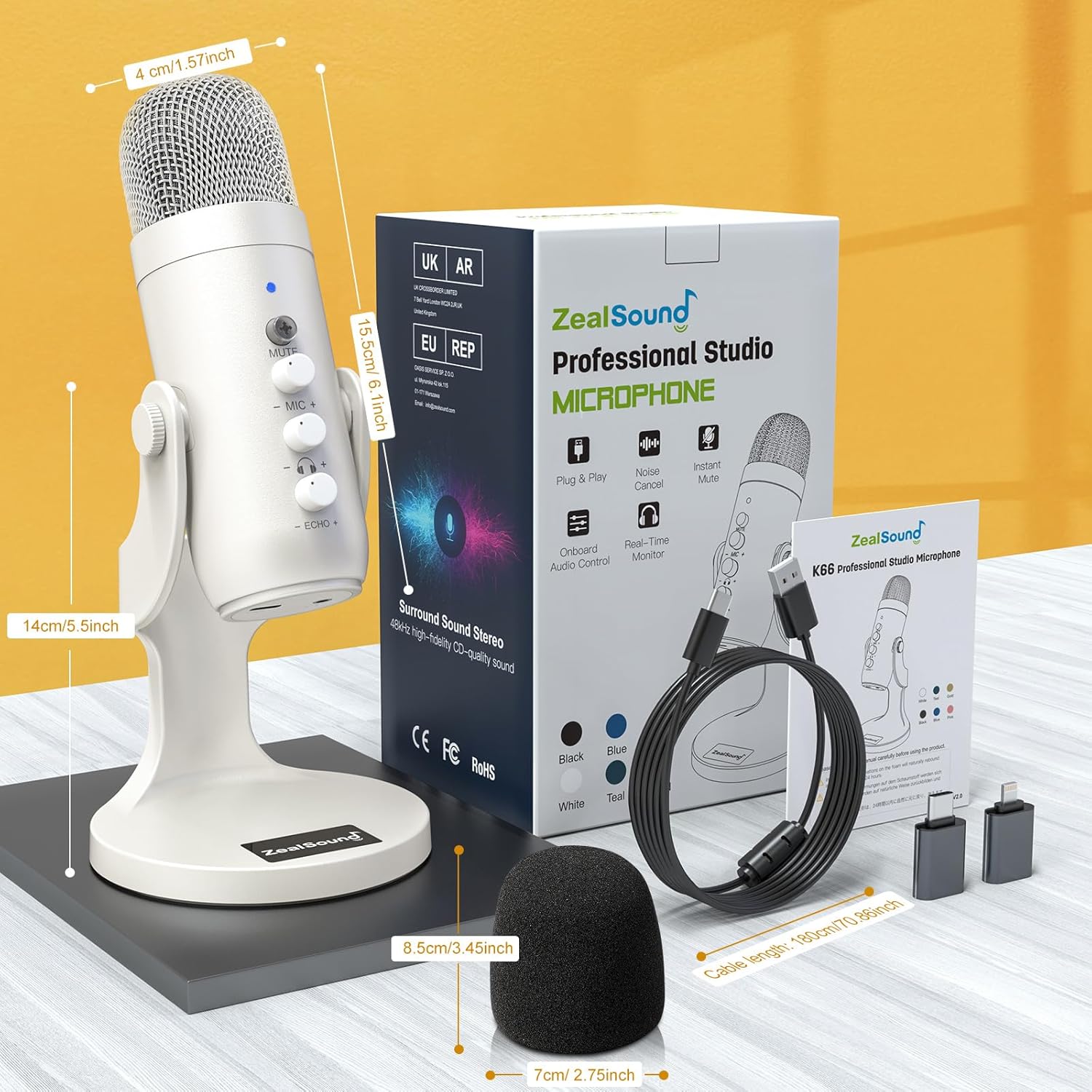
Image: A visual representation of the ZealSound A68 Pro microphone and its included accessories: microphone unit, USB cable, and foam windscreen, alongside the user manual and packaging.
Setup Guide
1. Connecting the Microphone
Both the A68 Pro and K66w microphones are designed for plug-and-play operation. Connect the microphone to your device using the provided USB cable.
Compatibility: These microphones are compatible with PS Consoles (PS4/PS4pro/PS5), desktop computers, laptops, iPhone (5 onwards), iPad Pro (fourth-generation onwards), and all Type-C devices. They support Windows, MacOS, Linux, iOS, Chrome OS, and Android Systems.

Image: The ZealSound K66w microphone set up on a desk, demonstrating its plug-and-play functionality with various platforms and devices including PS4/5, Mac, Windows, and Android.

Image: The ZealSound A68 Pro microphone set up on a desk, demonstrating its plug-and-play functionality and connectivity options for desktop, laptop, PS4/5, and smartphones/tablets.
2. Initial Placement
The K66w model includes a collapsible tripod base for desktop use. The A68 Pro model features an integrated stand. Both models have built-in 3/8” threads for attachment to boom arm stands (sold separately).

Image: The ZealSound K66w microphone on its tripod stand, showcasing its USB-C cable and the included USB-A and USB-C adapters for versatile connectivity.
Operating Instructions
1. Audio Clarity and Sampling Rate
The microphones operate at a frequency response of 192kHz/24bit, capturing fine audio detail, especially for high-frequency sources. This resolution allows for extensive post-processing and minimizes aliasing.

Image: The ZealSound A68 Pro microphone with an overlay detailing its broadcast effects specifications (sampling rate, signal-to-noise ratio, dynamic range, equivalent noise level) and instructions for activating Noise Cancel Mode.
2. Microphone Controls (A68 Pro)
- Mute Button: Press to mute/unmute the microphone. Press and hold to activate Noise Cancel Mode (indicated by a blue light).
- Volume Control: Adjusts the microphone input volume.
- Monitor Control: Adjusts the headphone monitoring volume.
- Echo Control: Adjusts the echo effect level.

Image: A close-up of the ZealSound A68 Pro microphone, clearly labeling its control buttons for mute, microphone volume, monitor volume, and echo.
3. Microphone Controls (K66w)
- Volume Gain Knob: Adjusts microphone sensitivity and volume. Turn clockwise to increase sensitivity, counter-clockwise to decrease and minimize room noise.
- 3.5mm Headphone Jack: For real-time audio monitoring.
- Detachable Pop Filter: Reduces plosive sounds and breath noise.

Image: The ZealSound K66w microphone on its tripod, with callouts pointing to its volume gain knob, 3.5mm headphone jack for no-latency monitoring, detachable pop filter, and collapsible tripod base.
4. RGB Lighting (K66w)
The K66w features a customizable RGB ring. Press and hold the RGB key to switch effects on or off. Short press the RGB button to cycle through different lighting effects.
5. Usage Scenarios
These microphones are suitable for gaming, streaming, podcasting, and broadcast recording, both in home studios and on-the-go. The noise-canceling windscreen cover (K66w) helps reduce interference from nearby electrical appliances, ensuring cleaner audio.
Maintenance
To ensure the longevity and optimal performance of your microphone:
- Keep the microphone clean by gently wiping it with a soft, dry cloth.
- Avoid exposing the microphone to extreme temperatures, humidity, or direct sunlight.
- Store the microphone in a dry, dust-free environment when not in use.
- Do not attempt to disassemble the microphone, as this may void the warranty and cause damage.
Troubleshooting
No Sound Output:
- Ensure the USB cable is securely connected to both the microphone and your device.
- Check your device's sound settings to confirm the ZealSound microphone is selected as the input device.
- Verify that the microphone is not muted (check the mute button/indicator light).
- Adjust the gain/volume knob on the microphone and your device's system volume.
Poor Sound Quality / Background Noise:
- Lower the microphone gain to minimize room noise.
- Ensure the microphone is positioned correctly, facing the sound source.
- For the A68 Pro, activate Noise Cancel Mode by pressing and holding the mute button until the light turns blue.
- Ensure the detachable pop filter is correctly installed on the K66w.
- Minimize other noise sources in your environment.
RGB Lighting Not Working (K66w):
- Ensure the microphone is properly connected and powered.
- Press and hold the RGB key to toggle the lighting on/off.
- Short press the RGB button to cycle through effects.
Specifications
| Feature | Detail |
|---|---|
| Power Source | Corded Electric |
| Hardware Platform | Laptop, PC, Smartphone |
| Number of Channels | 1 |
| Frequency Response | 192 KHz |
| Manufacturer | ZealSound |
| Recommended Uses For Product | Gaming, Streaming, Voice Recording |
| Brand | ZealSound |
| Model Name | A68 Pro |
| Connectivity Technology | Auxiliary, USB |
| Connector Type | 3.5 mm Jack, USB |
| Special Feature | Stand |
| Compatible Devices | Laptop, Personal Computer, Smartphone, Tablet |
| Included Components | microphone, usb cable |
| Polar Pattern | Unidirectional |
| Microphone Form Factor | Large Diaphragm |
Warranty and Support
For warranty information and technical support, please refer to the official ZealSound website or contact their customer service directly. Keep your purchase receipt as proof of purchase.
Related Documents - A68 Pro
 |
ZealSound BKD-11 Pro/A68-C RGB USB Microphone Instruction Manual Instruction manual for the ZealSound BKD-11 Pro/A68-C RGB USB Microphone, covering accessories, setup for Windows and macOS, specifications, and warranty information. |
 |
Zealsound A68s-C RGB USB Condenser Microphone User Manual Comprehensive user guide for the Zealsound A68s-C RGB USB Condenser Microphone. Learn about setup, features like the articulated arm and tripod, and optimal use for PC/Mac gaming, podcasting, and streaming. |
 |
ZealSound k08-u Portable Microphone User Manual User manual for the ZealSound k08-u portable condenser microphone, covering its features, connection methods for various devices, charging instructions, troubleshooting, and specifications. |
 |
ZealSound V7PRO Wireless Lavalier Microphone User Manual User manual for the ZealSound V7PRO wireless lavalier microphone system, providing setup, operation, and troubleshooting guidance for iPhone, iPad, and Android devices for vlogging, interviews, and live streaming. |
 |
ZealSound V3P Wireless Lavalier Microphone User Manual User manual for the ZealSound V3P wireless lavalier microphone system, detailing features, specifications, setup, and warranty information for interviews, podcasts, and vlogs. |
 |
ZealSound V7P-C Wireless Lavalier Microphone User Manual User manual for the ZealSound V7P-C wireless lavalier microphone system, detailing setup, features, operation, and troubleshooting. |
Ask a question about this manual
Ask about setup, troubleshooting, compatibility, parts, safety, or missing instructions. Manuals+ will review the question and use this page’s manual context to help answer it.