
1. Introduction
This manual provides essential information for the safe and effective operation, setup, and maintenance of your AIXZGLOBAL AIT200P 5-in-1 TIG Welder. The AIT200P is a versatile welding machine offering MMA (Stick), AC TIG, DC TIG, AC Pulse TIG, and DC Pulse TIG functions, with dual voltage compatibility (110V/220V). Please read this manual thoroughly before operating the machine to ensure proper use and to prevent injury or damage.
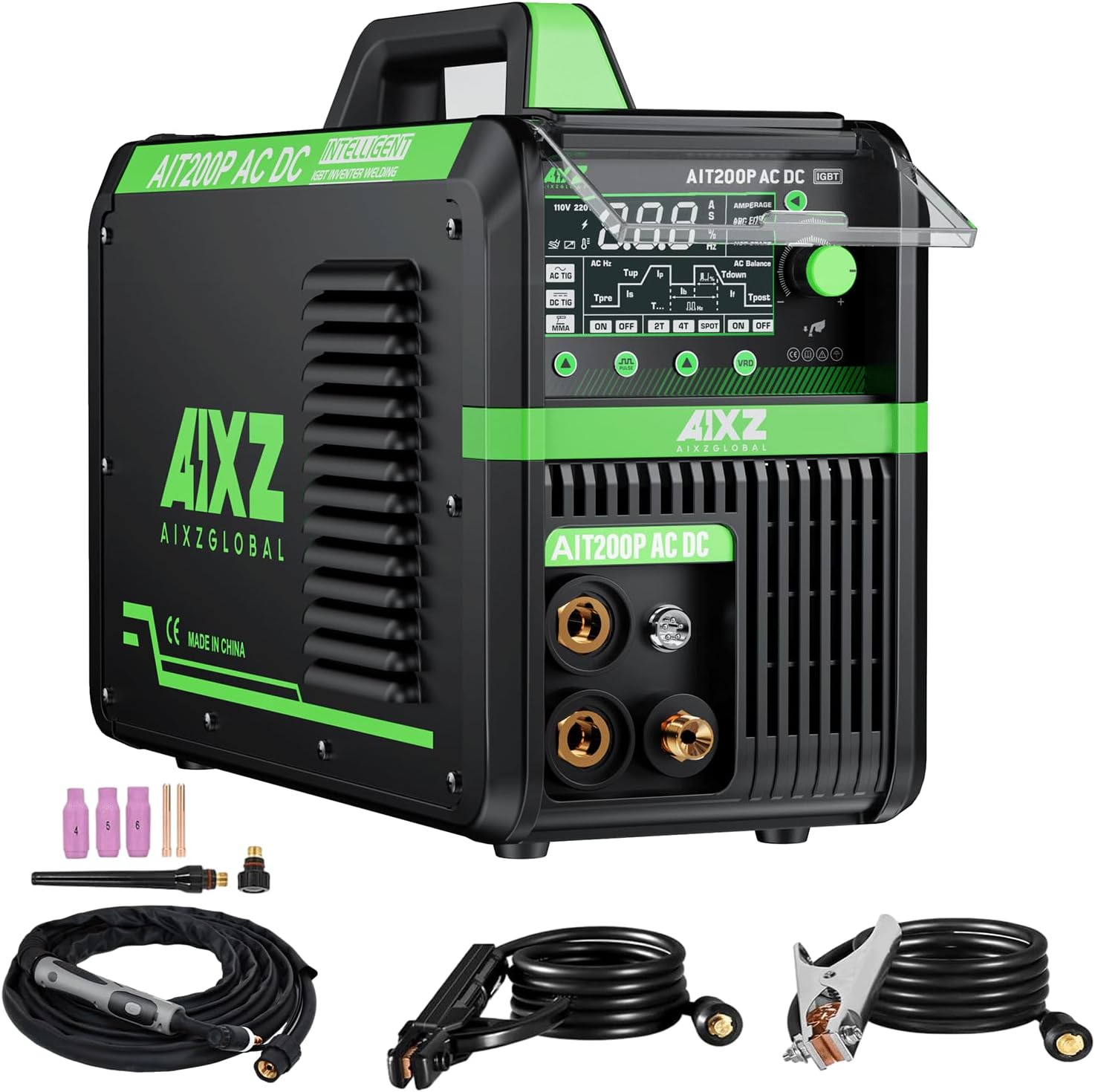
Figure 1.1: AIXZGLOBAL AIT200P TIG Welder and included accessories.
2. Safety Instructions
Welding operations involve significant risks. Adhere to all safety precautions to prevent electric shock, burns, fire, and other hazards. Always wear appropriate personal protective equipment (PPE).
- Electric Shock: Ensure proper grounding. Do not touch live electrical parts. Wear dry welding gloves and protective clothing.
- Fumes and Gases: Work in a well-ventilated area. Use fume extractors if necessary. Avoid breathing welding fumes.
- Arc Rays: Protect eyes and skin from arc rays. Use a welding helmet with appropriate shade filter and protective clothing.
- Fire and Explosion: Keep flammable materials away from the welding area. Have a fire extinguisher readily available.
- Burns: Hot metal and equipment can cause severe burns. Allow welded materials to cool before handling.
- Machine Placement: Place the welder on a stable, level surface. Ensure adequate clearance for ventilation.
- Maintenance: Disconnect power before performing any maintenance or service.
3. Package Contents
Verify that all items are present in the package upon unboxing:
- AIXZGLOBAL AIT200P TIG Welder Unit
- WP-17V TIG Torch
- Earth Clamp
- Electrode Holder
- TIG Consumables (collets, collet bodies, ceramic nozzles, tungsten electrodes)
- Adapter Cord (for voltage conversion)
- Instruction Manual
4. Product Overview and Controls
The AIXZGLOBAL AIT200P features an intuitive control panel designed for ease of use across its multiple welding functions. The large LED display provides real-time current readings and mode selections.
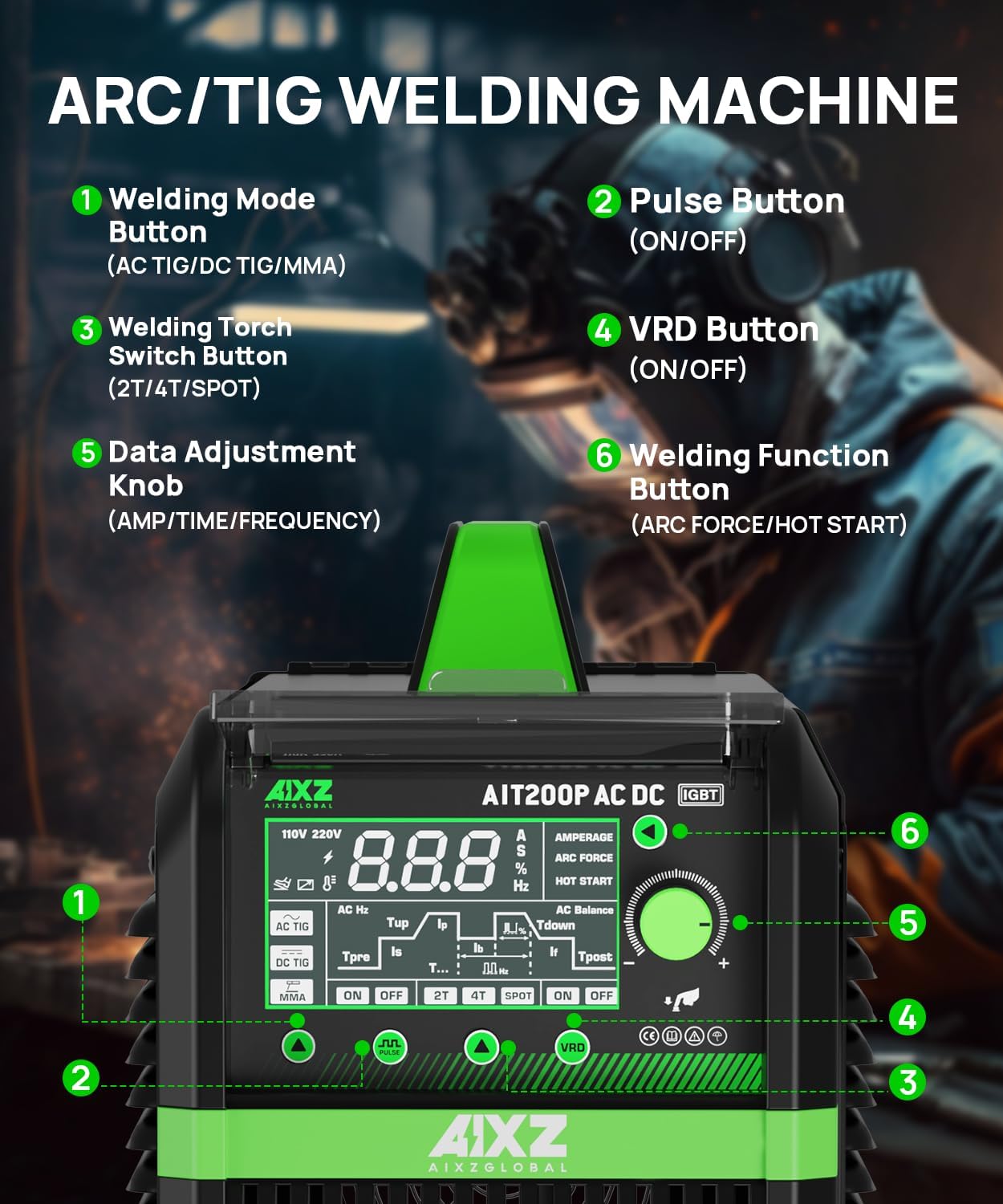
Figure 4.1: Front Panel Controls of the AIT200P.
- Welding Mode Button: Selects between AC TIG, DC TIG, and MMA (Stick) welding modes.
- Pulse Button: Activates or deactivates the Pulse TIG function for both AC and DC TIG modes.
- Welding Torch Switch Button: Toggles between 2T (two-touch), 4T (four-touch), and SPOT welding modes.
- VRD Button: Turns Voltage Reduction Device (VRD) function ON or OFF for enhanced safety.
- Data Adjustment Knob: Used to adjust welding parameters such as amperage, time settings (pre-flow, post-flow, up-slope, down-slope), and frequency.
- Welding Function Button: Activates or deactivates specific welding functions like Arc Force and Hot Start for MMA welding.
The machine also features a durable dust cover for the control panel, protecting it from environmental elements in a welding environment.
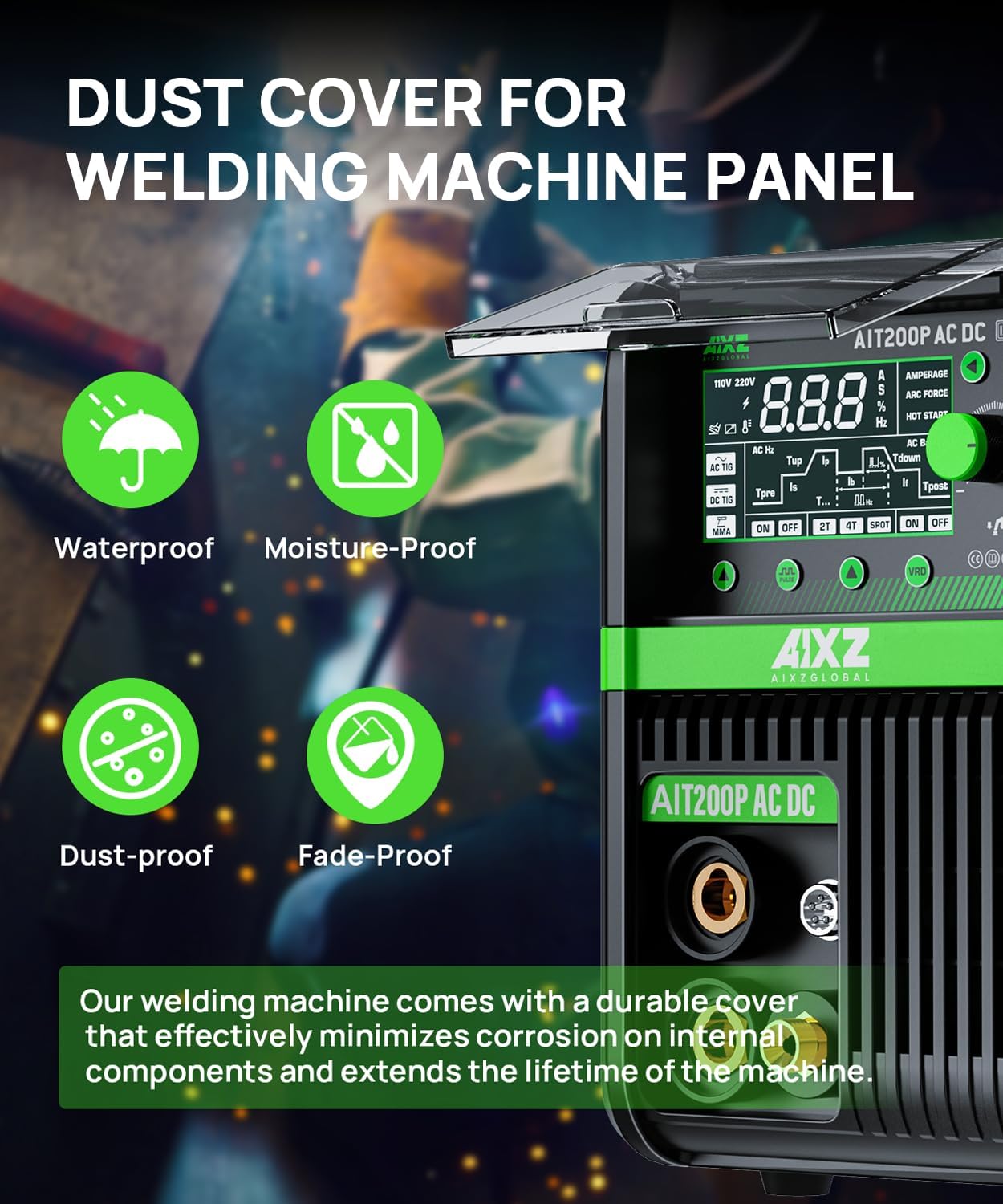
Figure 4.2: Dust cover protecting the control panel.
5. Setup
Proper setup is crucial for safe and effective welding. Follow these steps:
- Power Connection: Connect the welder to a suitable power source (110V or 220V) using the provided adapter cord if necessary. Ensure the power outlet matches the machine's voltage requirements. The adapter cord changes the plug shape, not the voltage.
- Ground Clamp Connection: Attach the earth clamp securely to the workpiece or welding table. A good ground connection is essential for arc stability and safety.
- TIG Torch Connection: Connect the WP-17V TIG torch to the appropriate port on the front panel. Ensure all connections are tight.
- Gas Connection (for TIG): Connect your shielding gas cylinder (typically Argon for TIG welding) to the gas inlet on the rear of the machine. Ensure the gas regulator is properly installed and the gas flow rate is set according to your welding requirements.
- Electrode Holder Connection (for MMA): If performing MMA (Stick) welding, connect the electrode holder to the designated port.
- Optional Foot Pedal: If using an optional foot pedal (not included), connect it to the designated port for remote amperage control.

Figure 5.1: Connection point for an optional foot pedal.
6. Operating Instructions
The AIT200P offers five distinct welding functions. Select the appropriate mode and adjust parameters using the control panel.

Figure 6.1: Available welding modes.
6.1. Welding Modes
- MMA (Manual Metal Arc / Stick Welding): Suitable for general-purpose welding of various metals. Use the Welding Mode Button to select MMA. Adjust amperage and use the Welding Function Button for Arc Force and Hot Start.
- DC TIG (Direct Current Tungsten Inert Gas): Ideal for welding stainless steel, carbon steel, copper, and other non-ferrous metals (except aluminum). Select DC TIG mode.
- AC TIG (Alternating Current Tungsten Inert Gas): Specifically designed for welding aluminum and magnesium alloys, providing cleaning action to break up oxides. Select AC TIG mode.
- DC Pulse TIG: Offers enhanced control over heat input, reducing distortion and improving weld quality on thin materials or when welding out of position. Activate Pulse Button in DC TIG mode.
- AC Pulse TIG: Combines the benefits of AC TIG for aluminum with the controlled heat input of pulse welding. Activate Pulse Button in AC TIG mode.
6.2. 2T/4T Mode
- 2T (Two-Touch): Press and hold the torch trigger to start the arc; release to stop. This mode is suitable for short welds.
- 4T (Four-Touch): Press and release the torch trigger to start the arc; press and release again to stop. This mode is beneficial for long welds, reducing operator fatigue.
6.3. Material Compatibility
The AIT200P is capable of welding a variety of metals:

Figure 6.2: Examples of weldable materials.
- Steel: Carbon steel, stainless steel.
- Aluminum: Aluminum alloys (using AC TIG).
- Copper: Copper and its alloys.
The machine supports welding thicknesses from 0.7mm to 6mm, depending on the material and welding process.
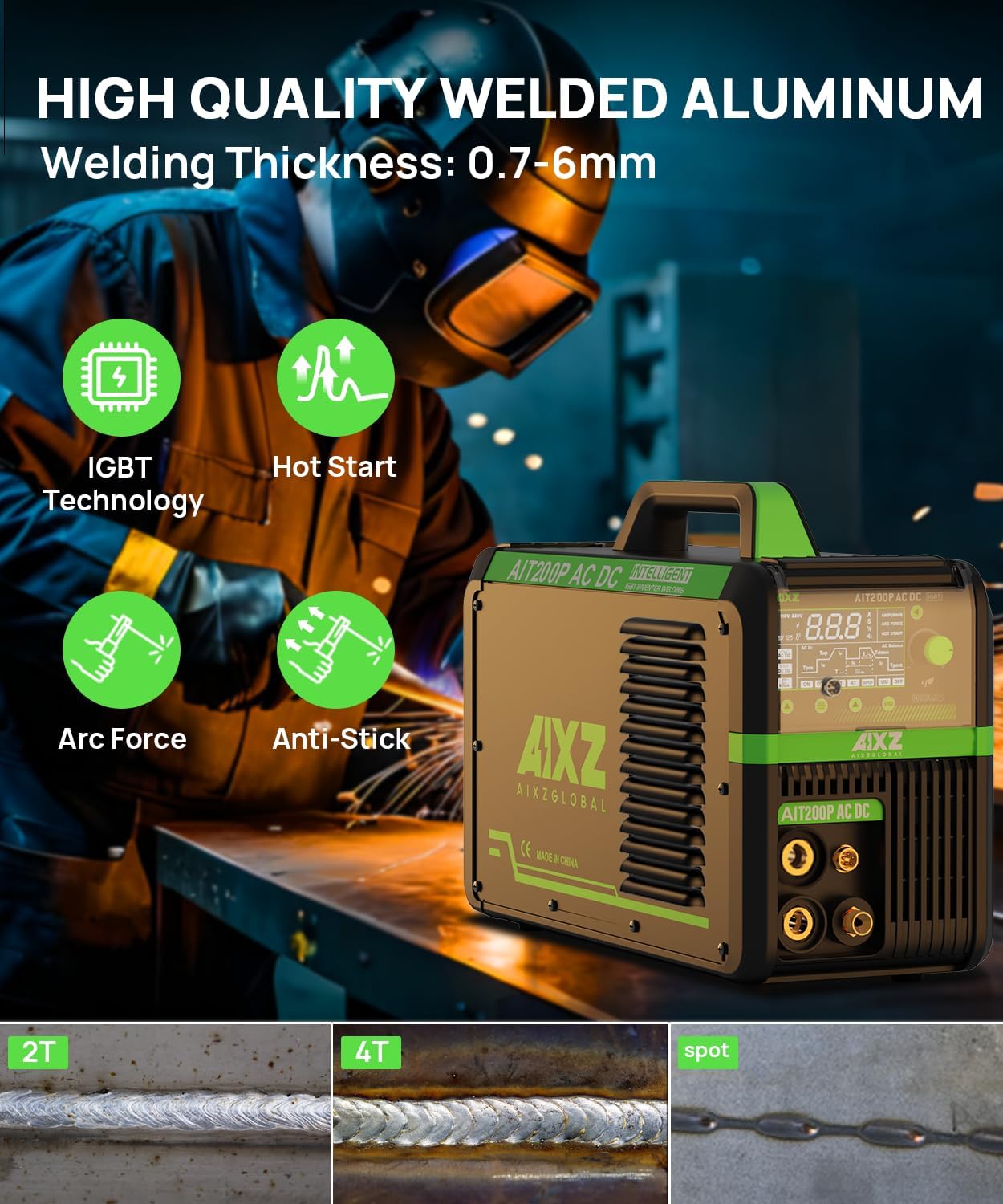
Figure 6.3: Welding capabilities and features.
7. Maintenance
Regular maintenance ensures the longevity and optimal performance of your welding machine.
- Cleaning: Periodically clean the exterior of the machine with a dry cloth. Ensure the ventilation openings are free from dust and debris.
- Dust Cover: The control panel is equipped with a dust cover to protect against dust, moisture, and fading. Keep this cover closed when not adjusting settings.
- Ventilation: The AIT200P features an efficient heat dissipation system. Ensure adequate airflow around the machine to prevent overheating. Do not block air vents.
- Cable Inspection: Regularly inspect all cables (power, torch, ground) for damage, cuts, or frayed insulation. Replace damaged cables immediately.
- Consumables: Replace TIG torch consumables (collets, collet bodies, nozzles, tungsten electrodes) as they wear out to maintain weld quality.
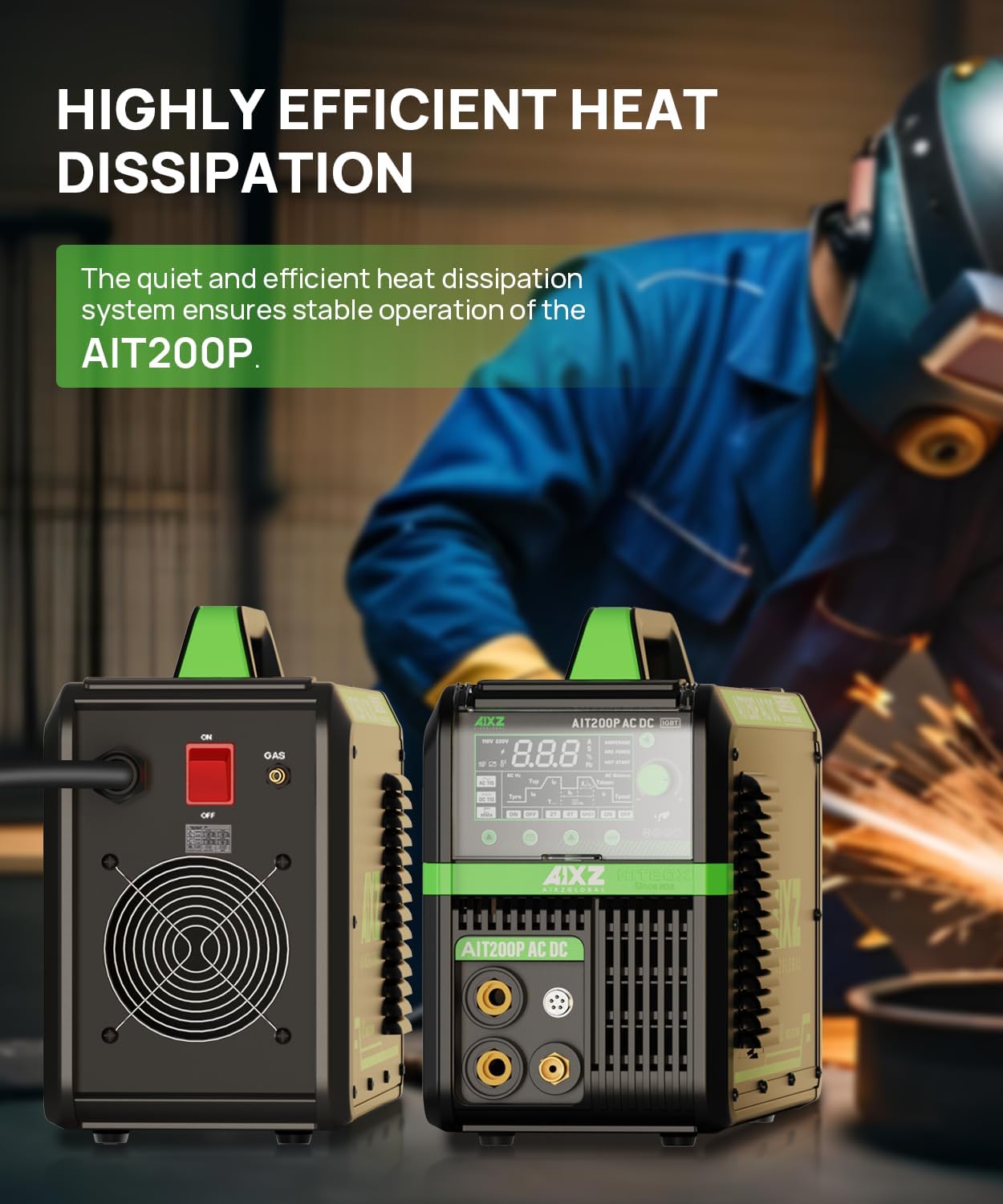
Figure 7.1: Rear view highlighting heat dissipation.
8. Troubleshooting
If you encounter issues with your AIT200P welder, consider the following common troubleshooting steps:
- No Power: Check the power cord connection, circuit breaker, and ensure the power switch on the machine is ON.
- No Arc: Verify all cable connections (ground, torch, electrode holder). Ensure the workpiece is clean and has good electrical contact. Check for proper gas flow in TIG mode.
- Poor Weld Quality: Adjust welding parameters (amperage, voltage, wire feed speed if applicable). Ensure correct shielding gas and flow rate. Check for worn or incorrect consumables.
- Overheating: If the machine shuts down due to overheating, allow it to cool down. Ensure ventilation openings are clear and the duty cycle is not exceeded.
- Error Codes: Refer to the specific error code displayed on the LED screen and consult the detailed troubleshooting section in the full manual (if available) or contact customer support.
9. Specifications
Technical specifications for the AIXZGLOBAL AIT200P TIG Welder:

Figure 9.1: Detailed technical specifications.
| Specification | Value |
|---|---|
| Model Number | AIT200P |
| Input Voltage | 110V/220V (Dual Voltage) |
| Max Output Current | 200 Amps |
| Welding Functions | MMA, AC TIG, DC TIG, AC Pulse TIG, DC Pulse TIG |
| Item Weight | 20 pounds |
| Product Dimensions | 18.5 x 7.09 x 14.96 inches |
| Power Source | AC/DC |
| Material | Metal |
| Included Components | TIG welder, earth clamp, electrode holder, TIG consumables, adapter cord, manual |
10. Warranty and Support
AIXZGLOBAL provides a 2-year after-sales warranty service for the AIT200P TIG Welder. Additionally, lifetime technical support is available for all customers. For any questions, technical assistance, or warranty claims, please contact AIXZGLOBAL customer service.