Introduction
This manual provides essential information for the safe and efficient operation, maintenance, and troubleshooting of your APOLLOLIFT AB-1034 Electric Pallet Jack Truck. Please read this manual thoroughly before operating the equipment to ensure proper usage and to prevent injury or damage.
Safety Information
Always prioritize safety when operating the electric pallet jack. Familiarize yourself with all controls and safety features before use. Ensure the work area is clear of obstructions and that the load is stable and within the specified capacity.
- Wear appropriate personal protective equipment (PPE), including safety shoes and high-visibility clothing.
- Never operate the pallet jack under the influence of drugs or alcohol.
- Do not exceed the maximum load capacity of 3300 lbs.
- Ensure the emergency stop button is accessible and functional.
- Keep hands and feet clear of moving parts, especially the forks and wheels.
Setup
1. Handle Installation
The APOLLOLIFT AB-1034 requires partial assembly, specifically the installation of the handle. Follow the instructions provided in the packaging for secure attachment.
2. Battery Connection and Power On
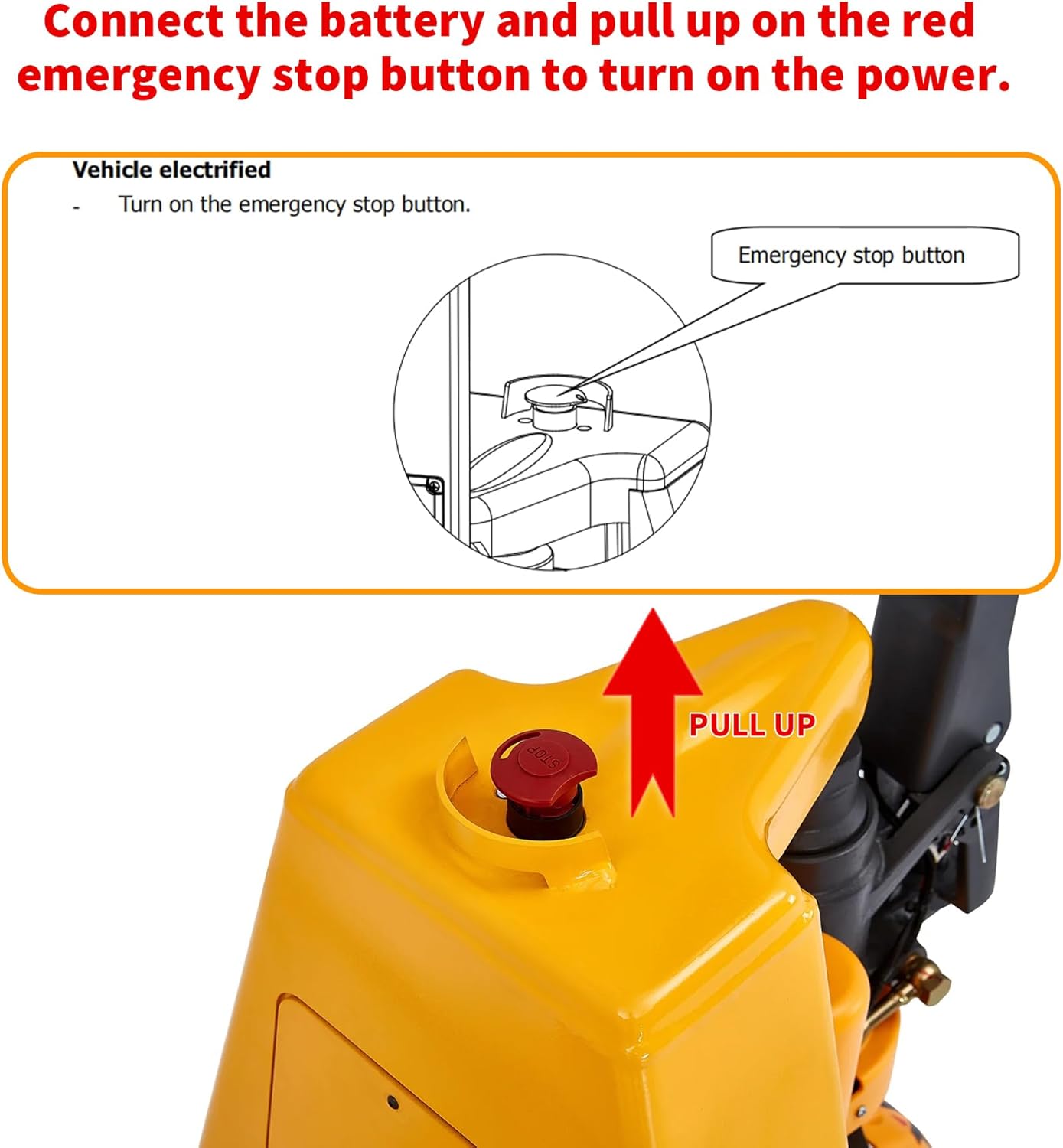
To power on the pallet jack, first ensure the 24V/20AH Lithium battery is securely connected. Locate the red emergency stop button on the top of the unit. Pull this button up to activate the power. The battery indicator on the handle will illuminate, showing the current charge level.

3. Key Switch Operation
Insert the key into the key switch located on the handle. Turn the key to the 'ON' position to fully activate the pallet jack. The smart display will show real-time battery level and any error code notifications.
4. Visual Guide: Setup
Video: APOLLOLIFT Full Electric Pallet Jack Trucks A-1034. This video demonstrates the battery insertion, key switch operation, and initial setup of the pallet jack.
Operating Instructions
1. Multi-Function Handle Controls
The ergonomic multi-function handle features push-button lift control and forward/reverse thumb wheels. Use these controls for precise movement and lifting/lowering of the forks.

2. Maneuvering and Fork Operation
The pallet jack is designed for exceptional maneuverability, similar in size to a hand pallet truck, with a small turning radius. Tilted forks and wide ramps facilitate easy pallet entry. Wear-resistant PU fork wheels reduce noise, floor marking, and absorb shock.

3. Ramp Braking Function
The pallet jack includes a ramp braking function to ensure the safety of operators and cargo when moving on inclines.

4. Enhanced Safety Features
Armored wheel guards prevent foot injuries. An emergency reverse button on the handle provides enhanced safety with impact protection, immediately reversing direction upon contact.
5. Visual Guide: Operation
Video: Electric Pallet Jack Trucks A-1037. This video illustrates general operation, including maneuvering, using controls, and safety features like foot guards and emergency reverse.
Maintenance
1. Battery Charging and Replacement
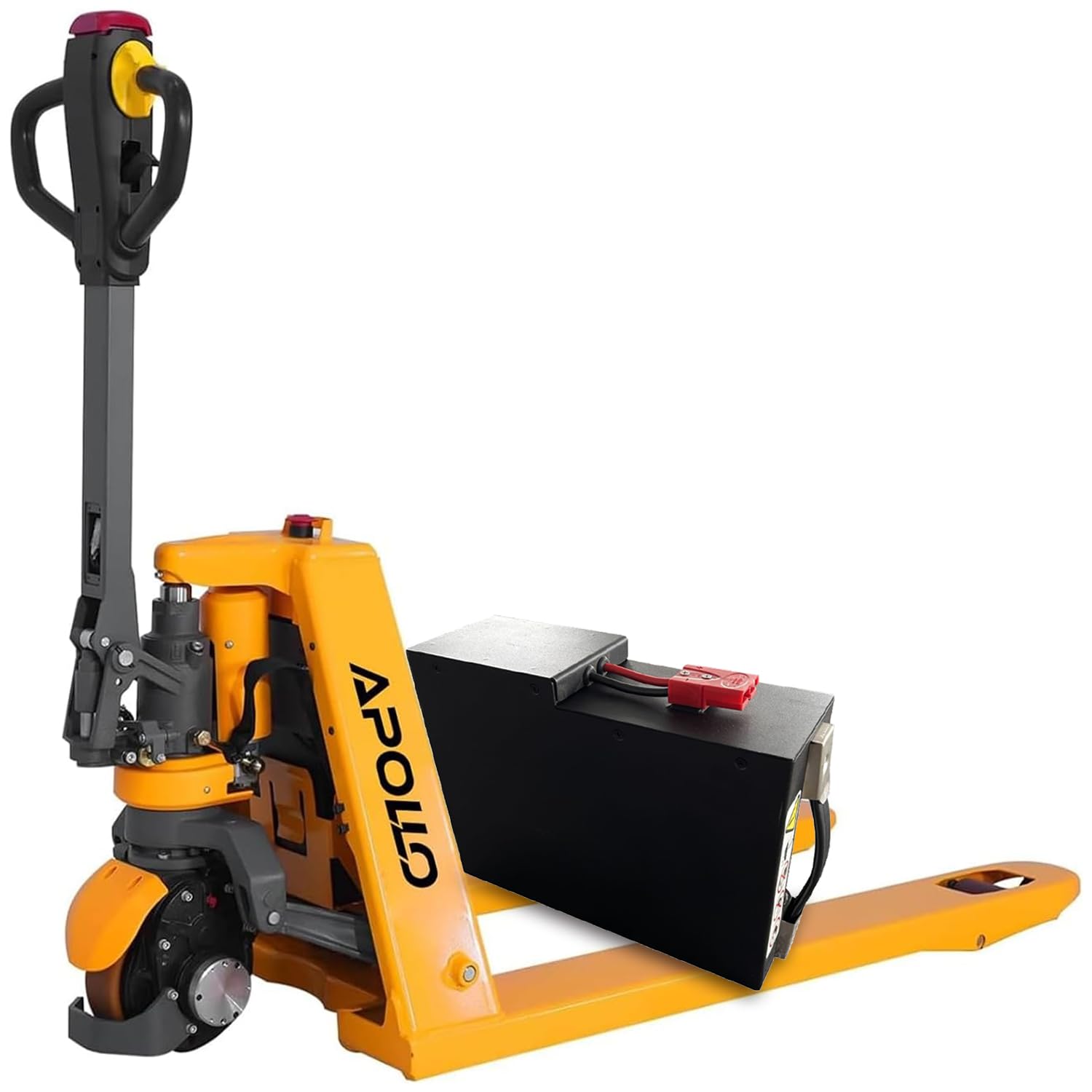
The 24V/20AH Lithium battery allows for quick changes, reducing downtime. The unit comes with two lithium batteries, enabling one to charge while the other is in use for continuous 24-hour operation. Charging is simple; just plug it in directly without removing the battery.

2. General Care
Regularly inspect the forks, wheels, and handle for any signs of wear or damage. Keep the unit clean and free from debris. Refer to the detailed maintenance schedule in the full product manual for specific lubrication and inspection points.
Troubleshooting
1. Intelligent Failure Light Display
The pallet jack is equipped with an intelligent failure light display that provides real-time battery level and error code notifications. If an issue arises, check the display for specific codes and consult the full product manual's troubleshooting section for corresponding solutions.

2. Emergency Stop
In case of an emergency, press the red emergency stop button to immediately cut power to the unit. Twist the button to release it and resume operation.
Specifications

| Feature | Detail |
|---|---|
| Capacity | 3300 lbs |
| Fork Size | 48" x 27" |
| Lowered Fork Height | 3" |
| Lifting Distance | 4.3" |
| Raised Height | 7.3" |
| Battery | 24V/20AH Lithium (includes extra battery) |
| Operation Time | 24 hours (with two batteries, one charging, one working) |
| Assembly | Partial (handle requires self-installation) |
| Material | Metal |
| Wheel Type | Metal (with wear-resistant PU fork wheels) |
| Number of Wheels | 3 |
| Product Dimensions | 48"L x 27"W x 7.3"H |
| Model Number | AB-1034 |
Warranty and Support
For warranty information, technical support, or service inquiries, please refer to the warranty card included with your product or visit the official APOLLOLIFT website. Keep your purchase receipt for warranty claims.
You can visit the APOLLOLIFT Store for more products and information.