
1. Product Overview
This document provides instructions for the Generic AC Power Cord Cable, designed for use with specific Sony CD Radio Cassette Recorder Player models. This 5-foot (60-inch) power cord delivers 10A at 125V, ensuring reliable power supply to your compatible device.

Image 1: The Generic AC Power Cord Cable, shown coiled for storage or transport.
2. Setup Instructions
Follow these steps to correctly connect the power cord to your device and power source.
- Identify Device Power Input: Locate the AC power input port on your Sony CD Radio Cassette Recorder Player (models CFD-768, CFD-757, or CFM104). Ensure the device is powered off before proceeding.
- Connect Female End: Take the female (two-hole) end of the power cord and align it with the device's power input port. Gently push until it is securely seated.

Image 2: Close-up view of the female connector end of the power cord, which connects to the device.
- Connect Male End: Insert the male (two-prong) end of the power cord into a standard 125V AC wall outlet. Ensure the outlet is functional and provides the correct voltage.
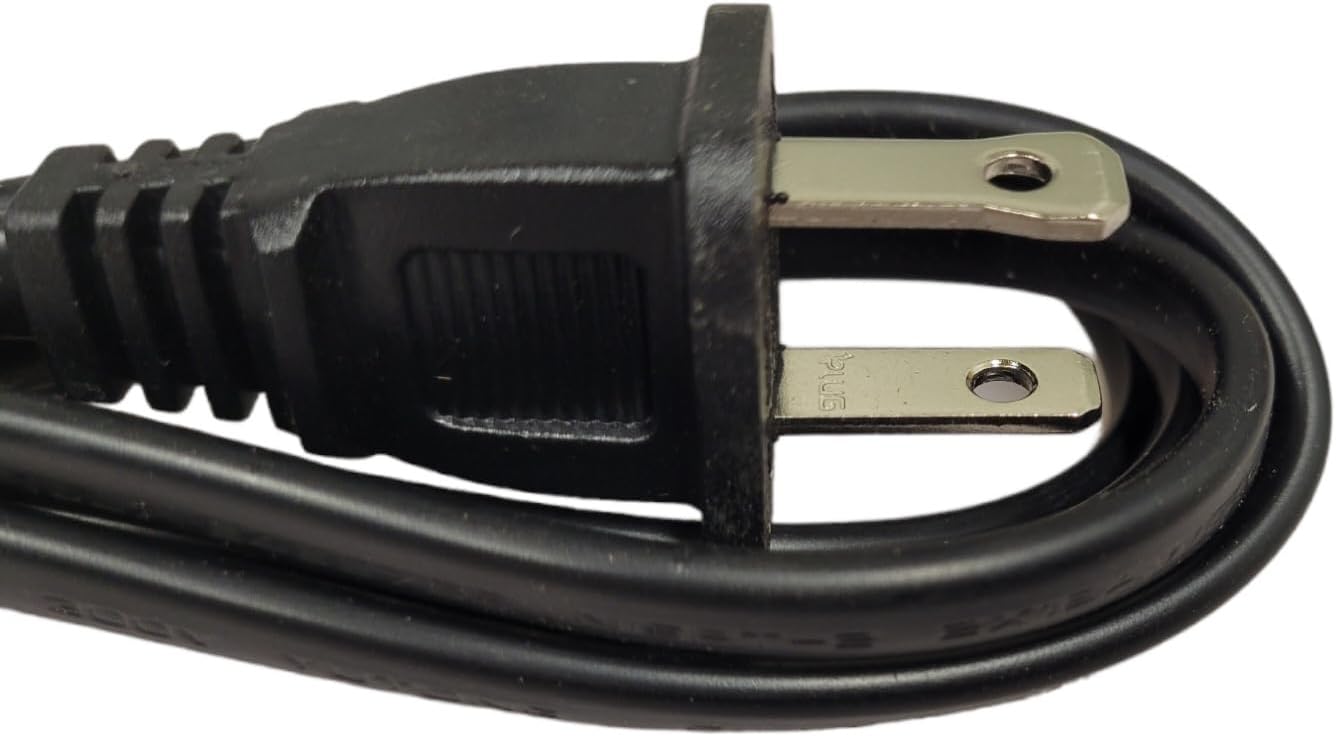
Image 3: Close-up view of the male plug end of the power cord, which connects to a wall outlet.
- Polarization Check (if applicable): Some devices and outlets are polarized. Refer to the diagram below to understand the difference between polarized and non-polarized connectors. Ensure the cord's female end matches your device's input type for proper connection.

Image 4: This diagram shows the difference between non-polarized (left, incorrect for some devices) and polarized (right, correct for some devices) power cord connectors. Ensure your device's input matches the cord's connector type.
3. Operating Instructions
Once the power cord is securely connected to both your Sony CD Radio Cassette Recorder Player and a functional wall outlet, you can power on your device.
- Ensure all connections are firm.
- Press the power button on your Sony CD Radio Cassette Recorder Player to turn it on. The device should now receive power and function as intended.
4. Maintenance
Proper care of your power cord will extend its lifespan and ensure safe operation.
- Avoid Kinks and Bends: Do not bend or kink the power cord sharply, as this can damage the internal wires.
- Protect from Damage: Do not place heavy objects on the cord or allow it to be pinched. Keep it away from heat sources, water, and sharp edges.
- Storage: When not in use, coil the cord loosely and store it in a cool, dry place.
- Cleaning: If the cord becomes dirty, wipe it gently with a dry, soft cloth. Do not use liquid cleaners or immerse the cord in water.
5. Troubleshooting
If your device does not power on after connecting the cord, consider the following:
- Check Connections: Ensure both ends of the power cord are fully and securely plugged into the device and the wall outlet.
- Verify Power Outlet: Test the wall outlet with another known working appliance to confirm it is supplying power.
- Device Power Switch: Confirm that the power switch on your Sony CD Radio Cassette Recorder Player is in the 'ON' position.
- Cord Damage: Inspect the power cord for any visible signs of damage, such as cuts, fraying, or exposed wires. If damaged, discontinue use and replace the cord.
6. Specifications
| Feature | Specification |
|---|---|
| Type | AC Power Cord |
| Length | 5 feet (60 inches) |
| Voltage Rating | 125V |
| Current Rating | 10 Amps |
| Connector Gender | Male-to-Female |
| Number of Outlets | 1 |
| Compatibility | Sony CD Radio Cassette Recorder Player Models CFD-768, CFD-757, CFM104 |
7. Warranty Information
This product comes with a warranty to ensure your satisfaction.
- Refund Policy: 30 Days Refund from the date of purchase.
- Exchange Policy: 12 Months Exchange from the date of purchase.
- The overall warranty period is 1 year.
8. Support
For further assistance or inquiries, please refer to the following:
- If your specific device model is not listed as compatible, or if you require assistance in finding the correct part, please contact the seller or manufacturer directly.
- For warranty claims or technical support, please reach out to the point of purchase or the manufacturer's customer service.