
1. Introduction
This manual provides essential information for the installation, operation, and maintenance of your LOTOAK LED Backlight Strip, model JS-D-JP2820-051EC. This product is designed as a replacement component for various television models, restoring optimal display illumination. It offers a long service life, high brightness, and energy efficiency.
Compatible TV models include, but are not limited to: Akai AKTV2812TS, AKTV2813TS, AKTV2814TS, BBK 28LEM-1044/T2C, Erisson 28LES81T2, Fusion FLTV-28C11, FLTV-30B100, Lehua 28L17, Orion OLT-30100, -71-100, Shivaki STV-28LED20W LED28D2710, Telefunken TF-LED28S19, Vekta LD-28SR4215BT HD-28J2201 ST2751A01-8, D28-F2000.
2. Safety Information
Please read and understand all safety instructions before attempting installation. Improper installation can lead to electric shock, fire, or damage to your television.
- Disconnect Power: Always ensure the television is unplugged from the power outlet before beginning any installation or repair work.
- Static Electricity: Discharge any static electricity from your body before handling electronic components. Use an anti-static wrist strap if available.
- Handle with Care: LED strips are delicate. Avoid bending, twisting, or applying excessive force during handling and installation.
- Professional Assistance: If you are unsure about any step of the installation process, consult a qualified technician.
- Fixed Length: These LED strips have a fixed length and cannot be cut. Attempting to cut the strips will damage them and void any potential warranty.
3. Package Contents
Your package contains LOTOAK LED Backlight Strips. The exact quantity of strips will vary depending on the specific package purchased (e.g., 10 pieces for 5 TVs).

Image 1: LOTOAK LED Backlight Strips (quantity as per package purchased)
4. Setup and Installation
Installation of LED backlight strips typically involves disassembling the television panel. This process requires careful handling and specific tools. It is recommended that this procedure be performed by individuals with experience in electronics repair.
General Installation Steps:
- Preparation: Place the television face down on a soft, clean surface to prevent screen damage. Ensure the TV is unplugged.
- Disassembly: Carefully remove the back cover of the television. This usually involves unscrewing multiple screws and detaching various connectors. Document the process with photos if necessary.
- Panel Removal: Gently remove the display panel and diffuser layers to access the existing backlight strips. Be extremely cautious to avoid damaging the delicate screen.
- Old Strip Removal: Disconnect the power connectors from the old LED strips and carefully peel them off the TV chassis. Note their orientation and placement.
- New Strip Installation: Align the new LOTOAK LED backlight strips in the exact positions of the old ones. Ensure the connectors match and the strips are securely adhered. The strips are designed for easy installation.
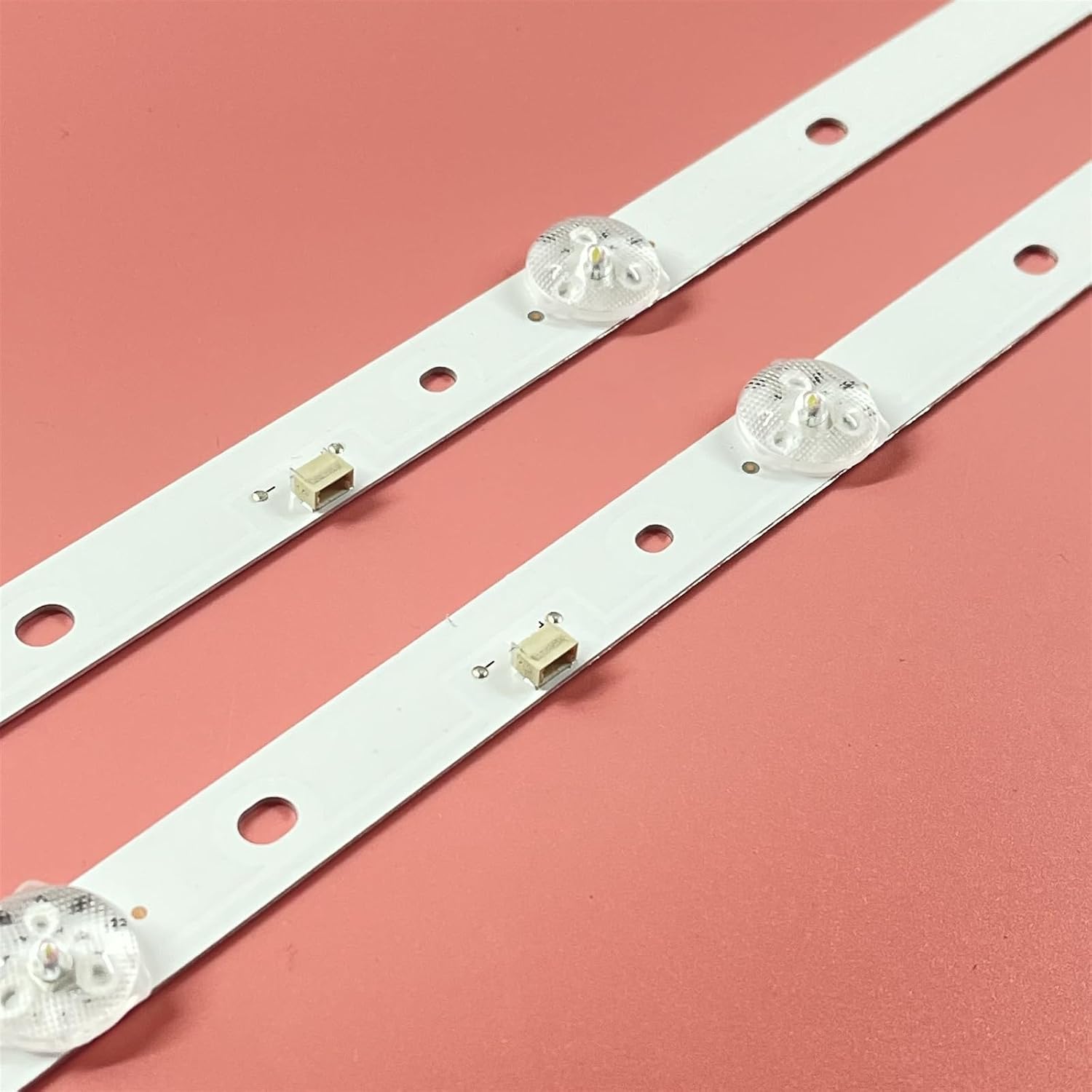
Image 2: Close-up of an LED Backlight Strip, showing LED components and mounting points.
- Connection: Connect the power cables to the new LED strips.
- Testing: Before reassembling the entire TV, temporarily connect the power cord and turn on the TV to verify that the new backlight strips illuminate correctly and evenly. Immediately unplug the TV after testing.
- Reassembly: Carefully reassemble the diffuser layers, display panel, and back cover, ensuring all screws and connectors are properly secured.

Image 3: Rear view of the LED Backlight Strips, highlighting the metal backing for heat dissipation and mounting holes.
5. Operating Instructions
The LOTOAK LED Backlight Strip is a passive component designed to provide illumination for your television's display. Once correctly installed, it operates automatically in conjunction with your television's power system. There are no user-adjustable settings or controls for the backlight strips themselves.
- The strips will illuminate when the television is powered on.
- Brightness and other display settings are controlled via your television's internal menu system, not by the backlight strips directly.
6. Maintenance
These LED backlight strips are designed for long-term, maintenance-free operation. However, proper care of your television can contribute to the longevity of all its components, including the backlight.
- Cleaning: Do not attempt to clean the LED strips directly. If the television is disassembled for other repairs, ensure the strips remain free of dust and debris.
- Environment: Operate your television in a clean, dry environment with adequate ventilation to prevent overheating, which can affect LED lifespan.
- Physical Damage: Avoid any physical impact or pressure on the television screen, as this can damage the internal components, including the backlight.
7. Troubleshooting
If you encounter issues after installing the LOTOAK LED Backlight Strips, consider the following troubleshooting steps:
- No Backlight / Dim Backlight:
- Ensure all connectors to the LED strips are securely seated.
- Verify that the power supply to the backlight driver board is functioning correctly.
- Check for any visible damage to the LED strips or their components.
- Uneven Illumination / Dark Spots:
- This could indicate a faulty LED on one of the strips or improper placement of diffuser layers.
- Re-check the alignment of the strips and the diffuser sheets.
- Flickering Backlight:
- May indicate a loose connection or an issue with the backlight driver circuit.
- Ensure all connections are firm.
For complex issues or if troubleshooting steps do not resolve the problem, it is advisable to seek assistance from a professional television repair technician.
8. Specifications
| Model Number | JS-D-JP2820-051EC |
| Manufacturer | LOTOAK |
| Item Weight | 1.76 ounces |
| Package Dimensions | 1.18 x 0.79 x 0.39 inches |
| Assembly Required | No (as a component, installation is required) |
| Number of Pieces | Varies by package (e.g., 10 pieces for 5TV) |
| Expected Lifespan | Typically more than 100,000 hours |
| Brightness | Up to 700 nits |
9. Warranty and Support
For information regarding warranty coverage, returns, or technical support, please refer to the retailer's policy where the product was purchased or contact LOTOAK customer service directly. Keep your purchase receipt as proof of purchase.