
Yealink VCR20
Yealink VCR20 Remote Control User Manual
Model: VCR20
Introduction
This manual provides detailed instructions for the proper use and maintenance of your Yealink VCR20 Remote Control. The VCR20 is designed to enhance the functionality and user experience of Yealink UVC34 and UVC40 Conference Cameras, allowing for convenient control of camera functions from a distance.
Please read this manual thoroughly before operating the device to ensure optimal performance and longevity.
Product Overview
The Yealink VCR20 is a compact and ergonomic remote control designed specifically for Yealink UVC series conference cameras. It provides essential controls for camera adjustments and audio management during video conferences.

Image: Yealink VCR20 Remote Control, showcasing its design and buttons.
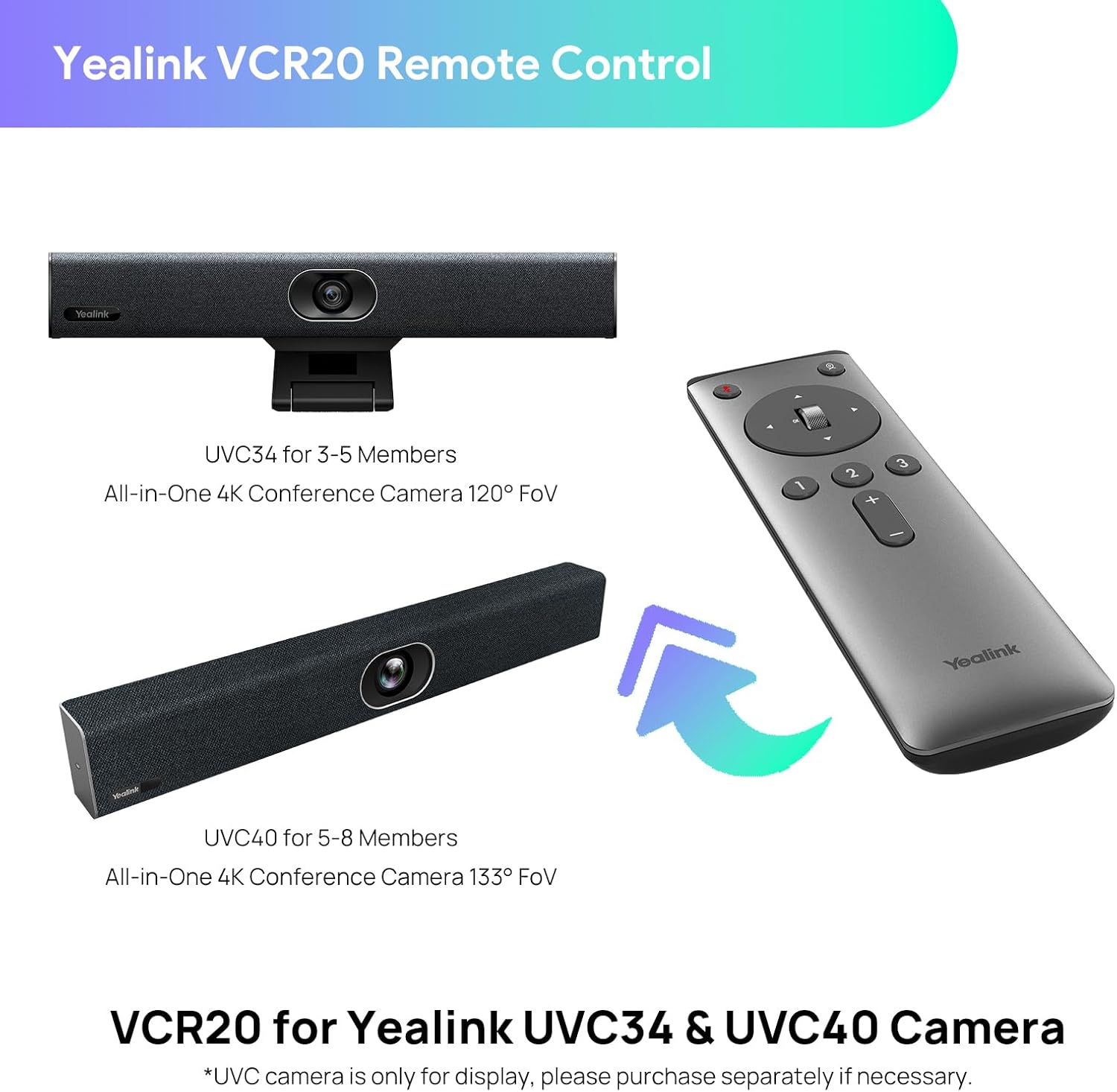
Image: The VCR20 remote control shown alongside compatible Yealink UVC34 and UVC40 conference cameras, illustrating its intended use.
Setup
Battery Installation
The Yealink VCR20 Remote Control requires two (2) AAA batteries for operation. Batteries are not included in the package.
- Locate the battery compartment cover on the back of the remote control.
- Slide the cover downwards or in the direction indicated by the arrow to open it.
- Insert two AAA batteries, ensuring the positive (+) and negative (-) terminals align correctly with the markings inside the compartment.
- Replace the battery compartment cover by sliding it back into place until it clicks securely.
Once batteries are installed, the remote control is ready for use with your compatible Yealink UVC camera.
Operating Instructions
The VCR20 remote control provides intuitive access to various functions of your Yealink UVC34 or UVC40 conference camera. Refer to the diagram and table below for a detailed explanation of each button's function.
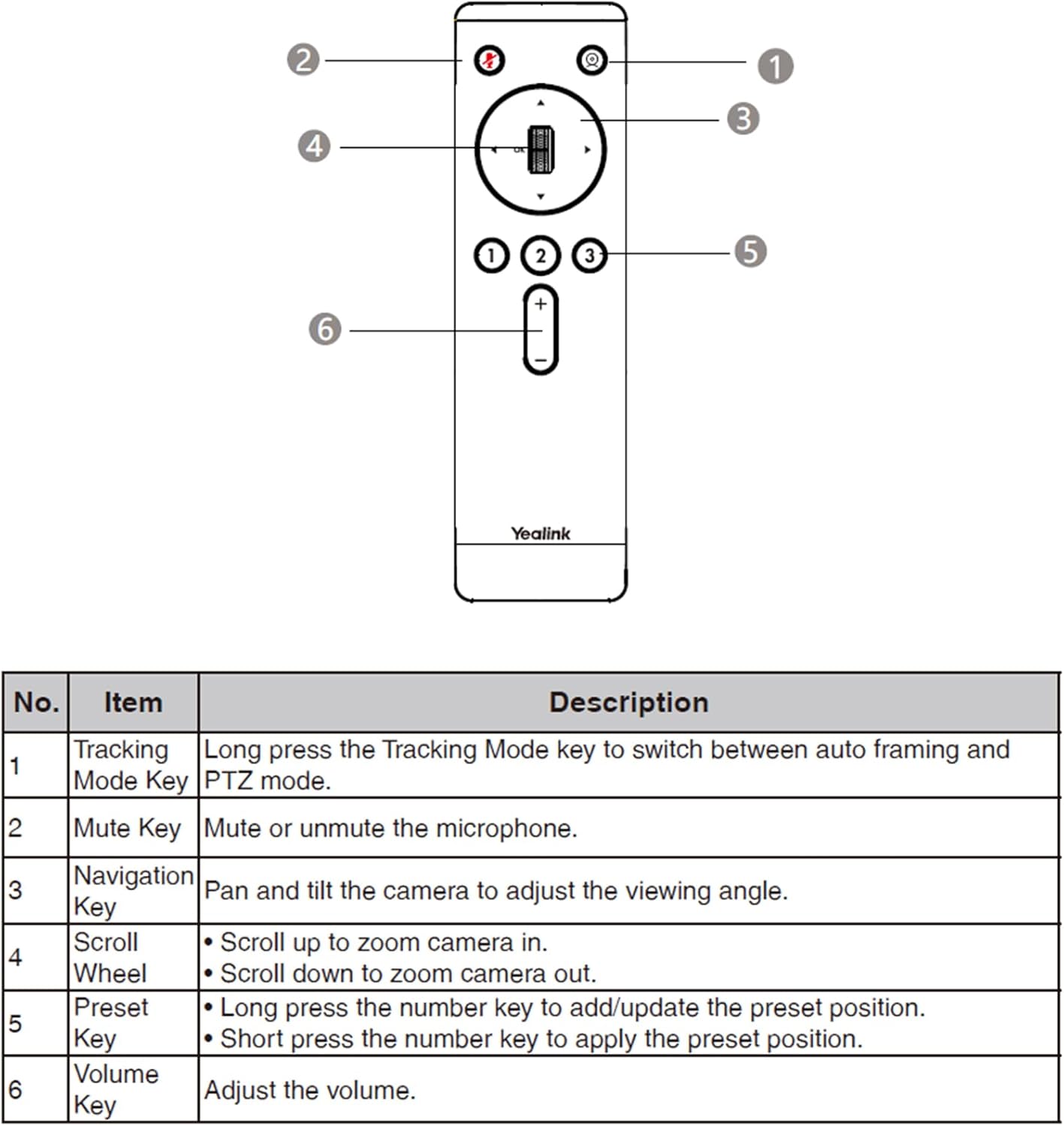
Image: Labeled diagram of the VCR20 remote control, indicating the position of each control button.
| No. | Item | Description |
|---|---|---|
| 1 | Tracking Mode Key | Long press to switch between auto framing and PTZ (Pan-Tilt-Zoom) mode. |
| 2 | Mute Key | Mute or unmute the microphone. |
| 3 | Navigation Key | Pan and tilt the camera to adjust the viewing angle. |
| 4 | Scroll Wheel | Scroll up to zoom camera in. Scroll down to zoom camera out. |
| 5 | Preset Key | Long press the number key (1, 2, or 3) to add/update a preset position. Short press the number key to apply a saved preset position. |
| 6 | Volume Key | Adjust the volume. |
Maintenance
- Cleaning: Use a soft, dry cloth to clean the surface of the remote control. Do not use liquid cleaners or aerosols.
- Storage: Store the remote control in a cool, dry place away from direct sunlight and extreme temperatures.
- Battery Replacement: If the remote control becomes unresponsive or its range decreases, replace the batteries promptly. Remove batteries if the device will not be used for an extended period to prevent leakage.
- Avoid Drops: Handle the remote control with care to prevent damage from drops or impacts.
Troubleshooting
| Problem | Possible Cause | Solution |
|---|---|---|
| Remote control is unresponsive. | Dead or incorrectly installed batteries. | Check battery orientation. Replace with new AAA batteries. |
| Limited range or intermittent control. | Low battery power; Obstruction between remote and camera; Interference. | Replace batteries. Ensure clear line of sight to the camera. Reduce potential sources of interference. |
| Camera does not respond to specific button presses. | Incorrect mode (e.g., not in PTZ mode for navigation); Camera not powered on or connected. | Ensure the camera is powered on and properly connected. Verify the camera is in the correct operating mode (e.g., PTZ mode for pan/tilt/zoom). |
| Preset functions not working. | Presets not saved or incorrectly saved. | Long press the number key to save the desired preset position. Short press to recall. |
If the issue persists after attempting these solutions, please contact Yealink customer support for further assistance.
Specifications
- Model: VCR20
- Compatible Devices: Yealink UVC34, Yealink UVC40 Conference Cameras
- Power Source: 2 x AAA Batteries (not included)
- Product Dimensions: 5.9 x 1.7 x 0.7 inches (15 x 4.3 x 1.8 cm)
- Item Weight: 2.4 ounces (68 grams)
- Color: Gray
- Special Feature: Ergonomic design
- Manufacturer: Yealink
- Country of Origin: China
Warranty and Support
For warranty information and detailed support, please refer to the official Yealink website or contact their customer service directly. Yealink provides support for their products to ensure customer satisfaction.
Yealink Official Website: www.yealink.com
If your remote control was missing upon arrival of your UVC camera, please contact the seller for a replacement.
Ask a question about this manual
Ask about setup, troubleshooting, compatibility, parts, safety, or missing instructions. Manuals+ will review the question and use this page’s manual context to help answer it.