
Introduction
Thank you for choosing the Topyond Hilda Rotary Tools Kit. This versatile and compact cordless rotary tool is designed for precision work, including carving, grinding, drilling, and polishing. Its portable design, variable speed settings, and comprehensive accessory kit make it ideal for a wide range of applications from intricate crafts to light home repairs. Please read this manual thoroughly before operation to ensure safe and effective use of your new tool.

Image: The Topyond Hilda Rotary Tool Kit, showcasing the main unit, USB charging cable, and a variety of included accessories for different tasks.
Setup
Charging the Tool
The rotary tool is powered by a built-in 3.6V 700mAh lithium battery and charges via a universal USB interface. To charge:
- Connect the provided USB cable to the charging port on the tool.
- Plug the other end of the USB cable into a compatible USB power source (e.g., computer USB port, USB wall adapter).
- The charging indicator lights will illuminate to show charging status. Ensure the tool is fully charged before first use for optimal battery life.
Installing Accessories
The tool features a brass thick wall chuck with a clamping range of 0.5-3.2mm, allowing for various accessories.
- Ensure the tool is turned off before installing or changing accessories.
- Unscrew the chuck nut counter-clockwise to open the jaws.
- Insert the desired accessory shank fully into the chuck.
- Tighten the chuck nut clockwise until the accessory is securely held. Do not overtighten.

Image: A hand demonstrating the installation of an accessory into the brass chuck of the rotary tool, highlighting the secure clamping mechanism.
Operating Instructions
Powering On/Off
To turn the tool on or off, press the power button located on the body of the tool. The indicator lights will show the current speed setting when powered on.
Adjusting Speed
The Topyond Hilda Rotary Tool offers three variable speed levels to suit different materials and tasks:
- Level 1: 5000 RPM (for delicate work, polishing, or soft materials)
- Level 2: 10000 RPM (for general carving, grinding, or medium-density materials)
- Level 3: 15000 RPM (for aggressive material removal, drilling, or hard materials)
Press the speed adjustment button to cycle through the three speed settings. The corresponding indicator light will illuminate.
Application Tips
- Always wear appropriate safety gear, including eye protection.
- Start with a lower speed setting and gradually increase if needed.
- Apply light, consistent pressure. Let the tool do the work.
- For fine carving and engraving, use precise, controlled movements.
- The tool is suitable for household use, egg carvings, fine carving, and jewelry work, among other applications.
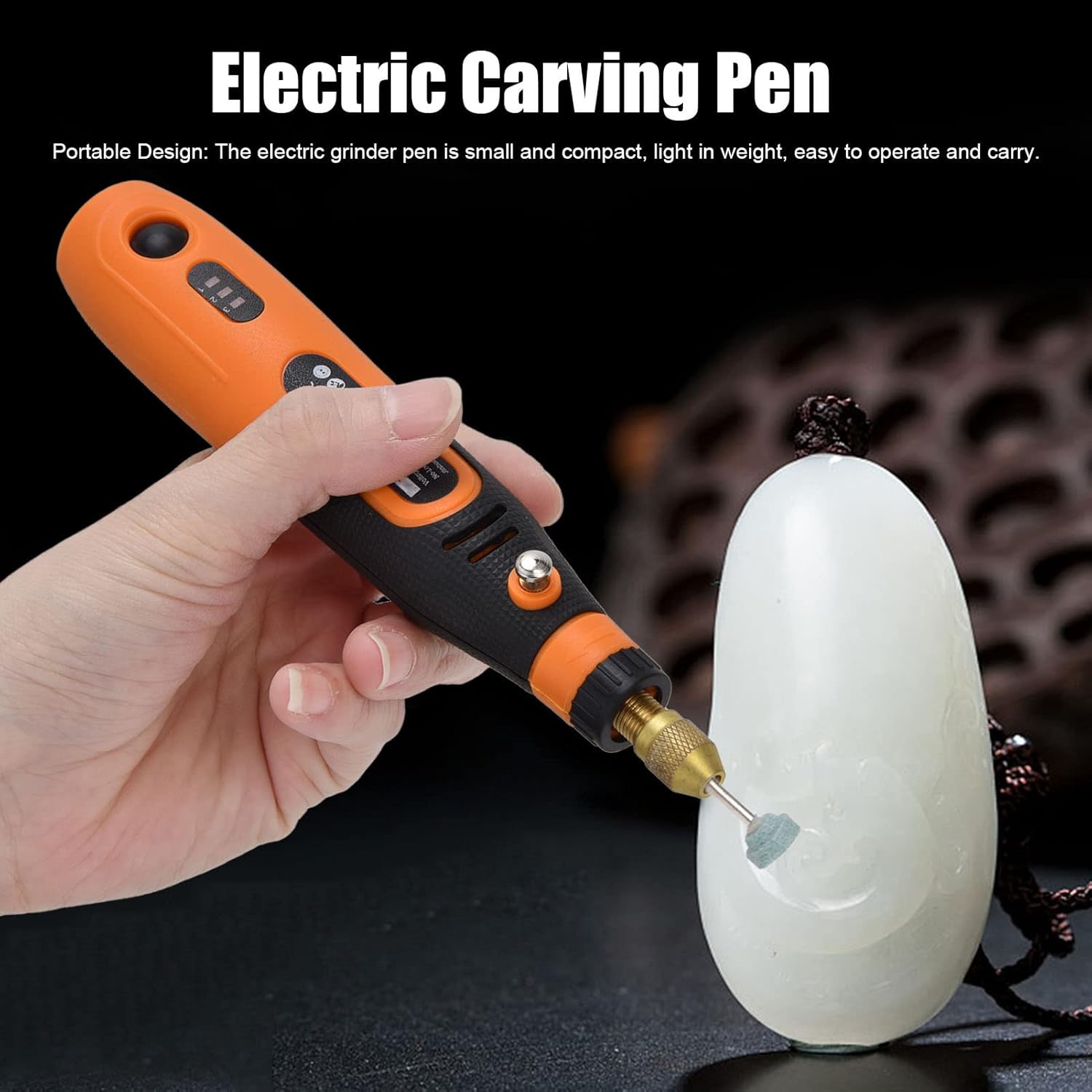
Image: A user holding the Topyond Hilda Rotary Tool, demonstrating its ergonomic design and ease of use while performing a carving task on a small, light-colored object.
Maintenance
Cleaning
- After each use, disconnect the tool from any power source.
- Use a soft, dry cloth to wipe down the tool's body.
- Remove any dust or debris from the chuck and ventilation openings using a small brush or compressed air.
- Do not use harsh chemicals or abrasive cleaners.
Storage
- Store the tool and its accessories in a clean, dry place, away from direct sunlight and extreme temperatures.
- Keep out of reach of children.
- Ensure the battery is partially charged (around 50%) before long-term storage to preserve battery health.
Troubleshooting
If you encounter issues with your Topyond Hilda Rotary Tools Kit, please refer to the following common problems and solutions:
| Problem | Possible Cause | Solution |
|---|---|---|
| Tool does not turn on. | Battery is depleted. | Charge the tool using the provided USB cable. |
| Accessory slips in chuck. | Chuck not tightened sufficiently; accessory shank too small. | Ensure chuck is tightened securely. Use accessories with shanks within the 0.5-3.2mm range. |
| Tool loses power quickly. | Battery not fully charged; battery degradation. | Ensure full charge before use. If problem persists, battery may need replacement (contact support). |
| Excessive vibration or noise. | Accessory not properly seated or bent; internal issue. | Check accessory for proper seating and straightness. If issue persists, discontinue use and contact support. |
Specifications
| Feature | Specification |
|---|---|
| Model Number | Topyond1ds9ugyrpz |
| Power Supply Type | Rechargeable, Lithium Battery Technology |
| Rated Voltage | 3.6V |
| Built-in Lithium Battery | 3.6V 700mAh |
| Charging Mode | USB |
| Chuck Size | Approx. 3.2mm (0.13in) |
| No Load Speed (Three Levels) | 5000-10000-15000 RPM |
| Item Weight | 9.9 ounces |
| Material | ABS + Brass |
| Included Accessories | 30 Pcs/set |
Warranty and Support
For warranty information and customer support, please refer to the documentation included with your purchase or contact the seller directly. The seller for this product is YouXink. Keep your proof of purchase for any warranty claims.
For further assistance or technical inquiries, please reach out to the manufacturer or authorized service center.