
1. Introduction and Overview
The XFT Mini AED Trainer Set, Model XFT-D0009, is a specialized device designed exclusively for training purposes in Automated External Defibrillator (AED) usage. It is intended for CPR and first aid classes, helping trainees familiarize themselves with AED operation in a safe, non-defibrillating environment. This trainer complies with AHA guidelines and provides realistic simulation through English voice prompts and an LED display.
Important Note: This device is for training only and cannot be used for actual patient defibrillation. It does not deliver high voltage.
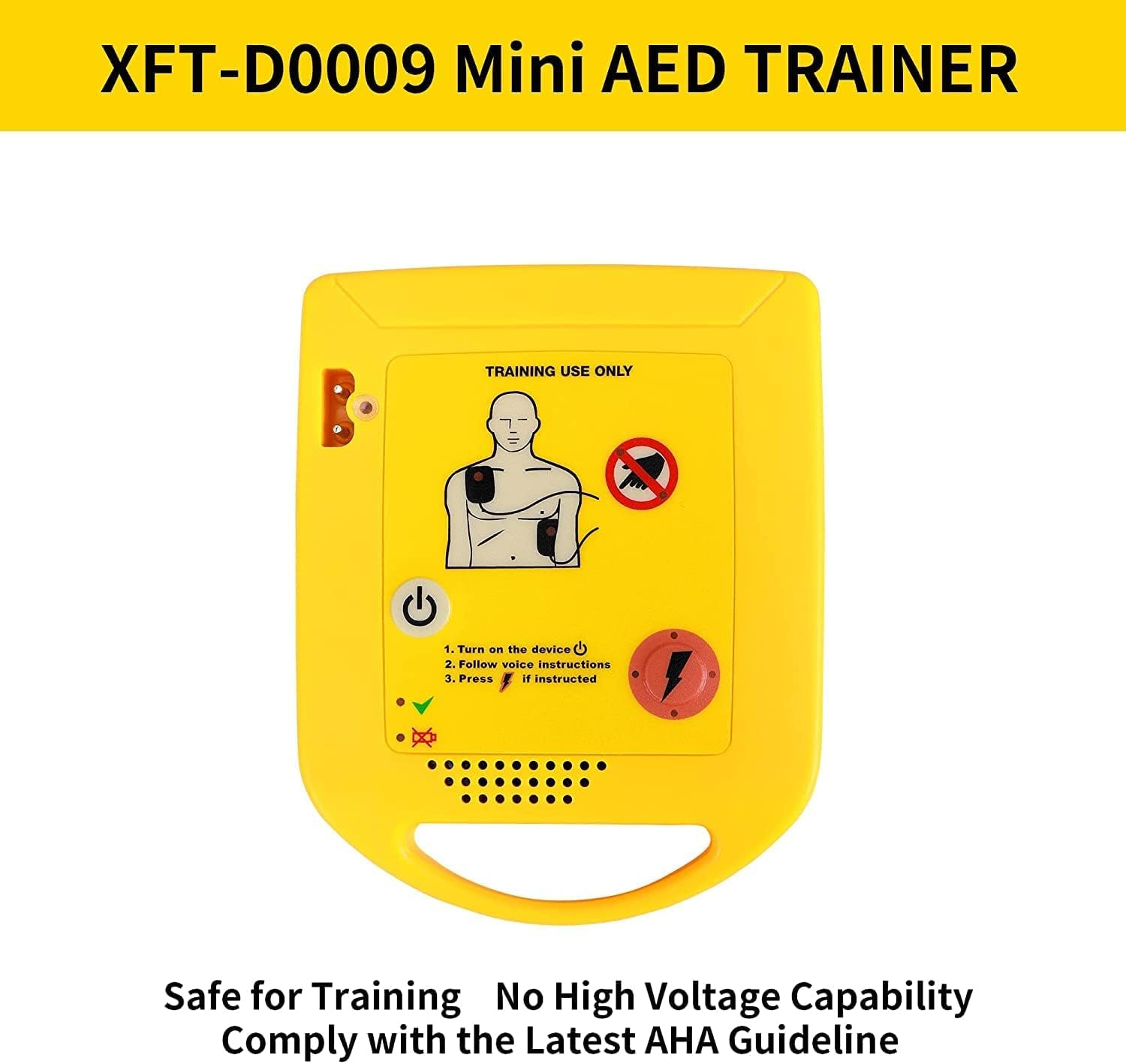
Image: The XFT-D0009 Mini AED Trainer, showing its compact design and 'TRAINING USE ONLY' label. It highlights safety with no high voltage capability and compliance with AHA guidelines.
2. Safety Information
- Training Use Only: This AED trainer is strictly for educational purposes. It does not generate high voltage and cannot be used to defibrillate a real patient.
- Battery Safety: Ensure correct polarity when inserting batteries. Do not mix old and new batteries, or different types of batteries. Remove batteries if the device will not be used for an extended period.
- Supervision: Always use the trainer under the supervision of a qualified instructor.
- Environmental Conditions: Use the device in a dry environment. Avoid exposure to water or extreme temperatures.
3. Package Contents
Verify that all items are present in your XFT Mini AED Trainer Set package:
- XFT Mini AED Trainer Device (Model XFT-D0009)
- 1 Set of Reusable Adult Training Pads
- 1 Set of Reusable Child Training Pads
- 1 Wired Connector for pads
- Instruction Manual
Note: 2 AAA batteries are required for operation and are not included in the package.
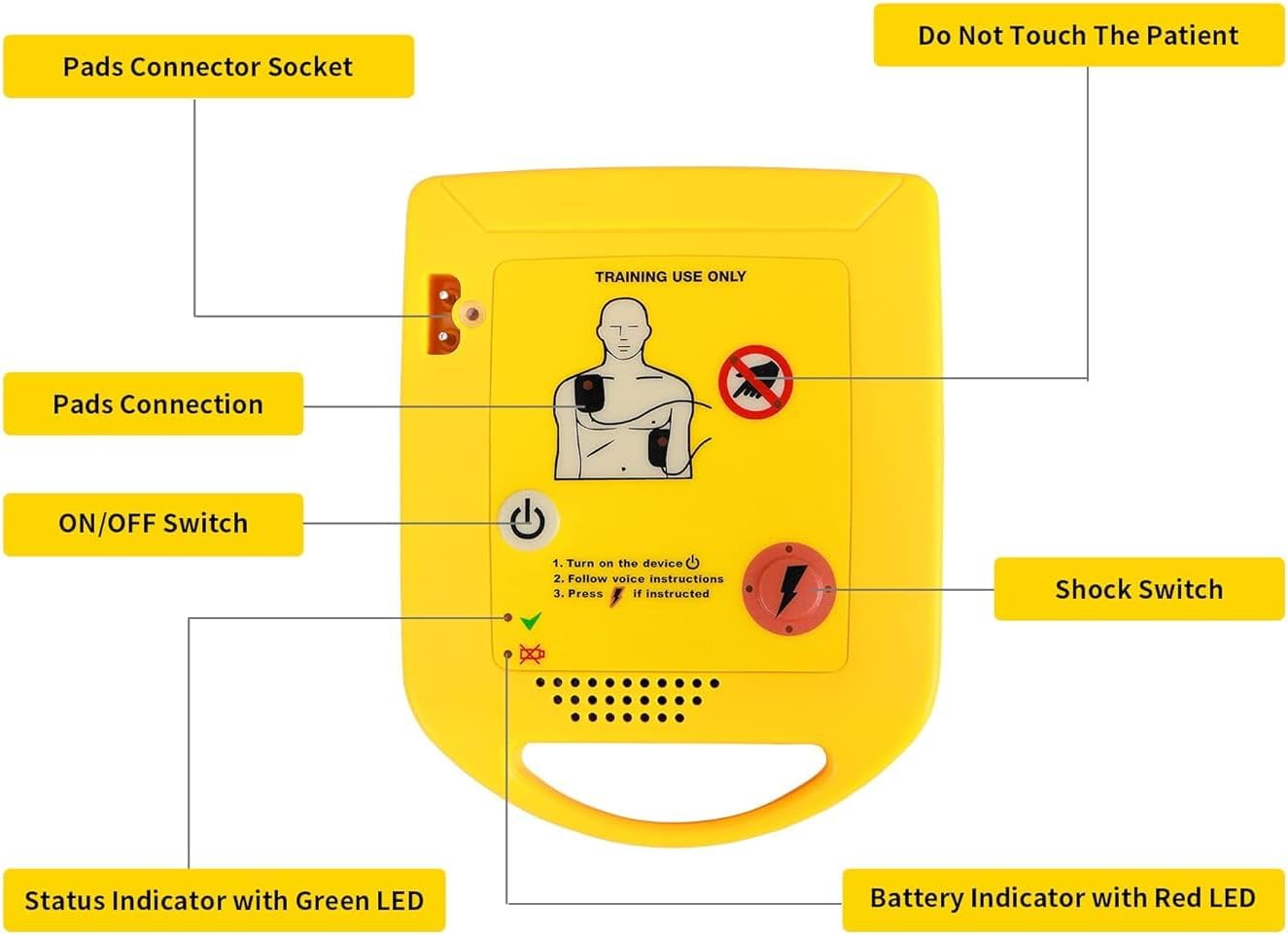
Image: A visual representation of the XFT Mini AED Trainer package contents, including the trainer device, adult and child training pads, wired connector, and instruction manual.
4. Setup
- Install Batteries: Open the battery compartment on the back of the trainer. Insert two (2) AAA batteries, ensuring correct polarity. Close the compartment securely.
- Connect Training Pads: Plug the wired connector from the training pads into the 'Pads Connector Socket' on the top left side of the AED trainer device. Ensure a firm connection.
- Prepare Pads: Remove the protective film from the reusable training pads. These pads are designed to adhere to training mannequins.

Image: A diagram illustrating the three setup steps: 1. Turn on the trainer, 2. Connect pads, and 3. Follow voice prompts.
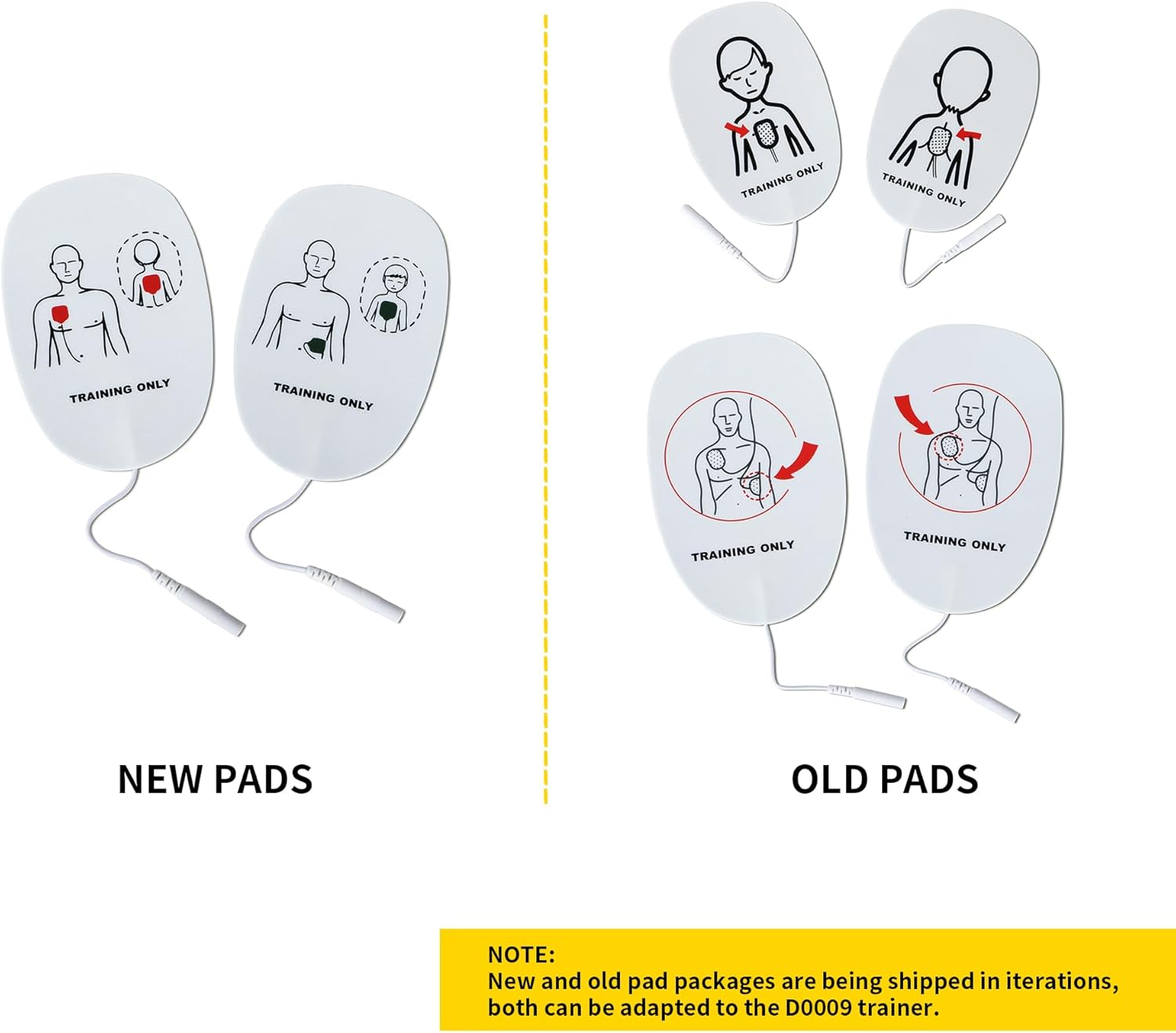
Image: Close-up view of the AED trainer highlighting the pads connector socket and other labeled components like the ON/OFF switch, shock switch, and indicators.
5. Operating Instructions
The XFT Mini AED Trainer guides users through simulated rescue scenarios using clear English voice prompts and visual LED indicators.
- Power On: Press the ON/OFF switch (power button) located on the front of the device to turn it on. The device will begin its voice prompts.
- Apply Pads: Follow the voice instructions to correctly place the adult or child training pads on the training mannequin. The device will indicate proper placement.
- Analyze Rhythm: The trainer will simulate analyzing the patient's heart rhythm. Ensure no one touches the mannequin during this phase.
- Deliver Shock (Simulated): If instructed by the voice prompt, press the 'Shock Switch' (lightning bolt button) to deliver a simulated shock. The device will confirm the shock delivery.
- Continue CPR: Follow subsequent voice prompts for continuing CPR or further actions.
- Power Off: After the training scenario is complete, press and hold the ON/OFF switch to turn off the device.

Image: An XFT Mini AED Trainer in a training scenario, demonstrating its English voice broadcast and LED light display features while connected to a training mannequin with adult and child electrode pads.
Video: Official XFT-D0009 Package Accessories + Operation Instructions. This video demonstrates the unboxing and basic operational steps of the AED trainer, including pad connection and voice prompt guidance.
Video: Official XFT Mini AED Trainer overview. This video provides a concise demonstration of the trainer's features and its application in a simulated CPR training environment.
6. Maintenance
Pad Maintenance
- Do not wipe the gel side of pads with paper or cloth.
- Do not scrape the gel side of pads with nails or brushes.
- After use, stick pads with their original cover. Do not use any other cover.
- If the adhesiveness of pads declines due to dust, users can wash them with a small amount of water by fingers for several seconds. Their adhesiveness will return after drying. However, washing pads with too much water will result in poor pad adhesiveness.
Main Body Maintenance
- After shutting off power, ensure to pull out the pad connector from the main body.
- Only use a damp non-abrasive cloth for cleaning the main body.
- Do not let liquid such as water flow into the main body.
- If the main body is dirty, use a soft damp cloth with water or neutral detergent and wipe softly. If necessary, clean or sterilize it with a cloth soaked in medical alcohol (75% concentration max). Do not clean it with other volatile materials.

Image: A graphic detailing storage and maintenance guidance for both the pads and the main body of the AED trainer, emphasizing proper cleaning and care.
7. Troubleshooting
- No Power: If the device does not turn on, check that the AAA batteries are correctly installed and are not depleted. Replace batteries if necessary.
- No Voice Prompts: Ensure the volume is not set to minimum. Check for any obstructions over the speaker.
- Pads Not Detected: Verify that the wired connector for the training pads is securely plugged into the device. Ensure the pads are properly applied to the mannequin.
- Intermittent Operation: Check battery levels. Ensure all connections are secure. Avoid using the device in environments with strong electromagnetic interference.
If you encounter issues not covered here, please refer to the Warranty and Support section for contact information.
8. Specifications
| Feature | Specification |
|---|---|
| Model | XFT-D0009 |
| Product Dimensions | 7.95 x 4.8 x 1.34 inches (20.2 x 12.2 x 3.4 cm) |
| Weight | 6.38 ounces (181 grams) |
| Power Supply | DC 3.0V (2*AAA Battery, not included) |
| Product Size (approx.) | 100 x 80 x 18 mm |
| Shutdown Current | <20uA Max |
| Maximum Operating Current | <350mA Max |
| Voice Prompts | English Language |
| Compliance | AHA Guidelines |

Image: A visual summary of the Mini AED Trainer's specifications, including power supply, product size, and current consumption.
9. Warranty and Support
The XFT Mini AED Trainer Set (Model XFT-D0009) comes with a 12-month manufacturer assurance from the date of purchase, covering defects in materials and workmanship under normal use.
For technical support, warranty claims, or any questions regarding the product, please contact XFT customer service through the official channels provided at the point of purchase or on the XFT official website. Please have your product model number (XFT-D0009) and purchase details ready when contacting support.

Image: A section on Frequently Asked Questions (FAQs) and guidance on how to contact XFT-EU Official Store for support, emphasizing that the AED training device is for teaching purposes only.


