
Relybo Relybo-A06-US
Relybo A06 LED Flashlight User Manual
Model: Relybo-A06-US
Introduction
The Relybo A06 LED Flashlight is a high-performance, rechargeable tactical flashlight designed for various applications including emergencies, camping, dog walking, and general illumination. It features an XHM88 quad-core chip for high lumen output, multiple lighting modes, zoomable functionality, and a power display with USB output for charging other devices.

Figure 1: Relybo A06 LED Flashlight and its packaging.
Safety Information
- Do not look directly into the LED light when it is on, as it can cause temporary vision impairment.
- Keep out of reach of children.
- Do not disassemble the flashlight. Refer to qualified personnel for repairs.
- Ensure proper battery polarity when inserting batteries.
- Avoid exposing the flashlight to extreme temperatures or direct sunlight for prolonged periods.
- Although waterproof, avoid prolonged submersion in water.
Package Contents
Verify that all items are present in the package:
- 1 x Relybo A06 LED super bright rechargeable flashlight
- 1 x High endurance rechargeable battery
- 3 x AAA batteries
- 1 x Type-C charging cable
- 1 x Lanyard
- 1 x Shrinkable flannel cover
- 1 x Battery holder & 1 x Battery tube
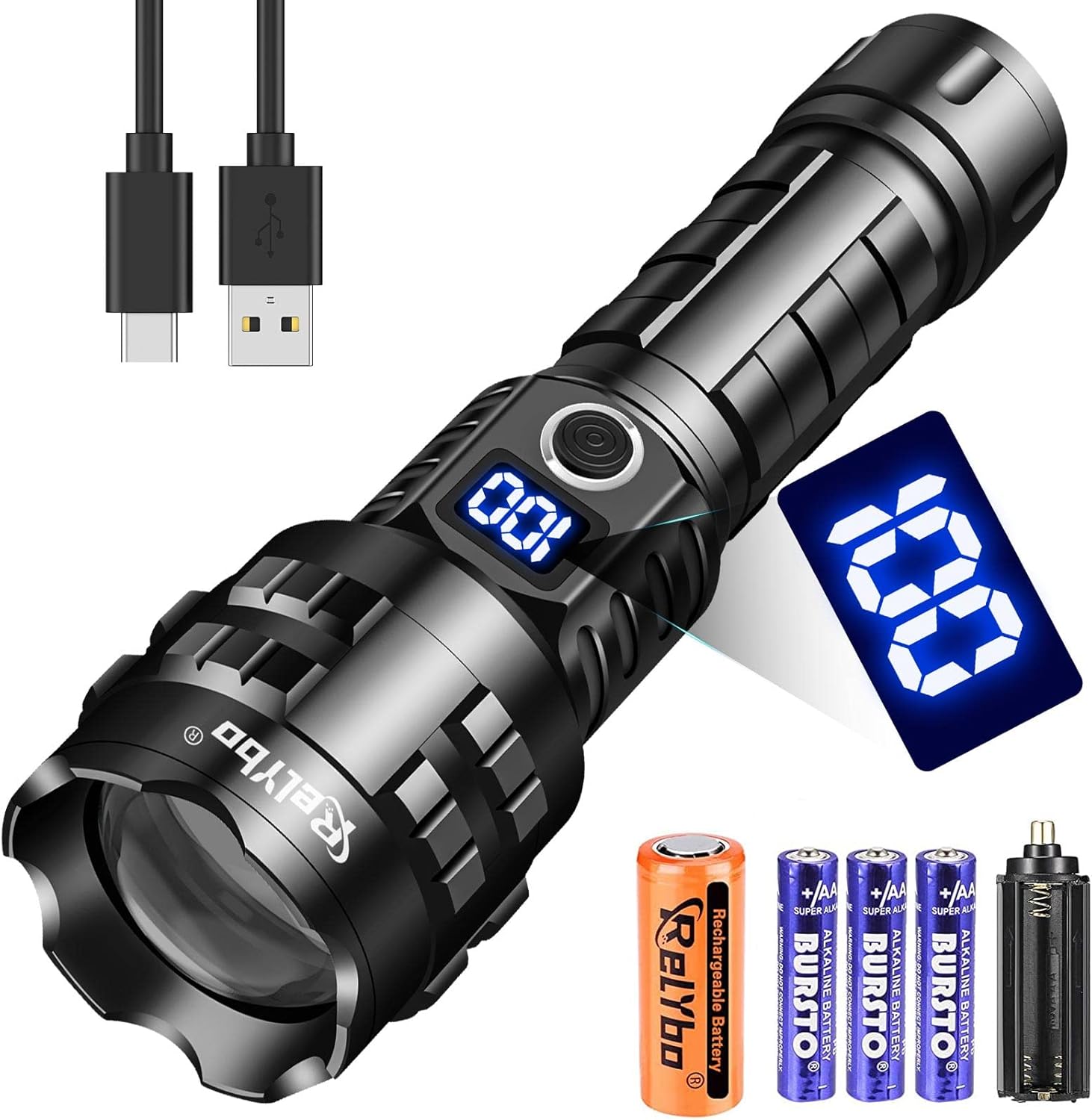
Figure 2: Included components: flashlight, rechargeable battery, AAA batteries, and charging cable.
Setup
Battery Installation
The Relybo A06 flashlight can be powered by either the included rechargeable lithium-ion battery or three AAA batteries using the provided battery holder.
- Unscrew the tail cap of the flashlight.
- For Rechargeable Battery: Insert the high endurance rechargeable battery with the positive (+) end facing towards the flashlight head.
- For AAA Batteries: Place three AAA batteries into the battery holder, ensuring correct polarity. Insert the battery holder into the flashlight with the positive (+) end facing towards the flashlight head.
- Screw the tail cap back on securely.
Video 1: Demonstrates battery installation and charging procedures for the Relybo A06 flashlight.
Operating Instructions
Power On/Off and Mode Selection
- Press the power button once to turn on the flashlight.
- Subsequent presses of the power button will cycle through the 5 modes: High, Medium, Low, Strobe, and SOS.
- To turn off the flashlight from any mode, press and hold the power button for 3 seconds. The next time it is turned on, it will start in High mode.
Zoom Functionality
The flashlight features a zoomable head to adjust the beam from a wide floodlight to a focused spotlight.
- To achieve a wide floodlight beam (illuminating up to 400 square meters), pull the flashlight head back (zoom out).
- To achieve a focused spotlight beam (reaching up to 1800 meters), push the flashlight head forward (zoom in).

Figure 3: Illustration of the 5 lighting modes (High, Medium, Low, Strobe, SOS) and zoom-in/zoom-out functions.

Figure 4: Visual comparison of the wide floodlight and focused spotlight illumination capabilities.
Charging and Power Display
Charging the Flashlight
The Relybo A06 flashlight is equipped with a Type-C charging port for convenient recharging.
- Locate the Type-C charging port on the flashlight body.
- Connect the provided Type-C charging cable to the flashlight and to a USB power source (e.g., car charger, computer, wall adapter).
- The digital power display will show the charging progress.
Power Display and USB Output
The flashlight features a digital power display to show the remaining battery percentage. It also functions as an emergency power bank.
- The digital display indicates the current battery level, allowing you to monitor power at all times.
- In emergencies, the flashlight's USB output port can be used to charge other devices, such as mobile phones.
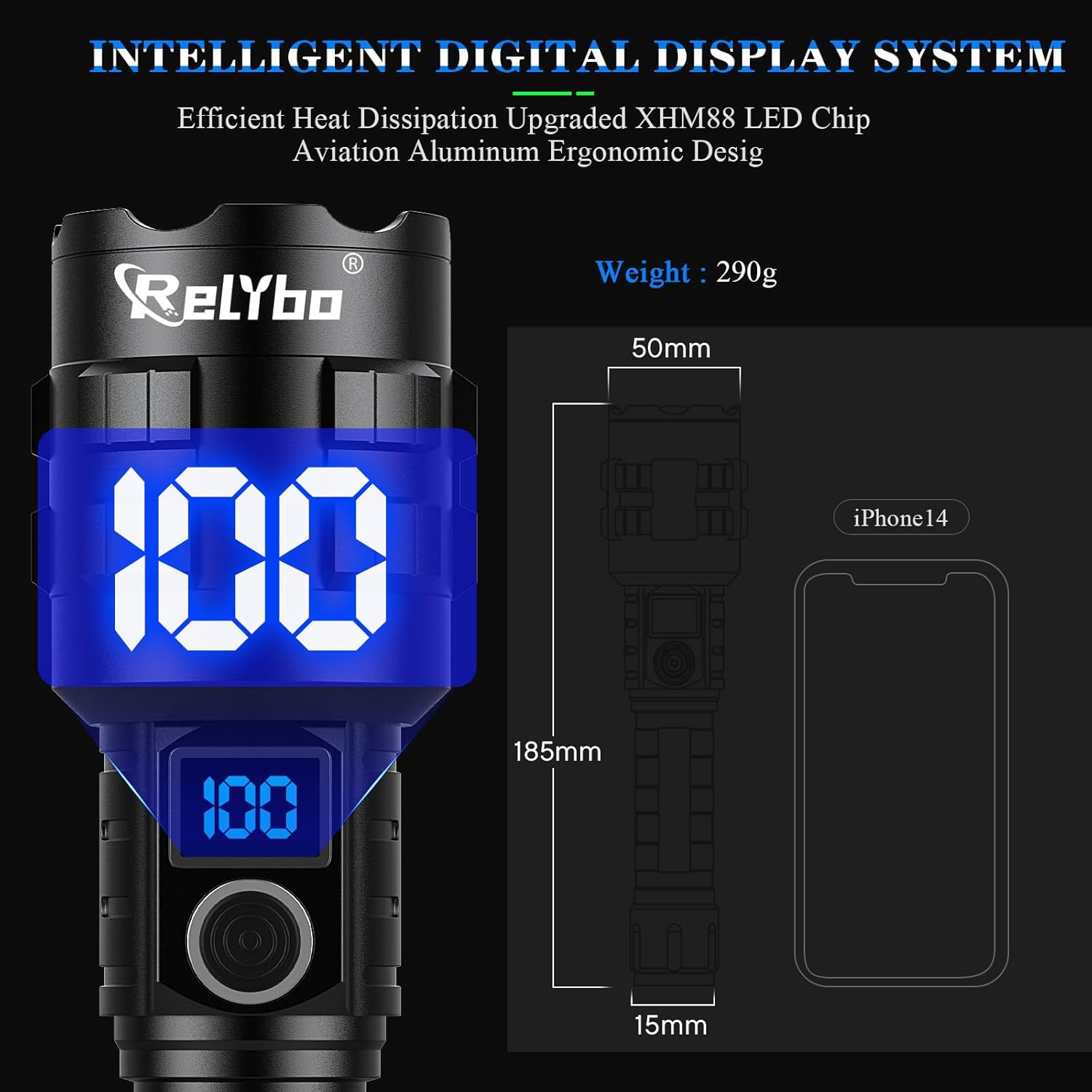
Figure 5: The intelligent digital display system showing battery percentage.
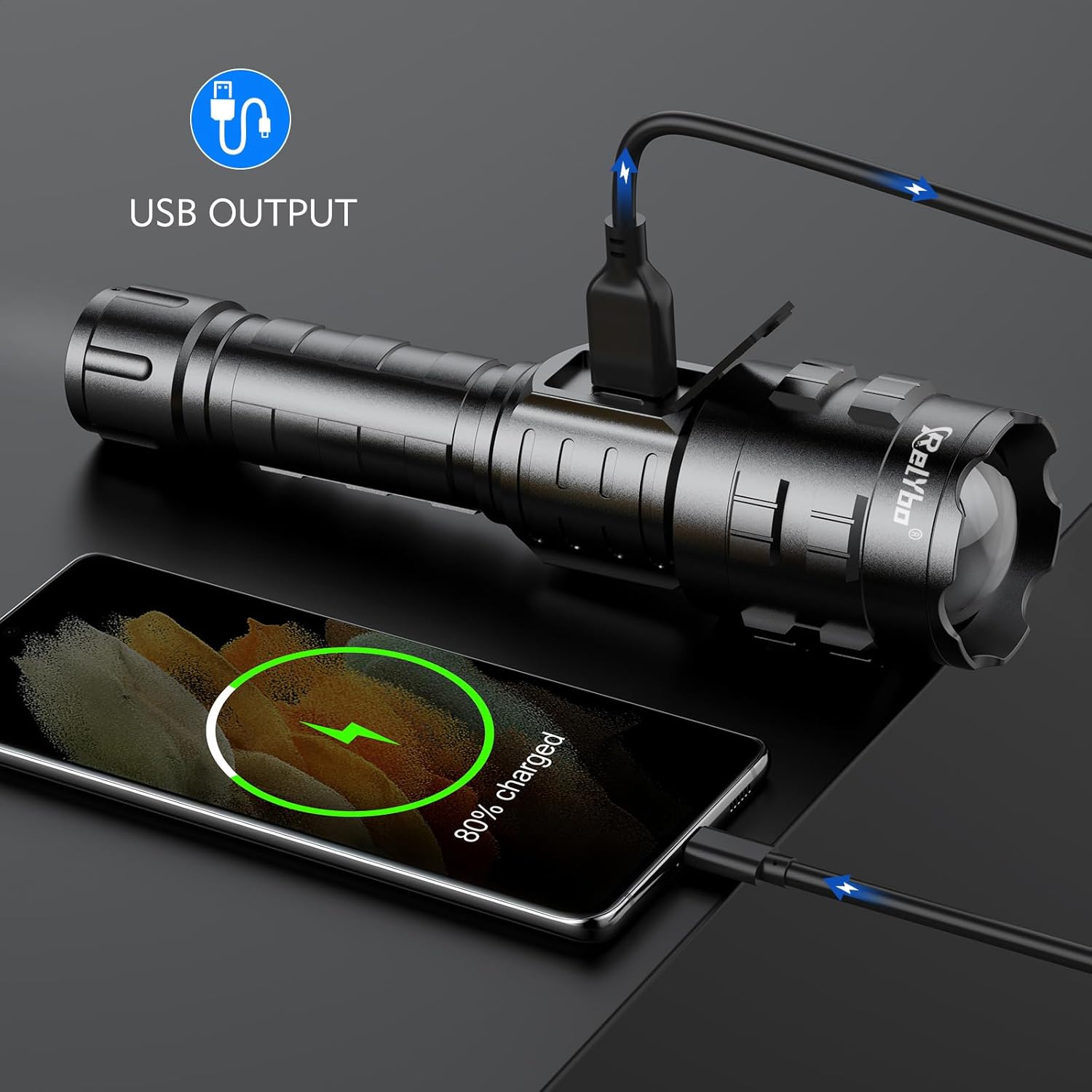
Figure 6: Using the flashlight's USB output to charge a mobile phone.
Maintenance
- Cleaning: Wipe the flashlight body with a soft, damp cloth. Do not use abrasive cleaners or solvents.
- Storage: Store the flashlight in a cool, dry place away from direct sunlight. If storing for extended periods, remove the rechargeable battery to prevent discharge and potential damage.
- Battery Care: Recharge the battery regularly, even if not in frequent use, to maintain its lifespan.
- Heat Dissipation: The flashlight is designed with efficient heat dissipation. Ensure the cooling fins are not obstructed during prolonged use.

Figure 7: The flashlight's design promotes efficient heat dissipation for optimal performance.
Troubleshooting
| Problem | Possible Cause | Solution |
|---|---|---|
| Flashlight does not turn on. | Low or depleted battery. Incorrect battery installation. Loose tail cap. | Recharge the battery or replace AAA batteries. Check battery polarity. Tighten the tail cap. |
| Light is dim. | Low battery. Lens is dirty. | Recharge the battery. Clean the lens with a soft cloth. |
| Cannot charge external device. | Flashlight battery is too low. Cable connection issue. | Ensure flashlight battery is sufficiently charged. Check USB cable and connections. |
| Digital display not working. | Battery issue. Internal fault. | Check battery charge and installation. If problem persists, contact customer support. |
Specifications
| Feature | Detail |
|---|---|
| Brand | Relybo |
| Model Number | Relybo-A06-US |
| Light Source Type | LED (XHM88 quad-core chip) |
| Brightness | Up to 900,000 Lumens |
| Light Path Distance | Up to 1800 meters (spotlight) |
| Illumination Area | Up to 400 square meters (floodlight) |
| Modes | High, Medium, Low, Strobe, SOS |
| Power Source | Rechargeable Lithium Ion Battery (included) or 3xAAA Batteries (included) |
| Charging Port | Type-C Input |
| Output Function | USB Output (for charging external devices) |
| Material | Aircraft-grade Aluminum |
| Water Resistance Level | Waterproof |
| Dimensions (D x W x H) | 7.28"D x 0.59"W x 1.97"H |
| Item Weight | 1.19 pounds |
| Runtime | Up to 12 hours |
Warranty Information
The Relybo A06 LED Flashlight comes with a Lifetime Warranty. For warranty claims or service, please contact Relybo customer support with your purchase details.
Customer Support
For any questions, technical assistance, or support regarding your Relybo A06 LED Flashlight, please refer to the contact information provided with your product packaging or visit the official Relybo website.
We are committed to providing excellent customer service and ensuring your satisfaction with our products.
Ask a question about this manual
Ask about setup, troubleshooting, compatibility, parts, safety, or missing instructions. Manuals+ will review the question and use this page’s manual context to help answer it.