1. Introduction
The Perifit Trainer is an innovative device designed to help strengthen your pelvic floor muscles through engaging, app-controlled exercises. By combining biofeedback technology with interactive games, Perifit provides a fun and effective way to improve bladder control, enhance pelvic support, and address various pelvic floor concerns. This manual provides essential information for setting up, operating, maintaining, and troubleshooting your Perifit Trainer.

Image 1.1: The Perifit Trainer packaging and a view of the Perifit application interface on a smartphone, demonstrating the product's integration with its digital platform.
2. Product Features
- Biofeedback Technology: Utilizes advanced sensors to detect pelvic floor contractions, providing real-time feedback through the companion app.
- Gamified Exercises: Transforms traditional Kegel exercises into interactive games, making workouts engaging and motivating.
- Comfortable Design: Anatomically shaped and only 26mm wide for easy and comfortable insertion.
- Progress Tracking: The Perifit app allows users to visualize contractions, track progress, and monitor performance over time.
- Professional Development: Developed in collaboration with pelvic floor physical therapists to ensure effective and safe training.

Image 2.1: A detailed view of the Perifit Trainer highlighting its key components: a deep sensor for detecting faulty contractions, a superficial sensor for precise contraction detection, and a Bluetooth Low Energy antenna for stable and safe connectivity.

Image 2.2: An infographic illustrating the clinical effectiveness of the Perifit Trainer, showing its ability to reduce urinary leaks, provide relief from urge incontinence, diminish activity-induced leaks, and strengthen weak pelvic floor muscles, with 85% clinical effectiveness.
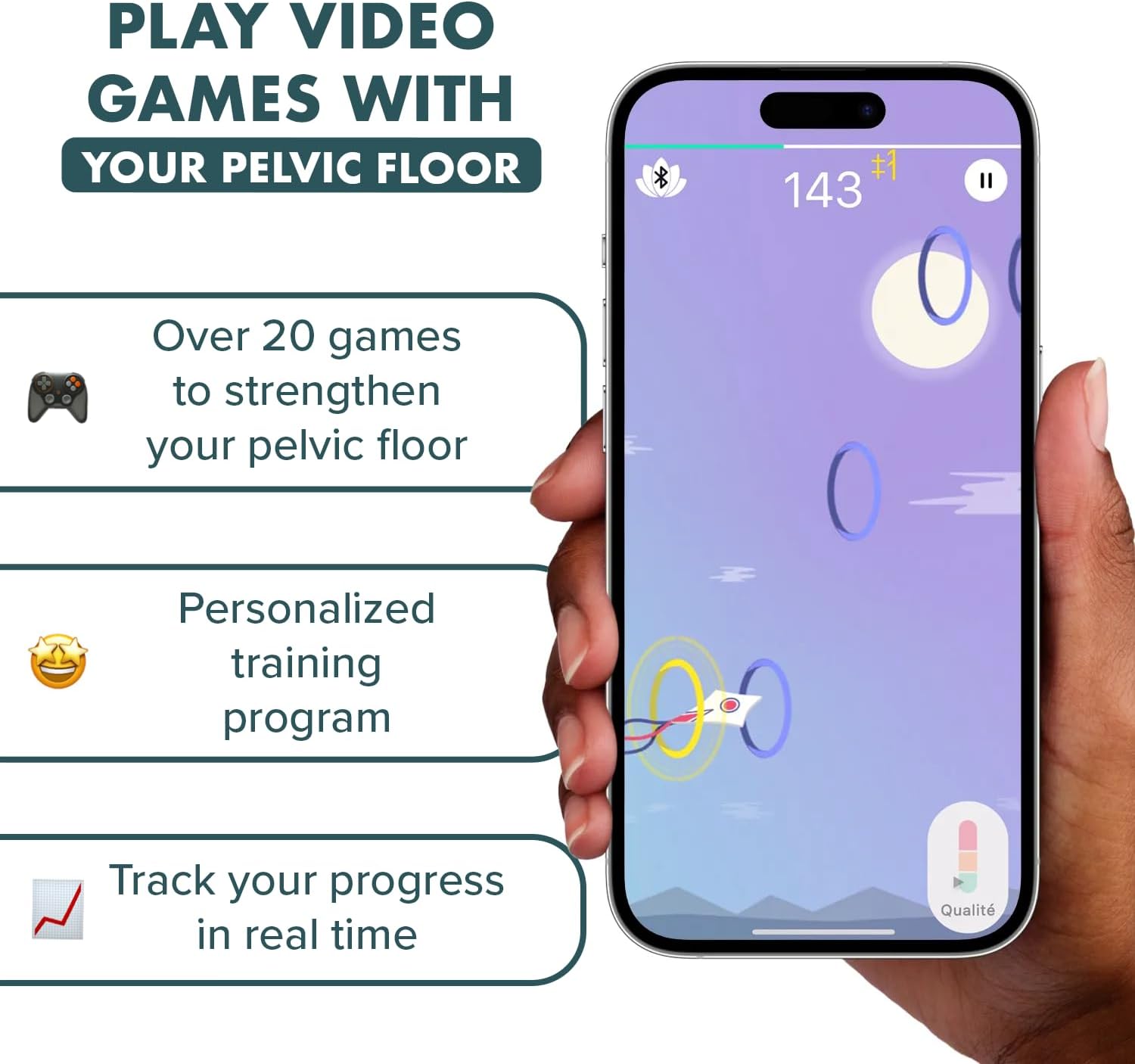
Image 2.3: A smartphone displaying the Perifit app's game interface, demonstrating how users can control video games with their pelvic floor, access personalized training programs, and track real-time progress.

Image 2.4: A comparison table illustrating the benefits of biofeedback with Perifit Care compared to traditional Kegel exercises and similar workouts, highlighting Perifit's advantages in targeting specific muscles, monitoring technique, motivation, and tracking progress for faster results.
3. Setup Guide
Follow these steps to set up your Perifit Trainer for first use:
- Charge the Device: Before first use, ensure your Perifit Trainer is fully charged. Connect the included charging cable to the device and a USB power source. The indicator light will show charging status.
- Download the App: Download the free Perifit app from your smartphone's app store (available on iOS and Android).
- Create an Account: Open the Perifit app and follow the on-screen instructions to create your user account.
- Pair the Device: Ensure your phone's Bluetooth is enabled. Within the Perifit app, navigate to the device connection section and follow the prompts to pair your Perifit Trainer. The app will guide you through the pairing process.

Image 3.1: A visual guide demonstrating the three primary steps for using the Perifit Trainer: 1. Insert the Perifit Care device and find a comfortable position. 2. Connect the trainer to the free Perifit app via Bluetooth. 3. Play games and track your progress within the app.
4. Operating Instructions
Using your Perifit Trainer involves a combination of physical exercise and app interaction:
- Preparation: Ensure the device is clean and charged. Find a comfortable, private space where you can relax.
- Insertion: Gently insert the Perifit Trainer into the vagina, similar to a tampon. The tail should remain outside the body. Ensure you are in a comfortable position, such as lying down or semi-reclined.
- Launch the App: Open the Perifit app on your smartphone. The app should automatically connect to your device if it's nearby and powered on.
- Select a Program/Game: Choose from various training programs or games available in the app. Each is designed to target different aspects of pelvic floor strength and control.
- Perform Exercises: Follow the on-screen instructions and visual cues within the app. The app will guide you on when to contract (squeeze) and relax your pelvic floor muscles. The sensors in the Perifit Trainer will provide real-time feedback, allowing you to see your contractions on the screen.
- Monitor Progress: The app tracks your performance, consistency, and progress over time. Review your statistics regularly to stay motivated and adjust your training as needed.
For optimal results, consistency is key. Aim for regular, short sessions as recommended by the app or your healthcare professional.
5. Maintenance and Care
Proper care ensures the longevity and hygiene of your Perifit Trainer:
- Cleaning: After each use, clean the Perifit Trainer thoroughly with mild soap and water. Rinse well with clean water. Avoid harsh chemicals or abrasive cleaners.
- Drying: Pat the device dry with a clean, lint-free cloth or allow it to air dry completely before storing.
- Storage: Store the Perifit Trainer in a clean, dry place, away from direct sunlight and extreme temperatures. Keep it in its original packaging or a dedicated storage pouch to protect it from dust and damage.
- Battery Care: The device contains 2 Lithium Ion batteries. To maintain battery health, avoid fully discharging the device frequently. Charge it regularly, even if not in constant use.
6. Troubleshooting
If you encounter issues with your Perifit Trainer, try the following solutions:
- Device Not Connecting to App:
- Ensure Bluetooth is enabled on your smartphone.
- Make sure the Perifit Trainer is charged and powered on.
- Restart the Perifit app and/or your smartphone.
- Try re-pairing the device through your phone's Bluetooth settings and then the app.
- Inaccurate Readings/Feedback:
- Ensure the device is inserted correctly and comfortably.
- Confirm you are performing contractions correctly (squeezing as if stopping urine flow). The app provides guidance on proper technique.
- Clean the device thoroughly to ensure sensors are unobstructed.
- App Crashing/Freezing:
- Ensure your app is updated to the latest version.
- Clear the app's cache or reinstall the app (note: this might delete local data, ensure progress is synced).
- Check if your smartphone's operating system is up to date.
- Device Not Charging:
- Verify the charging cable is securely connected to both the device and the power source.
- Try a different USB power adapter or port.
- Inspect the charging port on the device for any debris.
If problems persist, please refer to the support section for further assistance.
7. Specifications
| Product Name | Perifit Trainer |
| Model | Pelvic Floor Exerciser with App |
| Dimensions | 5.51 x 3.27 x 1.65 inches (Package) |
| Weight | 5.61 ounces (Package) |
| Batteries | 2 Lithium Ion batteries (included) |
| Connectivity | Bluetooth Low Energy |
| Manufacturer | Perifit |
8. Warranty and Support
Perifit stands behind the quality of its products. For specific warranty details, please refer to the warranty information provided with your product packaging or visit the official Perifit website. For technical support, troubleshooting assistance, or any other inquiries, please contact Perifit customer service through their official website or the contact information provided in the app.
Manufacturer: Perifit
Online Support: www.perifit.co