
1. Introduction
The Wuzstar 7 Lens Disco Ball Light (Model Y-403) is a versatile lighting unit designed to create dynamic visual effects for various indoor and outdoor events. It combines RGB colorful disco ball lighting, RGBW strobe lighting, and three RG beam combinations (red, green, red & green) to produce a wide array of patterns and atmospheric effects. This manual provides essential information for the safe and effective use of your device.
2. What's in the Box
Please check the package contents to ensure all items are present:
- 1 x Party Disco Ball Light
- 1 x Remote Control (with 2 CR2032 batteries included)
- 1 x USB Cable
- 1 x Stand
- 2 x Screws
- 1 x USB Adapter
- 1 x User Manual

Image: Contents of the Wuzstar 7 Lens Disco Ball Light package.
3. Key Features
- Upgraded Visual Effects: Integrates RGB colorful disco ball light, RGBW strobe light, and 3 RG beam combinations (red, green, red & green) for diverse patterns and atmospheric effects.
- USB Powered and Portable: Includes a power adapter and a 10-foot USB cable for easy connection to various power sources (power strip, computer, laptop, power bank, charger).
- Flexible Installation: Features a 360° adjustable bracket for mounting on walls, ceilings, or other surfaces. Plug-and-play design for immediate use.
- Three Lighting Modes: AUTO, FLASH, and Sound-Activated modes allow for versatile operation. Red and green beam lights with RGBW LED background can synchronize with music.
- Multi-Function Remote Control: Adjust settings such as on/off, working modes, motor speed, background colors, pattern colors, flash on/off, flash speed, and pause. The remote includes two CR2032 batteries, with one spare.
4. Setup Instructions
4.1 Unpacking and Inspection
Carefully remove all components from the packaging. Inspect the device and accessories for any signs of damage. If any damage is found, do not use the product and contact customer support.
4.2 Power Connection
The disco light is USB powered. Connect the provided USB cable to the device and then to one of the following power sources:
- The included USB power adapter, plugged into a standard wall outlet.
- A computer or laptop USB port.
- A power bank.
- A car charger (cigarette lighter adapter).
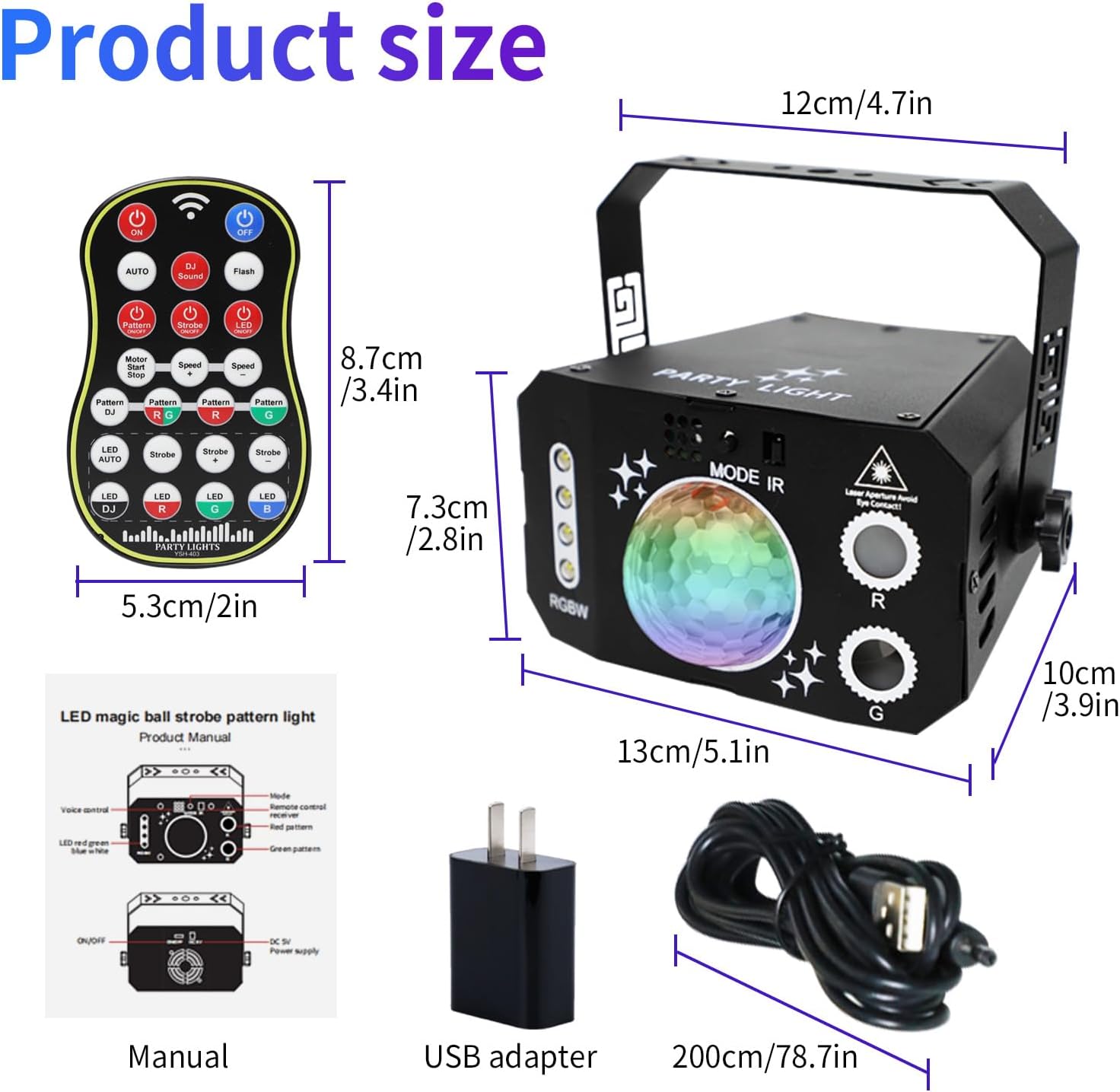
Image: Multiple power supply options for the Wuzstar disco light.
4.3 Mounting the Device
The device comes with a 360° adjustable bracket for flexible placement. You can:
- Place it on a flat surface like a table or floor.
- Mount it to a wall or ceiling using the provided screws. Ensure the mounting surface is stable and can support the device's weight.

Image: Simple and easy setup options for the Wuzstar disco light.
5. Operating Instructions
The Wuzstar disco light is controlled via the included remote control. Ensure the remote has working batteries (2 x CR2032, one main, one spare).
5.1 Remote Control Overview
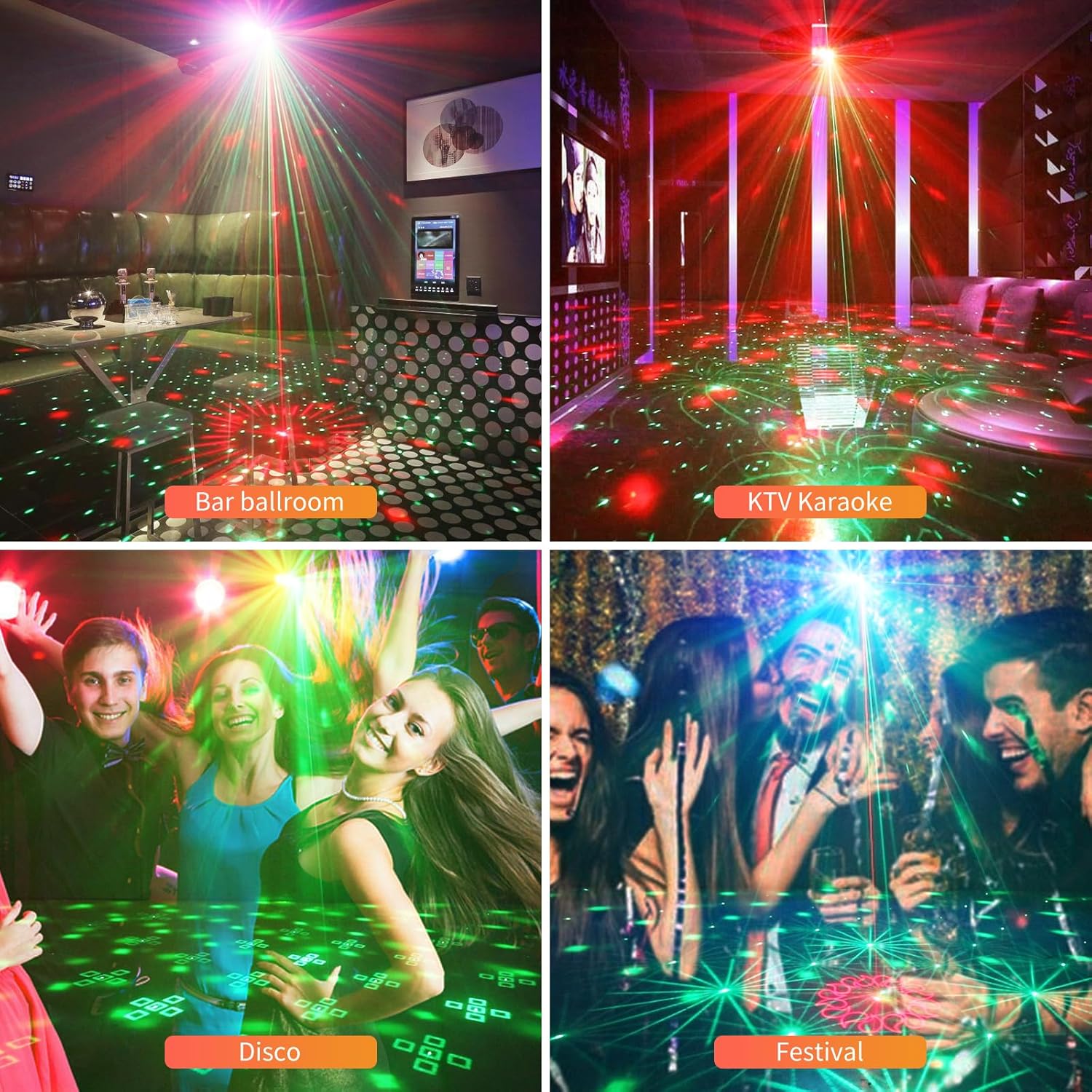
Image: Front and back view of the remote control, highlighting battery location.
The remote allows you to:
- Turn the device ON/OFF.
- Select lighting modes (AUTO, FLASH, DJ Sound Activated).
- Adjust motor speed.
- Change background colors (RGBW).
- Select pattern colors (Red, Green, Red & Green).
- Control flash on/off and flash speed.
- Pause effects.
5.2 Lighting Modes
- AUTO Mode: The light cycles through various patterns and colors automatically.
- FLASH Mode: The light produces a strobe effect. You can adjust the flash speed.
- Sound-Activated Mode (DJ Sound): The light patterns, colors, and beam effects change in response to music or sound.

Image: Illustration of sound-activated modes.
5.3 Changing Patterns and Colors
Use the dedicated buttons on the remote control to select specific patterns, colors, or combinations of red and green beams. Experiment with different settings to achieve desired visual effects.

Image: Examples of various light patterns and color combinations.

Image: Wuzstar disco light in various indoor settings.
5.4 Video Demonstrations
Official Product Video: Wuzstar 7 lens USB Disco Ball Party lights
Video: This video demonstrates the features and effects of the Wuzstar 7 Lens USB Disco Ball Party Light, showcasing its various lighting modes and patterns.
Official Product Video: Wuzstar 3 in 1 USB Powered Disco Ball Light indoor outdoor
Video: This video highlights the 3-in-1 functionality of the Wuzstar USB Powered Disco Ball Light, suitable for both indoor and outdoor use, demonstrating its versatility.
6. Maintenance
6.1 Cleaning
To maintain optimal performance and appearance, regularly clean the device. Use a soft, dry cloth to wipe down the exterior. Do not use abrasive cleaners or solvents, as these can damage the finish or internal components.
6.2 Storage
When not in use, store the disco light in a cool, dry place away from direct sunlight and extreme temperatures. Keep it in its original packaging or a protective case to prevent dust accumulation and physical damage.
6.3 Remote Control Battery Replacement
The remote control uses CR2032 batteries. If the remote stops responding, replace the main battery. A spare battery is included in the package. Refer to the remote control diagram for battery compartment access.
7. Troubleshooting
| Problem | Possible Cause | Solution |
|---|---|---|
| Device does not turn on. | No power supply or loose connection. | Ensure the USB cable is securely connected to both the device and a working power source. Try a different USB port or power adapter. |
| Remote control is not working. | Dead batteries or obstruction. | Replace the CR2032 batteries in the remote control. Ensure there are no obstructions between the remote and the device's IR receiver. |
| Sound-activated mode is not responding. | Insufficient sound level or incorrect mode selection. | Increase the volume of the music or sound source. Ensure the device is set to "DJ Sound" mode on the remote. |
| Lights are dim or flickering. | Low power supply or dirty lenses. | Ensure the power source provides adequate power. Clean the lenses with a soft, dry cloth. |
8. Specifications
| Model Number | Y-403 |
| Color | Multicolor |
| Material | Aluminum |
| Light Source Type | LED |
| Power Source | Corded Electric (USB Powered) |
| Product Dimensions | 5.1"L x 3.9"W x 2.8"H |
| Item Weight | 1.28 pounds |
| Number of Light Sources | 7 |
| Bulb Features | Color-changing, Sound-activated, Remote-controlled |
| Mounting Type | Wall Mount or Ceiling Mount |
| Batteries Required | Yes (1 CR2032 for remote, included) |

Image: Product dimensions and included accessories.
9. Warranty & Support
Wuzstar provides a lifetime warranty for this product. If you encounter any issues or have questions, please contact Wuzstar customer support. They aim to reply within 25 hours and assist with problem resolution.
For further assistance, please refer to the contact information provided in your product packaging or on the official Wuzstar website.