
1. Introduction
This instruction manual provides essential information for the safe and effective installation and use of your SwarKing BM58 replacement battery, compatible with the Xiaomi Mi 11T Pro smartphone. Please read this manual thoroughly before proceeding with the battery replacement.
1.1 Package Contents
- 1 x SwarKing Grade A+ BM58 Replacement Battery
- 1 x Set of Tool Kit for battery replacement
1.2 Compatibility
This replacement battery is specifically designed for the Xiaomi Mi 11T Pro smartphone. The model number for this battery is BM58. Before installation, please verify the model number on the backside of your cellphone to ensure compatibility.
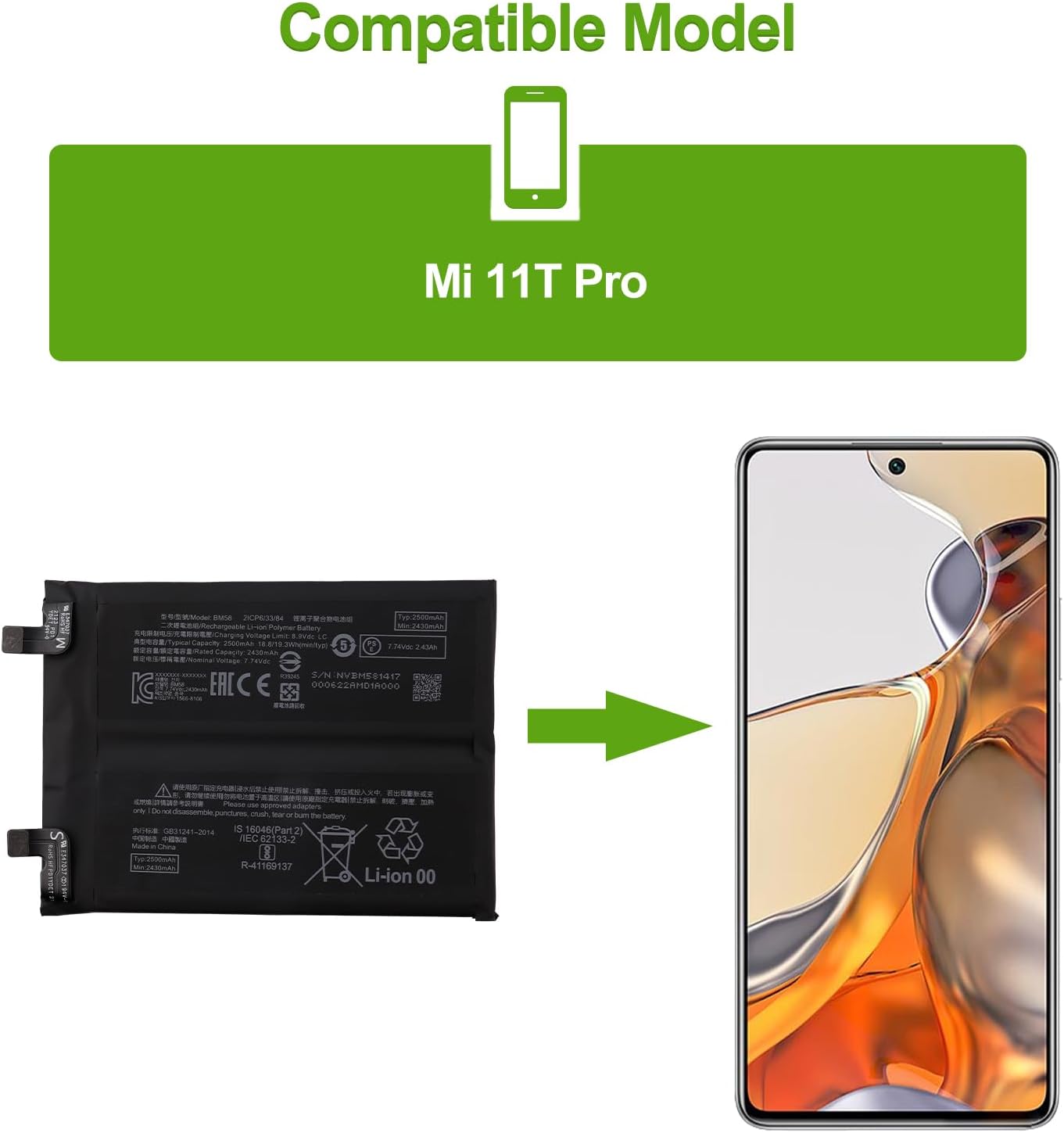
Figure 1: BM58 Battery Compatibility with Xiaomi Mi 11T Pro.
This image illustrates the BM58 replacement battery alongside the Xiaomi Mi 11T Pro, confirming its intended use for this specific phone model.

Figure 2: Included Repair Kit Contents.
This image displays the complete set of tools provided with the replacement battery, which typically includes screwdrivers, prying tools, and a suction cup to assist with the phone's disassembly and reassembly.
2. Safety Information
Please observe the following safety precautions to prevent damage to the battery, your device, or personal injury:
- Do not disassemble, puncture, crush, tear, or burn the battery.
- Avoid exposing the battery to extreme temperatures (high or low).
- Keep the battery away from water or other liquids.
- Do not use a damaged or swollen battery.
- Dispose of old batteries responsibly according to local regulations.
- Battery replacement should be performed by individuals with appropriate technical skills or under professional guidance.
3. Setup and Installation
Replacing a smartphone battery requires careful handling and specific tools. While a toolkit is provided, detailed step-by-step instructions are best followed via visual guides.
3.1 Recommended Resources
It is highly recommended to watch professional video guides on platforms like YouTube for the Xiaomi Mi 11T Pro battery replacement process. Search for "Xiaomi Mi 11T Pro battery replacement" to find relevant tutorials. These videos can provide visual clarity for each step, including opening the device, disconnecting components, and properly installing the new battery.
3.2 General Installation Steps (Overview)
The following is a general overview. Refer to a video guide for precise instructions for your specific device:
- Power Off Device: Ensure your Xiaomi Mi 11T Pro is completely powered off before starting.
- Remove Back Cover: Carefully heat the edges of the phone's back cover to loosen the adhesive. Use the provided suction cup and prying tools to gently separate the back cover from the frame.
- Disconnect Battery: Locate the battery connector on the motherboard and carefully disconnect it using a plastic prying tool.
- Remove Old Battery: Gently pry out the old battery. It may be secured with adhesive strips. Be careful not to bend or puncture the old battery.
- Install New Battery: Place the new SwarKing BM58 battery into the battery compartment. Ensure it sits flat and securely.
- Connect New Battery: Reconnect the new battery's flex cable to the motherboard connector. Ensure a firm and proper connection.
- Reassemble Device: Carefully reattach the back cover, ensuring all clips and adhesive (if reapplied) are secure.
- Initial Charge: After reassembly, connect the phone to its charger.

Figure 3: SwarKing BM58 Replacement Battery.
This image displays the front of the BM58 battery, highlighting its model number, capacity, and various certifications and warnings printed on its surface.

Figure 4: Battery Connector Details.
A detailed view of the battery's flex cable and connectors, which must be carefully aligned and connected to the phone's motherboard during installation.
4. Operating Instructions
For optimal performance and longevity of your new Li-ion battery, follow these initial operating guidelines:
- Initial Cycles: A new Li-ion battery will achieve its best performance after 2 or 3 complete cycles of charge and discharge. This means fully charging the battery to 100% and then allowing it to discharge completely until the phone powers off, repeating this process a few times.
- Regular Charging: After the initial cycles, it is generally recommended to keep Li-ion batteries charged between 20% and 80% for maximum lifespan, avoiding frequent full discharges or prolonged periods at 100% charge.
5. Maintenance
Proper maintenance can extend the life of your battery:
- Avoid exposing your phone to extreme heat or cold, as this can degrade battery performance.
- Use only compatible and certified chargers and cables.
- If storing the device for an extended period, ensure the battery is charged to approximately 50% to prevent deep discharge.
6. Troubleshooting
If you encounter issues after battery replacement, consider the following:
- Phone Not Powering On: Double-check all internal connections, especially the battery connector, to ensure they are securely seated.
- Battery Not Charging / Stuck at Low Percentage:
- Ensure the battery flex cable is properly connected to the motherboard. A loose connection can cause incorrect charge readings or prevent charging.
- Try a different charging cable and adapter to rule out external issues.
- Perform a soft reset of your phone (refer to your phone's manual for instructions).
- No Fast Charging:
- Verify that your charger and cable support fast charging and are functioning correctly.
- Ensure your phone's software is up to date.
- Rapid Battery Drain:
- Check background apps and usage patterns.
- Ensure the battery is fully calibrated after the initial 2-3 charge/discharge cycles.
If problems persist after attempting these troubleshooting steps, please contact SwarKing customer support.
7. Specifications
| Feature | Specification |
|---|---|
| Part Number | BM58 |
| Battery Type | Lithium Polymer |
| Battery Capacity | 5000 mAh |
| Compatible Model | Xiaomi Mi 11T Pro |
| Item Model Number | BM58 |
| Item Weight | 5.3 ounces (approx. 150 grams) |
| Package Dimensions | 7.48 x 4.09 x 0.67 inches |
| Manufacturer | shenzhen baoran keji youxiangongsi |
| Date First Available | November 15, 2023 |
8. Warranty and Support
SwarKing is committed to customer satisfaction. If you encounter any quality-related issues with your BM58 replacement battery, we offer a replacement or full refund.
- Customer Service: For any inquiries or support, please contact SwarKing customer service. We aim to respond within 24 hours.
- Satisfaction Guarantee: If you are not 100% satisfied with your battery replacement during the warranty period, please reach out to us for assistance.
