
Raganet OT019
Raganet OT019 Walkie Talkies: Wireless Long-Range Communication Radios User Manual
Model: OT019 | Brand: Raganet
1. Introduction
Thank you for choosing the Raganet OT019 Wireless Long-Range Walkie Talkies. This manual provides essential information for the safe and efficient operation of your new communication devices. Please read this manual thoroughly before use and retain it for future reference.
These walkie talkies are designed for reliable two-way communication over long distances, featuring 16 channels and operating within the 400-470 MHz frequency range. They are equipped with rechargeable batteries, charging bases, and hands-free capabilities, making them suitable for various applications from outdoor activities to professional use in hotels, restaurants, construction sites, and security.

Image 1.1: Raganet OT019 Walkie Talkies with charging bases. This image displays the two main units, their charging docks, and a close-up of a single unit being held, highlighting its compact design.
2. Package Contents
Ensure all items listed below are present in your package:
- 2 x Raganet OT019 Walkie Talkies
- 2 x Antennas (pre-attached or to be attached)
- 2 x Rechargeable Lithium Batteries (1500mAh)
- 2 x Charging Bases
- 2 x Belt Clips
- 2 x Hand Straps
- 1 x User Manual (this document)
3. Product Overview
Familiarize yourself with the components and controls of your Raganet OT019 walkie talkie.

Image 3.1: Labeled components of the Raganet OT019 Walkie Talkie. This diagram points out key features such as the antenna, power/volume knob, channel selector, PTT button, and various ports.
- Antenna: For transmitting and receiving signals.
- LED Flashlight: Provides illumination.
- Channel Selector Knob: Used to select one of the 16 available communication channels.
- Power/Volume Knob: Turns the radio on/off and adjusts the speaker volume.
- PTT (Push-to-Talk) Button: Press and hold to transmit your voice; release to receive.
- Monitor Button: Used to temporarily disable squelch and listen for weak signals.
- Function Button: May activate additional features like flashlight or scan (refer to specific model functions).
- LED Indicator: Illuminates to indicate transmission (red) or reception (green).
- Jack Input: For connecting external audio accessories like headsets.
- Microphone (MIC): Captures your voice during transmission.
4. Setup
4.1. Charging the Battery
Your Raganet walkie talkies come with 1500mAh rechargeable lithium batteries. For optimal performance, fully charge the batteries before first use.
- Ensure the walkie talkie is turned off.
- Place the walkie talkie into its dedicated charging base. Ensure proper alignment.
- Connect the charging base to a power outlet using the provided adapter.
- The LED indicator on the charging base will show the charging status (e.g., red for charging, green for fully charged).
- A full charge typically takes several hours. Do not overcharge the battery.
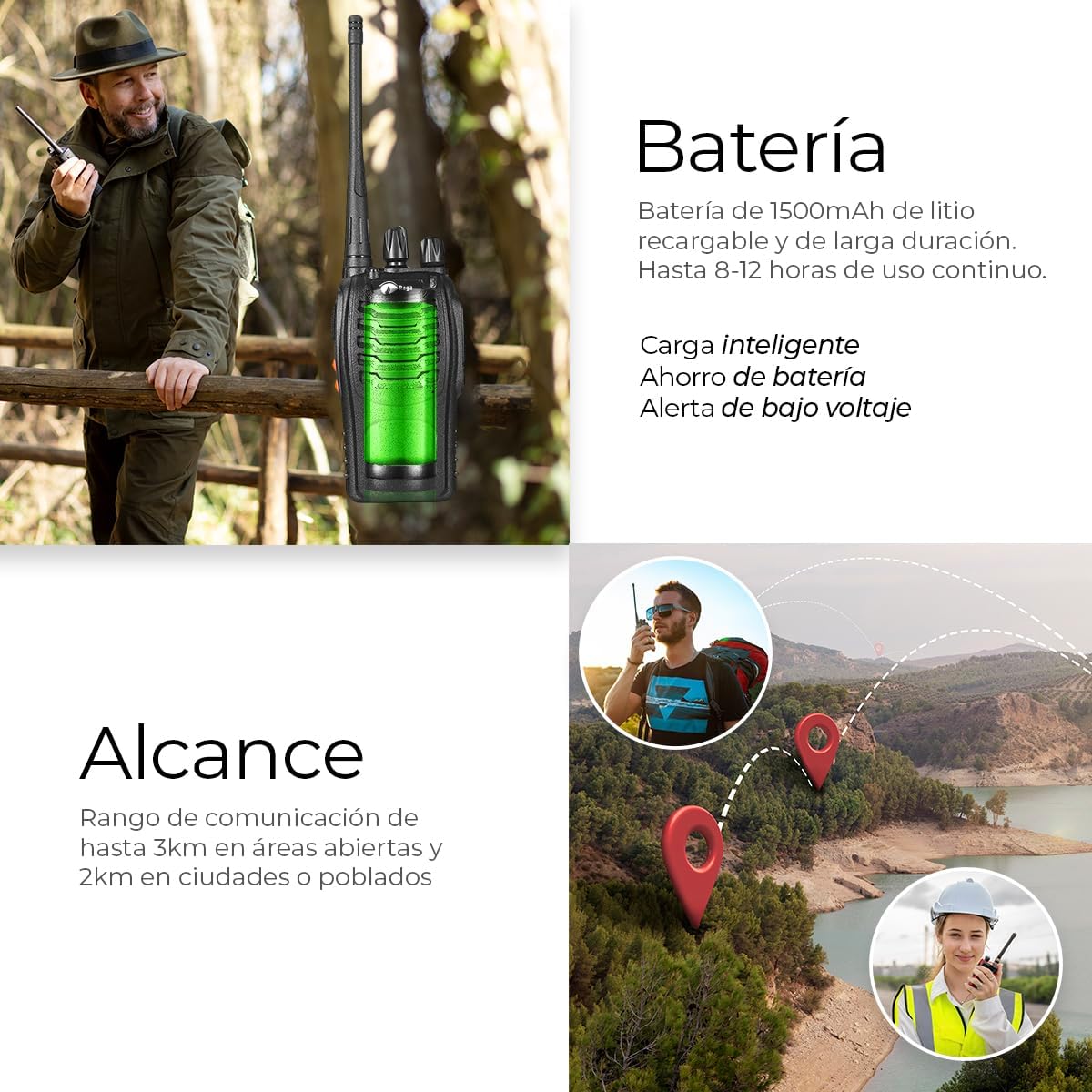
Image 4.1: Walkie Talkie on charging base with battery information. This image illustrates the charging process and highlights the battery's capacity and intelligent charging features.
4.2. Attaching Accessories
- Antenna: If not pre-attached, screw the antenna clockwise onto the connector at the top of the radio until secure. Do not overtighten.
- Belt Clip: Align the belt clip with the screw holes on the back of the radio and secure it with the provided screws.
- Hand Strap: Thread the hand strap through the designated loop on the radio for secure carrying.
5. Operating Instructions
5.1. Power On/Off and Volume Adjustment
- To turn on the radio, rotate the Power/Volume Knob clockwise until you hear a click.
- Continue rotating the knob clockwise to increase the volume, and counter-clockwise to decrease it.
- To turn off the radio, rotate the Power/Volume Knob counter-clockwise until you hear a click.
5.2. Channel Selection
- Rotate the Channel Selector Knob to choose one of the 16 available channels.
- Ensure all radios intended for communication are set to the same channel.
5.3. Transmitting and Receiving
- To transmit, press and hold the PTT (Push-to-Talk) Button on the side of the radio. Speak clearly into the microphone (MIC) at a normal volume. The LED indicator will glow red.
- To receive, release the PTT Button. The LED indicator will glow green when a signal is being received.
- Avoid interrupting others while they are speaking.
5.4. Hands-Free Function (VOX)
The Raganet OT019 supports VOX (Voice Operated Exchange) for hands-free operation. This feature allows you to transmit by speaking into the microphone without pressing the PTT button. An external headset (not included) is recommended for optimal VOX performance.
- To activate/deactivate VOX, consult the specific programming instructions for your device, as this often requires a combination of button presses during power-on or software programming.
- Adjust the VOX sensitivity level to prevent accidental transmissions from background noise.
5.5. LED Flashlight
- To turn on the LED flashlight, press the Function Button (refer to Image 3.1 for location).
- Press the Function Button again to turn off the flashlight.
6. Maintenance
6.1. Battery Care
- Always use the original Raganet charging base and adapter.
- Do not expose batteries to extreme temperatures or direct sunlight.
- If the radio will not be used for an extended period, remove the battery and store it in a cool, dry place.
- Recharge the battery periodically if stored for long durations to maintain its lifespan.
- Dispose of old batteries responsibly according to local regulations.
6.2. Cleaning
- Wipe the radio's surface with a soft, damp cloth. Do not use harsh chemicals or abrasive cleaners.
- Ensure the charging contacts are clean and free of debris.
6.3. Water Resistance (IP65)
The Raganet OT019 walkie talkies are rated IP65, meaning they are protected against dust ingress and low-pressure water jets from any direction. This makes them suitable for outdoor use and in challenging environments.
- While resistant to water splashes, do not submerge the radios in water.
- Ensure all port covers (e.g., jack input) are securely closed to maintain water resistance.
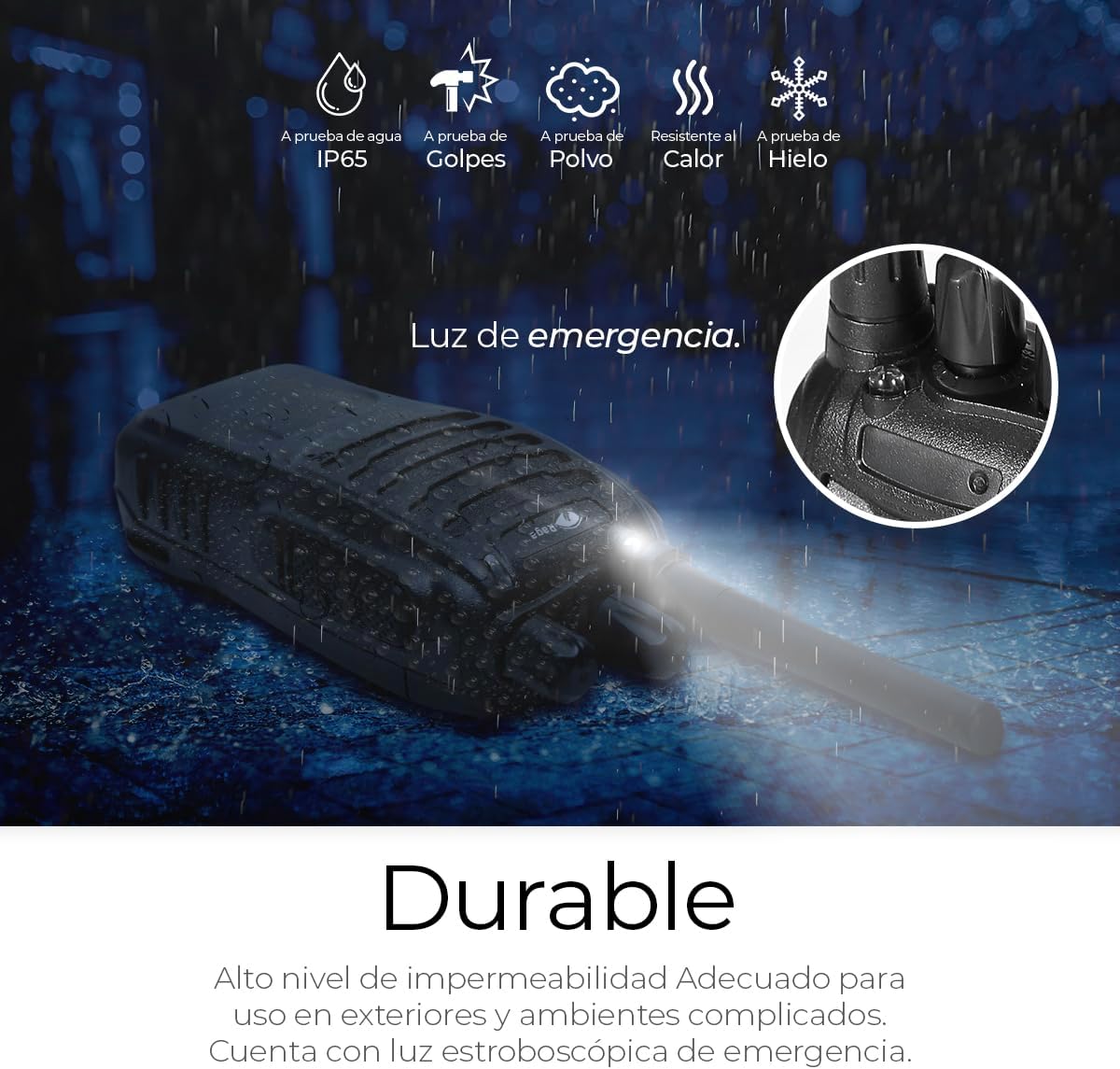
Image 6.1: Durability features of the Raganet OT019. This image emphasizes the radio's robust construction and its IP65 rating, suitable for various environmental conditions.
7. Troubleshooting
| Problem | Possible Cause | Solution |
|---|---|---|
| No power | Battery depleted or not properly installed. | Charge the battery. Ensure the battery is correctly inserted. Turn the Power/Volume knob clockwise. |
| Cannot transmit or receive | Different channels, out of range, low battery, or PTT not pressed correctly. | Ensure both radios are on the same channel. Move closer to the other radio. Charge the battery. Press and hold PTT firmly. |
| Poor audio quality / Static | Out of range, interference, or antenna not properly attached. | Move closer. Change channels to avoid interference. Ensure antenna is securely attached. |
| Hearing other conversations (interference) | Shared channel with other users. | Change to a different channel. If interference persists, consider using privacy codes (CTCSS/DCS) if your model supports advanced programming (refer to advanced user guide if available). |
| Short battery life | Battery not fully charged, old battery, or frequent transmission. | Ensure full charge. Consider replacing old batteries. Reduce transmission time. |
8. Specifications
| Feature | Detail |
|---|---|
| Brand | Raganet |
| Model | OT019 |
| Frequency Range | 400-470 MHz (UHF) |
| Number of Channels | 16 |
| Battery Capacity | 1500mAh Lithium-ion (Rechargeable) |
| Operating Voltage | 3.7 Volts (DC) |
| Maximum Talk Range | Up to 3 km (open areas), 2 km (cities/towns) |
| Water Resistance Level | IP65 (Dust tight, protected against low-pressure water jets) |
| Dimensions (Radio only) | Approximately 11 cm (Height) x 6 cm (Width) (excluding antenna) |
| Antenna Length | Approximately 10 cm |
| Compatible Devices | Raganet two-way radios or other two-way radios operating on 400-470 MHz UHF with compatible channels. |
| Special Features | Long range, LED flashlight, Hands-free (VOX support), Intelligent charging, Battery saving, Low voltage alert. |

Image 8.1: Physical dimensions and key features. This image provides a visual representation of the radio's size and reiterates core functionalities.
9. Warranty and Support
Raganet products are designed for quality and reliability. For specific warranty information, please refer to the warranty card included with your purchase or visit the official Raganet website. Keep your proof of purchase for any warranty claims.
For technical support, troubleshooting assistance beyond this manual, or inquiries about replacement parts, please contact Raganet customer service through the retailer where the product was purchased or via the contact information provided on the official Raganet brand store:
Raganet Brand Store: Visit Raganet Store on Amazon
Please note that the product is eligible for returns up to January 31, 2026, as per Amazon's return policy at the time of purchase.
no relevant documents