
Introduction
This manual provides detailed instructions for the setup, operation, and maintenance of your e-vibra RL16 Vibrating Alarm Reminder Watch. This device is designed to provide discreet reminders through vibration, suitable for various daily tasks and schedules.

Image: Three e-vibra vibrating watches in blue, pink, and black, displaying the time. These watches are designed for silent, vibrating reminders.
Product Features
- Multiple Alarms: Set up to 15 silent vibrating alarms per day.
- Wake-Up Alarm: Features an extra strong 60-second wake-up alarm, with two additional alarms for snooze functionality.
- Versatile Reminders: Ideal for night-time potty training, bathroom breaks, pill reminders, drinking water reminders, maintaining a daily schedule, mindfulness, or prayer.
- Lock Button Function: Prevents accidental alteration of time and alarm settings.
- Timer Function: Set fixed interval timers for 1, 5, 10, 15, 20, 30, 45, 60, 90, 120, or 180 minutes (3 hours) with auto-repeating vibration.
- Rechargeable Battery: One full charge provides 8 to 40 days of operation.
- Memory Function: All alarm settings are saved even when the watch powers off.
Setup
1. Charging the Watch
- Carefully remove the watch face from the silicone band.
- Locate the USB charging port on the watch face.
- Connect the watch face directly to a standard USB port (e.g., computer, USB wall adapter) using the provided charging cable.
- The watch display will indicate charging status. A solid blue light typically indicates a full charge.
- A full charge can last between 8 to 40 days, depending on usage.

Image: The e-vibra vibrating watch connected to a laptop via its USB charging cable, illustrating the charging process.
2. Setting Time and Date
- Press the main button to activate the display.
- Press and hold the main button until the time display begins to flash.
- Use the side buttons to adjust the hours, then minutes. Press the main button to confirm each setting and move to the next.
- Follow similar steps to set the date (if applicable) and 12/24-hour format.
3. Setting Alarms
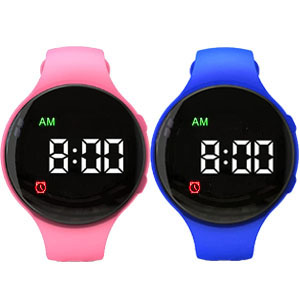
Image: The watch display indicating the capability for 15 discreet reminders.
- From the time display, press the main button repeatedly until you reach the alarm setting mode (usually indicated by an alarm icon or 'AL').
- Press and hold the main button to enter the alarm edit mode. The hour display will flash.
- Use the side buttons to adjust the hour, then press the main button to confirm and move to minutes.
- Adjust minutes using side buttons, then confirm with the main button.
- Repeat for up to 15 individual alarms. Each alarm can be toggled on/off.
- For the wake-up alarm, the watch provides an extra strong 60-second vibration. Two additional alarms can be set for snooze functionality.
4. Setting the Timer Function
- Navigate to the timer setting mode by pressing the main button.
- Press and hold the main button to select the desired interval (e.g., 1min, 5min, 10min, 15min, 20min, 30min, 45min, 60min, 90min, 120min, 180min).
- Confirm your selection. The timer will begin its countdown and provide auto-repeating vibrations at the set interval.
5. Using the Lock Button Function

Image: Close-up of the watch display highlighting the lock button and power-off memory features.
To prevent accidental changes to your time or alarm settings, activate the lock button function. Refer to the specific instructions in your watch's quick start guide for the exact button sequence to engage and disengage the lock.
Operating Instructions
1. Checking the Time
- Press the main button once to illuminate the display and show the current time. The display will turn off automatically after a few seconds to conserve battery.
2. Responding to Alarms/Timers
- When an alarm or timer activates, the watch will vibrate.
- To stop the vibration, press any button on the watch.
- For wake-up alarms with snooze, pressing a button may activate the snooze period, after which the alarm will vibrate again.
Maintenance
1. Cleaning
- Wipe the watch and band with a soft, dry, or slightly damp cloth.
- Do not use harsh chemicals or abrasive cleaners.
2. Battery Care
- Charge the watch fully before first use.
- Avoid completely draining the battery frequently to prolong its lifespan.
- Store the watch in a cool, dry place when not in use for extended periods.
3. Water Resistance
- Important: This watch is Not Water Resistant. Avoid exposure to water, including showering, swimming, or heavy rain, to prevent damage.
Troubleshooting
| Problem | Possible Cause | Solution |
|---|---|---|
| Watch not vibrating | Battery low; Alarm/Timer not set correctly; Vibration setting off. | Charge the watch; Verify alarm/timer settings; Check if vibration is enabled. |
| Display not turning on | Battery depleted; Watch is locked. | Charge the watch; Unlock the watch using the specified button sequence. |
| Settings change unexpectedly | Accidental button presses. | Activate the lock button function to prevent unintended changes. |
| Watch not charging | Improper connection; Faulty cable/port. | Ensure watch face is securely connected to the USB port; Try a different USB port or cable. |
Specifications

Image: Diagram illustrating the dimensions of the e-vibra vibrating watch, showing a 1.58 inch (40mm) watch face and a wrist girth range of 4.7 to 7.3 inches (120-185mm).
- Model Name: Vibrating alarm watch
- Model Number: RL16
- Brand: e-vibra
- Band Material Type: Silicone
- Case Material Type: Alloy Steel
- Display Type: Digital
- Human Interface Input: Buttons
- Battery Cell Type: Lithium Ion
- Water Resistance Level: Not Water Resistant
- Watch Face Diameter: Approximately 1.58 inches (40mm)
- Wrist Girth: 4.7 inches - 7.3 inches (120mm - 185mm)
- Item Weight: 0.1 Pounds
- UPC: 784298809971
Official Product Video
Video: This official e-vibra video demonstrates the features and functionality of the 15-alarm vibrating watch, including its use as a medical reminder.
Warranty and Support
For warranty information or technical support, please refer to the documentation included with your purchase or contact e-vibra customer service directly. Keep your proof of purchase for any warranty claims.
