
1. Introduction
The VABIRA VBR-20 DLI Light Meter is designed to quantify the total amount of photosynthetic photons received by plants per square meter over a day. This measurement, known as Daily Light Integral (DLI), is expressed in mol/m²/d. Understanding DLI helps optimize plant growth and productivity by ensuring plants receive appropriate light levels.
The device is suitable for both outdoor and indoor use, especially in environments where sunlight conditions may vary throughout the day. It records DLI values automatically and allows for data review and export.

Image: The VBR-20 DLI Light Meter is capable of testing and recording light data daily, even in varied natural light conditions.
2. Setup
2.1 Battery Installation
The VBR-20 DLI Light Meter requires one AAA battery for operation. Two AAA batteries are included with the product. To install or replace the battery:
- Locate the battery compartment on the device.
- Open the compartment cover.
- Insert one AAA battery, ensuring correct polarity (+/-).
- Close the battery compartment cover securely.
The device is designed for low power consumption, offering up to one year of use on a single battery.
2.2 App Download and Initial Connection
To use the VBR-20 DLI Light Meter, you need to download the companion application, 'Vsensor', to your smartphone. The app connects to the meter via Bluetooth and does not require an internet connection, functioning even in airplane mode for enhanced security and convenience.
- Download the 'Vsensor' app from your smartphone's app store.
- Ensure Bluetooth is enabled on your smartphone.
- Press the button on the VBR-20 DLI Light Meter. This activates the device for quick Bluetooth connection.
- Open the 'Vsensor' app on your phone. The app will automatically detect and connect to the meter.
The meter automatically begins recording daily DLI values after the first successful connection.
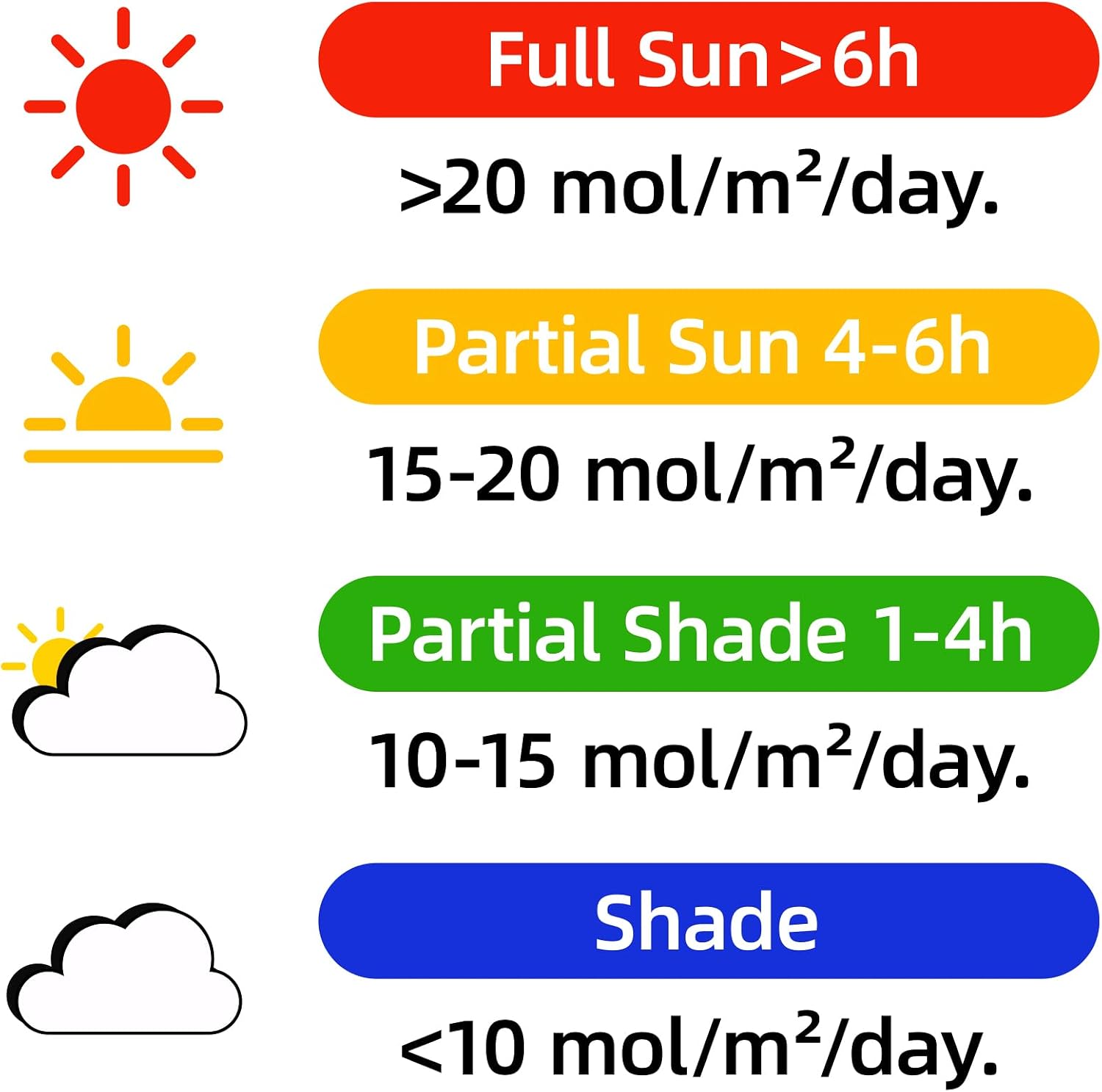
Image: Pressing the button on the VBR-20 DLI Light Meter to activate it for connection.
3. Operating Instructions
3.1 Recording and Viewing Data
Once connected, the VBR-20 DLI Light Meter continuously records DLI data. To view the accumulated data:
- Press the button on the VBR-20 DLI Light Meter.
- Open the 'Vsensor' app on your smartphone.
- The app will display the full-day light (DLI) values, including historical data.
The meter stores up to 180 days of historical DLI data, allowing you to track trends over time.

Image: Three simple steps to track Daily Light Integral (DLI) using the VBR-20 meter and the Vsensor app.
3.2 Data Export
The 'Vsensor' app allows you to export recorded DLI data for further analysis. This feature is useful for growers who wish to conduct detailed studies or maintain long-term records of light exposure.
Within the app, locate the 'Export Data' option to save your historical DLI records.
Video: This video demonstrates the process of viewing DLI data within the Vsensor app and exporting it for analysis.
4. Understanding Daily Light Integral (DLI)
Daily Light Integral (DLI) measures the total amount of photosynthetically active radiation (PAR) received by a surface over the course of a day. It is a crucial metric for plant growth, as different plants have varying DLI requirements.
4.1 Light Level Reference
The following table provides general DLI reference values for different light conditions:
| Light Condition | DLI (mol/m²/d) | Approximate Hours of Light |
|---|---|---|
| Full Sun | >20 mol | >6 hours |
| Partial Sun | 15–20 mol | 4–6 hours |
| Partial Shade | 10–15 mol | 1–4 hours |
| Shade | <10 mol |

Image: Visual reference for DLI values across different light conditions.
5. Maintenance
5.1 Battery Replacement
As mentioned in the setup section, the VBR-20 uses one AAA battery. Replace the battery when the device indicates low power or stops functioning. Ensure to use a fresh AAA alkaline battery for optimal performance and battery life.
5.2 Care and Water Resistance
The VBR-20 DLI Light Meter is designed to withstand rain, making it suitable for outdoor use. However, it is not waterproof and should not be immersed in water. Avoid exposing the device to extreme temperatures or harsh chemicals.

Image: The VBR-20 DLI Light Meter is designed for use in garden environments and can withstand rain.
6. Troubleshooting
- Device not connecting to app:
Ensure Bluetooth is enabled on your smartphone. Press the button on the VBR-20 meter to activate its connection signal. Check if the battery needs replacement. - No DLI data showing in app:
Confirm the device is connected to the app. Ensure the meter has been placed in a location with light exposure for at least a full day to accumulate DLI data. If the issue persists, try replacing the battery. - Inaccurate readings:
Ensure the sensor is clean and unobstructed. Avoid placing the meter in areas with artificial light sources that might interfere with natural light measurements.
7. Specifications
- Model Number: VBR-20
- Measurement Unit: mol/m²/d (DLI)
- Data Storage: Up to 180 days of historical data
- Connectivity: Bluetooth (no internet required)
- Power Source: 1 AAA battery (included)
- Battery Life: Up to 1 year
- Water Resistance: Withstands rain (do not immerse)
- Item Weight: 4.6 ounces
- Package Dimensions: 7.36 x 3.15 x 1.73 inches
8. Warranty and Support
For warranty information, technical support, or any inquiries regarding your VABIRA VBR-20 DLI Light Meter, please contact the manufacturer or the seller directly. Refer to your purchase documentation for specific contact details.