
1. Product Overview
The pxton 777S is a versatile and reliable two-way radio system designed for clear and efficient communication. This manual provides detailed instructions for its proper use and maintenance.
Key Features
- 16 Memory Channels
- 165 Privacy Codes (CTCSS/DCS)
- Voice Operated Exchange (VOX) with 5 sensitivity levels
- Time-Out Timer (TOT)
- Emergency Alarm Function
- Noise Reduction and Automatic Squelch
- Low Battery Alert and Power-Saving Mode
- Scanning and Monitoring Functions
- Integrated LED Flashlight
- Durable 1500mAh Lithium-ion Battery
- FCC Certified (FCC ID: 2AX68GTR8)
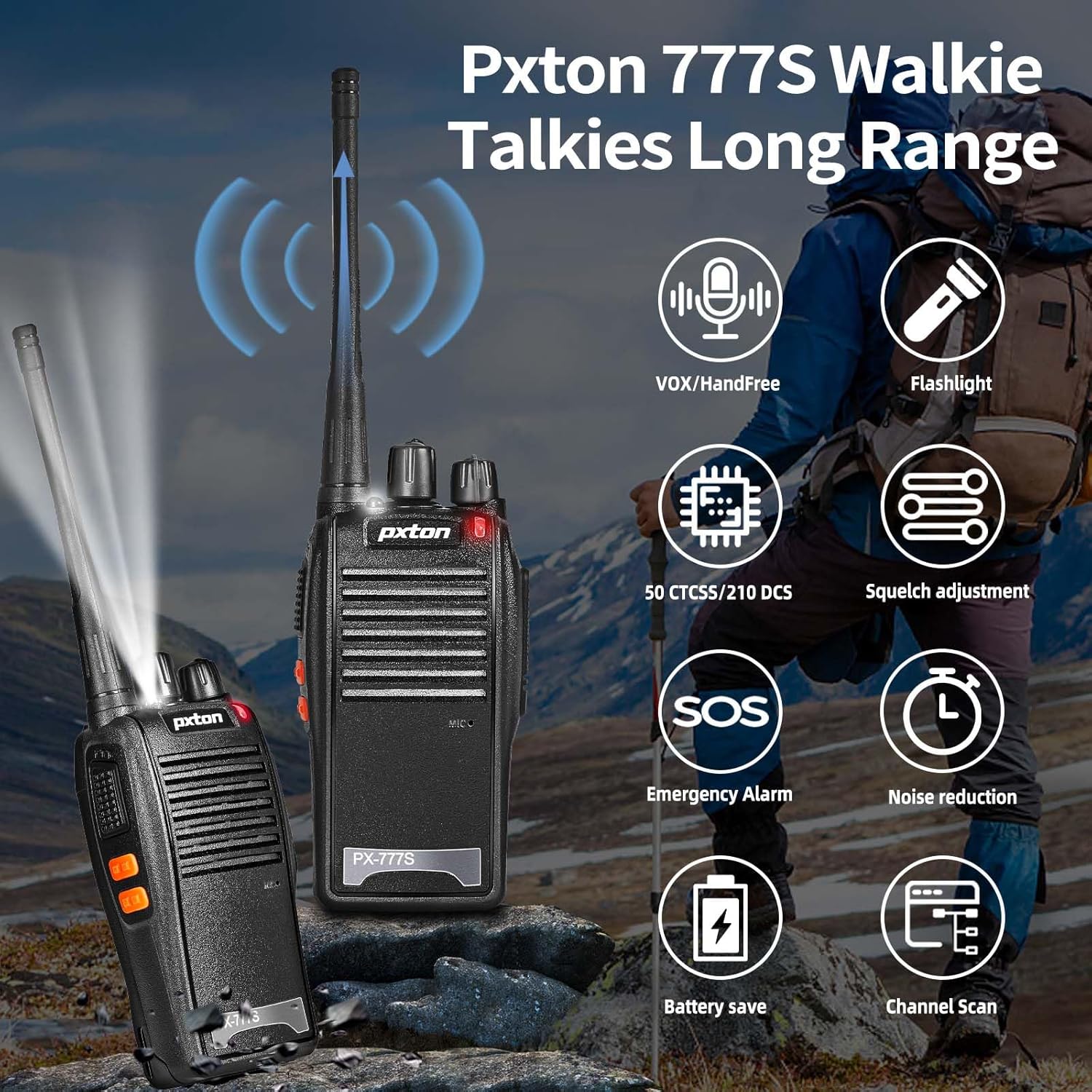
Figure 1.1: Key features of the pxton 777S walkie talkie.
Package Contents
Ensure all items are present upon unboxing:
- 2 x pxton 777S Walkie Talkies
- 2 x Charging Docks
- 2 x 1500mAh Lithium-ion Batteries
- 2 x Belt Clips
- 2 x Earpieces
- 1 x User Manual

Figure 1.2: Contents included in the pxton 777S package.
2. Product Components and Controls
Familiarize yourself with the various parts and controls of your pxton 777S walkie talkie:

Figure 2.1: pxton 777S Walkie Talkie Components.
- Integrated Sensitive Antenna: For transmitting and receiving signals.
- Flashlight: Provides illumination.
- LED Indicator: Shows status (e.g., transmitting, receiving, low battery).
- PTT Button (Push-to-Talk): Press and hold to transmit, release to receive.
- Clear Speaker: For audio output.
- Built-in Microphone: For voice input.
- Power Switch/Volume Control: Rotate to turn the radio on/off and adjust volume.
- Channel Switch: Rotate to select desired communication channel.
- SP/MIC Jacks: For connecting external earpieces or microphones.
- MONI Button: Used for monitoring weak signals or disabling squelch.
- Flashlight Button: Activates the LED flashlight.
3. Setup
3.1 Battery Installation and Charging
- Ensure the walkie talkie is powered off.
- Align the 1500mAh Lithium-ion battery with the battery compartment on the back of the radio.
- Slide the battery into place until it clicks securely.
- Place the walkie talkie into the charging dock. Ensure the charging contacts on the radio align with those on the dock.
- Connect the charging dock to a power outlet using the provided adapter.
- The LED indicator on the radio or charging dock will show charging status (typically red for charging, green for fully charged).
- A full charge typically takes 3-4 hours.
3.2 Attaching Accessories
- Belt Clip: Attach the belt clip to the designated slot on the back of the walkie talkie for convenient carrying.
- Earpiece: Insert the earpiece plug into the SP/MIC jacks on the side of the radio. Ensure it is fully inserted for proper function.
4. Operating Instructions
4.1 Power On/Off and Volume Control
- To power on, rotate the Power Switch/Volume Control knob clockwise until you hear a click.
- Continue rotating the knob clockwise to increase the volume, and counter-clockwise to decrease it.
- To power off, rotate the knob counter-clockwise until you hear a click.
4.2 Channel Selection
- Rotate the Channel Switch knob to select one of the 16 available channels.
- Ensure all radios intended for communication are set to the same channel.
4.3 Transmitting and Receiving
- To transmit, press and hold the PTT (Push-to-Talk) button. Speak clearly into the microphone. The LED indicator will typically glow red.
- Release the PTT button to stop transmitting and return to receive mode. The LED indicator will typically glow green when receiving a signal.
4.4 VOX Function (Voice Operated Exchange)
The VOX function allows hands-free transmission. When enabled, the radio will automatically transmit when it detects your voice.
- The pxton 777S features 5 levels of VOX sensitivity. Higher sensitivity detects softer voices.
- VOX settings are typically programmed using software (programming cable sold separately). Refer to the programming guide for detailed instructions.

Figure 4.1: Illustration of VOX/Hands-free function.
4.5 Flashlight
- Press the Flashlight Button to turn the LED flashlight on or off.

Figure 4.2: Walkie talkie flashlight in use.
4.6 Scanning
- The scanning function allows the radio to automatically scan through channels to find active transmissions.
- Activation of the scan function is typically done via programming or a dedicated button if available (refer to programming guide).
4.7 Emergency Alarm
- The emergency alarm function can be activated to send out an alert signal.
- This feature is usually activated via a programmed button.
4.8 Privacy Codes (CTCSS/DCS)
- The pxton 777S supports 165 privacy codes (50 CTCSS and 115 DCS) to filter out unwanted conversations on the same channel.
- These codes do not guarantee privacy but help reduce interference.
- Privacy codes are set via programming software.
4.9 Communication Range
The effective communication range varies based on terrain and obstacles:
- Unobstructed Areas (e.g., flat terrains, mountain peaks): Up to 3 miles.
- Suburban or Rural Areas: Approximately 1.2 miles.
- Within Cities (with buildings and structures): Approximately 0.6 miles.
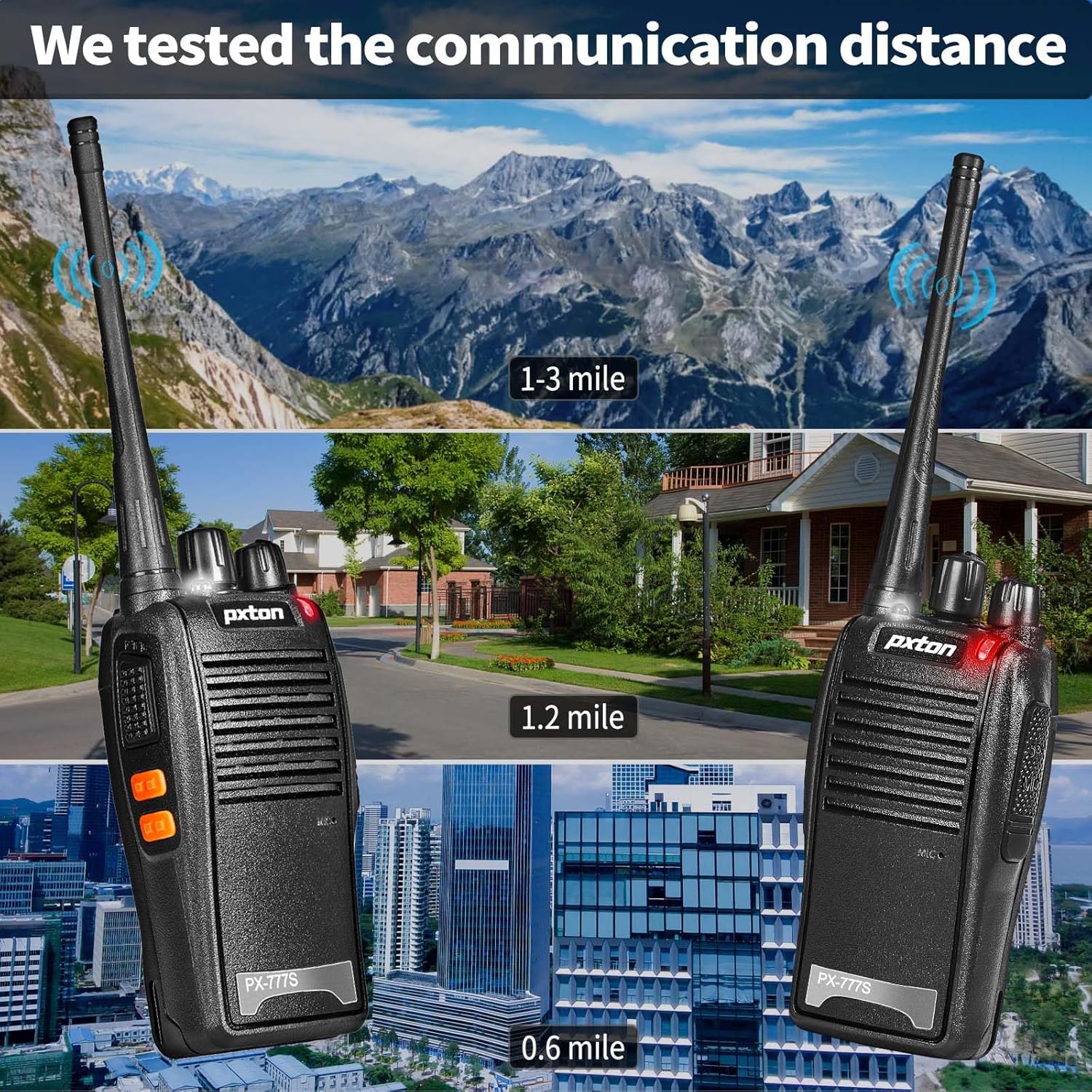
Figure 4.3: Estimated communication range in various environments.
5. Maintenance
5.1 Battery Care
- Fully charge the battery before first use.
- Avoid overcharging or completely draining the battery to prolong its lifespan.
- If the radio will not be used for an extended period, remove the battery and store it in a cool, dry place.
- Dispose of old batteries according to local regulations.
5.2 Cleaning
- Clean the radio's exterior with a soft, damp cloth. Do not use harsh chemicals or abrasive cleaners.
- Ensure the charging contacts are clean and free of debris for efficient charging.
5.3 Storage
- Store the walkie talkie in a dry, cool environment away from direct sunlight and extreme temperatures.
- Keep out of reach of children.
6. Troubleshooting
| Problem | Possible Cause | Solution |
|---|---|---|
| No power | Battery low or not installed correctly. | Charge battery fully. Reinstall battery. |
| Cannot transmit or receive | Incorrect channel, out of range, low battery, PTT button not pressed. | Verify channel. Move closer. Charge battery. Press PTT firmly. |
| Poor audio quality / Static | Out of range, interference, low battery, squelch level too high. | Move closer. Check for obstructions. Charge battery. Adjust squelch (if programmable). |
| Battery not charging | Charger not connected, faulty battery/charger, dirty contacts. | Ensure secure connection. Clean charging contacts. Try another battery/charger if available. |
7. Specifications
General
- Model: PX-777S
- Frequency Range: UHF
- Number of Channels: 16
- Privacy Codes: 50 CTCSS / 115 DCS
- Operating Voltage: 3.7 Volts (DC)
- Dimensions: 9.9 x 2.2 x 6.9 inches (approximate, including antenna)
- Weight: 1.41 pounds (approximate)
- Water Resistance Level: Water Resistant
- Material: PC+ABS durable material

Figure 7.1: Durable construction of the pxton 777S.
Battery
- Type: Lithium-ion
- Capacity: 1500mAh
- Standby Time: Up to 120 hours (5-7 days)
- Continuous Usage Time: Up to 12 hours (8-12 hours)
- Full Charge Time: 3-4 hours

Figure 7.2: Battery specifications and usage estimates.
8. Warranty and Support Information
Warranty
pxton offers a 30-day unconditional return policy and lifelong after-sales service for the PX-777S walkie talkies. This warranty covers manufacturing defects and ensures product reliability.
Customer Support
If you encounter any issues or have questions regarding your pxton 777S walkie talkies, please contact pxton customer support. We are committed to helping you resolve any problems.
For support, refer to the contact information provided with your purchase or visit the official pxton website.


