
Introduction
Thank you for choosing the Mast Fold2 Pro Wireless Tattoo Pen Machine. This professional-grade rotary tattoo pen is designed for precision and versatility, offering a powerful Mcore motor, adjustable stroke length, and a long-lasting 2000mAh battery for cordless operation. This manual provides essential information for the safe and effective use of your device.
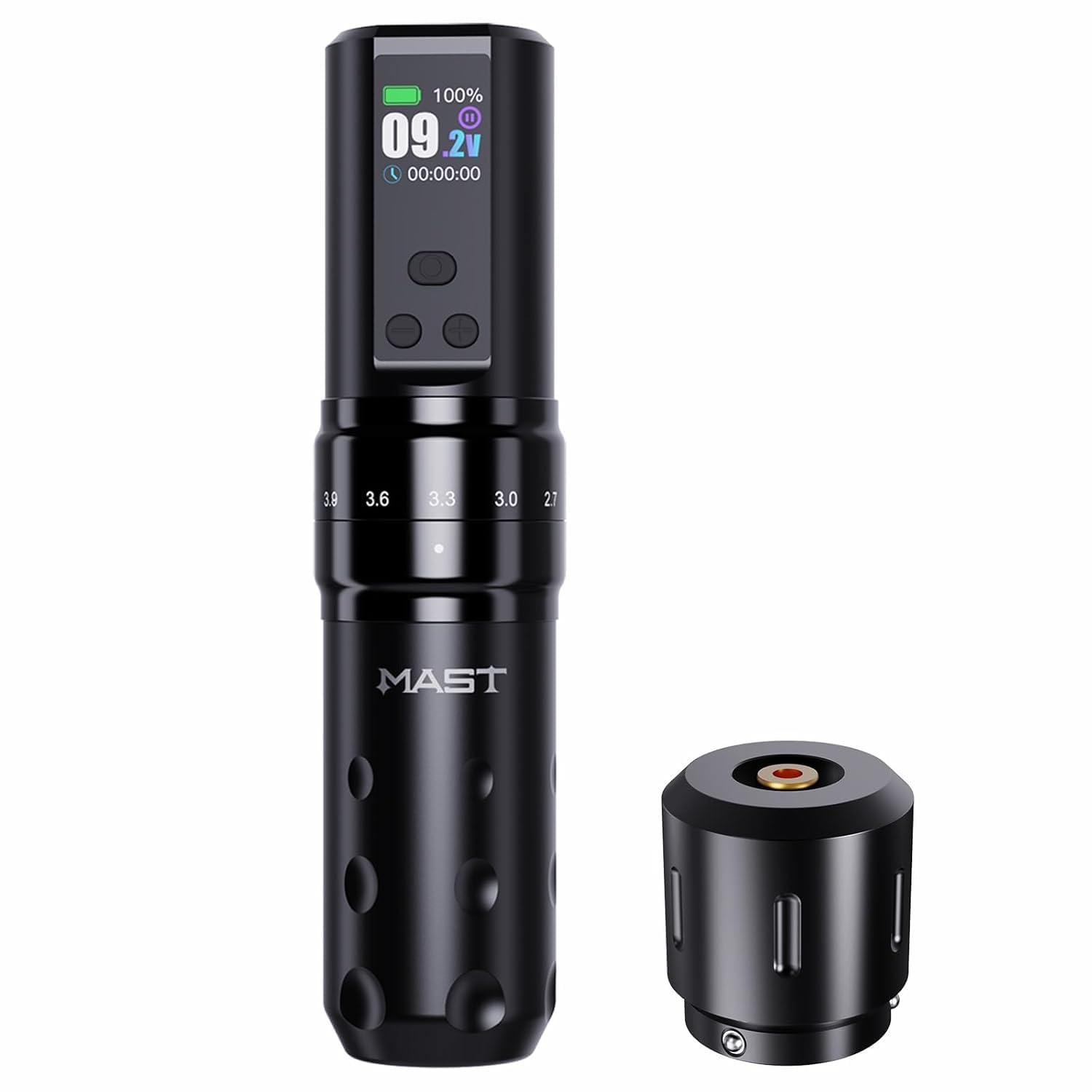
Figure 1: Mast Fold2 Pro Wireless Tattoo Pen Machine overview.
Safety Information
This device is intended for professional use only by trained and certified tattoo artists. Improper use can lead to injury or infection. Always adhere to the following safety guidelines:
- Sterilization: Ensure all equipment, including needles and grips, is properly sterilized before each use.
- Hygiene: Maintain a clean and sterile working environment. Wear appropriate personal protective equipment (PPE), such as gloves.
- Needle Disposal: Dispose of used needles in a designated sharps container immediately after use.
- Power Source: Use only the provided charging cable and a compatible power adapter.
- Liquid Exposure: Avoid exposing the machine to excessive liquids. The device is not waterproof.
- Maintenance: Perform regular cleaning and maintenance as described in this manual.
Setup
- Unpack: Carefully remove all components from the packaging. Inspect the machine for any signs of damage.
- Assemble: Attach the battery pack to the main body of the tattoo pen by twisting it securely.
- Charge Battery: Connect the Type-C charging cable to the charging port on the battery pack. A full charge typically takes 1.5 to 2 hours, providing 5-7 hours of working time. The OLED screen will display the charging status.
- Insert Needle Cartridge: Insert a sterile needle cartridge into the machine's front end. Twist gently to secure it in place.
- Adjust Needle Depth: Rotate the grip of the machine to adjust the needle depth. This allows for precise control over needle protrusion.

Figure 2: Assembling the tattoo pen by attaching the battery pack.

Figure 3: Charging the device via Type-C port and battery life display.

Figure 4: Rotating the grip to adjust needle length for precise operation.
Operating Instructions
The Mast Fold2 Pro features an intuitive operating system with an OLED display for easy control.

Figure 5: The OLED display shows battery, voltage, and timing. Buttons control power and voltage.
- Power On/Off: Press and hold the power button for a few seconds to turn the machine on or off.
- Adjust Voltage: Use the '+' and '-' buttons to adjust the operating voltage. The voltage range is typically 4V to 12V, displayed on the OLED screen. Adjust in 0.1V increments.
- Adjust Stroke Length: The Mast Fold2 Pro offers 7 adjustable stroke lengths: 2.4mm, 2.7mm, 3.0mm, 3.3mm, 3.6mm, 3.9mm, and 4.2mm. Rotate the adjustment knob on the machine body to select your desired stroke length.
- Stroke Length Application:
- 2.4mm / 2.7mm / 3.0mm: Ideal for fine line outlining and precise linework. Provides short needle exposure and fast rebound for clean, stable lines with sharp contours.
- 3.3mm / 3.6mm: Suitable for black and grey shading and smooth color packing. Offers moderate needle exposure and even saturation for natural transitions from light to dark.
- 3.9mm / 4.2mm: Best for large solid fills and powerful black packing. Provides long needle exposure and deep ink delivery for efficient coverage and heavy black areas.

Figure 7: Using shorter stroke settings for detailed outlining.

Figure 8: Applying medium stroke settings for smooth shading.

Figure 9: Utilizing longer stroke settings for efficient solid color packing.

Figure 6: The adjustable length dial allows selection of 7 stroke sizes from 2.4mm to 4.2mm.
Maintenance
- Cleaning: After each use, wipe down the machine's exterior with a disinfectant wipe. Do not immerse the machine in liquid or allow liquids to enter the internal components.
- Lubrication: The internal motor is designed for long-term performance and typically does not require user lubrication. Refer to manufacturer guidelines if specific lubrication is ever needed.
- Battery Care: To prolong battery life, avoid fully discharging the battery frequently. Store the machine in a cool, dry place when not in use.
- Storage: Store the tattoo pen in its original packaging or a protective case to prevent damage.
Troubleshooting
| Problem | Possible Cause | Solution |
|---|---|---|
| Machine does not turn on | Low battery; loose battery connection | Charge the battery fully; ensure battery pack is securely twisted onto the machine body. |
| Inconsistent power or performance | Low battery; faulty needle cartridge; motor issue | Charge the battery; replace the needle cartridge; contact support if the issue persists. |
| Machine vibrates excessively or makes unusual noise | Loose components; motor issue | Check for any loose parts; if the issue continues, discontinue use and contact support. |
Specifications
| Feature | Detail |
|---|---|
| Model Number | WQP-075-10 |
| Brand | MAST TATTOO |
| Dimensions (Pen) | 32mm diameter x 140mm length |
| Weight | 233 Grams |
| Motor | Mcore-C1, 8V 6500RPM |
| Stroke Lengths | 2.4mm, 2.7mm, 3.0mm, 3.3mm, 3.6mm, 3.9mm, 4.2mm (7 options) |
| Battery Capacity | 2000mAh |
| Working Time | 5-7 hours (at 8V output) |
| Charging Time | 1.5-2 hours |
| Charging Port | Type-C |
| Operating Voltage | 4-12V |
| Water Resistance | Not waterproof |

Figure 10: Visual representation of the machine's dimensions and key parameters.

Figure 11: Illustration of the powerful, stable, and durable Mcore-C1 motor.

Figure 12: Overview of battery capacity, needle adjustment range, and 7 adjustable strokes.
Warranty and Support
MAST TATTOO products are manufactured to high standards. For warranty information, please refer to the documentation included with your purchase or visit the official MAST TATTOO website. For technical support, troubleshooting assistance, or service inquiries, please contact your authorized dealer or MAST TATTOO customer service directly.


