
Introduction
This manual provides detailed instructions for the proper use and maintenance of your Swiss Military HPH13 Wireless Bluetooth Earbuds. Please read this manual thoroughly before using the product to ensure optimal performance and longevity.
The Swiss Military HPH13 earbuds feature a sleek design with an LED display, offering both style and functionality. They can be used individually or as a pair, providing flexibility for calls or stereo audio. They provide excellent stereo sound quality and offer easy connectivity with Bluetooth-enabled devices.

Image: Swiss Military HPH13 Wireless Bluetooth Earbuds and their charging case, showcasing the digital display.
What's in the Box
Upon unpacking, please ensure all the following items are present:
- Swiss Military HPH13 Wireless Bluetooth Earbuds
- Charging Case
- Charging Cable
- Ear Cushions (various sizes)
- User Manual (this document)
- Warranty Card
Setup
1. Charging the Earbuds and Case
Before first use, fully charge the earbuds and the charging case.
- Place the earbuds into the charging case. Ensure they are correctly seated in their respective slots (L for left, R for right).
- Connect the provided charging cable to the charging port on the case and the other end to a USB power source (e.g., wall adapter, computer USB port).
- The LED display on the charging case will indicate the charging status. A full charge typically takes approximately 2 hours.
- Once fully charged, disconnect the charging cable.
Note: The charging case has a battery capacity of 300mAh, and each earbud has a 38mAh battery. The digital display shows the battery percentage of the case and individual earbuds.
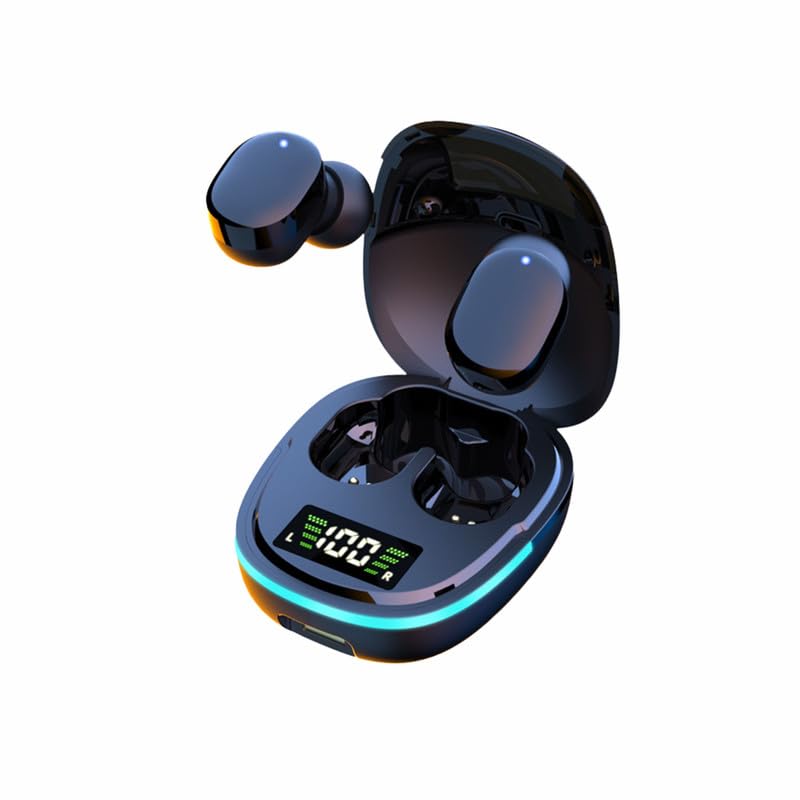
Image: Earbuds placed inside the charging case, showing the digital battery display.
2. Bluetooth Pairing
Follow these steps to pair your earbuds with a Bluetooth-enabled device:
- Ensure the earbuds are charged and removed from the charging case. They will automatically enter pairing mode.
- On your device (smartphone, tablet, etc.), go to the Bluetooth settings and enable Bluetooth.
- Search for available devices. You should see "HPH13" or a similar name appear in the list.
- Select "HPH13" to connect. Once connected, a voice prompt will confirm successful pairing.
- The earbuds will automatically reconnect to the last paired device when taken out of the case and within range (up to 10 meters).
Tip: If you experience difficulty pairing, ensure the earbuds are fully charged and not connected to another device. Try turning off and on your device's Bluetooth, or restarting the earbuds by placing them back in the case and taking them out again.
Operating Instructions
Touch Controls
The Swiss Military HPH13 earbuds feature intuitive touch controls for various functions:
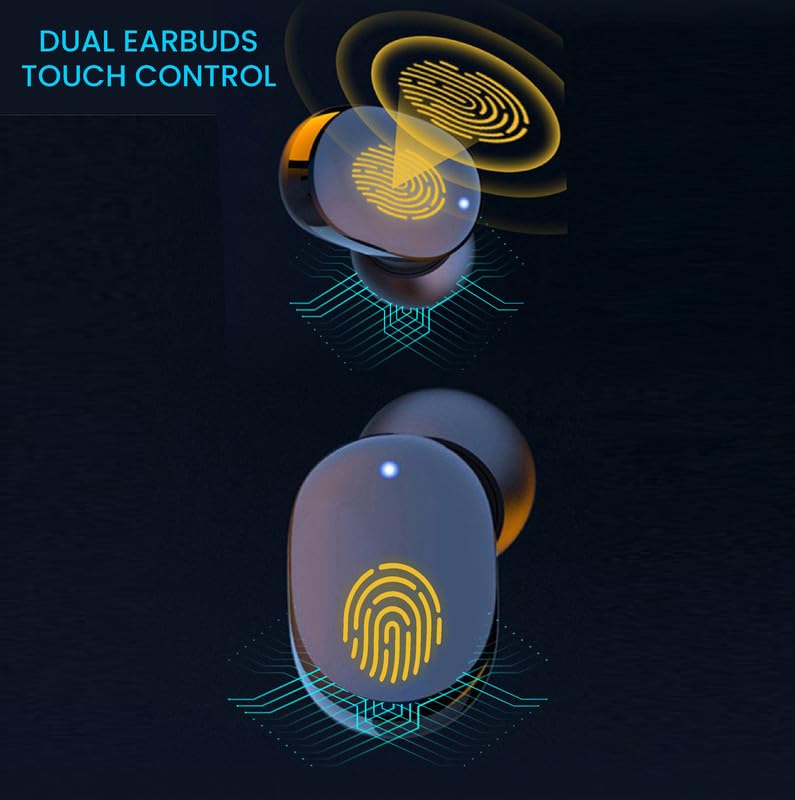
Image: Diagram showing the touch-sensitive area on the earbuds for control.
- Play/Pause: Single tap on either earbud.
- Next Track: Double tap on the right earbud.
- Previous Track: Double tap on the left earbud.
- Answer/End Call: Single tap on either earbud during an incoming call.
- Reject Call: Press and hold either earbud for 2 seconds during an incoming call.
- Activate Voice Assistant: Triple tap on either earbud (e.g., Siri, Google Assistant).
- Volume Control: Specific touch gestures for volume control may vary or require device interaction. Refer to your device's settings if direct earbud volume control is not immediately apparent.
Note: The earbuds also feature noise control. Specific activation methods for noise control may be integrated with the touch functions or automatically managed by the earbuds.
Individual or Twin Usage
The HPH13 earbuds offer flexibility for use:
- Single Earbud Mode: You can use either the left or right earbud independently for calls or mono audio. Simply take one earbud out of the case, and it will connect to your device.
- Twin Earbud Mode: For stereo audio and an immersive listening experience, use both earbuds together. Take both earbuds out of the case, and they will automatically connect to each other and then to your paired device.
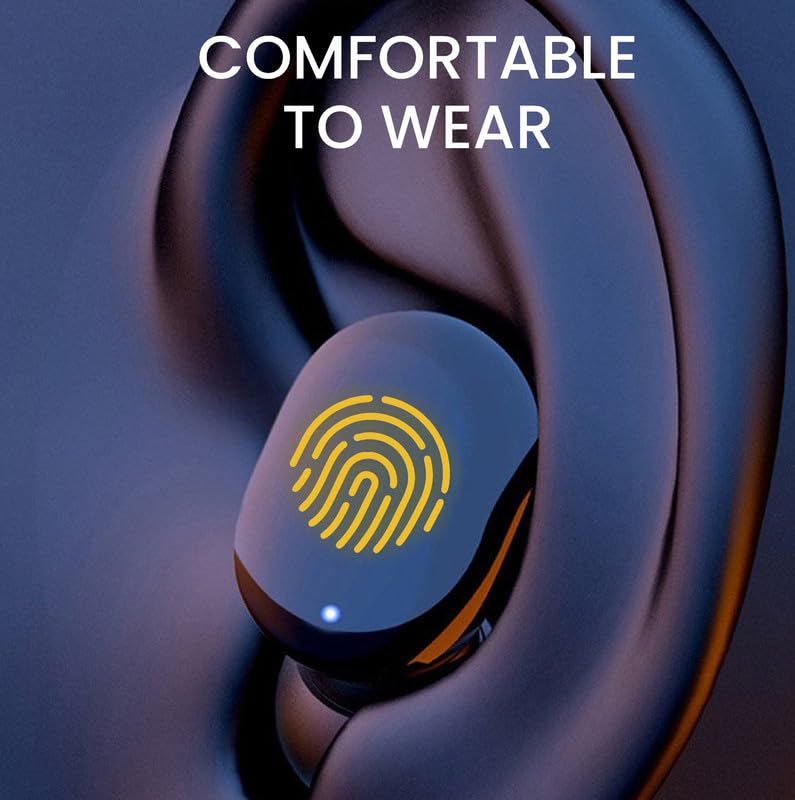
Image: An earbud shown comfortably fitted in an ear, highlighting its ergonomic design.
Maintenance
Proper maintenance ensures the longevity and optimal performance of your earbuds:
- Cleaning: Regularly clean the earbuds and charging case with a soft, dry, lint-free cloth. Do not use abrasive cleaners, solvents, or aerosol sprays.
- Ear Cushions: Remove and clean the ear cushions periodically. Ensure they are completely dry before reattaching them to the earbuds.
- Charging Port: Keep the charging port free from dust and debris.
- Storage: When not in use, store the earbuds in their charging case to protect them and keep them charged. Store in a cool, dry place away from extreme temperatures.
- Water Resistance: These earbuds are not water resistant. Avoid exposure to water, rain, or excessive moisture. They are sweatproof, meaning they can withstand light perspiration during exercise, but are not designed for submersion.
Troubleshooting
If you encounter issues with your Swiss Military HPH13 earbuds, refer to the following common solutions:
| Problem | Possible Solution |
|---|---|
| Earbuds not pairing/connecting. |
|
| Only one earbud is working. |
|
| Poor sound quality or intermittent connection. |
|
| Earbuds not charging. |
|
Specifications
Key technical specifications for the Swiss Military HPH13 Wireless Bluetooth Earbuds:
| Feature | Detail |
|---|---|
| Model Name | Wireless Bluetooth Earbuds |
| Model Number | HPH13 |
| Connectivity Technology | Wireless (Bluetooth) |
| Bluetooth Version | 5.1 |
| Connectivity Range | Up to 10 meters |
| Control Method | Touch |
| Control Type | Noise Control |
| Charging Time | Approximately 2 hours |
| Play Time (per charge) | Approximately 2 hours 30 minutes |
| Standby Time | Up to 72 hours |
| Earphone Battery | 3.7V, 38mAh (per earbud) |
| Charging Case Battery | 3.7V, 300mAh |
| Material | Acrylonitrile Butadiene Styrene (ABS) |
| Special Features | Sweatproof, Digital Display |
| Water Resistance Level | Not Water Resistant |
| Microphone Format | Built-In |
| Item Weight | 70 g |
| Country of Origin | China |
Warranty and Support
Your Swiss Military HPH13 Wireless Bluetooth Earbuds come with a Warranty Card included in the package. Please refer to the Warranty Card for detailed information regarding warranty coverage, terms, and conditions.
For technical support or service inquiries, please contact Swiss Military customer service through the contact information provided on your Warranty Card or the official Swiss Military website.


