
1. Introduction
This manual provides essential information for the installation, operation, and maintenance of the Generic 20N704P200 Electric Fan, designed as a replacement vacuum generator for compatible RoboRock robotic vacuum cleaner models. Please read this manual thoroughly before attempting any installation or maintenance.
2. Product Overview
The 20N704P200 Electric Fan is a critical component responsible for generating the vacuum suction in your robotic cleaner. It is engineered to provide a maximum vacuum of 2kPa, ensuring efficient dust and debris collection. This fan is compatible with various RoboRock models, including S50, S51, S55, S6, S61, S65, S5 Max, S6 Pure, S65 Pure, E45, and S45 Max.
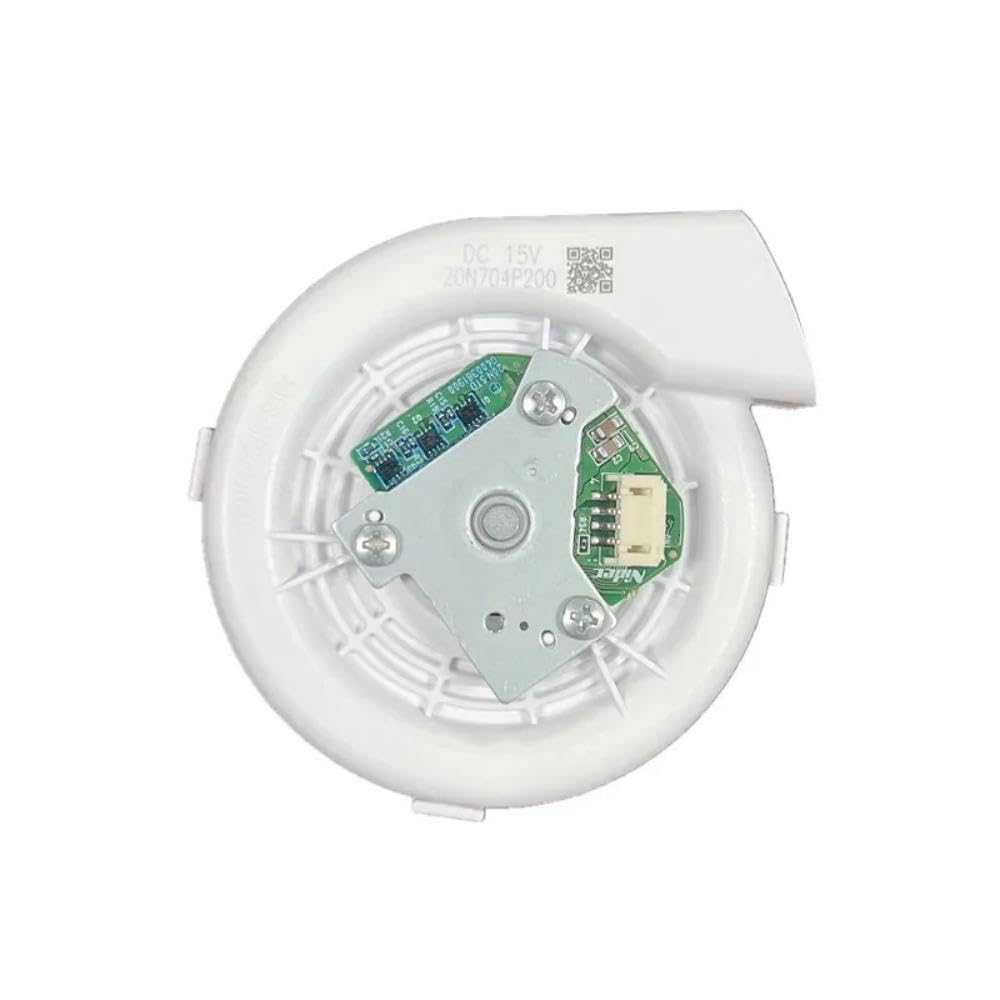
Image 2.1: Front view of the electric fan. This image shows the fan's intake grille and its overall compact, white casing.
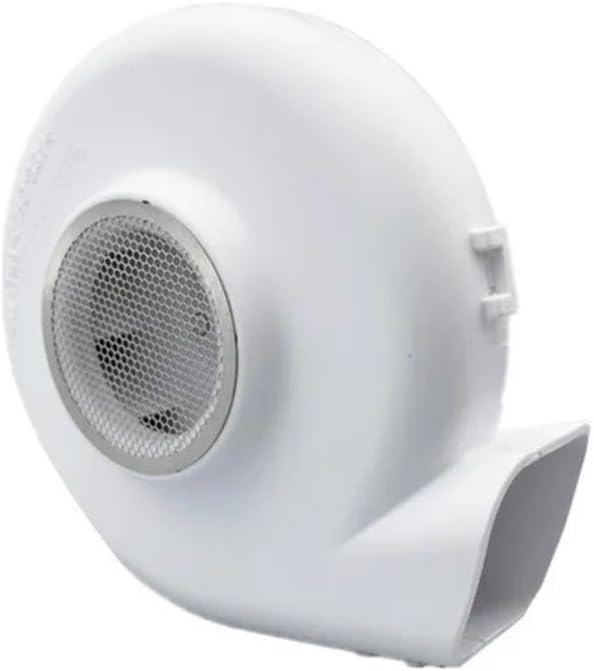
Image 2.2: Side view of the electric fan. This perspective highlights the fan's exhaust port, which directs the airflow.
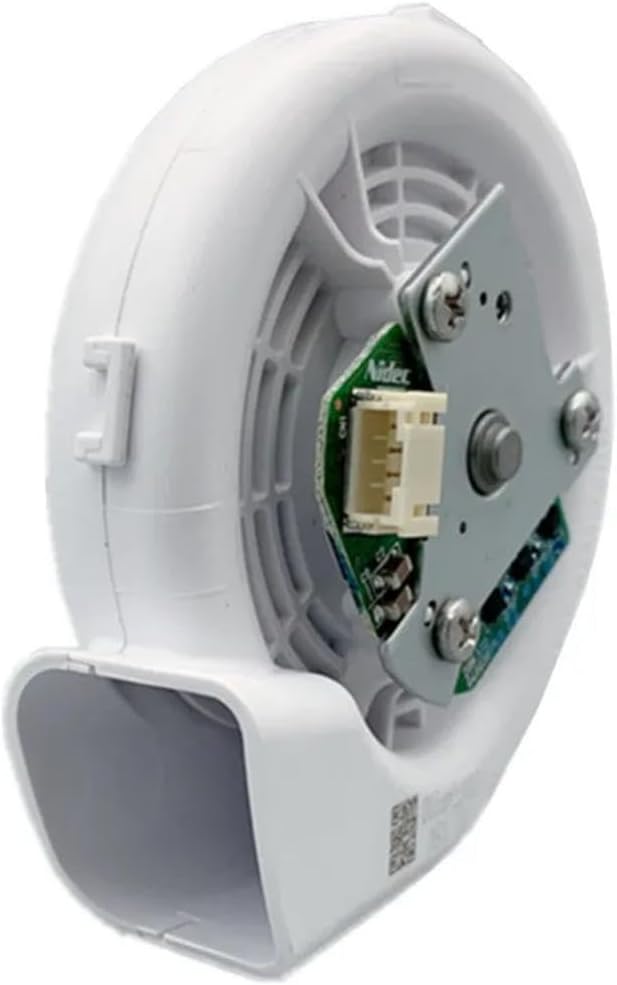
Image 2.3: Rear view of the electric fan. This image displays the motor assembly and the integrated circuit board with its connector, indicating the electrical interface.

Image 2.4: Top-down view of the electric fan's internal components. This view provides a clearer look at the motor, circuit board, and the fan's internal structure, including the DC 15V and 20N704P200 markings.
3. Setup and Installation
Important: Installation of this component requires disassembling your robotic vacuum cleaner. It is recommended that this procedure be performed by individuals with technical expertise or by following specific repair guides for your particular RoboRock model. Incorrect installation can damage your device or void its warranty.
- Safety First: Ensure the robotic vacuum is powered off and disconnected from its charging base before beginning any work. Remove the battery if possible.
- Access the Fan Compartment: Carefully follow your specific RoboRock model's service manual or online guides to locate and access the internal fan compartment. This typically involves removing the top cover, dustbin, and potentially other internal modules.
- Disconnect Old Fan: Gently disconnect the wiring harness from the old fan. Note the orientation and connection points.
- Remove Old Fan: Unscrew or unclip the old fan from its housing.
- Install New Fan: Place the new 20N704P200 fan into the housing, ensuring it fits securely and is oriented correctly.
- Connect New Fan: Reconnect the wiring harness to the new fan. Ensure the connection is firm and correct.
- Reassemble: Carefully reassemble your robotic vacuum cleaner, ensuring all screws, clips, and covers are properly secured.
- Test: After reassembly, place the robot on its charging base and power it on. Initiate a cleaning cycle to verify proper fan operation and vacuum suction.
4. Operating Instructions
Once correctly installed, the electric fan operates automatically as an integral part of your RoboRock robotic vacuum cleaner. Its function is to generate the necessary suction for cleaning. No direct user interaction with the fan itself is required after installation. The fan will activate and deactivate as dictated by the robot's cleaning programs and modes.
5. Maintenance
To ensure optimal performance and longevity of the electric fan and your robotic vacuum:
- Regular Cleaning: Periodically clean the dustbin and filters of your robotic vacuum. Clogged filters can restrict airflow, causing the fan to work harder and potentially reducing its lifespan.
- Inspect for Debris: If you notice a decrease in suction or unusual noises, inspect the fan's intake and exhaust ports for any lodged debris (e.g., hair, dust bunnies). Always power off and disconnect the robot before inspection.
- Avoid Liquids: Ensure no liquids come into contact with the fan or its electrical components.
6. Troubleshooting
If you experience issues after installing the new fan, consider the following:
- No Suction / Weak Suction:
- Verify the fan's electrical connection is secure.
- Check for blockages in the robot's air ducts, dustbin, or filters.
- Ensure the fan is seated correctly in its housing.
- Unusual Noises:
- Power off the robot and inspect the fan for any foreign objects (e.g., hair, small debris) that might be caught in the impeller.
- Ensure the fan is securely mounted and not vibrating against other components.
- Fan Not Spinning:
- Recheck the electrical connection to the fan.
- Confirm the robot's battery is charged and the robot is powered on.
- If all connections are correct and the robot is powered, the fan itself may be faulty, or there might be an issue with the robot's mainboard.
For persistent issues, consult a professional repair service or the manufacturer of your robotic vacuum.
7. Specifications
| Feature | Detail |
|---|---|
| Brand | Generic |
| Model Name | Electric Fan for Cleaning Robots |
| Part Number | 20N704P200 |
| Maximum Vacuum | 2kPa |
| Power Source | Battery Powered (via robot) |
| Compatible RoboRock Models | S50, S51, S55, S6, S61, S65, S5 Max, S6 Pure, S65 Pure, E45, S45 Max |
| Color | Fan Engine (White) |
8. Warranty and Support
For warranty information regarding this replacement electric fan, please refer to the purchase documentation or contact the seller directly. As this is a generic replacement part, warranty terms may vary. For technical support related to the installation or function of this component, it is recommended to consult the seller or a qualified technician.