
Znoogrn BN59
Universal Replacement Remote Control User Manual
Model: BN59 | Brand: Znoogrn
Introduction
This manual provides comprehensive instructions for the Znoogrn Universal Replacement Remote Control for Samsung Smart TVs. This remote is designed to be compatible with a wide range of Samsung LCD, LED, UHD, and QLED TVs, offering a seamless replacement experience.
For optimal performance, please read this manual thoroughly before use.
Key Features
- Wide Compatibility: Suitable for Samsung BN59 series smart TV models, compatible with Samsung smart-TV LCD, LED, UHD, QLED 4K HDR TVs.
- Enhanced Transmission: Offers a greater transmitting distance (up to 30 FT) and more stable performance.
- No Pairing Required: Ready to use immediately after battery installation, no programming needed.
- Shortcut Buttons: Features dedicated shortcut buttons for popular streaming services like Netflix, Prime Video, and Rakuten TV.
- Durable Design: Equipped with a protective case for added durability.
Setup Guide
The Znoogrn Universal Replacement Remote Control is designed for immediate use without complex programming. Simply install the batteries to begin.
Battery Installation
The remote requires two (2) AAA 1.5V batteries (not included).
- Locate the battery compartment cover on the back of the remote control.
- Slide the cover downwards to open the compartment.
- Insert two AAA batteries, ensuring the positive (+) and negative (-) terminals align correctly with the markings inside the compartment.
- Slide the battery compartment cover back into place until it clicks securely.

Figure 1: Battery compartment and correct battery orientation.

Figure 2: Step-by-step battery installation process.
Once batteries are installed, the remote control is ready for use with your compatible Samsung Smart TV.
Operating Instructions
The Znoogrn Universal Remote Control provides intuitive control over your Samsung Smart TV. Below are the primary functions:
Basic Functions
- Power Button (⏻): Turns the TV on or off.
- Volume Control (VOL): Press up to increase volume, down to decrease.
- Channel Control (CH): Press up to go to the next channel, down to go to the previous channel.
- Directional Pad (Navigation Ring): Use to navigate menus and select options.
- Enter/OK Button (Center of Nav Pad): Confirms selections.
- Back Button (↩): Returns to the previous screen or menu.
- Home Button (⌂): Accesses the Smart Hub or main menu of your TV, where you can find all installed applications.
- Play/Pause Button (⏯): Controls media playback.
- Settings Button (☰): Opens the TV's settings menu.
- Number Pad Button (123): Displays a virtual number pad on screen for direct channel input.
Shortcut Buttons
The remote features dedicated shortcut buttons for Netflix, Prime Video, and Rakuten TV. While these buttons are present, their direct functionality may vary depending on your specific Samsung TV model and its firmware. If direct access does not occur, you can still access these applications via the TV's Smart Hub by pressing the Home Button and navigating to the desired app.

Figure 3: Dedicated shortcut buttons for streaming services.

Figure 4: Overview of the remote control layout.
Video 1: Demonstration of the Znoogrn Universal Replacement Remote Control for Samsung Smart TV, showcasing its design and basic functionality.
Maintenance and Care
To ensure the longevity and optimal performance of your remote control, follow these simple maintenance guidelines:
- Cleaning: Wipe the remote control regularly with a soft, dry cloth. For stubborn dirt, slightly dampen the cloth with water or a mild, non-abrasive cleaner. Avoid using harsh chemicals or abrasive materials.
- Battery Replacement: Replace batteries when the remote's response becomes sluggish or it stops functioning. Always replace both batteries at the same time with new ones of the same type (AAA 1.5V).
- Storage: Store the remote in a cool, dry place away from direct sunlight, extreme temperatures, and high humidity.
- Protective Case: The remote comes with a protective silicone case. Keep the remote in this case to protect it from accidental drops, scratches, and spills.

Figure 5: Remote control with its included protective case.
Troubleshooting
If you encounter issues with your Znoogrn Universal Replacement Remote Control, please refer to the following common solutions:
| Problem | Possible Cause | Solution |
|---|---|---|
| Remote not responding. | Dead or incorrectly inserted batteries. Obstruction between remote and TV. Remote out of range. | Replace batteries with new AAA 1.5V batteries, ensuring correct polarity. Remove any objects blocking the line of sight to the TV's IR receiver. Move closer to the TV (within 30 feet). |
| Shortcut buttons (Netflix, Prime Video, Rakuten TV) do not work. | Compatibility variations with specific TV models or firmware. | While the remote is universal, direct shortcut functionality can vary. Access these applications by pressing the Home Button on the remote and navigating to the desired app within your TV's Smart Hub. |
| Delayed response from remote. | Low battery power. Interference. | Replace batteries. Ensure no strong light sources or other electronic devices are causing interference. |
Specifications
| Attribute | Detail |
|---|---|
| Brand | Znoogrn |
| Model Number | BN59 |
| Compatible Devices | Samsung Televisions (LCD, LED, UHD, QLED, 4K HDR TVs) |
| Max Number of Supported Devices | 1 |
| Color | Black |
| Special Feature | Ergonomic, Lightweight |
| Item Weight | 2.39 ounces |
| Package Dimensions | 7.87 x 3.31 x 1.46 inches |
| Country of Origin | China |

Figure 6: The remote features a built-in upgraded chip for enhanced signal transmission up to 30 feet.
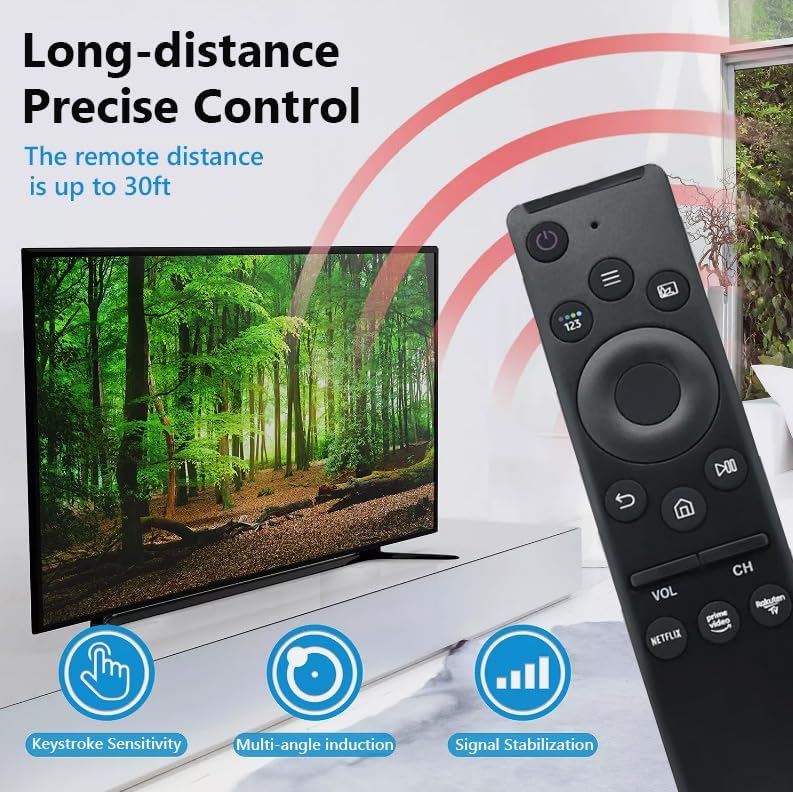
Figure 7: Long-distance precise control features of the remote.

Figure 8: Broad compatibility with Samsung Smart TV models.
Warranty and Support
Znoogrn offers a return and refund service within 30 days of purchase for this remote control. If you have any questions, concerns, or require assistance with your product, please do not hesitate to contact Znoogrn customer support. Refer to your purchase documentation for specific contact details.
Related documentsBN59


Ask a question about this manual
Ask about setup, troubleshooting, compatibility, parts, safety, or missing instructions. Manuals+ will review the question and use this page’s manual context to help answer it.