
1. Introduction
This manual provides instructions for replacing the power switch on compatible Rowenta Easy Steam irons. This is an original Rowenta replacement part designed to restore the power functionality of your appliance.
2. Compatibility
This power switch is compatible with the following Rowenta Easy Steam iron models:
- VR7261
- VR7262
- VR7261F0/D10
- VR7262F0/D10
To verify your iron's model number, please check the identification plate, typically located on the underside of the appliance. If your model is not listed, please contact Rowenta customer support for assistance.
3. Safety Information
WARNING: Always unplug the iron from the power outlet before attempting any repair or maintenance. Failure to do so can result in electric shock or serious injury.
- Ensure the iron is completely cool before handling.
- If you are not comfortable performing electrical repairs, it is recommended to seek assistance from a qualified technician.
- Use appropriate tools and follow all safety precautions.
4. Installation Guide
Follow these steps carefully to replace the power switch:
4.1. Preparation
- Unplug the Rowenta Easy Steam iron from the electrical outlet.
- Allow the iron to cool down completely.
- Gather necessary tools, which may include a screwdriver (Phillips or flathead, depending on your iron's casing) and possibly needle-nose pliers.
4.2. Accessing the Old Switch
Carefully disassemble the iron's casing to gain access to the existing power switch. This usually involves removing screws from the handle or base. Refer to your specific iron model's user manual for detailed disassembly instructions if available.
4.3. Disconnecting the Old Switch
Before disconnecting, observe or take a photo of the wiring connections to the old switch. This will help ensure correct re-connection. Carefully disconnect the wires from the terminals of the old switch. Note the orientation of the switch within its housing.

Figure 1: Front view of the replacement power switch, showing the '0' (off) and '1' (on) markings and the red indicator light.
4.4. Installing the New Switch
Insert the new Rowenta power switch into the designated slot in the iron's casing, ensuring it is oriented correctly. The '0' and '1' markings should align with the iron's design.
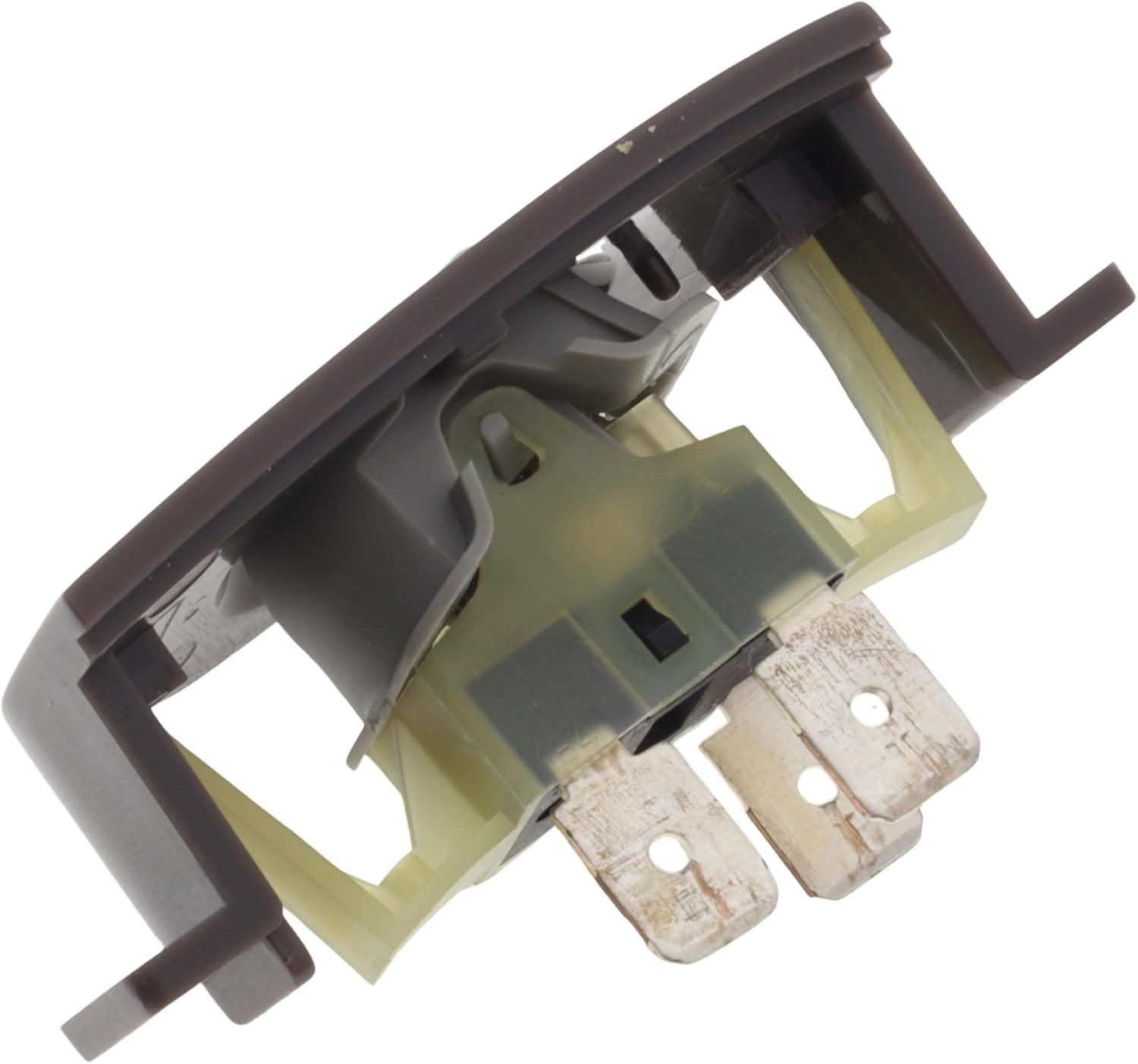
Figure 2: Underside view of the power switch, highlighting the electrical terminals where wires connect and the mounting clips.
Reconnect the wires to the terminals of the new switch, matching the connections you observed or photographed from the old switch. Ensure all connections are secure.

Figure 3: Angled view of the power switch, providing a clearer look at the internal components and connection points for wiring.
4.5. Reassembly and Testing
- Carefully reassemble the iron's casing, ensuring all screws are tightened and no wires are pinched.
- Once fully reassembled, plug the iron back into a power outlet.
- Test the new power switch by pressing it to the 'on' position. The iron should power on as expected.
5. Troubleshooting
If the iron does not power on after replacing the switch:
- Check Power Connection: Ensure the iron is securely plugged into a working electrical outlet.
- Verify Wiring: Double-check that all wires are correctly and securely connected to the switch terminals. Refer to your initial observation or photo.
- Switch Orientation: Confirm the switch is installed in the correct orientation.
- Other Issues: If the problem persists, there may be another issue with the iron's internal components, such as the power cord or heating element. In this case, professional repair is recommended.
6. Specifications
| Feature | Detail |
|---|---|
| Product Type | Replacement Power Switch |
| Brand | Rowenta |
| Compatible Models | VR7261, VR7262, VR7261F0/D10, VR7262F0/D10 |
| Dimensions (Package) | 4.5 x 3 x 3 cm |
| Weight (Product) | 10 g |
7. Warranty and Support
This is an original Rowenta replacement part. For information regarding warranty coverage or further technical support, please refer to the documentation provided with your Rowenta Easy Steam iron or visit the official Rowenta website. You can also contact Rowenta customer service directly for assistance.
For more information, visit the Rowenta Store on Amazon.