
1. Introduction
This manual provides detailed instructions for the setup, operation, and maintenance of your OCTANDRA Spark VeryFit Smart Watch IDW17. Please read this manual thoroughly before using the device to ensure proper function and to maximize your user experience.

Image: The OCTANDRA Spark VeryFit Smart Watch IDW17, showcasing its sleek design and digital display.
2. Package Contents
Upon opening your OCTANDRA Spark VeryFit Smart Watch IDW17 package, you should find the following items:
- Smartwatch
- Quick Start Guide
- Magnetic Charging Cable
3. Setup Guide
3.1 Initial Charging
Before first use, fully charge your smartwatch. Connect the magnetic charging cable to the charging points on the back of the watch and plug the USB end into a power adapter (not included) or a computer USB port. A full charge typically takes approximately 2.5 hours.
3.2 App Installation
The OCTANDRA Spark VeryFit Smart Watch IDW17 operates in conjunction with the "VeryFit" application. Download the "VeryFit" app from the Google Play Store (for Android devices) or the Apple App Store (for iOS devices). The app is compatible with Android 6.0 or above and iOS 9.0 or above.
3.3 Device Pairing
- Ensure your smartphone's Bluetooth is enabled.
- Open the "VeryFit" app on your smartphone.
- Follow the in-app instructions to search for and pair with your OCTANDRA Spark VeryFit Smart Watch IDW17.
- Confirm the pairing request on both your watch and smartphone.
4. Operating Instructions
4.1 Display and Navigation
The smartwatch features a 2.01-inch HD full-touch color screen. Navigate through menus and functions by swiping left, right, up, or down, and tapping to select options.
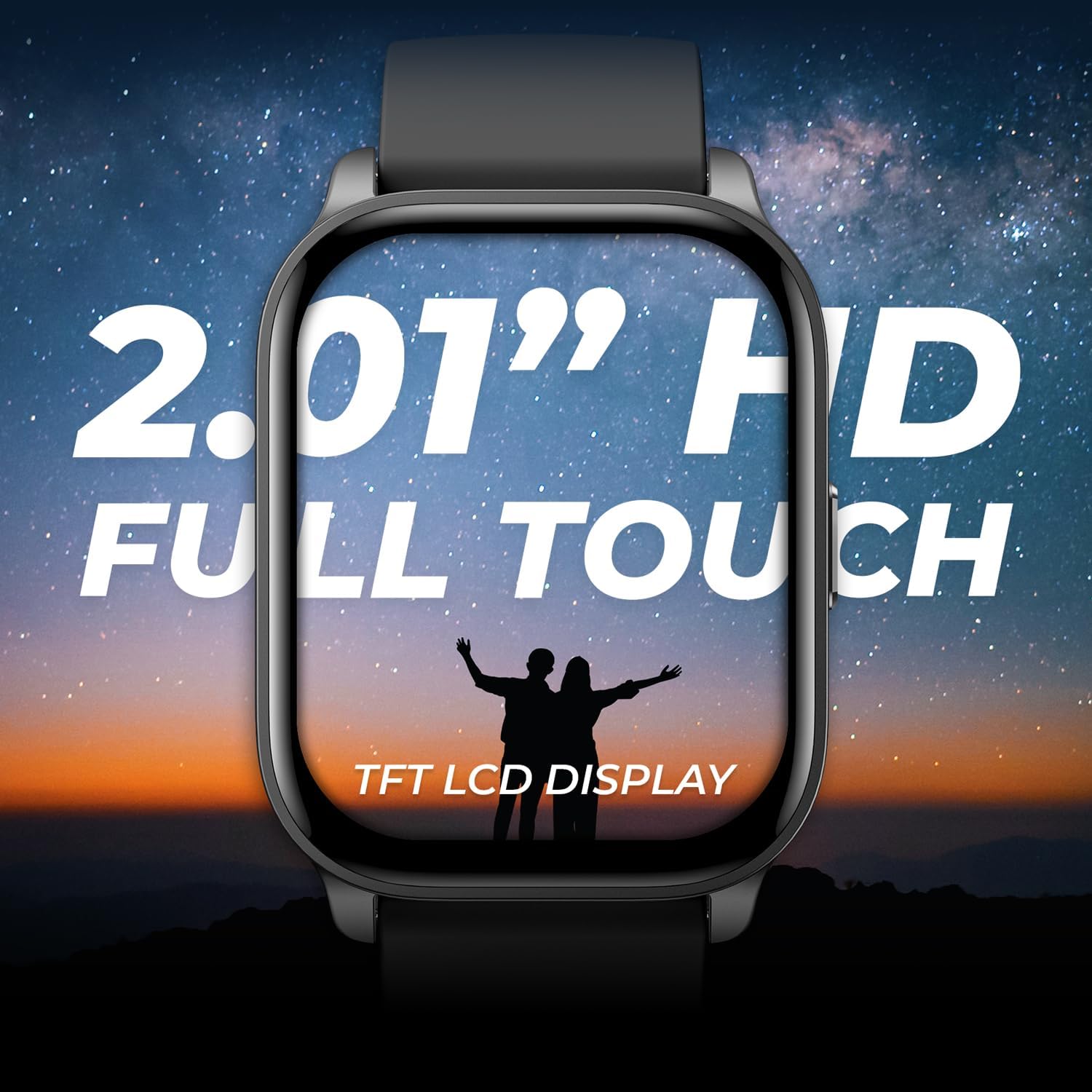
Image: Close-up of the smartwatch display, highlighting its 2.01-inch HD full-touch TFT LCD screen.
4.2 Smart Features
- Bluetooth Calling: Once paired with your phone, you can answer and make calls directly from your wrist.
- Amazon Alexa: Utilize the built-in Alexa voice assistant for queries, setting alarms, checking weather, and controlling smart home devices.
- Notifications: Receive text messages and social app notifications directly on your watch.

Image: Two smartwatches demonstrating Alexa voice assistant functionality and Bluetooth calling features.
4.3 Health Monitoring
The smartwatch offers comprehensive health tracking features:
- Heart Rate Monitoring: Continuous 24/7 heart rate tracking.
- Heart Rate Variability (HRV): Measures variations in time between heartbeats.
- Oxygen Saturation (SpO2): Monitors blood oxygen levels.
- Sleep Tracking: Analyzes sleep patterns and quality.
- Stress Tracking: Monitors stress levels throughout the day.
- Body Battery: Estimates your energy reserves based on activity, recovery, stress, and sleep data.
- Step Counter: Tracks daily steps and distance.
- Period Tracker: For women's health tracking.
- Breathing Exercises: Guided breathing sessions for relaxation.
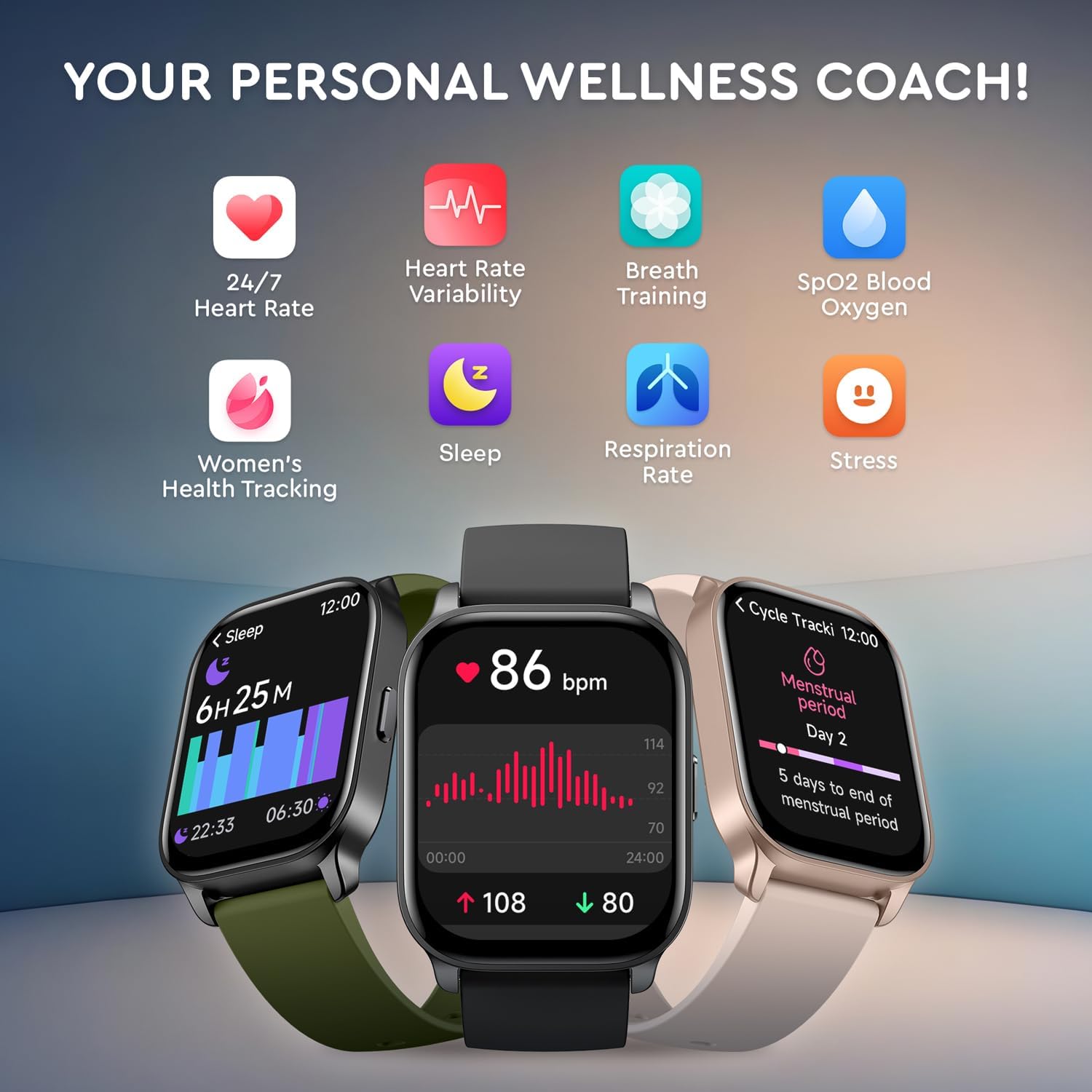
Image: Icons representing various health monitoring features including heart rate, HRV, breath training, SpO2, sleep, respiration rate, and stress.

Image: The smartwatch display showing the 'Body Energy' function, indicating energy levels throughout the day.
4.4 Fitness Tracking
The smartwatch supports over 100 sports modes and advanced workout tracking:
- 100+ Sports Modes: Select from a wide range of activities for accurate tracking.
- Intelligent Exercise Recognition: Automatically detects certain types of workouts.
- Virtual Running Competitor: Compete against previous performance.
- Connected GPS: Uses your phone's GPS for route tracking during outdoor activities.

Image: A person running, with text overlays indicating daily activity tracking, 100+ sports modes, intelligent exercise recognition, virtual running competitor, and connected GPS.
4.5 Customization
Personalize your watch with various options:
- Watch Faces: Choose from a diverse array of watch faces available in the VeryFit app, or use your own photos.
4.6 Utility Features
The smartwatch includes several useful tools:
- Stopwatch
- Countdown Timer
- Sedentary Reminder
- Hand Washing and Drinking Reminders
- Alarm Clock
- Flashlight
- Weather Updates
- Music Control
- Remote Camera Operation
- Phone Locator

Image: A collage showing various watch faces, IP68 water and dust protection, 300mAh battery life, and VeryFit app compatibility.
5. Maintenance
5.1 Water Resistance
The OCTANDRA Spark VeryFit Smart Watch IDW17 features an IP68 waterproof design. This means it is protected against dust ingress and can withstand immersion in water up to 1.5 meters for up to 30 minutes. It is suitable for daily use, hand washing, and light rain. Avoid hot water, saunas, or diving.
5.2 Cleaning
Regularly clean your watch and strap to prevent skin irritation and maintain functionality. Use a soft, damp cloth to wipe the watch face and strap. Ensure the watch is dry before charging.
5.3 Battery Care
The watch is equipped with a 300mAh lithium-ion battery, offering up to 7 days of battery life under typical usage. To prolong battery lifespan, avoid extreme temperatures and fully charge the device when the battery is low.
6. Troubleshooting
- Watch not turning on: Ensure the watch is fully charged. Connect it to the charging cable and allow it to charge for at least 10 minutes before attempting to power it on.
- Unable to pair with app: Make sure Bluetooth is enabled on your phone and the watch is within range. Restart both the watch and your phone, then try pairing again through the VeryFit app.
- Inaccurate data (steps, heart rate): Ensure the watch is worn snugly on your wrist, about one finger's width above your wrist bone. Avoid excessive movement during measurements.
- Notifications not received: Check app permissions on your phone to ensure the VeryFit app has access to notifications. Also, verify that 'Do Not Disturb' mode is not active on either your watch or phone.
- Bluetooth connection drops: Ensure no strong interference sources are nearby. Keep the watch and phone close to each other. If the issue persists, try re-pairing the device.
7. Specifications
| Feature | Specification |
|---|---|
| Model Number | IDW17 |
| Display Size | 2.01 Inches |
| Operating System | Custom OS |
| Connectivity | Bluetooth |
| Battery Capacity | 300 mAh Lithium Ion |
| Battery Life | Up to 7 days (typical use) |
| Charging Time | Approx. 2.5 hours |
| Water Resistance | IP68 |
| Item Weight | 6 ounces |
| Package Dimensions | 10.79 x 3.74 x 0.79 inches |
8. Warranty and Support
For warranty information and customer support, please refer to the documentation included with your product or visit the official OCTANDRA website. The VeryFit app also provides support resources and updates.
For further assistance, you may contact OCTANDRA customer service through their official channels.