
1. Introduction
This manual provides detailed instructions for the UNOCAR Universal Replacement Remote Control, designed for use with various Roku TV models. This remote offers a convenient and straightforward solution for controlling your Roku TV without complex setup procedures. Please read this manual thoroughly to ensure proper use and to maximize your remote control's functionality.

Image 1.1: UNOCAR Universal Replacement Remote Control
2. Compatibility
The UNOCAR Universal Replacement Remote Control is specifically designed to be compatible with a wide range of Roku TV brands. It operates using infrared (IR) technology.
2.1 Compatible Roku TV Brands:
- TCL Roku TV
- Hisense Roku TV
- ONN Roku TV
- INSIGNIA Roku TV
- SHARP Roku TV
- Hitachi Roku TV
- Philips Roku TV
- SANYO Roku TV
- Element Roku TV
- JVC Roku TV
- LG Roku TV
- RCA Roku TV
- Westinghouse Roku TV
- And other similar Roku TV models.
2.2 Incompatible Devices:
This remote control is NOT compatible with the following Roku devices:
- Roku Stick
- Roku Streaming Stick
- Roku Box 1/2/3/4 (HD/LT/XS/XD)
- Roku Ultra
- Roku Express
- Roku Premiere
- Roku Player
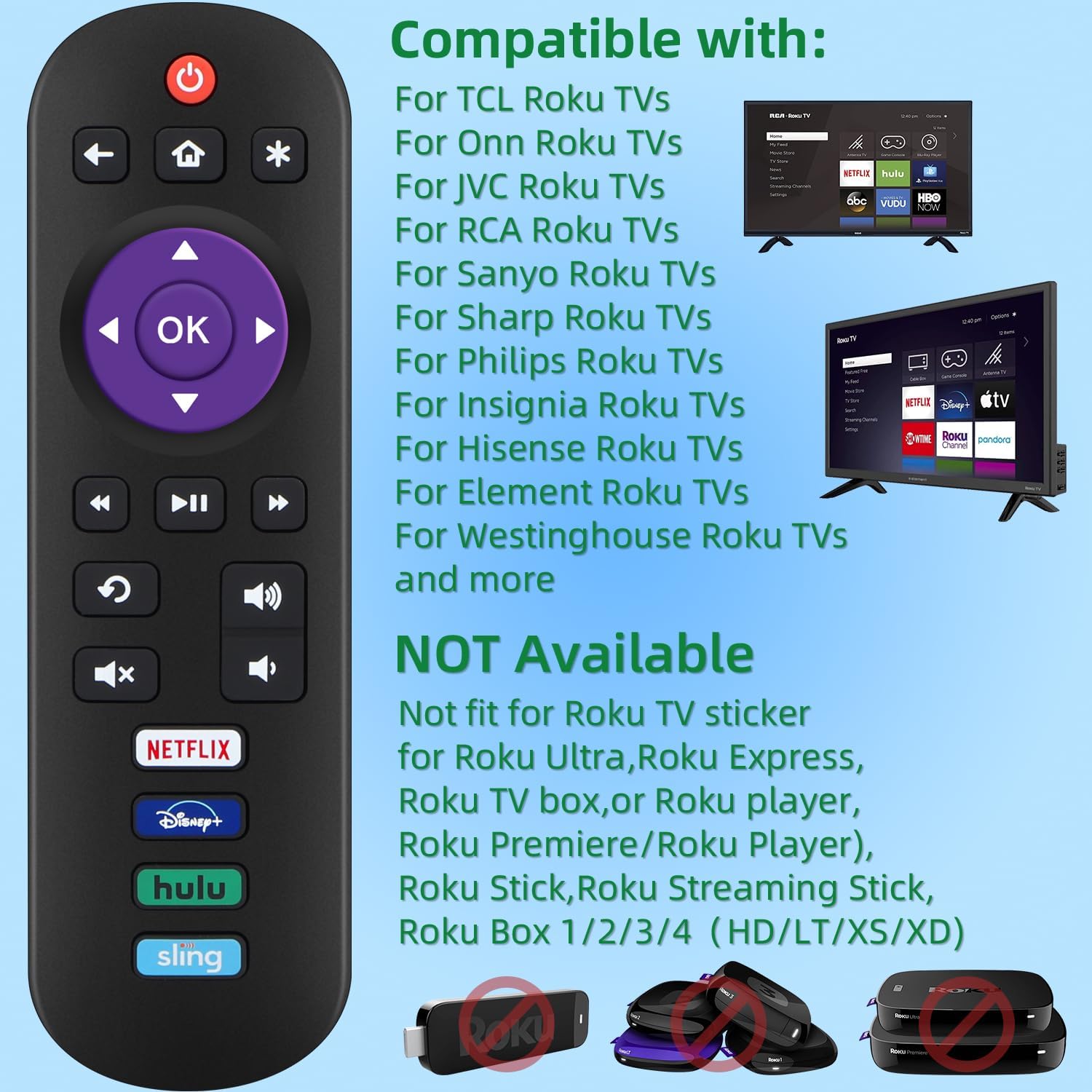
Image 2.1: Compatible and Incompatible Devices
3. Setup
Setting up your UNOCAR Universal Replacement Remote Control is quick and easy. No programming or pairing is required.
3.1 Battery Installation:
- Locate the battery compartment on the back of the remote control.
- Slide the battery cover downwards to open it.
- Insert two (2) AAA batteries, ensuring the positive (+) and negative (-) terminals align correctly with the markings inside the compartment.
- Slide the battery cover back into place until it clicks securely.
The remote is now ready for use. No additional steps are needed.

Image 3.1: Battery Compartment
4. Operating Instructions
This section details the functions of each button on your UNOCAR remote control.

Image 4.1: Remote Control Button Layout
4.1 Button Functions:
- Power (⏻): Turns the TV on or off.
- Back (⮨): Returns to the previous screen or menu.
- Home (⌂): Navigates to the Roku TV home screen.
- Asterisk (*): Accesses options or settings within an application or menu.
- Directional Pad (Up, Down, Left, Right): Navigates through menus and content.
- OK: Selects an item or confirms an action.
- Rewind (⮜⮜): Rewinds video playback.
- Play/Pause (⏯): Plays or pauses video content.
- Fast Forward (⮞⮞): Fast forwards video playback.
- Replay (⟳): Replays the last few seconds of video.
- Volume Up/Down (🔊): Adjusts the TV volume.
- Mute (🔇): Mutes or unmutes the TV audio.
4.2 Channel Shortcut Buttons:
The remote includes dedicated shortcut buttons for popular streaming services, allowing quick access to your favorite content.
- Netflix: Launches the Netflix application.
- Disney+: Launches the Disney+ application.
- Hulu: Launches the Hulu application.
- Sling: Launches the Sling TV application.

Image 4.2: Dedicated Channel Shortcut Buttons
4.3 Remote Control Range and Signal:
The UNOCAR remote control utilizes mature infrared technology, providing a strong and reliable signal. It offers a fast response time within 5 meters and can operate effectively up to approximately 10 meters (30 feet) from your Roku TV.

Image 4.3: Infrared Signal Range
4.4 Important Operating Notes:
- This remote control does NOT feature a headphone jack.
- Voice search functionality is NOT supported by this remote.
- There is NO dedicated pairing button, as the remote operates via infrared and does not require pairing.
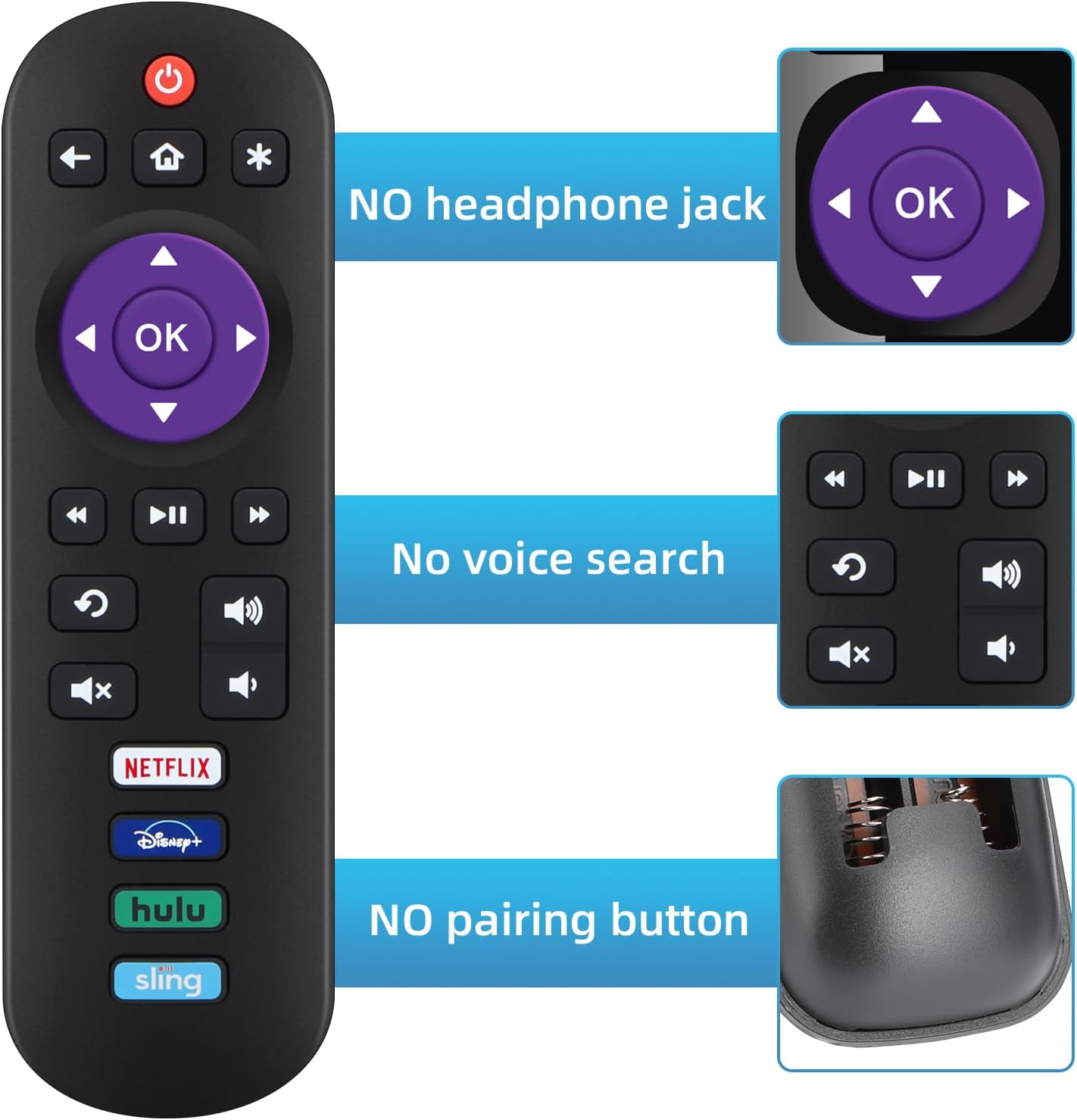
Image 4.4: Remote Control Limitations
5. Maintenance
To ensure the longevity and optimal performance of your UNOCAR Universal Replacement Remote Control, follow these simple maintenance guidelines:
- Cleaning: Wipe the remote control regularly with a soft, dry cloth. For stubborn dirt, slightly dampen the cloth with water or a mild cleaning solution, then wipe dry immediately. Avoid using harsh chemicals or abrasive cleaners.
- Storage: Store the remote in a cool, dry place away from direct sunlight and extreme temperatures.
- Battery Care: If the remote will not be used for an extended period, remove the batteries to prevent leakage, which can damage the remote.
- Handling: Avoid dropping the remote or exposing it to excessive force, as this can damage internal components.
6. Troubleshooting
If you encounter issues with your UNOCAR Universal Replacement Remote Control, please refer to the following troubleshooting steps:
- Remote Not Responding:
- Check Batteries: Ensure the batteries are inserted correctly with the correct polarity (+/-). Replace old or depleted AAA batteries with new ones.
- Line of Sight: Make sure there is a clear line of sight between the remote control and the infrared sensor on your Roku TV. Obstructions can block the signal.
- Remote Test: Point the remote at a digital camera (like a smartphone camera) and press any button. If you see a light flashing from the remote's emitter, the remote is sending a signal. If not, the batteries may be dead or the remote may be faulty.
- Limited Functionality:
- Compatibility: Double-check the compatibility section (Section 2) to ensure your Roku device is a compatible Roku TV model and not an incompatible Roku streaming stick or box.
- Specific Features Not Working: Remember that this remote does not support voice search, a headphone jack, or require pairing. These are not malfunctions.
- Intermittent Response:
- Battery Level: Low batteries can cause inconsistent performance. Replace them.
- Interference: Ensure no strong light sources (like direct sunlight) are interfering with the TV's IR receiver.
7. Specifications
| Feature | Detail |
|---|---|
| Brand | UNOCAR |
| Model Number | 71935a5a-0fc8-4b01-a2ac-18adc2618284 |
| Product Dimensions | 5.51 x 1.57 x 0.59 inches |
| Item Weight | 1.41 ounces |
| Power Source | 2 x AAA Batteries (Not Included) |
| Connectivity Technology | Infrared (IR) |
| Max Number of Supported Devices | 1 (Roku TV) |
| Special Features | Dedicated Channel Shortcut Buttons (Netflix, Disney+, Hulu, Sling) |
| Color | Black |
8. Warranty and Support
Specific warranty information for this product is not provided in the available documentation. For any product-related inquiries, technical support, or warranty claims, please contact the manufacturer, UNOCAR, through their official channels or the retailer from whom the product was purchased.