
1. Introduction
This manual provides detailed instructions for the assembly, operation, and maintenance of your Oubayajia Mid Century Modern TV Stand, Model TV Stand-111. Designed to accommodate televisions up to 70 inches, this unit features a natural finish, sliding doors, and integrated storage. Please read all instructions carefully before beginning assembly and retain this manual for future reference.
2. Safety Information
- Always assemble the TV stand with care to avoid injury.
- Keep fingers away from door openings when using the sliding doors to prevent pinching.
- This product is heavy and should be handled with care to prevent damage or injury during assembly and relocation. It is recommended that two adults assemble and move this unit.
- Ensure all fasteners are securely tightened before placing any items on the stand.
- Do not exceed the weight limit of 63 pounds for the unit.
3. Package Contents
Verify that all components listed below are present before beginning assembly. If any parts are missing or damaged, please contact customer support.
- Instruction manual (1)
- MDF Boards / Wood Panels (for top, sides, shelves, back)
- Solid Wood Legs (4)
- Sliding Doors (2)
- Wood Handles (2)
- Assembly Hardware (screws, dowels, cam locks, sliding door tracks, foot pads)
4. Specifications
| Feature | Detail |
|---|---|
| Brand | Oubayajia |
| Model Name | TV Stand-111 |
| Color | Natural |
| Product Dimensions (D x W x H) | 15.75" x 63" x 22.7" |
| Weight Limit | 63 Pounds |
| Item Weight | 63.1 Pounds |
| Material | MDF Boards or Wood |
| Mounting Type | Floor Mount |
| Special Feature | Sliding door |
| Number of Compartments | 4 |
| Recommended TV Size | 50/55/60/65/70-inch TVs |
5. Setup and Assembly
The Oubayajia TV Stand is designed for straightforward assembly. Please follow the included assembly instructions carefully. It is recommended to have a second person assist with assembly due to the size and weight of the components.
- Unpack and Identify Parts: Carefully unpack all components and hardware. Refer to the parts list in your separate assembly instructions to ensure all pieces are present and undamaged.
- Prepare the Assembly Area: Choose a clean, flat, and spacious area for assembly. Lay down a blanket or cardboard to protect the floor and furniture pieces from scratches.
- Assemble the Frame: Follow the step-by-step diagrams in the assembly instructions to connect the main panels of the TV stand. Ensure all cam locks and screws are tightened securely.
- Install Shelves: Insert the internal shelves into their designated positions.
- Attach Legs: Secure the four solid wood legs to the base of the TV stand. Ensure they are firmly attached and stable. Foot pads are included to prevent floor scratching.
- Install Sliding Doors: Carefully install the sliding doors onto their tracks. This step may require careful alignment.
- Attach Handles: Secure the wood handles to the sliding doors.
Assembly Tip: If the sliding doors rub or do not glide smoothly, check the alignment of the wheels on both doors. Adjust the wheel height as needed to ensure even movement and prevent rubbing. A drill may be helpful for tightening screws, especially for the legs, to ensure a secure fit.
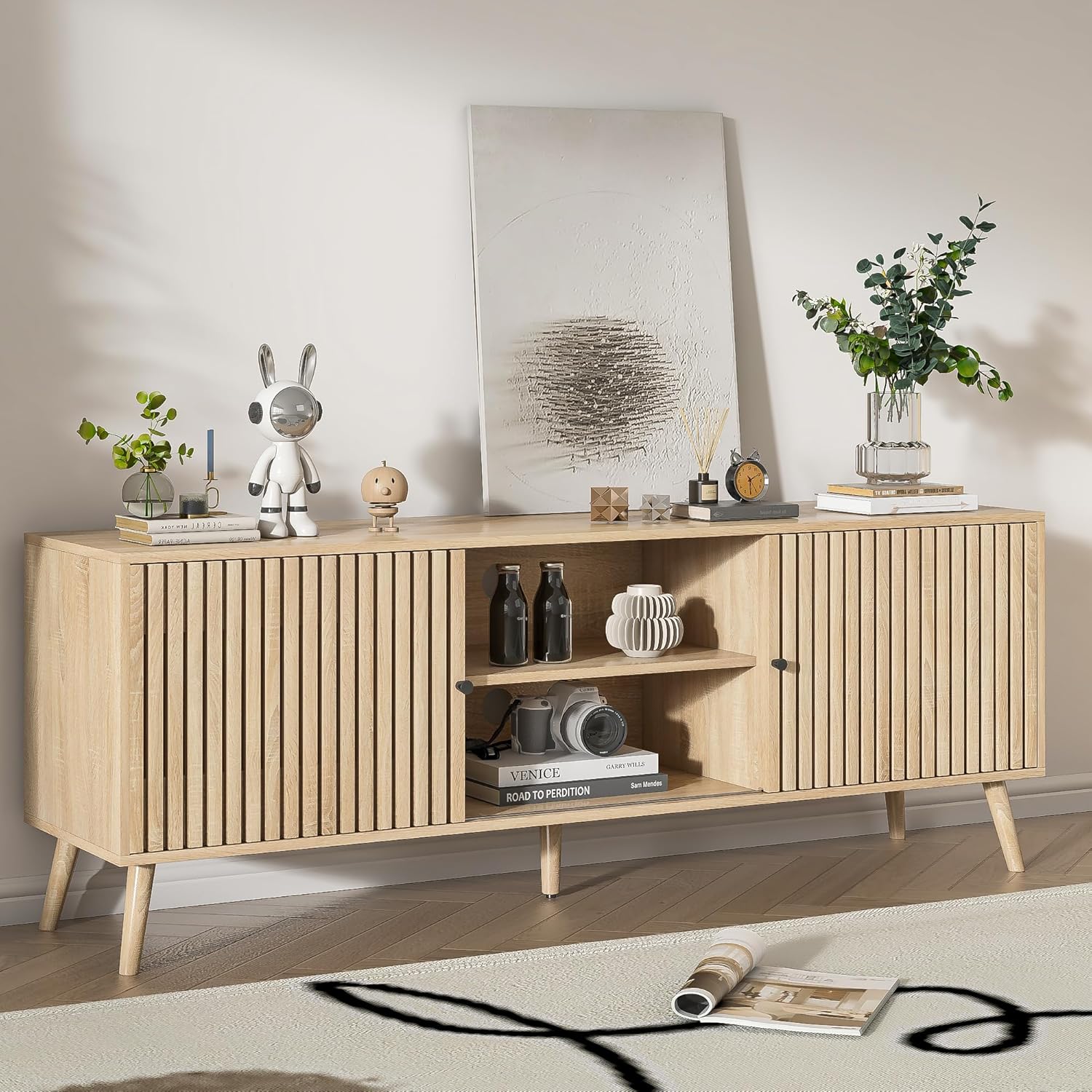
Figure 5.1: Fully assembled TV stand, natural finish.

Figure 5.2: Product dimensions and internal compartment measurements.
6. Operating Instructions
- Sliding Doors: The TV stand features two slatted sliding doors that can be moved horizontally to cover either the central open shelves or the side compartments. This allows for flexible storage and display options. Gently push the handles to slide the doors along their tracks.
- Cable Management: The back panel of the TV stand includes pre-drilled holes for cable management. Route your device cables through these openings to maintain a tidy and organized appearance.
- Storage: Utilize the enclosed compartments and open shelving for storing media equipment, books, and other items.

Figure 6.1: TV stand with television, demonstrating cable management.

Figure 6.2: Detail of sliding door mechanism, handles, and legs.
7. Maintenance
To ensure the longevity and appearance of your TV stand, follow these maintenance guidelines:
- Cleaning: The TV stand is made of high-quality MDF wood that is durable and easy to clean. Wipe surfaces with a soft, damp cloth. Avoid using harsh chemicals or abrasive cleaners, as these can damage the finish.
- Dusting: Regularly dust the surfaces with a dry, soft cloth to prevent buildup.
- Spills: Immediately wipe up any spills to prevent staining or damage to the wood finish.
- Inspection: Periodically check all screws and fasteners to ensure they remain tight. Re-tighten if necessary.

Figure 7.1: Detail of the wood handle and slatted door.
8. Troubleshooting
If you encounter any issues with your TV stand, refer to the following common problems and solutions:
- Sliding Doors Rubbing: If the sliding doors do not move smoothly or rub against each other/the frame, this is often due to improper alignment of the door wheels. Adjust the height of the wheels on both doors to ensure they are even and clear of obstructions. Refer to the assembly instructions for detailed guidance on door installation and adjustment.
- Wobbly Stand: If the TV stand feels unstable, check that all leg attachments and frame connections are securely tightened. Ensure the stand is placed on a flat, level surface.
- Missing Parts: If any parts were missing upon delivery, please contact Oubayajia customer support immediately for assistance.
9. Warranty and Support
For any questions, concerns, or support needs regarding your Oubayajia Mid Century Modern TV Stand, please contact Oubayajia customer service. While specific warranty details are not provided in this manual, please refer to your purchase documentation or the Oubayajia website for warranty information and contact details.
We are committed to providing quality products and support to our customers.