
1. Introduction
This manual provides essential instructions for the proper installation, operation, maintenance, and troubleshooting of the Generic Z4L25UJ Air Conditioning Motherboard (Model WCK-HNDC-103294). Please read this manual thoroughly before attempting any installation or operation to ensure safe and efficient use of the product.
2. Safety Information
Always observe the following safety precautions to prevent injury or damage to the product and connected equipment:
- Power Disconnection: Ensure all power to the air conditioning unit is disconnected before installing, removing, or servicing the motherboard.
- Qualified Personnel: Installation and service should only be performed by qualified technicians.
- Electrostatic Discharge (ESD): Handle the motherboard by its edges and use appropriate ESD protection (e.g., anti-static wrist strap) to prevent damage from static electricity.
- Correct Wiring: Verify all wiring connections are correct and secure according to the air conditioning unit's wiring diagram. Incorrect wiring can cause damage or fire.
- Environmental Conditions: Do not expose the motherboard to moisture, extreme temperatures, or corrosive environments.
3. Product Overview
The Generic Z4L25UJ Control Board is a replacement motherboard designed for specific air conditioning units. It serves as the central control unit, managing various functions such as temperature regulation, fan speed, mode selection, and communication with other components of the AC system. This board ensures the efficient and reliable operation of your air conditioning unit.
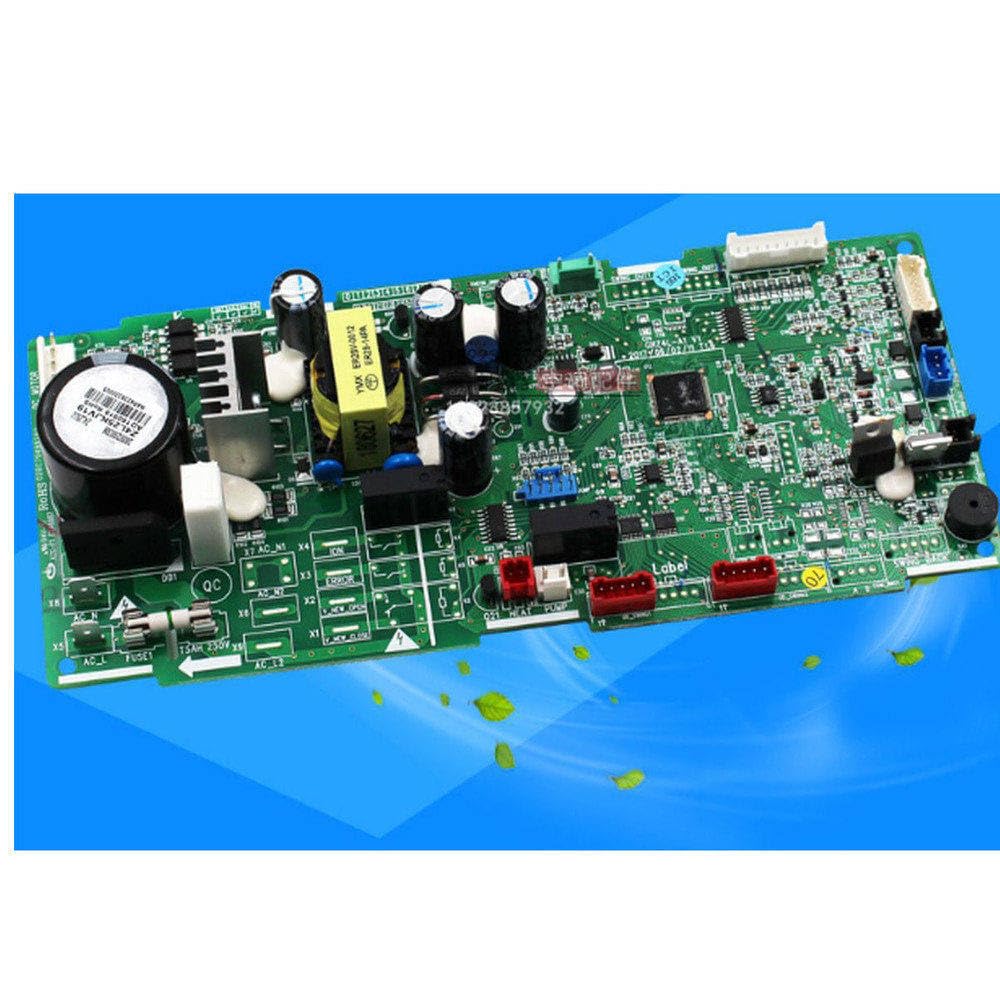
Figure 1: Generic Z4L25UJ Air Conditioning Motherboard. This image displays the main control board with various connectors and components.
4. Setup and Installation
Follow these steps carefully for proper installation of the control board:
- Preparation:
- Turn off and unplug the air conditioning unit from its power source.
- Open the AC unit's casing to access the existing motherboard.
- Take clear photos of all existing wiring connections before disconnecting anything. This will serve as a reference during reassembly.
- Wear an anti-static wrist strap to prevent ESD damage.
- Removal of Old Board:
- Carefully disconnect all wires and cables from the old motherboard. Note their positions.
- Unscrew or unclip the old motherboard from its mounting points.
- Installation of New Board:
- Align the new Generic Z4L25UJ motherboard with the mounting points in the AC unit.
- Secure the board using the original screws or clips. Do not overtighten.
- Reconnect all wires and cables to their corresponding ports on the new motherboard, referring to your photos taken during preparation. Ensure all connections are firm and correct.
- Initial Power-Up:
- Before closing the casing, double-check all connections.
- Plug the AC unit back into the power source and turn it on.
- Observe the unit for any unusual sounds, smells, or error indicators.
- Test basic functions (e.g., turn on/off, change temperature, fan speed).
- Final Assembly:
- Once confirmed operational, carefully close and secure the AC unit's casing.
5. Operating Instructions
The Generic Z4L25UJ motherboard functions as the core control unit for your air conditioning system. Once properly installed, its operation is integrated with the AC unit's existing user interface (e.g., remote control, wall thermostat). There are no direct user controls on the motherboard itself.
To operate your air conditioning unit, refer to the original user manual for your specific AC model. The motherboard will process commands from the user interface to control the compressor, fan, and other components as intended by the AC unit's design.
- Power On/Off: Use the AC unit's power button or remote control.
- Mode Selection: Select cooling, heating, fan-only, or dry modes via the AC unit's controls.
- Temperature Adjustment: Set desired temperature using the AC unit's thermostat or remote.
- Fan Speed: Adjust fan speed settings as needed.
6. Maintenance
Proper maintenance ensures the longevity and optimal performance of your air conditioning motherboard. Always disconnect power before performing any maintenance.
- Dust Removal: Periodically (e.g., every 6-12 months), open the AC unit's casing and gently clean any accumulated dust from the motherboard using a soft brush or compressed air. Ensure the air is dry and free of contaminants.
- Visual Inspection: Check for any signs of damage, loose connections, or corrosion on the board and its components. Address any issues promptly.
- Environmental Control: Ensure the AC unit's environment is kept clean, dry, and within its specified operating temperature range to prevent premature component failure.
7. Troubleshooting
If your air conditioning unit experiences issues after motherboard installation, refer to the following troubleshooting guide:
| Problem | Possible Cause | Solution |
|---|---|---|
| AC unit does not power on. | No power supply; loose power connection; faulty power supply unit; motherboard issue. | Check power outlet and circuit breaker. Verify all power cables are securely connected to the motherboard. If possible, test the power supply unit. Re-check motherboard installation. |
| AC unit powers on but does not respond to controls. | Loose control cable connections; remote control battery low; motherboard fault. | Ensure all control cables (e.g., to thermostat, remote receiver) are firmly connected. Replace remote control batteries. If issue persists, the motherboard may require further diagnosis. |
| AC unit displays an error code. | Sensor malfunction; communication error; component failure. | Refer to your specific AC unit's manual for error code definitions and troubleshooting steps. Verify sensor connections to the motherboard. |
| Intermittent operation. | Loose connections; overheating; power fluctuations. | Check all cable connections. Ensure adequate ventilation for the AC unit. Consult an electrician for power supply stability. |
If you are unable to resolve the issue after following these steps, contact a qualified technician or the product support for assistance.
8. Specifications
The following specifications apply to the Generic Z4L25UJ Air Conditioning Motherboard (Model WCK-HNDC-103294):
- Brand: Generic
- Model Number: WCK-HNDC-103294
- Compatible Devices: Personal Computer (Note: This specification from the source data appears to be a generic classification. This motherboard is specifically for air conditioning units.)
- Memory Slots Available: 2 (Note: This specification from the source data appears to be a generic classification. This motherboard is specifically for air conditioning units.)
- System Bus Standard Supported: SATA 1 (Note: This specification from the source data appears to be a generic classification. This motherboard is specifically for air conditioning units.)
- Manufacturer: Generic
- ASIN: B0CMQM2H1P
Please note: Some specifications provided by the retailer may be generic and not directly applicable to the specific function of this air conditioning control board. Focus on compatibility with your AC unit model.
9. Warranty Information
For specific warranty terms and conditions, please refer to the documentation provided by your seller or contact the manufacturer directly. Warranty coverage typically includes defects in materials and workmanship under normal use. Keep your proof of purchase for warranty claims.
10. Customer Support
If you require further assistance, have questions regarding installation, or need to report a defect, please contact your retailer or the manufacturer's customer support. Have your product model number (WCK-HNDC-103294) and proof of purchase ready when contacting support.
For general inquiries, you may visit the Amazon Customer Service page.