
CTXSumTec CTXSUM8969812
CTXSumTec Security Camera Wall Mount Bracket User Manual
Model: CTXSUM8969812
1. Introduction
This user manual provides essential information for the proper installation, usage, and maintenance of your CTXSumTec Security Camera Wall Mount Bracket. Designed for various dome and bullet security cameras, this bracket offers a secure and discreet solution for cable management and camera placement. Please read this manual thoroughly before installation to ensure optimal performance and safety.
2. Product Overview
The CTXSumTec Security Camera Wall Mount Bracket is a compact and sturdy junction box designed to simplify the installation of security cameras. It provides a clean and professional look by concealing cables and connectors, eliminating the need for large wall holes. Its universal mounting pattern ensures compatibility with a wide range of dome and turret cameras.

Image: Two CTXSumTec security camera wall mount brackets shown with the included screw kits. These brackets are designed to provide a stable and discreet mounting solution for various security cameras.
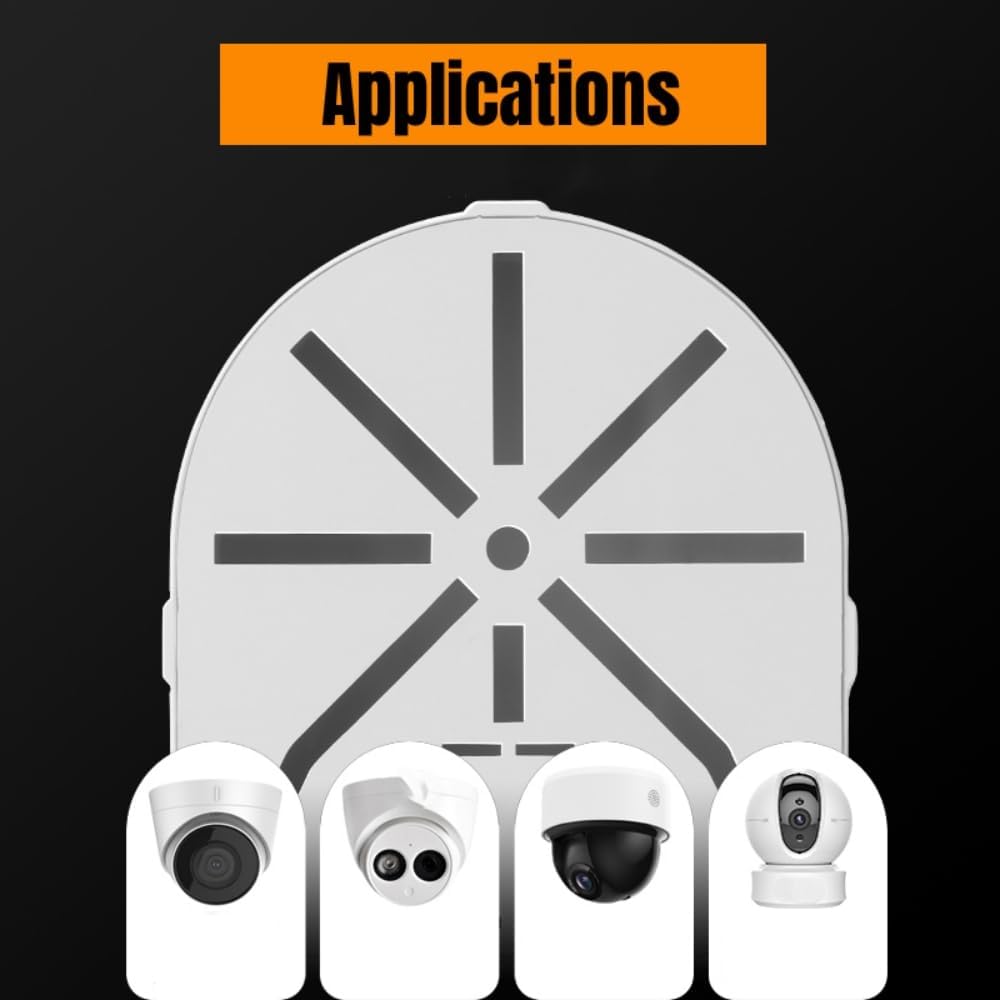
Image: This diagram illustrates the versatility of the CTXSumTec bracket, showing its compatibility with different types of security cameras including bullet, dome, and pan-tilt models.
Video: A 27-second video demonstrating the CTXSumTec Security Camera Wall Mount Bracket, showcasing its design, internal structure, and the included mounting hardware. This provides a visual overview of the product's components and features.
3. Package Contents
Please verify that all items are present and in good condition upon opening the package:
- 2 x L-shape Plastic Dome Camera Brackets
- 2 x Screw kits for fixing the camera (includes screws and wall anchors)
4. Setup and Installation
Follow these steps to properly install your security camera wall mount bracket:
- Choose a Location: Select a suitable wall surface for mounting. Ensure the surface is strong enough to support the weight of the bracket and the camera.
- Mark Drilling Points: Hold the bracket against the wall at the desired installation spot. Use a pencil to mark the positions for the mounting screws through the pre-drilled holes on the bracket's base.
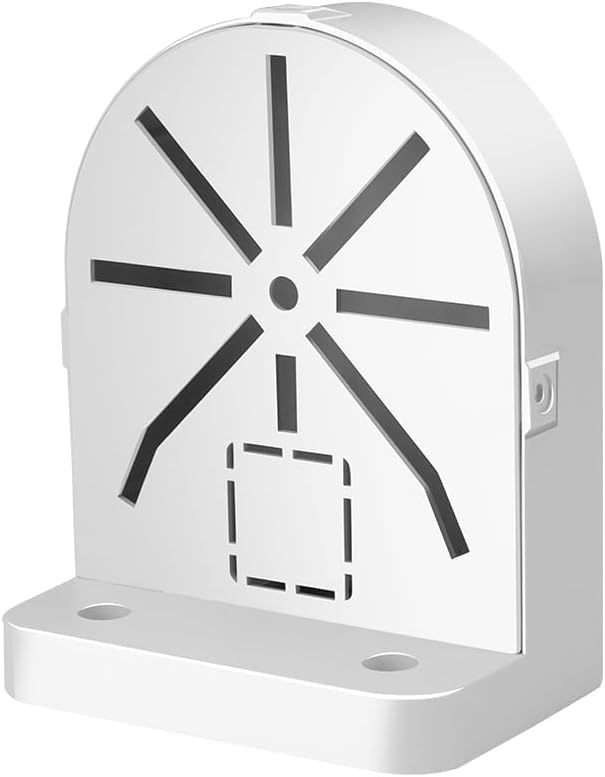
Image: A close-up front view of a single CTXSumTec wall mount bracket, highlighting the screw holes on the base for wall attachment.
- Drill Holes: Using an appropriate drill bit for your wall type, drill holes at the marked positions. Insert the provided wall anchors if necessary.
- Mount the Bracket Base: Align the bracket with the drilled holes and secure it to the wall using the provided screws. Ensure it is firmly attached.

Image: A security camera is shown securely mounted on the CTXSumTec wall bracket, demonstrating the final installed appearance.
- Cable Management: The bracket features rear and bottom access points for passing cables through. This allows for neat concealment of wiring and connectors within the junction box.

Image: The rear view of the bracket reveals the designated openings for cable routing, ensuring a tidy installation without exposed wires.

Image: An interior view of the bracket with its base opened, illustrating the ample space available for storing excess cables and connectors.
- Attach the Camera: Align your security camera's mounting holes with the corresponding slots on the bracket's top plate. Secure the camera using its original screws or the provided screws if compatible. The universal mounting pattern accommodates various screw hole alignments.
5. Operating and Compatibility
This bracket functions as a stable and protective housing for your security camera. It is compatible with a wide range of IP/POE surveillance cameras, including bullet cameras, dome cameras, and pan-tilt cameras. Its design ensures a solid and neat wire arrangement and protection for both indoor and outdoor camera installations.
6. Maintenance
The CTXSumTec Security Camera Wall Mount Bracket requires minimal maintenance. Periodically inspect the bracket and mounting screws to ensure they remain secure. Clean the surface with a soft, damp cloth as needed. Avoid using harsh chemicals or abrasive materials that could damage the plastic.
While designed for durability, prolonged exposure to extreme weather conditions (intense direct sunlight, severe cold) may affect the plastic over time. Regular inspection is recommended, especially for outdoor installations.
7. Troubleshooting
- Bracket feels loose after installation: Ensure all mounting screws are tightened securely. If installed on drywall, verify that wall anchors are properly seated and are the correct type for the wall material.
- Camera does not fit the mounting pattern: The bracket features a universal mounting pattern. Try rotating the camera or adjusting its base to align with the various slots. If still incompatible, consult your camera's manual for its specific mounting requirements.
- Cables are difficult to route: Ensure cables are not excessively thick or numerous. Utilize both the rear and bottom access points for optimal cable management.
8. Specifications
| Feature | Detail |
|---|---|
| Brand | CTXSumTec |
| Model Number | CTXSUM8969812 |
| Mounting Type | Wall Mount |
| Product Dimensions (L x W x H) | 5 x 1.5 x 4 inches |
| Item Weight | 7.8 ounces |
| Material | Plastic (Note: Some reviews mention soft plastic, not ABS) |
| Compatibility | IP/POE surveillance bullet, dome, and pan-tilt cameras |
| UPC | 711523254411 |
9. Warranty and Support
For warranty information or technical support, please refer to the product packaging or contact CTXSumTec customer service through the retailer's platform where the product was purchased. Keep your purchase receipt for any warranty claims.