
Microionxyz F8-purifier
Microionxyz F8-AR Anion Air Purifier User Manual
Introduction
This manual provides essential information for the safe and effective operation, maintenance, and troubleshooting of your Microionxyz F8-AR Anion Air Purifier. Please read these instructions thoroughly before using the device and retain this manual for future reference.
Important Safety Instructions
To reduce the risk of fire, electric shock, or injury, observe the following safety precautions:
- Read all instructions before operating the appliance.
- Do not operate any appliance with a damaged cord or plug. If the fan motor does not operate, has been dropped or damaged in any manner, return it to the manufacturer for examination, repair, or electrical or mechanical adjustment.
- Do not use outdoors.
- Do not run cord under carpeting. Do not cover cord with throw rugs, runners, or similar coverings. Arrange cord away from traffic area and where it will not be tripped over.
- Do not insert or allow foreign objects to enter any ventilation or exhaust opening as this may cause an electric shock or fire, or damage the appliance.
- Use this appliance only for its intended use as described in this manual. Any other use not recommended by the manufacturer may cause fire, electric shock, or injury to persons.
- Always unplug the appliance before moving, cleaning, or whenever the appliance is not in use.
- Do not immerse the appliance in water or other liquids.
- Keep the appliance out of reach of children.
Product Overview
Components
The Microionxyz F8-AR Anion Air Purifier is a compact, portable device designed for air purification. It features a sleek, modern design with an integrated control panel and a night light function.

Image: The Microionxyz F8-AR Anion Air Purifier in white, displaying its control panel and the air outlet.
Key Features
- Filter-less Purification: Utilizes a negative ion module and plasma generator, eliminating the need for consumable filters.
- High Efficiency: Effectively removes dust, hair, and eliminates 99.98% of PM2.5 particles.
- Enhanced Air Quality: Generates 120 million anions per cubic centimeter, which can contribute to improved breathing and sleep quality.
- Energy Efficient: Consumes 0.24 kWh for 24 hours of continuous operation. Capable of purifying a 430 square foot room in approximately 10 minutes.
- Sleep Mode: Designed for quiet operation (below 24dB) with continuous high concentration anion output to support deep sleep.
- Portable Design: Features a built-in battery providing 4-8 hours of operation, suitable for various environments such as bedrooms, offices, living rooms, and travel.
- Integrated Night Light: Includes a small night light with adjustable settings.
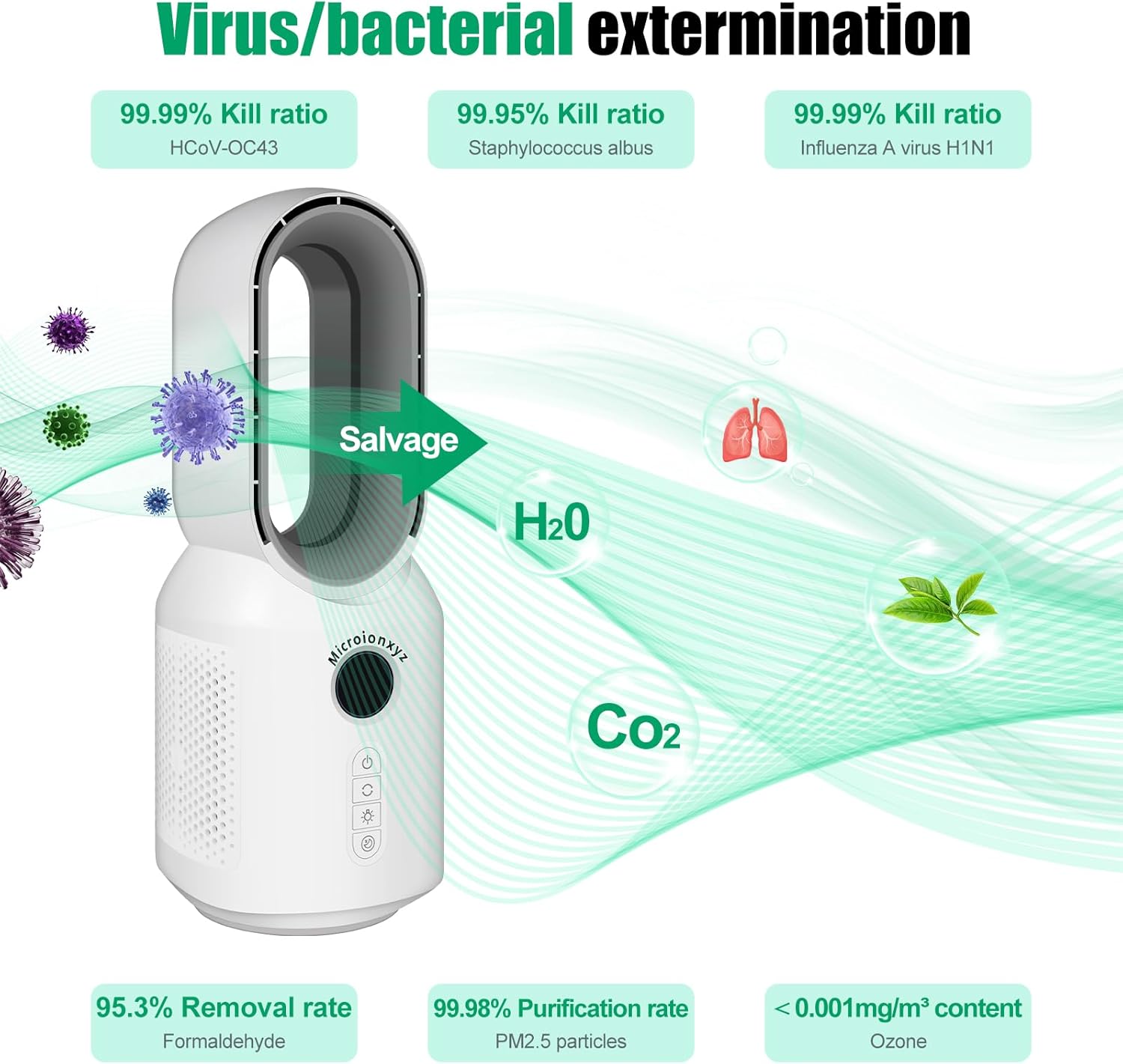
Image: A diagram showing the air purifier's effectiveness in reducing viruses, bacteria, formaldehyde, and PM2.5, while producing H2O and CO2.

Image: An internal view of the air purifier, illustrating the negative ion and plasma generator that enables filter-less purification.

Image: The air purifier in a home setting with a child and a dog, demonstrating its suitability for environments with pets.
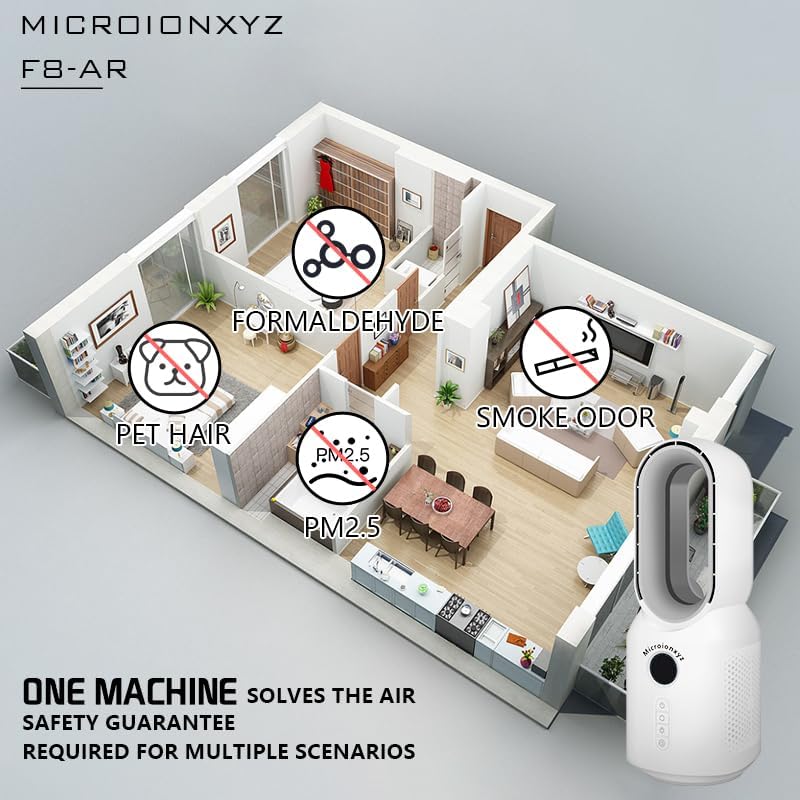
Image: A floor plan illustrating the air purifier's application in different rooms to address formaldehyde, pet hair, PM2.5, and smoke odors.

Image: A collage depicting the air purifier's versatile use in a living room, children's room, office, and vehicle.
Setup
- Unpacking: Carefully remove the air purifier from its packaging. Retain packaging materials for future storage or transport.
- Placement: Place the air purifier on a flat, stable surface. Ensure there is adequate space around the device for proper air circulation. Avoid placing it directly against walls or furniture that might obstruct air intake or output.
- Charging: Before first use, fully charge the built-in lithium-ion battery using the provided charging cable. The charging indicator will show the charging status.
Operating Instructions
Control Panel
The control panel is located on the front of the device and consists of several buttons for various functions.

Image: The air purifier's control panel and night light in operation.
- Power Button (⏻): Press to turn the unit on or off.
- Fan Speed Button (↶): Press to cycle through available fan speeds (e.g., Low, Medium, High). The device offers three fan speed settings.
- Night Light Button (💡): Press to activate or adjust the night light. The night light has three levels of soft light.
- Sleep Mode Button (☾): Press to activate Sleep Mode. In this mode, the device operates at its lowest noise level (below 24dB) and maintains high anion output for a quiet environment conducive to sleep.
Powering On/Off
Press the Power Button (⏻) once to turn the air purifier on. Press it again to turn the unit off.
Adjusting Fan Speed
After turning on the device, press the Fan Speed Button (↶) repeatedly to select your desired fan speed. The current speed setting may be indicated by an LED or display on the unit.
Using the Night Light
Press the Night Light Button (💡) to turn on the night light. Press it again to cycle through the three brightness levels. Press a fourth time to turn the night light off.
Activating Sleep Mode
Press the Sleep Mode Button (☾) to enter Sleep Mode. The device will operate quietly, typically at the lowest fan speed, and the night light may dim or turn off automatically depending on the setting. Press the button again to exit Sleep Mode.

Image: A graph demonstrating the low noise output of the air purifier in sleep mode, highlighting its quiet operation.
Maintenance
The Microionxyz F8-AR Anion Air Purifier features a filter-less design, eliminating the need for filter replacement. Regular cleaning is recommended to maintain optimal performance.
Cleaning the Exterior
- Ensure the device is turned off and unplugged before cleaning.
- Wipe the exterior surfaces with a soft, damp cloth. Do not use abrasive cleaners, solvents, or harsh chemicals.
- Ensure no water enters the air intake or outlet vents.
- Allow the device to dry completely before plugging it back in or turning it on.
Cleaning Air Vents
Periodically use a soft brush or a vacuum cleaner with a brush attachment to gently remove any dust or debris from the air intake and outlet vents.
Troubleshooting
If you encounter any issues with your air purifier, please refer to the following table for common problems and solutions.
| Problem | Possible Cause | Solution |
|---|---|---|
| Device does not turn on. | No power, battery depleted, or power button not pressed correctly. | Ensure the device is charged or plugged into a working power outlet. Press the power button firmly. |
| Weak airflow. | Air vents are blocked, or fan speed is set too low. | Check and clean air intake/outlet vents. Increase the fan speed setting. |
| Unusual noise during operation. | Foreign object in fan, or device not on a stable surface. | Turn off and unplug the device. Carefully inspect vents for obstructions. Place the device on a flat, stable surface. |
| Night light not working. | Night light function is off or in sleep mode. | Press the Night Light Button (💡) to activate or adjust brightness. If in Sleep Mode, exit Sleep Mode or adjust night light settings within that mode. |
If the problem persists after attempting these solutions, please contact customer support for further assistance.
Specifications
| Feature | Detail |
|---|---|
| Model Number | F8-purifier |
| Brand | Microionxyz |
| Color | White |
| Product Dimensions (D x W x H) | 6.69" x 6.69" x 15.75" |
| Item Weight | 2.3 pounds |
| Noise Level | 45 Decibels (Standard Operation), Below 24 Decibels (Sleep Mode) |
| Controller Type | Button Control |
| Wattage | 6 watts |
| Battery | 1 Lithium Ion battery (included) |
| Battery Life | 4-8 hours (portable use) |
| Purification Area | Up to 430 sq ft (purified in 10 minutes) |
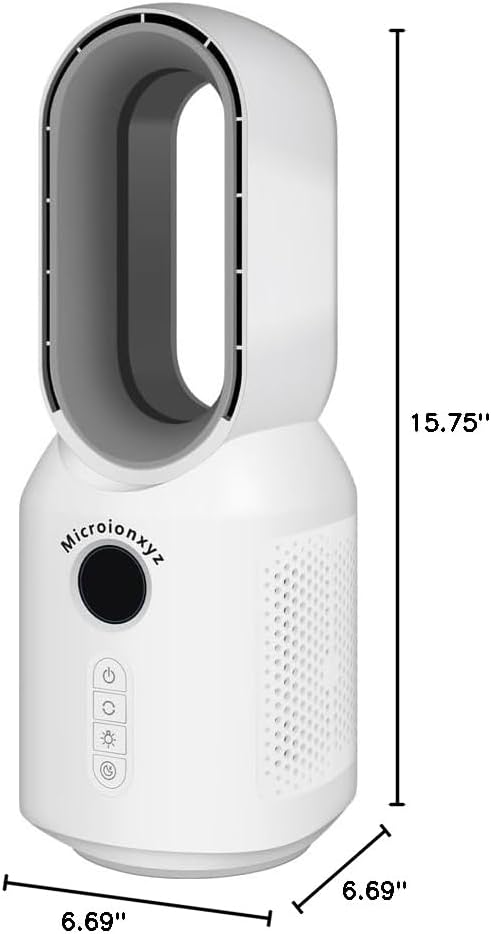
Image: Technical drawing showing the dimensions of the Microionxyz F8-AR Anion Air Purifier.
Warranty and Support
For warranty information and customer support, please refer to the documentation included with your purchase or visit the official Microionxyz website. Keep your proof of purchase for warranty claims.
Ask a question about this manual
Ask about setup, troubleshooting, compatibility, parts, safety, or missing instructions. Manuals+ will review the question and use this page’s manual context to help answer it.