
1. Introduction
Thank you for choosing the Leader WATCH WINDERS 8-Watch Winder. This device is designed to keep your automatic watches wound and ready to wear. It features independent rotor programming, an LCD touchscreen for control, interior LED lighting, and a motor-stop option for convenience. Please read this manual carefully to ensure proper setup and operation of your watch winder.
2. Safety Information
- Ensure the watch winder is placed on a stable, level surface.
- Do not expose the device to water or excessive humidity.
- Use only the provided universal AC power adapter (100-240V, 50-60Hz).
- Keep out of reach of children and pets.
- Do not attempt to disassemble or repair the unit yourself. Contact customer support for assistance.
- Avoid placing heavy objects on top of the watch winder.
3. Package Contents
Verify that all items are present in the package:
- Leader WATCH WINDERS 8-Watch Winder Unit
- Universal AC Power Adapter
- Remote Control
- Instruction Manual (this document)
4. Product Overview
The Leader WATCH WINDERS 8-Watch Winder is designed to maintain the functionality of up to eight automatic watches. It features a high-gloss piano lacquer exterior and a velvet/faux leather interior. Each rotor operates independently, allowing for customized winding programs.

Figure 4.1: Front view of the watch winder with the door open, displaying eight watches on their respective winding rotors.
Key Features:
- Independent Rotors: Each of the 8 rotors can be programmed individually.
- Adjustable TPD: Turns-Per-Day (TPD) range from 650 to 1950.
- Multiple Winding Directions: Clockwise, Counter-clockwise, and Bi-directional (mixed) modes.
- LCD Touchscreen Control: For easy programming and setting adjustments.
- Interior LED Light: Illuminates your watch collection.
- Motor-Stop Option: Rotors stop when the door is opened to prevent damage.
- Coordinated Rotor Stop: Watches return to the same vertical position after each winding cycle.
- Soft Polyurethane Watch Pillows: Designed to fit various watch sizes without scratching.
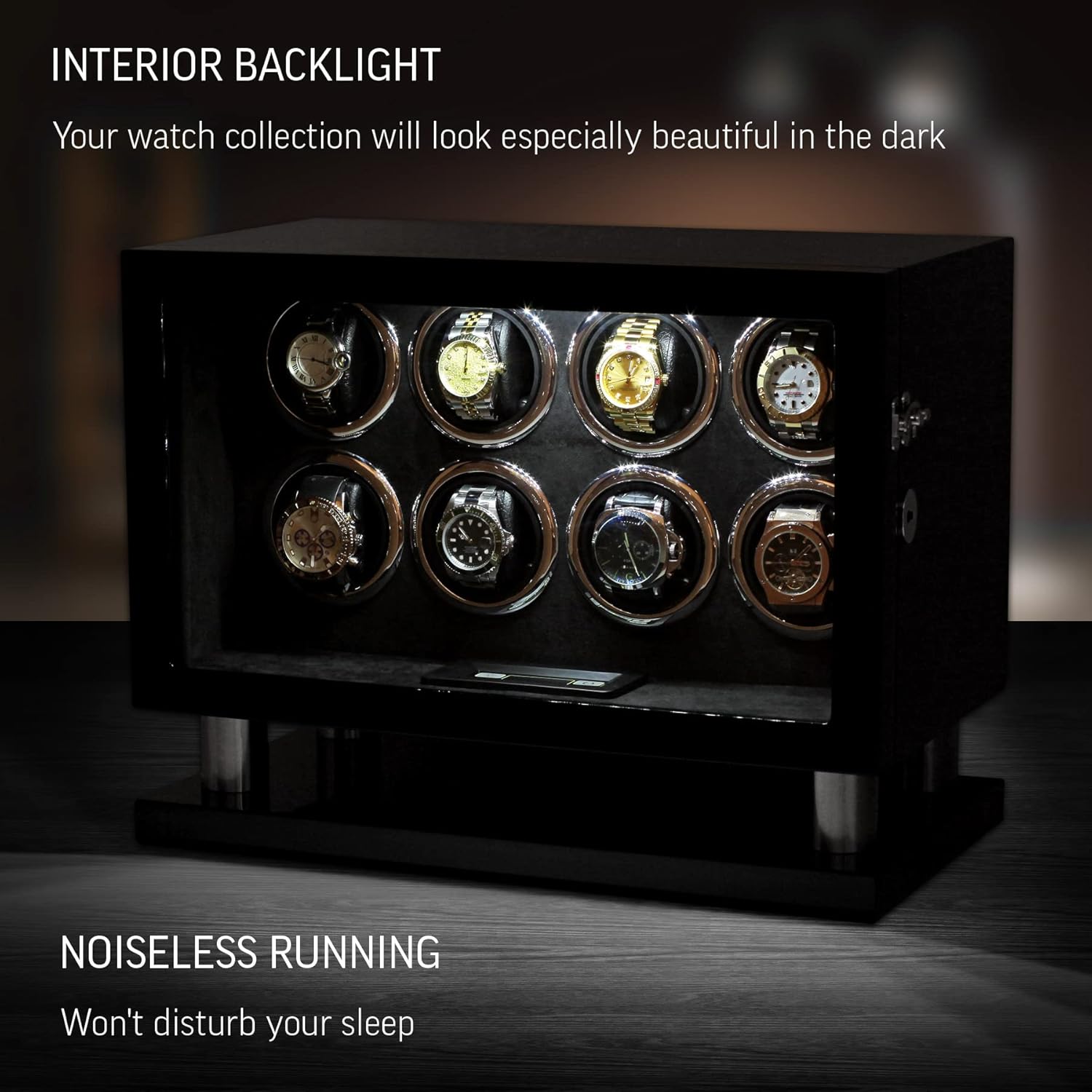
Figure 4.2: The watch winder with its interior LED light activated, highlighting the watches within.

Figure 4.3: Detail of the winding rotors, demonstrating the precise winding mechanism and the coordinated stop feature.

Figure 4.4: The LCD touchscreen control panel, used for setting winding programs and other functions.
5. Setup
5.1 Unpacking
- Carefully remove the watch winder from its packaging.
- Inspect the unit for any signs of damage. If damaged, do not use and contact customer support.
- Retain the packaging for future transport or storage.
5.2 Placement
Place the watch winder on a flat, stable, and dry surface away from direct sunlight, extreme temperatures, and strong magnetic fields.
5.3 Power Connection
- Connect the universal AC power adapter to the power input port on the back of the watch winder.
- Plug the adapter into a suitable electrical outlet (100-240V, 50-60Hz).
5.4 Inserting Watches
- Open the watch winder door. The motor-stop option will automatically halt the rotors if they are active.
- Gently compress a soft polyurethane watch pillow and place your automatic watch onto it. Ensure the watch is securely fitted.
- Insert the watch pillow with the watch into one of the winding rotor slots.
- Repeat for all watches you wish to wind.
- Close the watch winder door.

Figure 5.1: Illustration of how to properly secure a watch onto the soft polyurethane watch pillow before placing it into the winder.
6. Operating Instructions
The watch winder is controlled via an LCD touchscreen panel located at the bottom front of the unit. Each of the 8 rotors can be programmed independently.
6.1 LCD Touchscreen Control
The touchscreen allows you to select winding programs, adjust TPD, set rotation direction, and control the interior light.
Figure 6.1: The LCD touchscreen interface, showing options for TPD, direction, and light control.
6.2 Setting Turns-Per-Day (TPD)
The winder offers 15 winding programs with TPD settings ranging from 650 to 1950. Consult your watch manufacturer's recommendations for the optimal TPD for your specific watch model.
- On the LCD touchscreen, select the desired rotor to program.
- Navigate through the TPD options using the touch controls to select the appropriate setting.
6.3 Setting Rotation Direction
Three rotation directions are available: clockwise (CW), counter-clockwise (CCW), and bi-directional (mixed). The bi-directional mode alternates between CW and CCW rotations.
- Select the rotor you wish to configure on the touchscreen.
- Choose the desired rotation direction (CW, CCW, or Bi-directional) from the available options.

Figure 6.2: Visual representation of the three available winding directions for automatic watches.
6.4 Motor-Stop Option
This feature automatically stops all rotors when the winder door is opened. This prevents potential damage to the winding mechanism when inserting or removing watches.
- To activate or deactivate this option, refer to the settings menu on the LCD touchscreen.
6.5 Interior LED Light Control
The interior LED light can be switched on or off using a dedicated button on the control panel or via the remote control.
6.6 Coordinated Rotor Stop
After each winding cycle, the rotors will stop in a synchronized vertical position. This ensures a consistent and aesthetically pleasing display of your watch collection.
7. Maintenance
7.1 Cleaning
- Disconnect the power adapter before cleaning.
- Wipe the exterior with a soft, dry, lint-free cloth.
- For stubborn marks, lightly dampen the cloth with water and a mild, non-abrasive cleaner, then wipe dry immediately.
- Do not use harsh chemicals, solvents, or abrasive materials, as these can damage the finish.
7.2 Watch Pillows
- The soft polyurethane watch pillows are designed for durability. If they become dirty, wipe them with a slightly damp cloth and allow them to air dry completely before use.
8. Troubleshooting
| Problem | Possible Cause | Solution |
|---|---|---|
| Winder not turning | No power; Door open; Program not set. | Check power connection; Close the door; Ensure a winding program is selected for the rotor. |
| Interior light not working | Light switched off. | Press the light button on the control panel or remote to turn it on. |
| Watches not winding | Incorrect TPD/direction; Watch not automatic; Watch not seated correctly. | Verify TPD and direction settings; Confirm watch is automatic; Re-seat watch firmly on pillow. |
| Unusual noise | Unit not level; Obstruction. | Ensure winder is on a flat surface; Check for any objects obstructing rotor movement. |
If the problem persists after attempting these solutions, please contact customer support.
9. Specifications
| Feature | Detail |
|---|---|
| Model Number | 8008 |
| Product Dimensions | 17 x 9 x 13 inches (43 x 23 x 33 cm) |
| Item Weight | 20.3 Pounds |
| Material | Wood (Case), Polyurethane (Band Material Type) |
| Exterior Finish | High-gloss piano lacquer |
| Interior Lining | Velvet/Faux leather |
| Watch Capacity | 8 Automatic Watches |
| Max Watch Case Diameter | 2.4 inches (60 mm) |
| Turns-Per-Day (TPD) Range | 650 to 1950 TPD |
| Winding Programs | 15 |
| Rotation Directions | Clockwise, Counter-clockwise, Bi-directional |
| Control Interface | LCD Touchscreen, Digital Display |
| Lighting | LED Interior Light |
| Power Source | Universal AC Power Adapter (100-240V, 50-60Hz) |
| Additional Features | Motor-Stop option, Coordinated rotor stop, Digital clock |
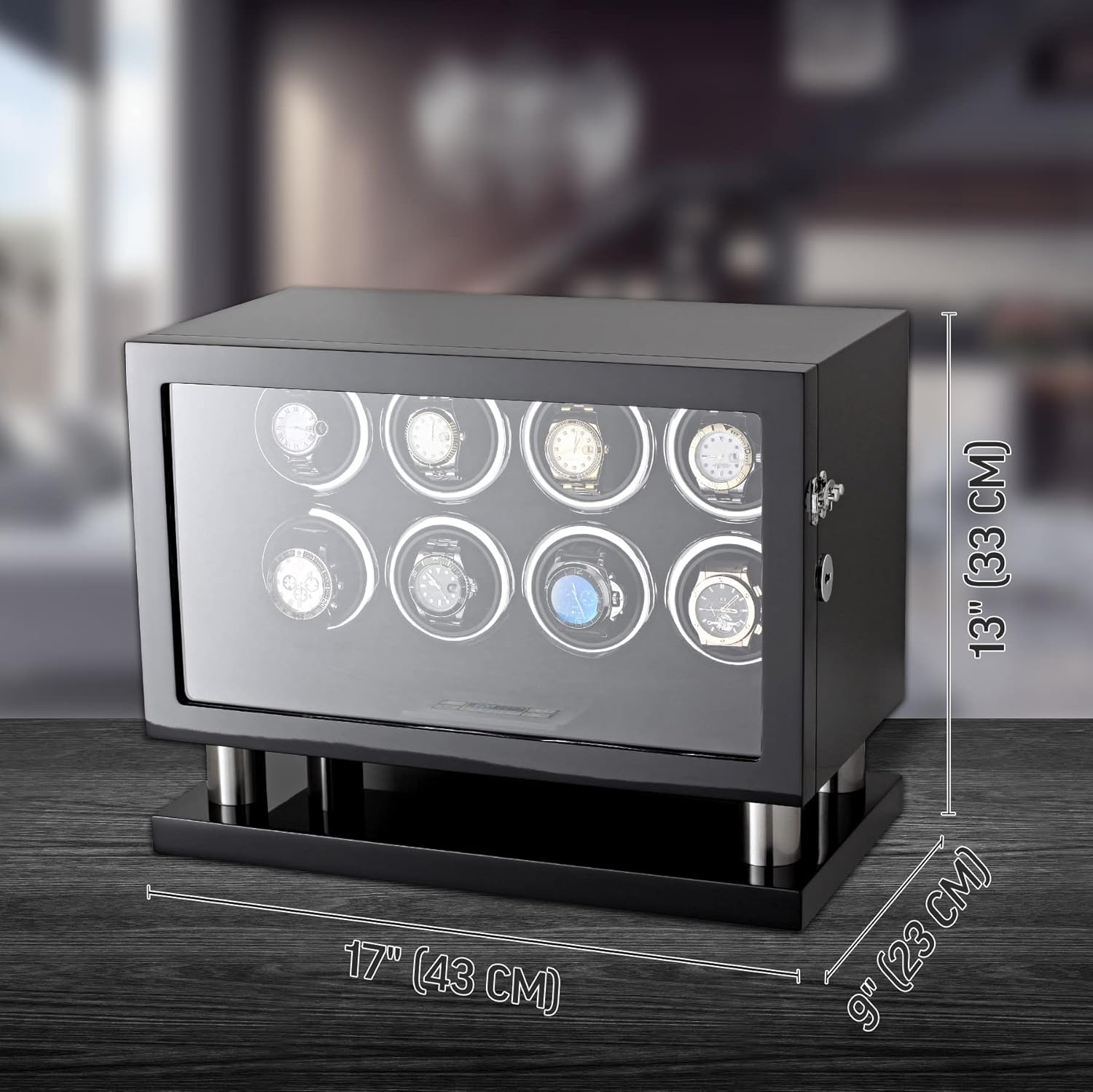
Figure 9.1: Product dimensions of the watch winder.
10. Warranty Information
This Leader WATCH WINDERS product is covered by a manufacturer's warranty. For specific details regarding the warranty period and terms, please refer to the warranty card included with your purchase or contact Leader WATCH WINDERS customer support.
11. Customer Support
If you have any questions, require technical assistance, or need to report an issue with your Leader WATCH WINDERS 8-Watch Winder, please contact our customer support team. Refer to the contact information provided in your product packaging or visit the official Leader WATCH WINDERS website for support options.