Introduction
This manual provides detailed instructions for the Rehoria Invisible Sleep Wireless Earphones, Model MD. These earphones are designed for comfort during sleep, especially for side sleepers, and offer wireless audio with integrated microphone functionality. Please read this manual thoroughly before using your earphones to ensure proper operation and longevity.
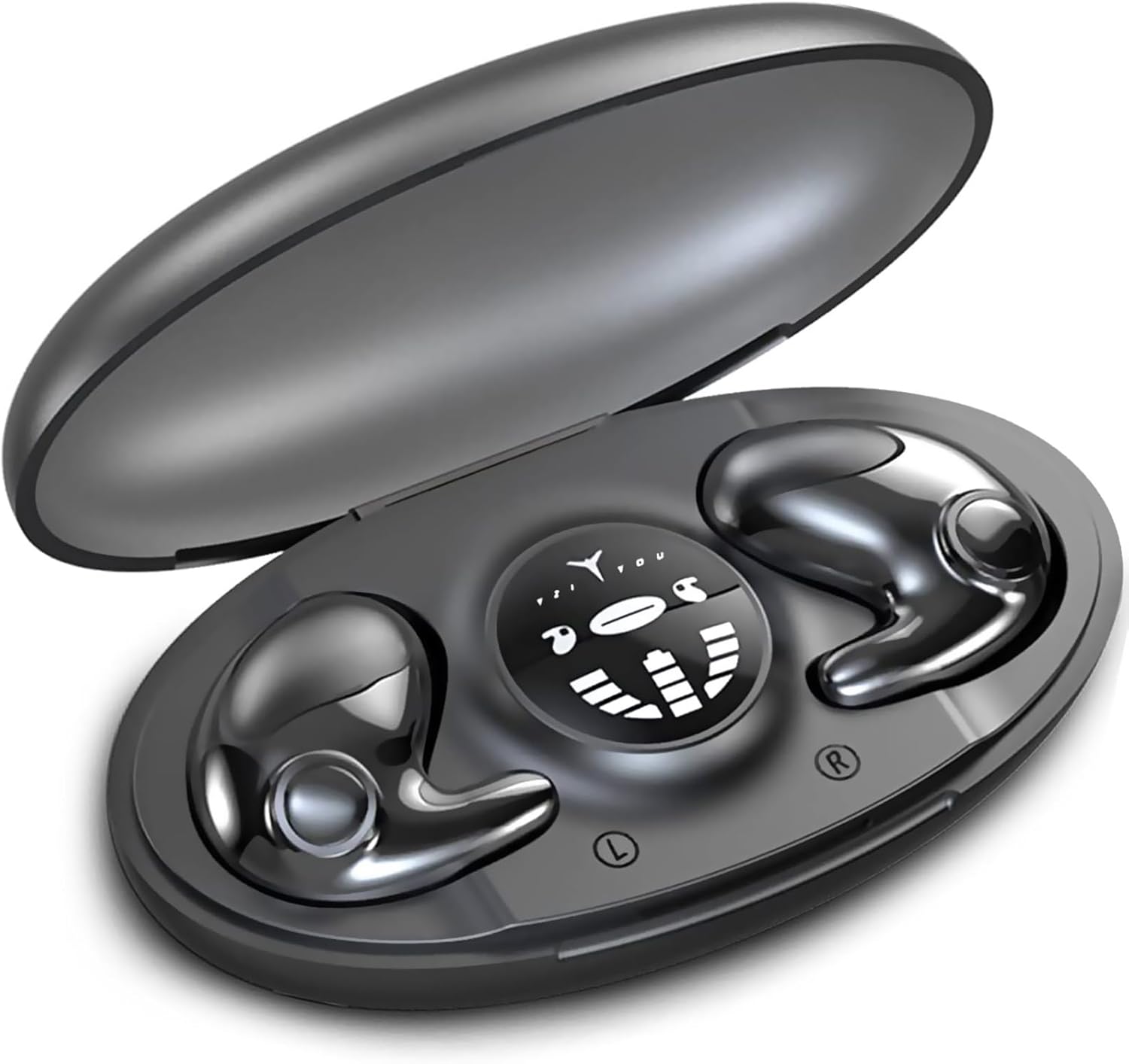
Image: Rehoria Invisible Sleep Wireless Earphones in their charging case.
What's in the Box
Upon unboxing your Rehoria Invisible Sleep Wireless Earphones, you should find the following items:
- Rehoria Invisible Sleep Wireless Earphones (Left and Right)
- Portable Charging Case
- USB Type-C Charging Cable
- User Manual

Image: The package contents, showing the earphones, charging case, USB-C cable, and user manual.
Setup
Charging the Earphones and Case
Before first use, fully charge the earphones and the charging case. The charging case provides additional battery life for your earphones.
- Place the earphones into the charging case. Ensure they are correctly seated to initiate charging.
- Connect the provided USB Type-C cable to the charging port on the case and to a compatible USB power source.
- The LED digital display on the case will indicate the charging status. A full charge typically takes approximately 1.5 hours.

Image: The Type-C fast charging port on the earphone case.
Pairing with a Device
Follow these steps to pair your earphones with a Bluetooth-enabled device:
- Remove both earphones from the charging case. They will automatically power on and enter pairing mode.
- On your device (phone, tablet, laptop), navigate to the Bluetooth settings.
- Search for available devices and select "MD" from the list.
- Once connected, the earphones will automatically connect to the paired device every time they are powered on.

Image: Instructions for one-step auto pairing and a visual guide to earphone controls.
Operating Instructions
Earphone Controls
The earphones feature intuitive button controls for various functions:
- One Press (Left/Right Earphone): Play/Pause music.
- Triple Press (Left Earphone): Previous track.
- Triple Press (Right Earphone): Next track.
- Twice Press (Left Earphone): Decrease volume.
- Twice Press (Right Earphone): Increase volume.
- One Press (Right Earphone): Answer/End call.
- Long Press (2s, Left Earphone): Activate voice assistant.
- Long Press (1s, Right Earphone): Reject call.
Refer to the pairing image above for a visual representation of these controls.
Features
Design and Comfort
The Rehoria Invisible Sleep Wireless Earphones are engineered for maximum comfort, especially for side sleepers. Their ultra-thin and invisible design ensures they fit snugly within the ear without protruding, preventing discomfort when lying down.

Image: A woman sleeping comfortably on her side while wearing the earphones.
Each earphone weighs approximately 3.2 grams and has a thickness of only 10.6mm, making them barely noticeable during extended wear.

Image: Detailed dimensions highlighting the earphones' lightweight and thin profile.
Audio Quality
Equipped with 13mm moving coil speakers, these earphones deliver clear stereo and surround sound, enhancing your listening experience for music, podcasts, or soothing audio.

Image: An illustration of the 13mm moving coil speaker for enhanced audio.
Device Compatibility and Connectivity
The earphones utilize the latest Bluetooth 5.3 technology, ensuring a fast, stable, and efficient wireless connection with a range of up to 10 meters. They are compatible with a wide array of devices including Android phones, iPhones, iPads, and other Bluetooth-enabled tablets and laptops.

Image: The Bluetooth 5.3 chipset, highlighting advanced connectivity.
Battery Life
Enjoy up to 5 hours of continuous playback on a single charge. The portable charging case extends the total listening time to approximately 20 hours, making them suitable for extended use throughout the day or night.

Image: Battery life indicators for single charge and total with charging case.
Additional Features
- IPX5 Waterproof Rating: Provides protection against sweat and light splashes, suitable for various activities.
- Built-in Microphone: Enables clear hands-free calls.
- Adaptive Noise Cancellation: Helps reduce ambient noise for a more focused listening experience.

Image: Various usage scenarios for the earphones, including sleeping, working out, driving, and traveling.
Maintenance
To ensure the longevity and optimal performance of your Rehoria Invisible Sleep Wireless Earphones, follow these maintenance guidelines:
- Cleaning: Regularly wipe the earphones and charging case with a soft, dry, lint-free cloth. Avoid using harsh chemicals or abrasive materials.
- Storage: When not in use, store the earphones in their charging case to protect them from dust and damage. Store in a cool, dry place away from extreme temperatures.
- Charging: Use only the provided USB Type-C cable or a certified equivalent for charging. Avoid overcharging or completely draining the battery frequently.
- Water Exposure: While IPX5 rated for water resistance, avoid submerging the earphones in water or exposing them to heavy rain. Dry them thoroughly if they get wet.
Troubleshooting
If you encounter any issues with your earphones, please refer to the following common solutions:
- Earphones not pairing:
- Disconnect your phone from the wireless earphones.
- Click one of the earphones three times in succession.
- After a two-second interval, click it two times in succession to re-pair successfully.
- Reconnect using your phone's Bluetooth settings.
- No sound or low volume: Ensure the earphones are properly connected to your device and the volume is turned up on both the earphones and your device. Check for any obstructions in the earphone speakers.
- Charging issues: Verify that the charging cable is securely connected to both the case and the power source. Ensure the charging contacts on the earphones and inside the case are clean and free of debris.
- Earphones falling out or discomfort: Ensure the earphones are correctly positioned in your ears. The ergonomic design is intended for a secure fit, but individual ear shapes may vary.
Specifications
| Feature | Specification |
|---|---|
| Model Name | MD |
| Connectivity Technology | Wireless (Bluetooth 5.3) |
| Bluetooth Range | 10 Meters |
| Ear Placement | In Ear |
| Form Factor | In Ear |
| Noise Control | Adaptive Noise Cancellation |
| Audio Driver Size | 13 Millimeters |
| Battery Life (Earbuds) | 5 Hours |
| Total Playback Time (with Case) | 20 Hours |
| Charging Time | 1.5 Hours (approx.) |
| Charging Port | Type-C |
| Water Resistance Level | IPX5 (Sweatproof) |
| Built-in Microphone | Yes |
| Control Type | Button |
| Material | Acrylonitrile Butadiene Styrene (ABS) |
| Product Dimensions | 2.95 x 1.57 x 0.98 inches |
| Item Weight | 2.89 ounces |
Warranty and Support
Rehoria provides professional 24/7 customer service. If you have any questions about the product, require technical support, or have received a damaged or incomplete item, please contact us directly via the "Get Product Support" option on your Amazon order page. We are committed to providing prompt assistance and ensuring your satisfaction.