1. Introduction
Thank you for choosing the Generic SC-L07 Self-Levelling Cross Line Laser Level. This device is designed for precision levelling tasks, offering high visibility and ease of use for various applications. Please read this manual thoroughly before operating the device to ensure safe and correct usage.
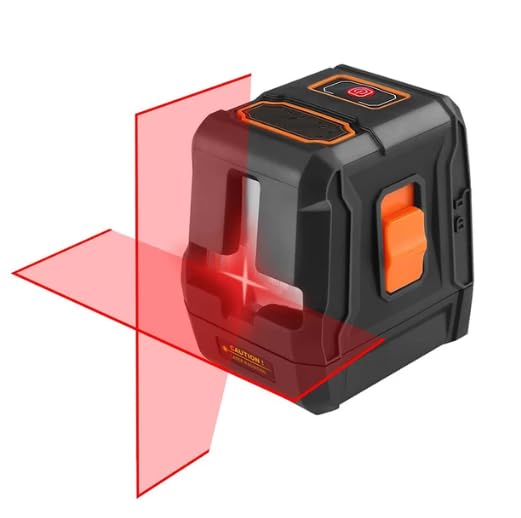
Image 1.1: The SC-L07 Laser Level projecting horizontal and vertical laser lines.
2. Safety Information
WARNING: Laser Radiation. Avoid direct eye exposure.
- Do not stare directly into the laser beam.
- Do not point the laser beam at people or animals.
- Do not operate the device in explosive environments.
- Keep the device out of reach of children.
- Use only as described in this manual. Any other use may result in hazardous laser radiation exposure.
- Do not attempt to modify or disassemble the laser level.
3. Package Contents
Verify that all items are present and undamaged upon opening the package:
- Laser device
- Device Case
- Magnetic Carrier Bracket
- User Manual (this document)
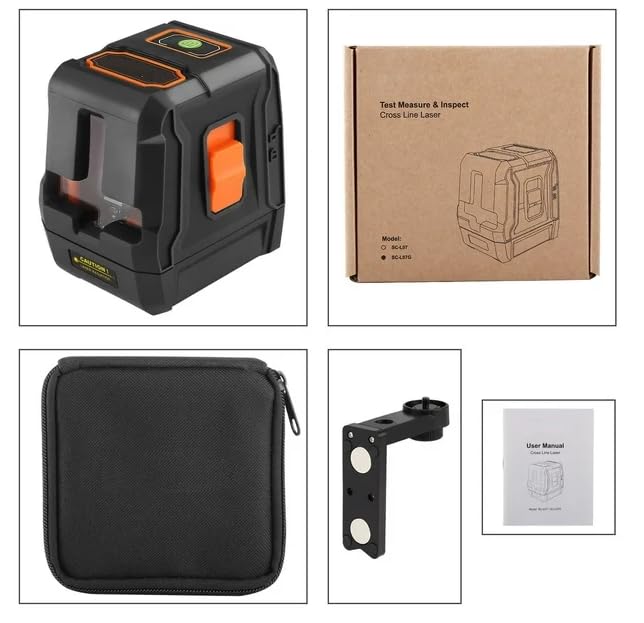
Image 3.1: Overview of items included in the product package.
4. Product Overview
Familiarize yourself with the components of your SC-L07 Laser Level:
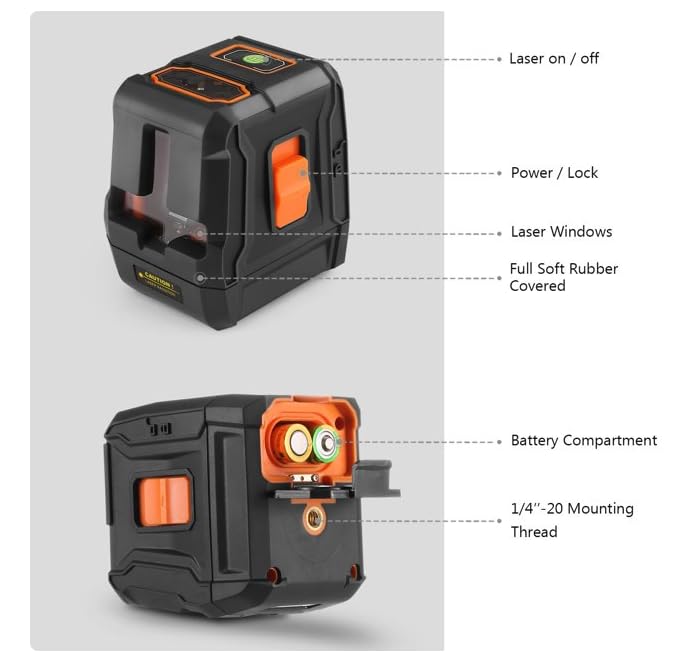
Image 4.1: Labeled diagram of the SC-L07 Laser Level components.
- Laser On/Off Button: Activates or deactivates the laser lines.
- Power/Lock Switch: Controls power and locks the pendulum for manual mode.
- Laser Windows: Emits the horizontal and vertical laser beams.
- Full Soft Rubber Covered: Provides durability and grip.
- Battery Compartment: Houses the batteries.
- 1/4"-20 Mounting Thread: For attachment to tripods or the magnetic bracket.
5. Setup
5.1. Battery Installation
- Locate the battery compartment on the device (refer to Image 4.1).
- Open the battery compartment cover.
- Insert the required batteries, ensuring correct polarity (+/-).
- Close the battery compartment cover securely.
5.2. Mounting the Device
The SC-L07 can be used freestanding or mounted using its 1/4"-20 mounting thread.
- Tripod Mounting: Screw the device onto a standard tripod using the 1/4"-20 thread.
- Magnetic Bracket Mounting: Attach the device to the provided magnetic carrier bracket. The bracket can then be securely placed on any metal surface due to its strong magnetic force. The laser level can be rotated 360° on the bracket for precise alignment.
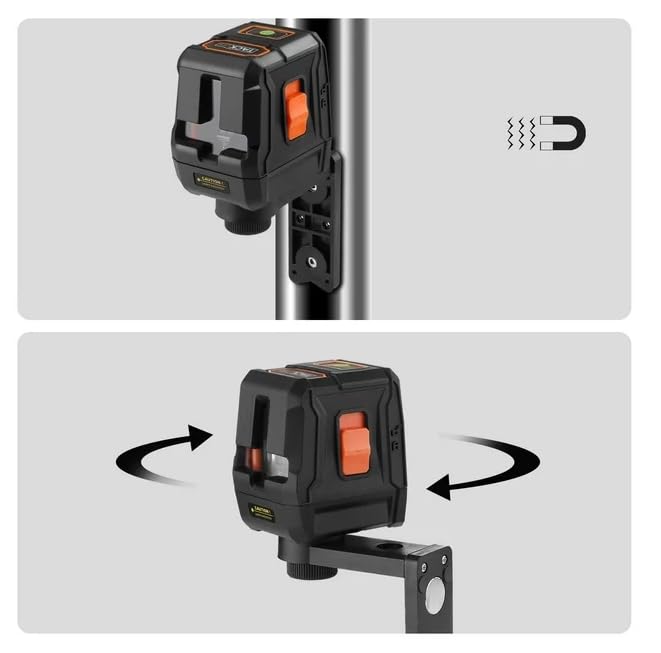
Image 5.1: The laser level mounted on its magnetic bracket, demonstrating magnetic attachment and rotation.
6. Operating Instructions
6.1. Powering On/Off
- To power on the device, slide the Power/Lock switch to the unlocked position. The laser lines will activate.
- To power off the device, slide the Power/Lock switch to the locked position. This also protects the pendulum during transport.
6.2. Levelling Modes
The SC-L07 offers two primary levelling modes:
- Automatic Self-Levelling Mode: When the Power/Lock switch is in the unlocked position, the device will automatically self-level within a deviation of ±4 degrees. If the device is outside this range, the laser lines will flash to indicate it is not level.
- Manual Mode (Locked Mode): When the Power/Lock switch is in the locked position, the automatic levelling function is disabled. This allows the device to be used at any angle, projecting tilted lines for applications like staircase layouts.
6.3. Switching Laser Lines
Press the "Laser On/Off" button (refer to Image 4.1) to cycle through the available laser line configurations:
- Horizontal line only
- Vertical line only
- Both horizontal and vertical cross lines
6.4. Applications
The SC-L07 is suitable for a variety of tasks, including:
- Cabinet installation
- Drop ceiling installation
- Kitchen installation
- Tile work (floor and wall bricks)
- Building slopes
- Instrument installation
- Ceiling bracket installation
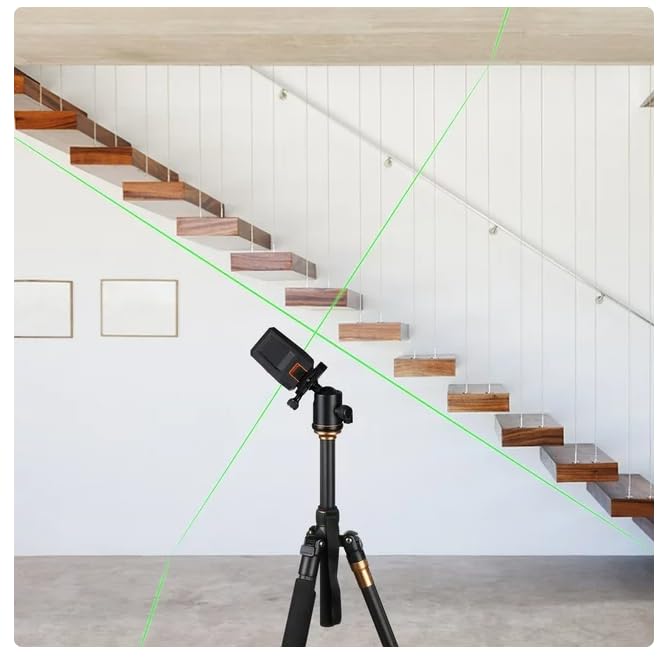
Image 6.1: Example application of the laser level for staircase alignment.
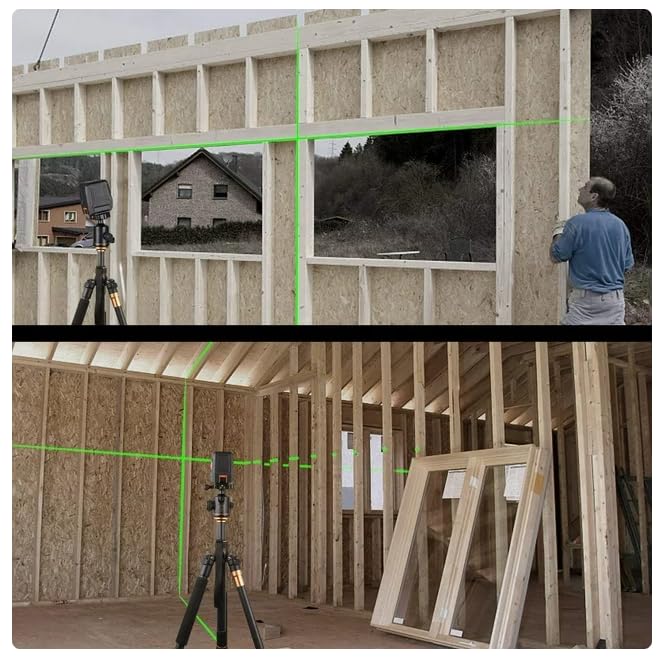
Image 6.2: The laser level assisting with construction framing.
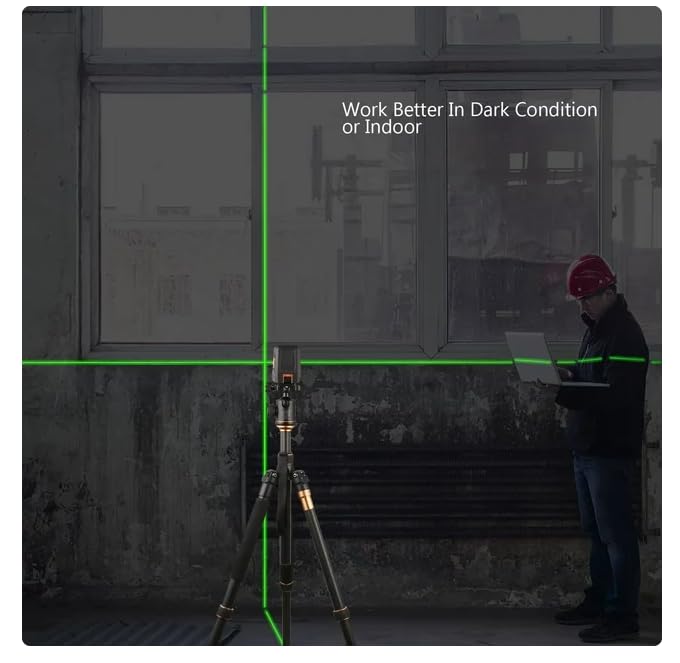
Image 6.3: The laser level demonstrating clear visibility in indoor or darker conditions.
7. Maintenance
- Cleaning: Keep the laser windows clean. Use a soft, dry cloth to wipe the device. Do not use abrasive cleaners or solvents.
- Storage: When not in use, store the device in its protective case in a dry, cool place, away from direct sunlight. Ensure the Power/Lock switch is in the locked position to protect the pendulum.
- Battery Care: Remove batteries if the device will not be used for an extended period to prevent leakage.
- Calibration: While the device is self-levelling, periodic checks against a known level reference are recommended for critical applications.
8. Troubleshooting
| Problem | Possible Cause | Solution |
|---|---|---|
| Laser lines do not turn on. | Low or dead batteries; Power/Lock switch in locked position. | Replace batteries; Slide Power/Lock switch to unlocked position. |
| Laser lines are flashing. | Device is outside its self-levelling range (±4 degrees). | Place the device on a more level surface. |
| Laser lines are not straight or level in manual mode. | This is expected behavior in manual mode, where the pendulum is locked. | Ensure the Power/Lock switch is in the unlocked position for self-levelling. For manual mode, lines will be projected at the device's angle. |
| Reduced laser visibility. | Bright ambient light; Dirty laser windows. | Operate in dimmer conditions or indoors; Clean laser windows with a soft cloth. |
9. Specifications
| Feature | Detail |
|---|---|
| Model | SC-L07 |
| Brand | Generic |
| Laser Type | Cross Line Laser (Red) |
| Working Range | Up to 20 meters |
| Self-Levelling Range | ±4 degrees |
| Laser Plane Angle | 110 degrees |
| Operation Mode | Automatic / Manual |
| Material | Plastic (with TPE for horizontal/vertical lasers) |
| Color | Black |
| IP Rating | IP54 (dust and splash protection) |
| Mounting Thread | 1/4"-20 |
| Item Weight | 1 kg |
| Package Dimensions | 13.8 x 12.7 x 8 cm |
10. Warranty and Support
For warranty information, please refer to the documentation provided at the time of purchase or contact your retailer. For technical support or inquiries, please reach out to the manufacturer or your point of purchase.


